STAKE TIA WITH KEPLR MOBILE
The blockchain thesis has shifted over the years, from monolithic layer 1s that do everything, to modular chains like Celestia that break apart tasks. Celestia handles the base data layer, while the rollups and appchains built on top of it handle their own execution. All plug into Celestia’s base layer to share proven and verifiable data.
Celestia is a Cosmos chain built for fiber optic speed and privacy, aiming to bring all tradable markets on-chain. The TIA token underpins the network and is required for those markets to operate. They need TIA to rent blockspace and all users need it to transact.
Be sure to check out our Celestia article series where we go over what Celestia is, why institutions should care about Celestia, why investors might own the token, and how to stake TIA tokens.
Today we’ll take that article series a step further and show you specifically how to stake TIA using Keplr mobile wallet.
Setting up Keplr mobile for TIA
To get started, download Keplr mobile wallet and then enable the Celestia network.
Download the mobile app from Keplr’s website and be sure to write your seed phrase on paper and store it somewhere safe. Don’t keep it on any internet connected device.
In the asset list search for “Celesita” or “TIA” and click the “Enable” button so the wallet can talk to the network and so your TIA balance and staking options become visible.
If you use a hardware wallet like Ledger, which we always recommend, you can connect it through Keplr’s Cosmos integration to manage and stake your TIA with added security.
Once the network is added, Keplr will show your TIA account, transaction history, and a “Stake” section where you can browse validators, like us at Atlas Staking.
Be sure to check out our wallet security checklist that we link to below. It can turn even the greenest crypto newbie into someone who knows how to properly store crypto in just a few minutes.

Staking CELESTIA’S TIA tokens in Keplr Mobile
Follow our step-by-step TIA staking guide below and you’ll be earning rewards in no time!
Key Takeaways:
1. Tap TIA from your wallet home screen
2. Tap the “Stake” button
3. Tap the “Stake” button again
4. Type “Atlas Staking” in the search box
5. Tap on “Atlas Staking” to select us
6. Tap the “Stake” button
7. Enter the number of TIA you want to stake
8. Tap “Next”
9. Tap “Approve”
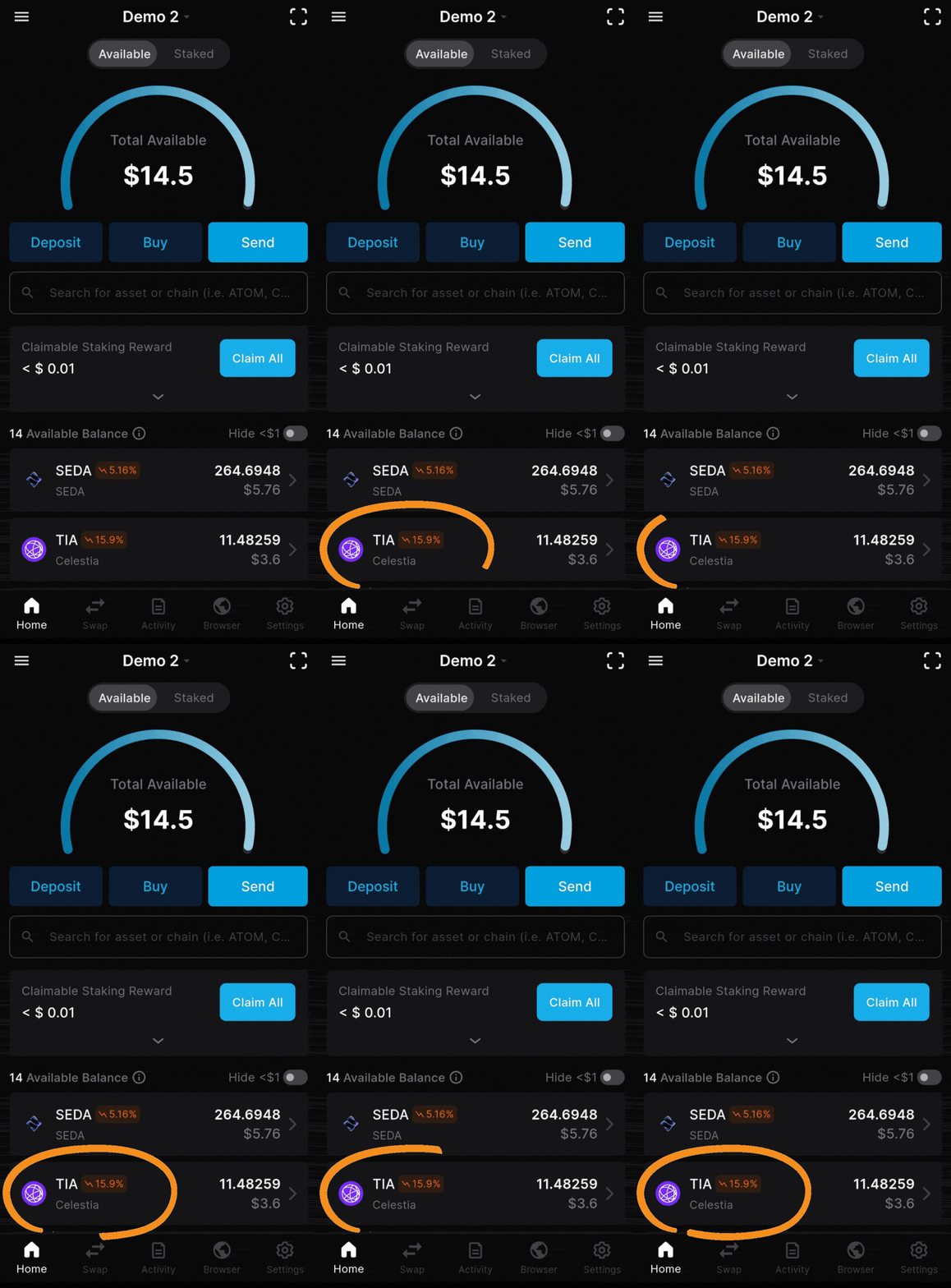
1. Tap TIA from your wallet home screen
01 / 15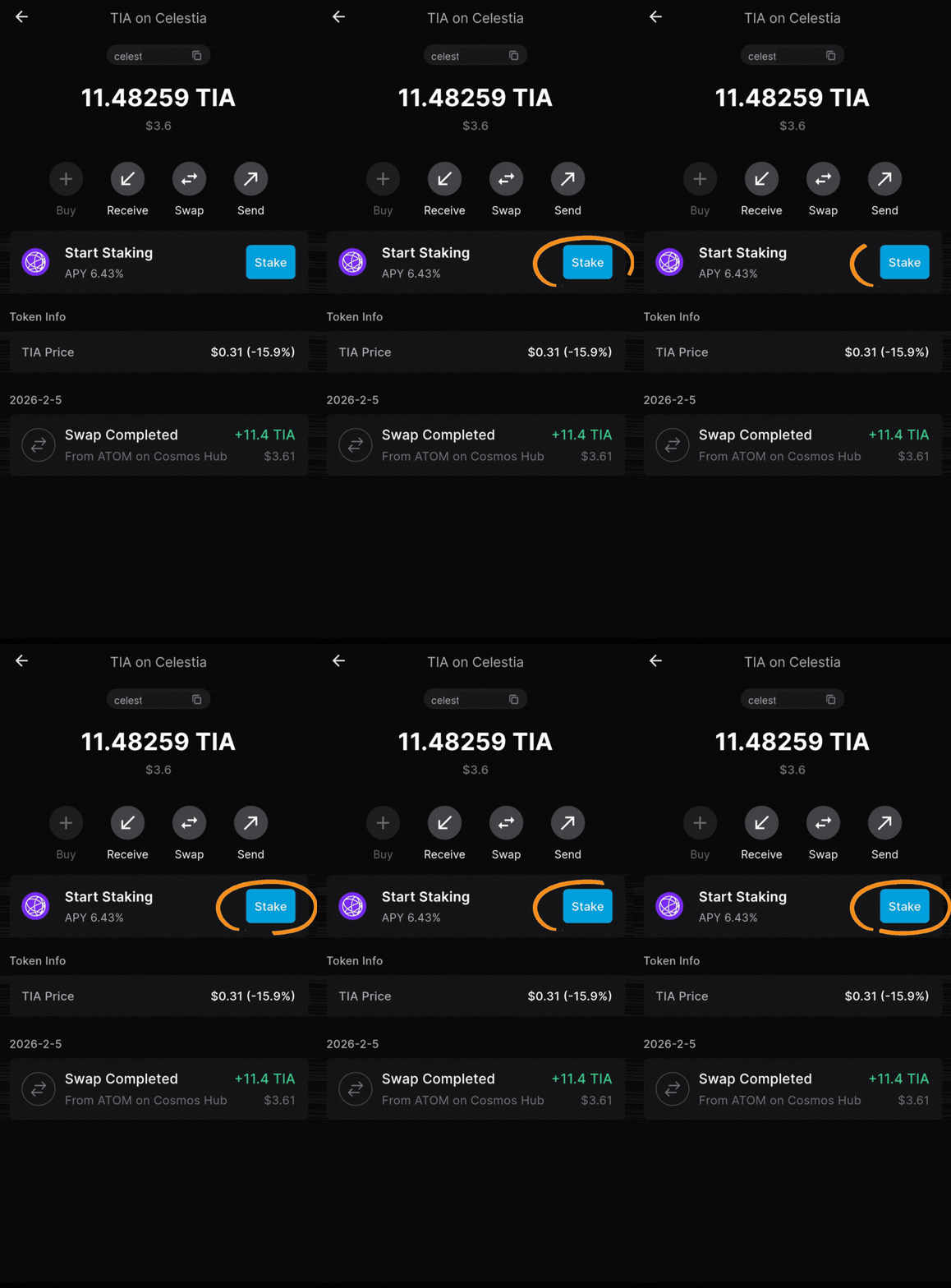
2. Tap the “Stake” button to continue
02 / 15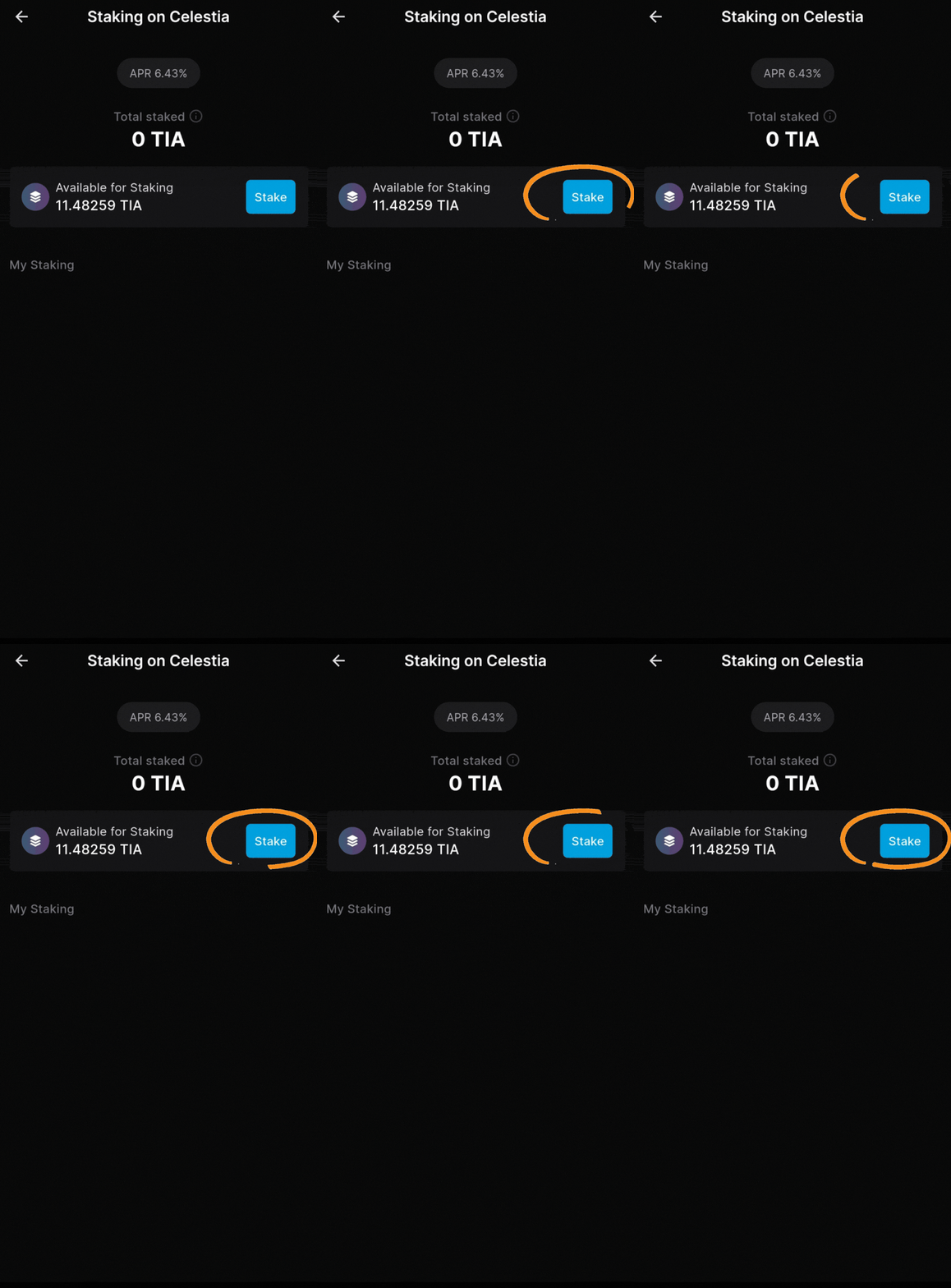
3. Tap the “Stake” button again
03 / 15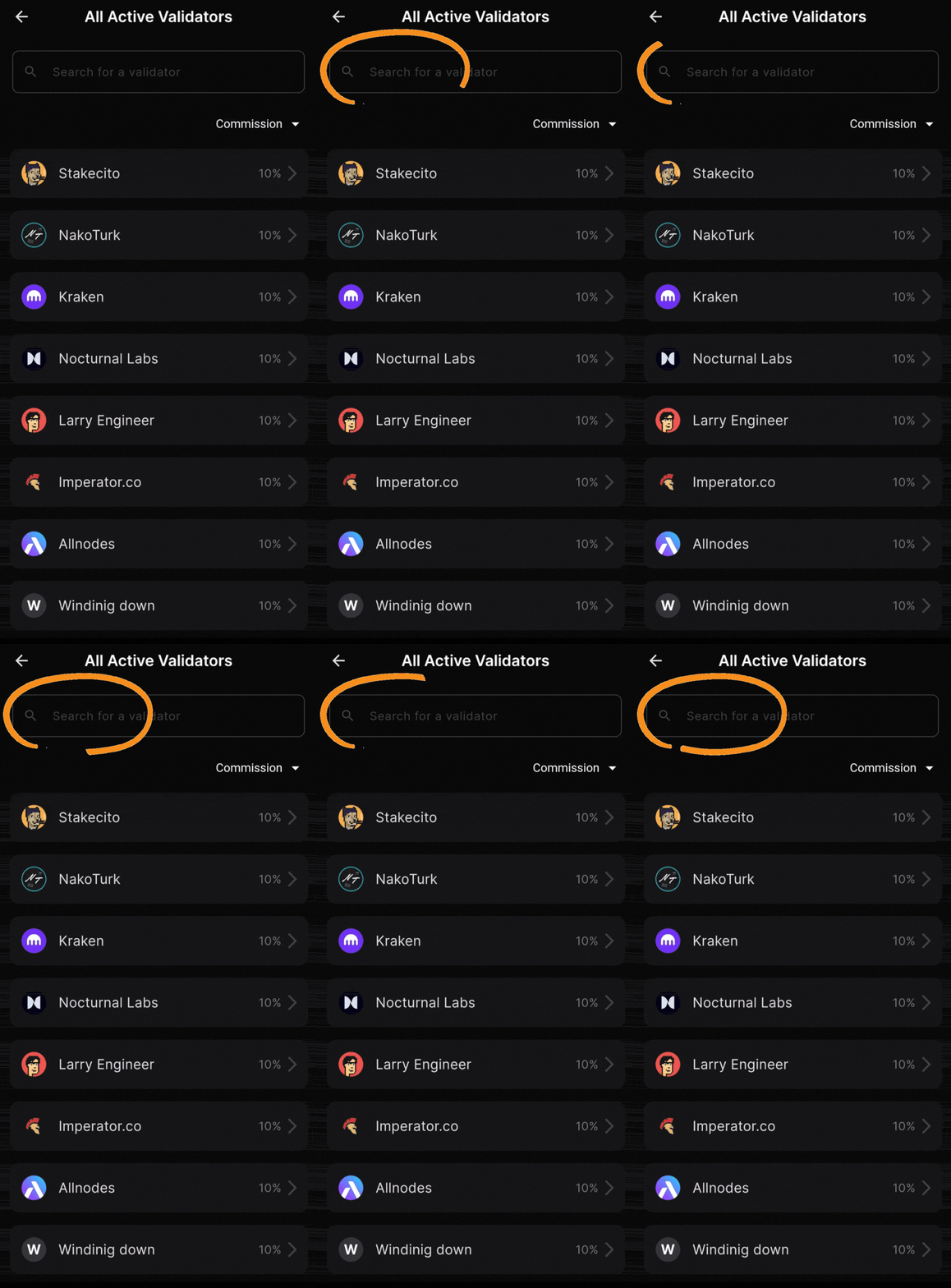
4. Type “Atlas Staking” in the search box
04 / 15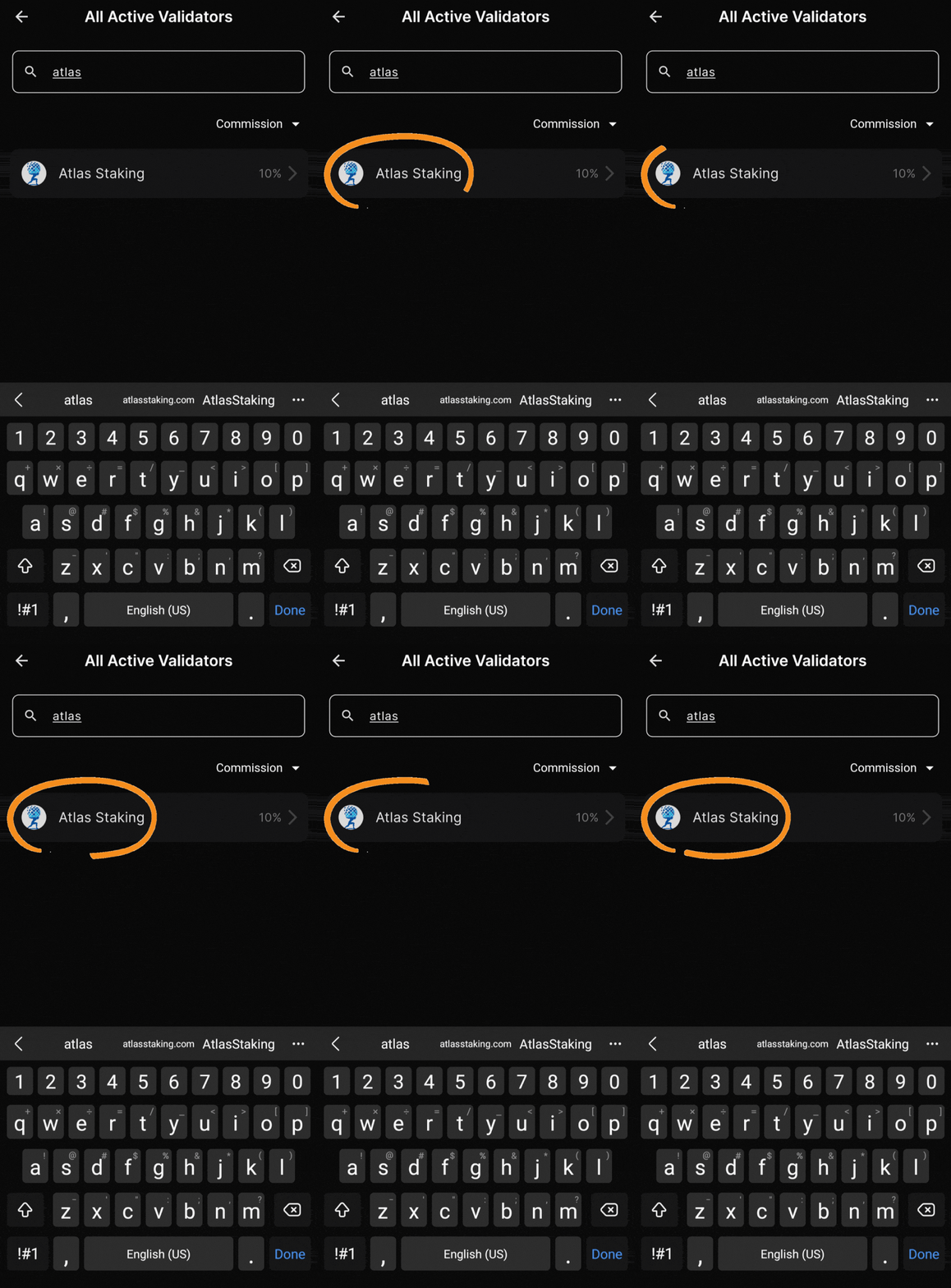
5. Tap on “Atlas Staking” to select us
05 / 15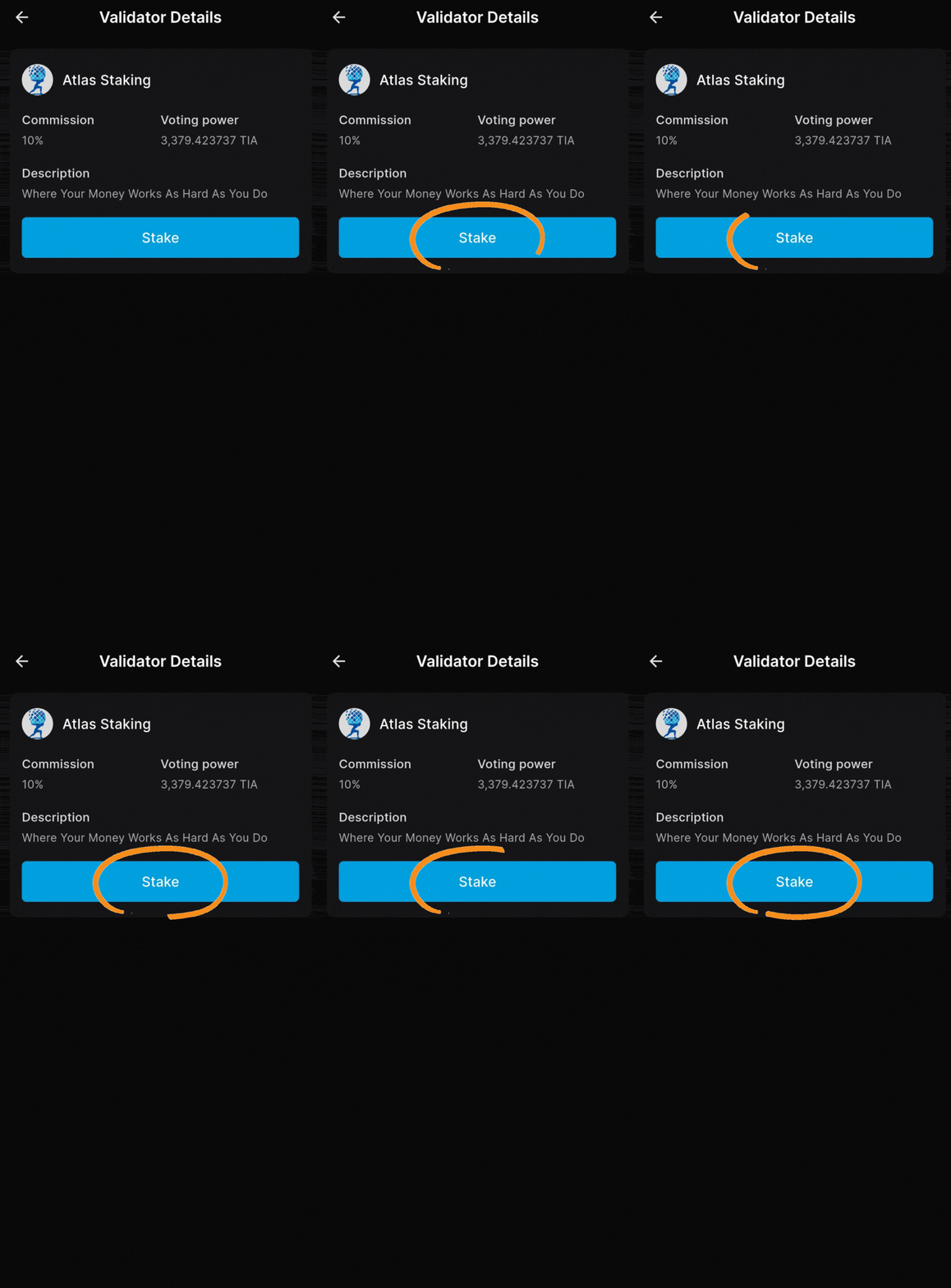
6. Tap the “Stake” button to continue
06 / 15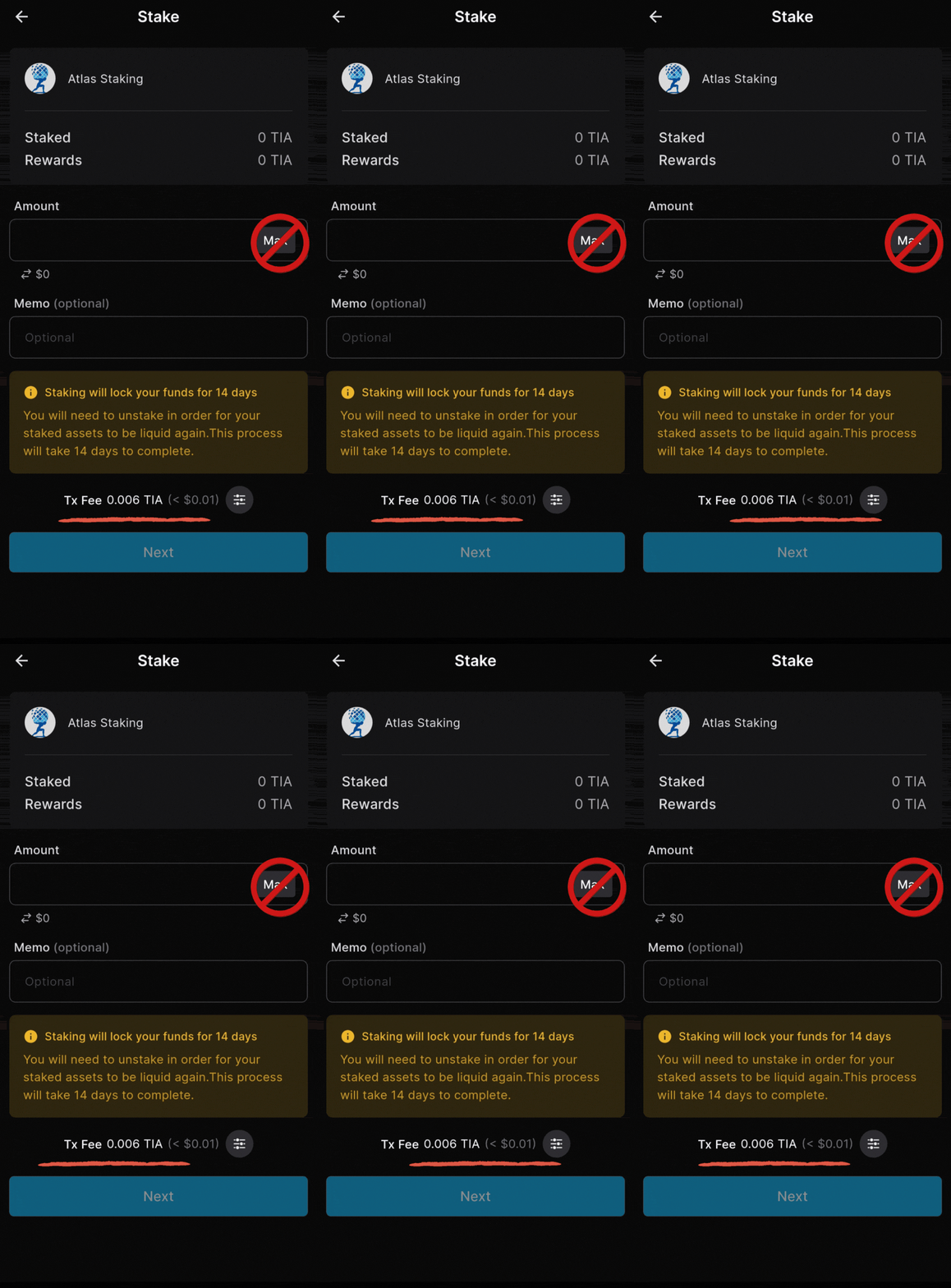
Never stake 100% of your tokens
07 / 15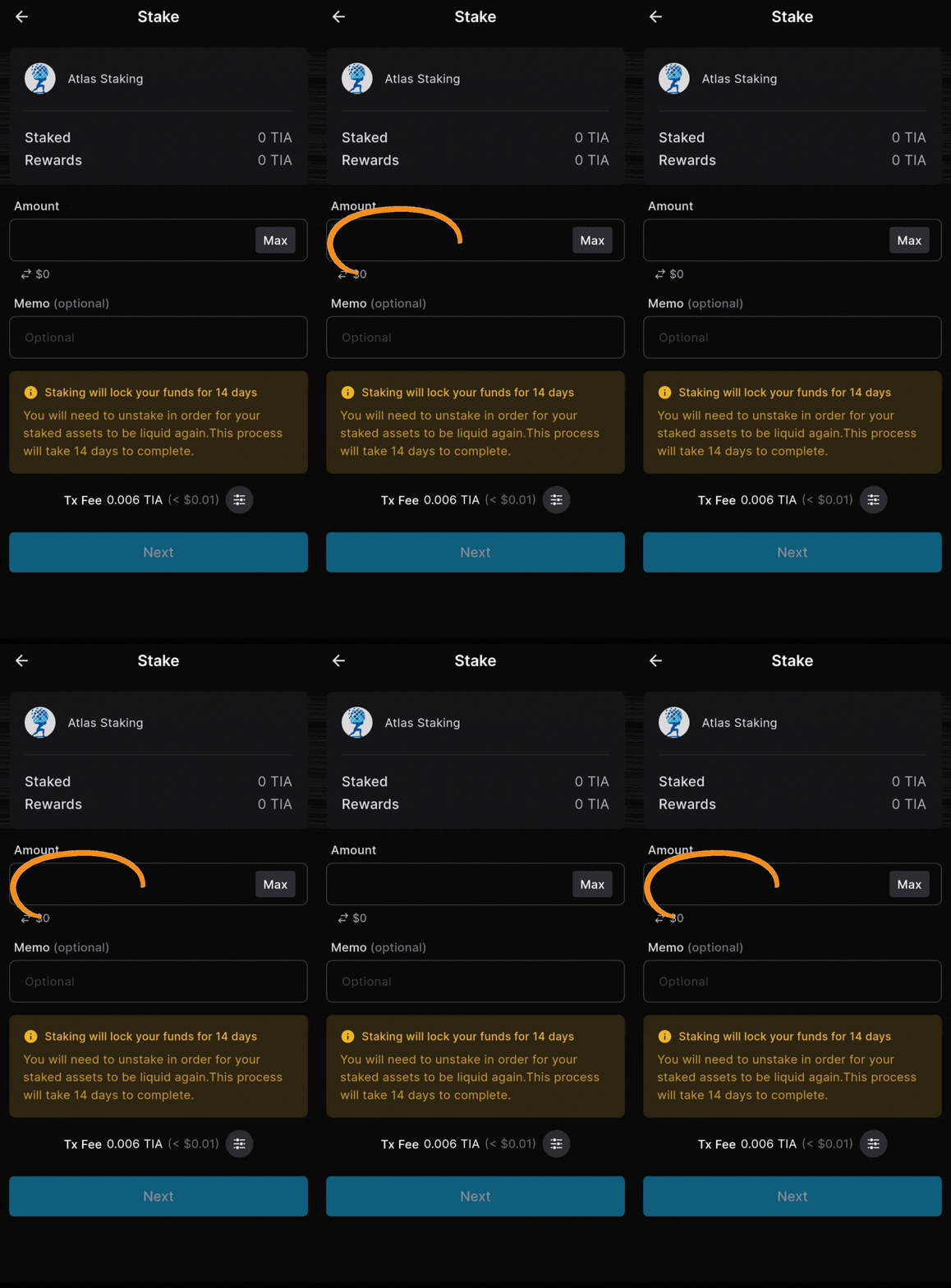
7. Enter the number of TIA you want to stake
08 / 15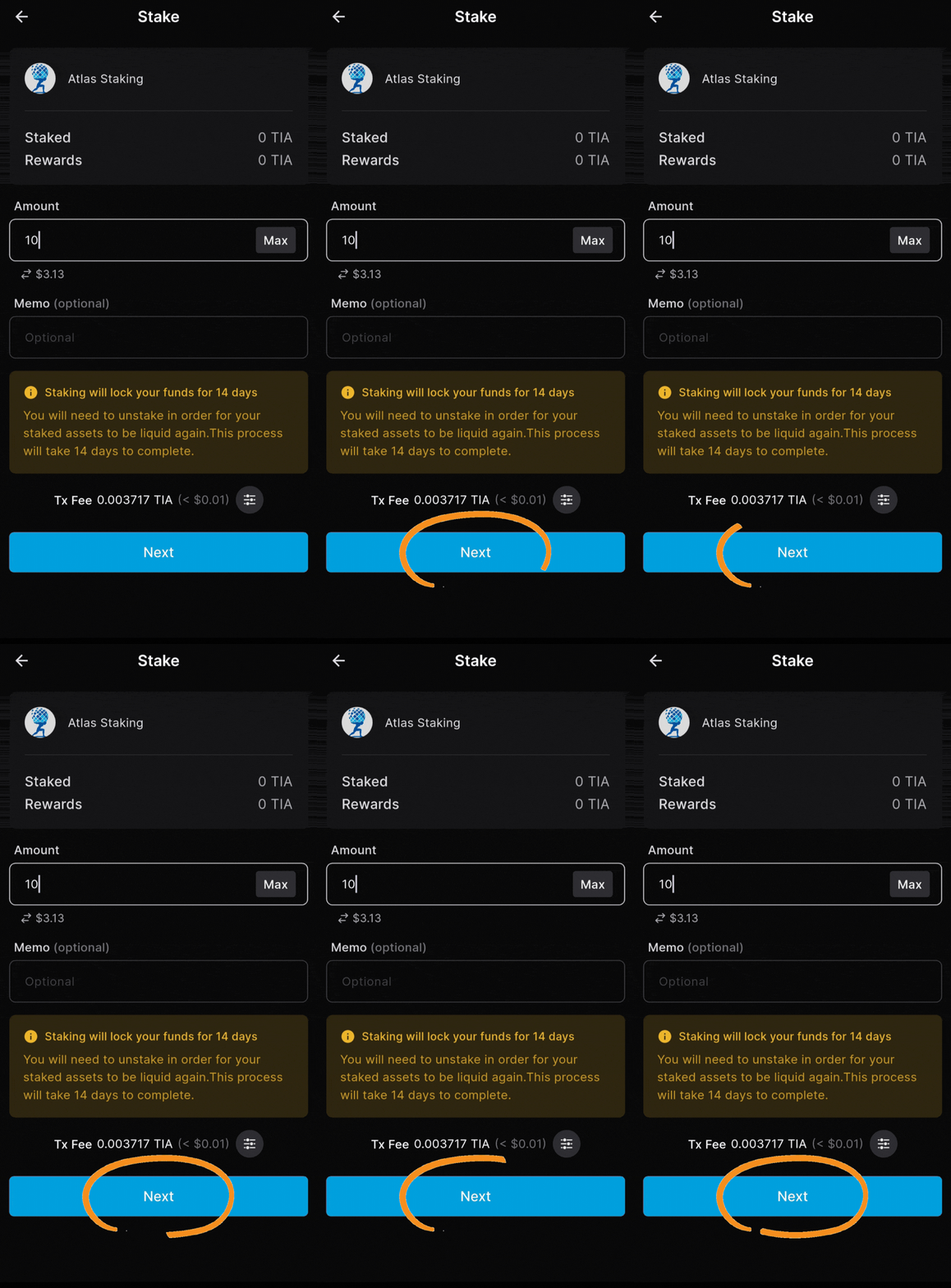
8. Tap “Next” to proceed to the last step
09 / 15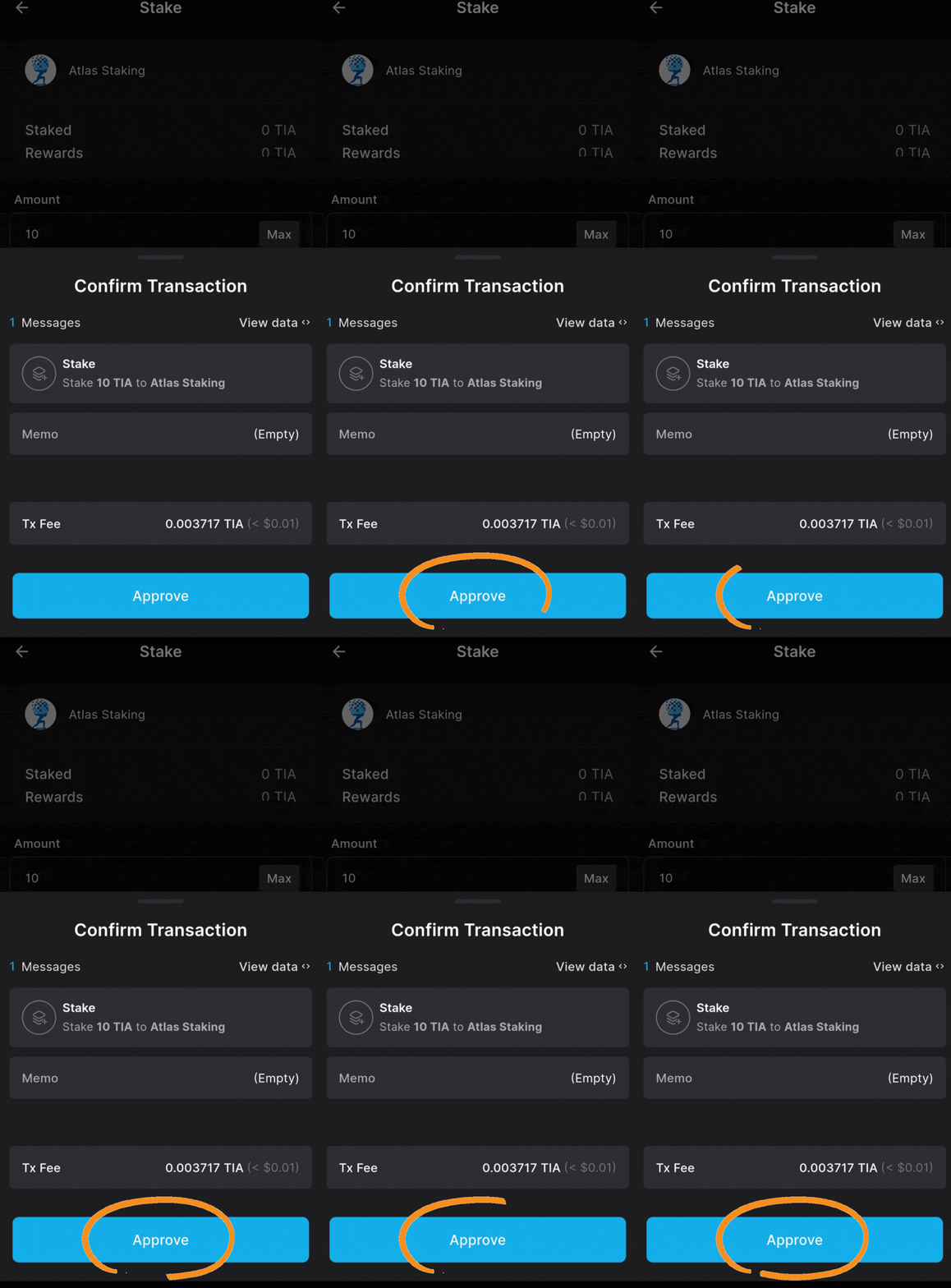
9. Tap “Approve” to send it on-chain
10 / 15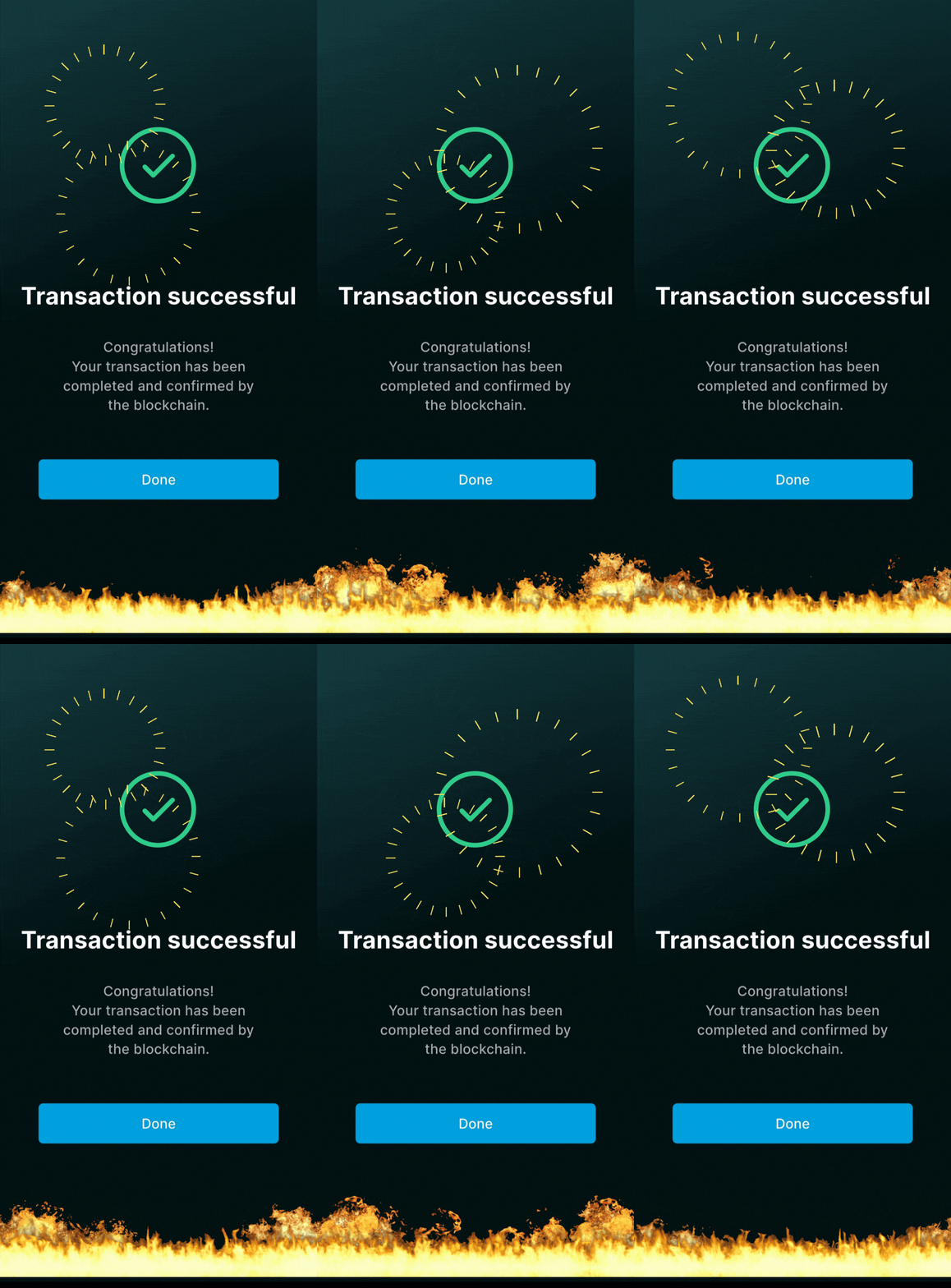
A couple seconds later your TIA is staked!
11 / 15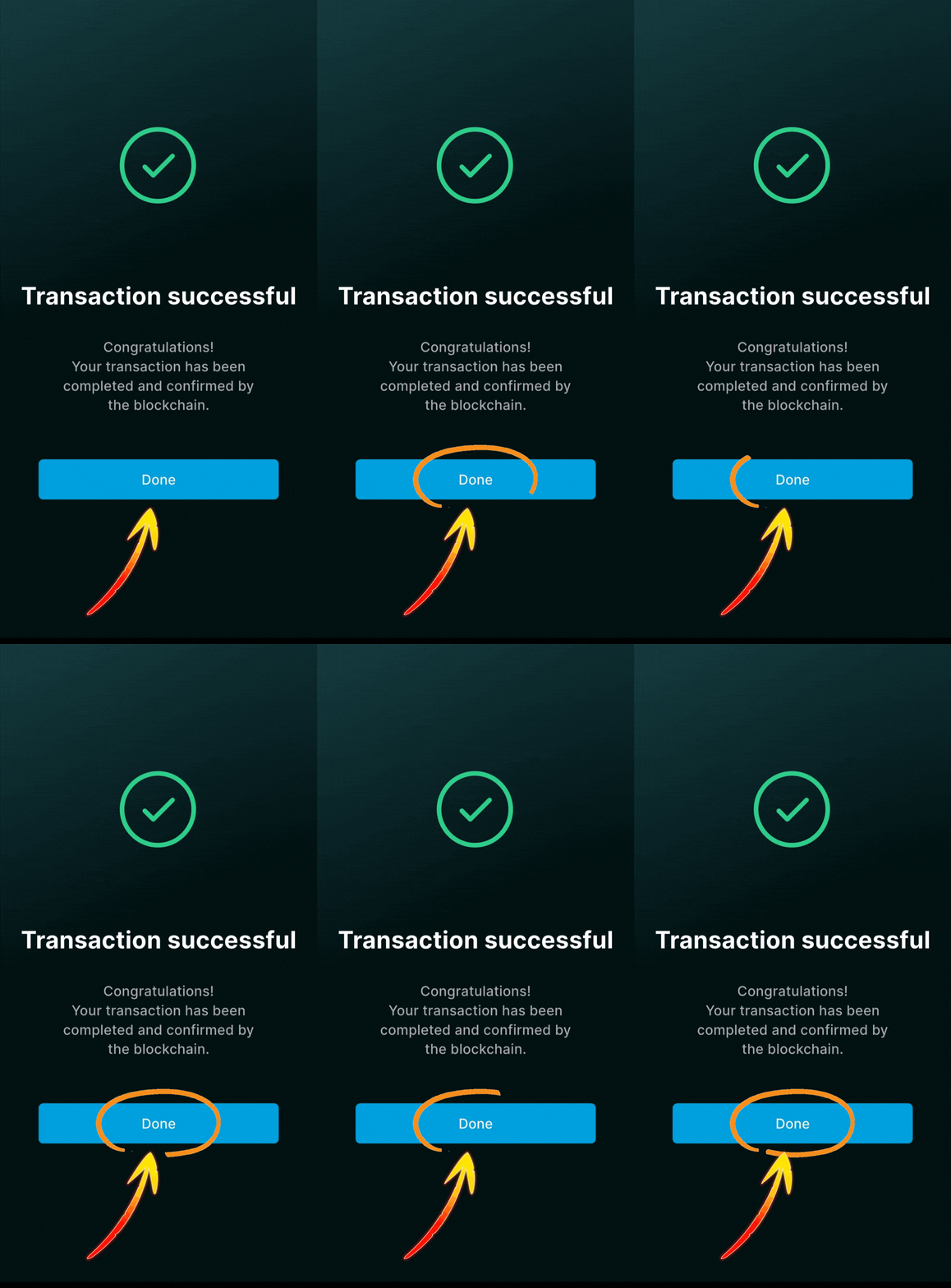
Tap “Done” to view your home screen
12 / 15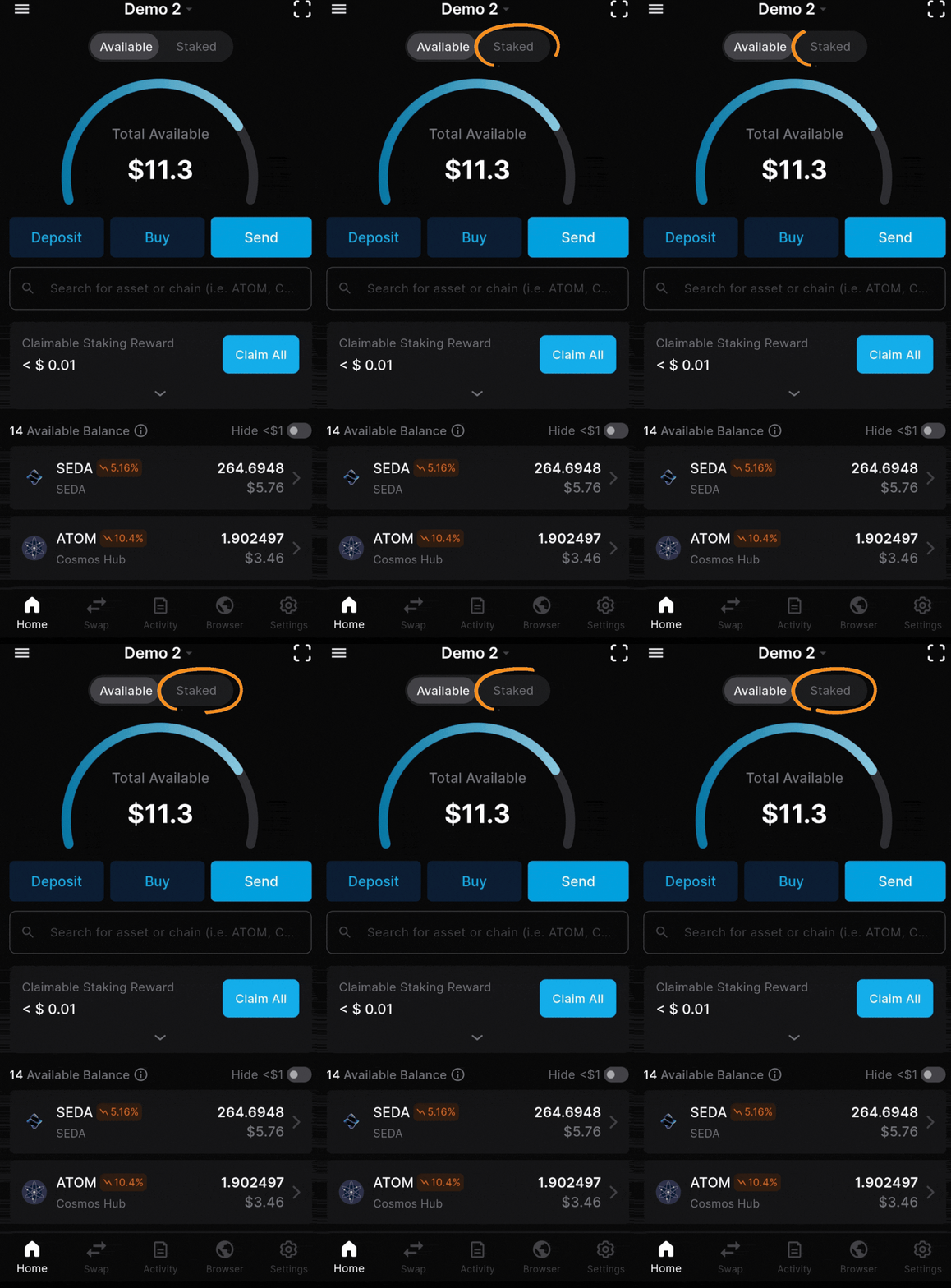
Tap “Staked” to view your position
13 / 15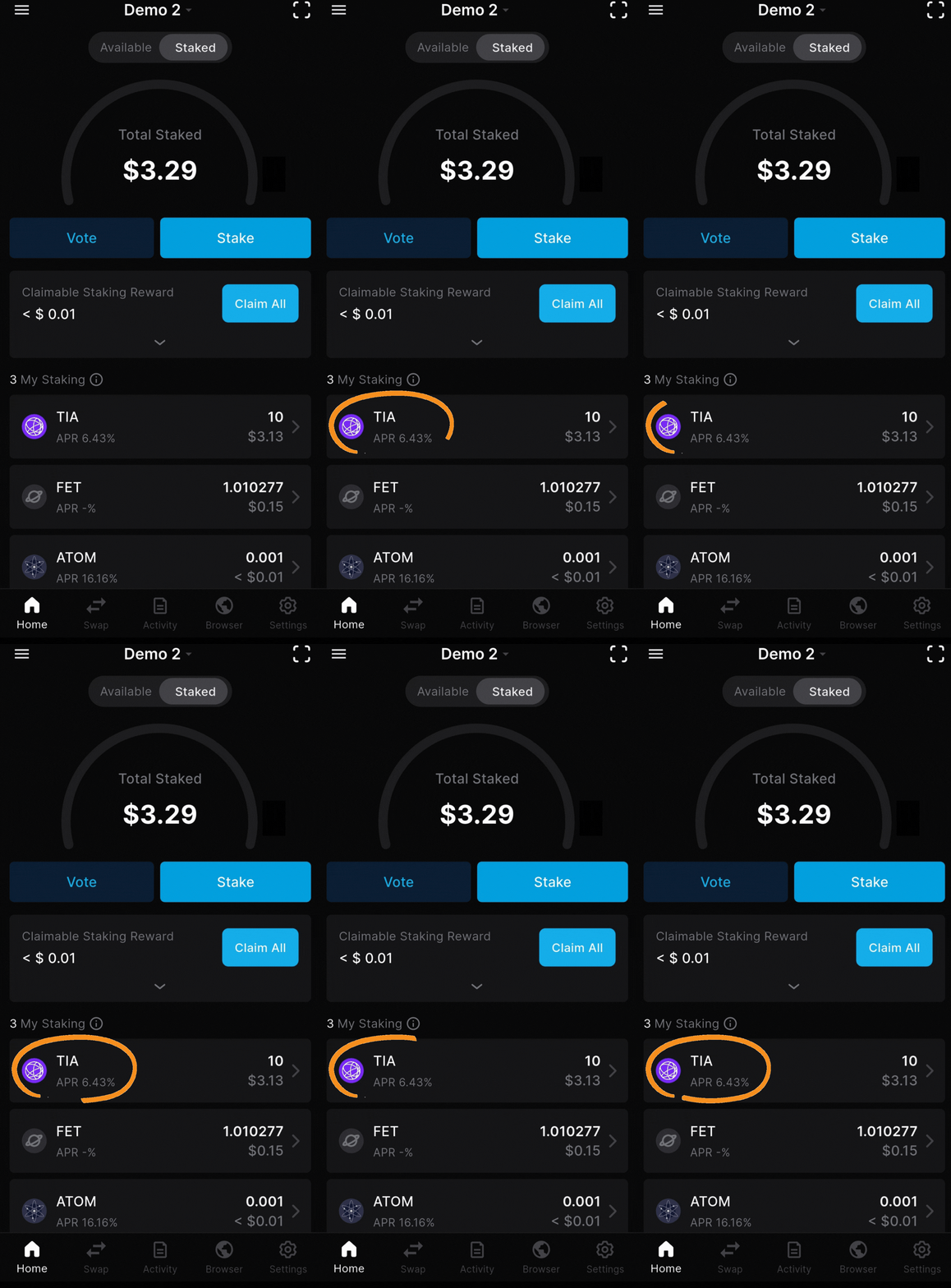
Tap “TIA” to view your stake
14 / 15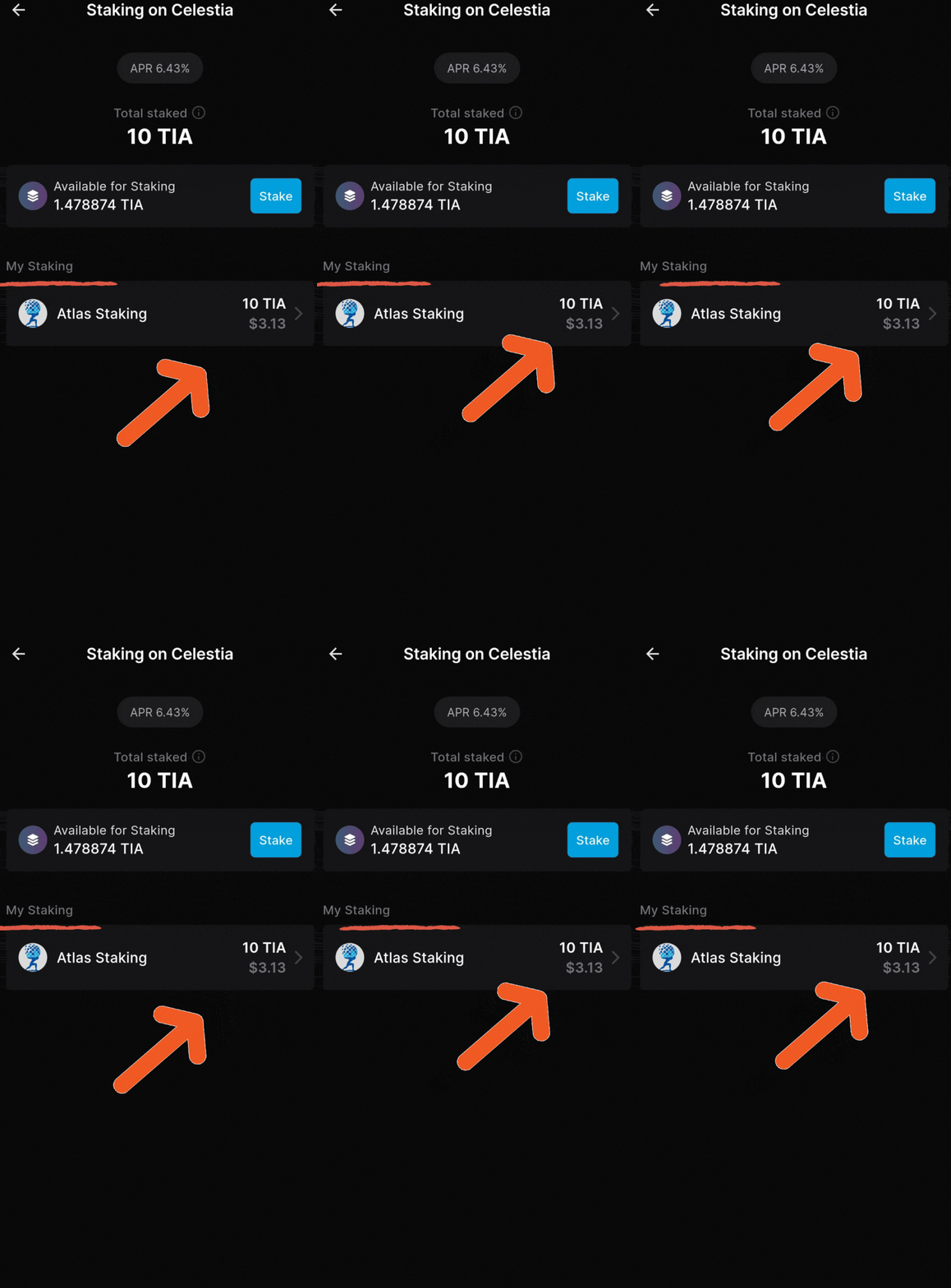
Your TIA is reliably earning rewards!
15 / 15Swipe or use the arrows to see every original screenshot.
crypto portfolio management and income taxes
Seeing all your transactions in one place is essential for good portfolio management, especially when crypto is held in self-custody. When transactions are automatically imported, you can quickly spot an unauthorized transaction and protect your assets.
And, you may live in a country that requires you to keep track of transactions for tax purposes, like the United States. We tested several platforms and Koinly is the winner. I use it myself almost every day.
Plus, Koinly is free to test out and use. The platform only charges a fee if/when you decide to generate a report.
Use our referral link below to lock in future discounts.
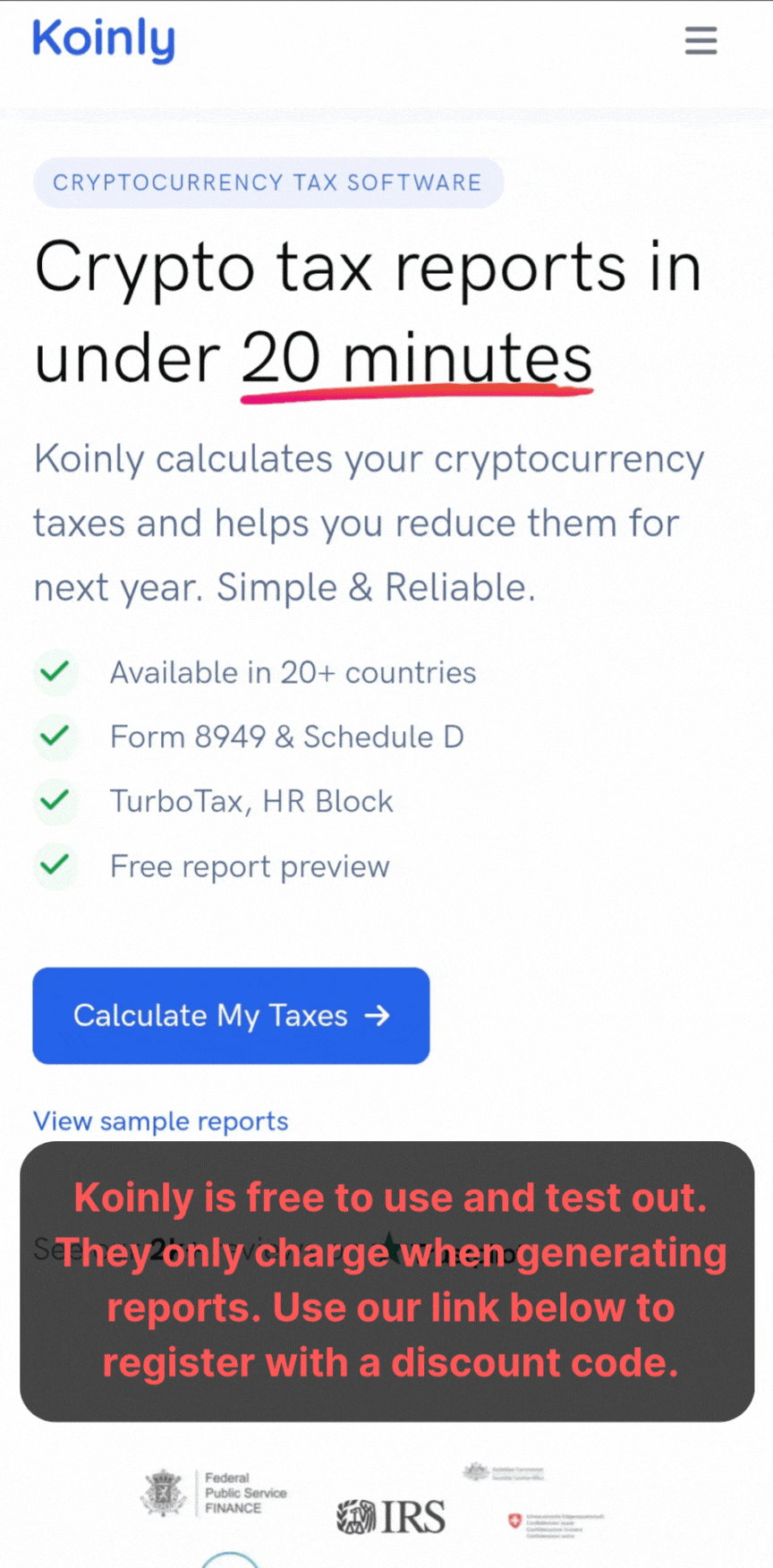
We recommend Koinly to keep track of your crypto transactions
01 / 06SHOW ME KOINLY ↗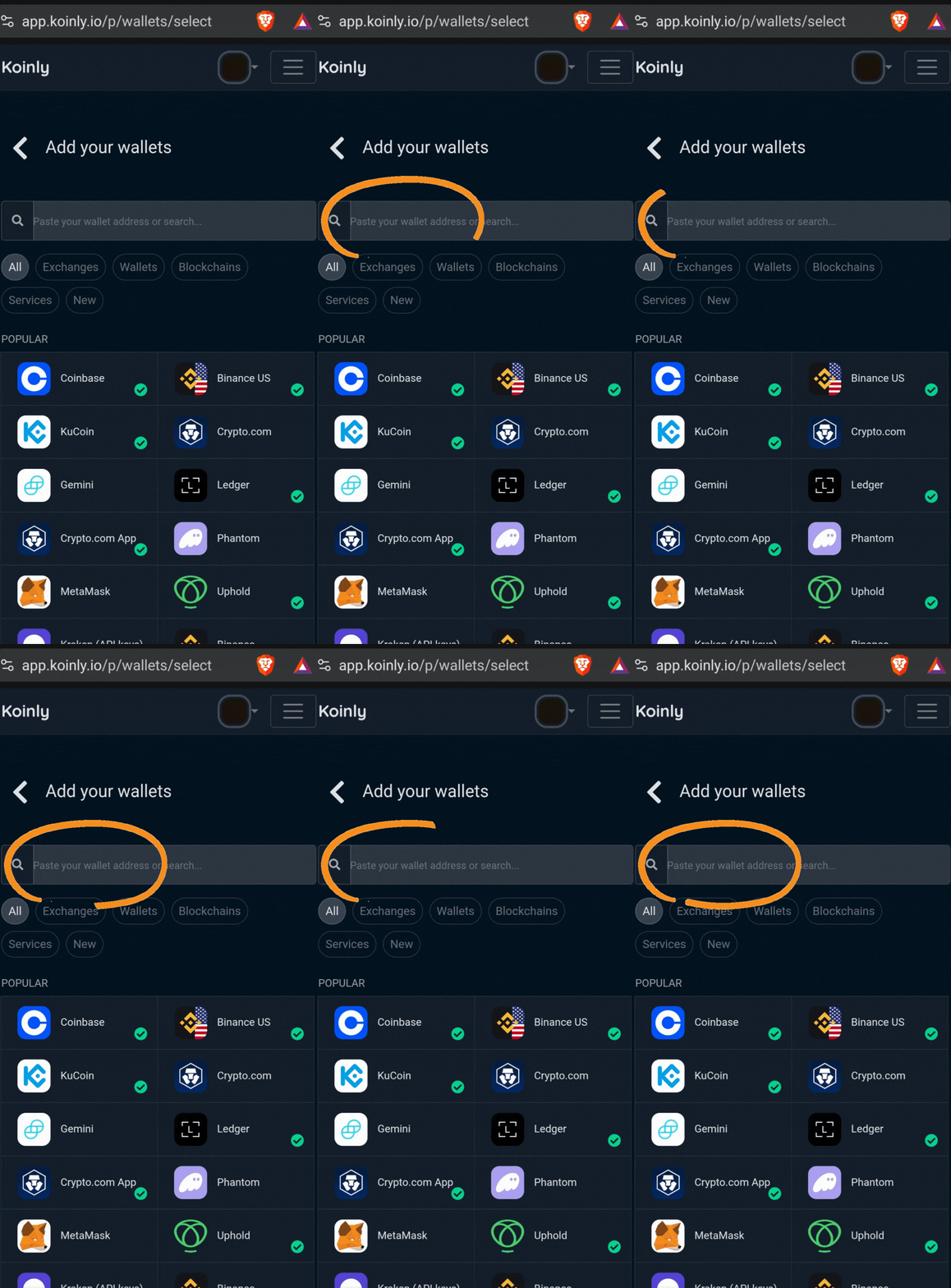
Simply enter the network or exchange name you’d like to import
02 / 06SHOW ME KOINLY ↗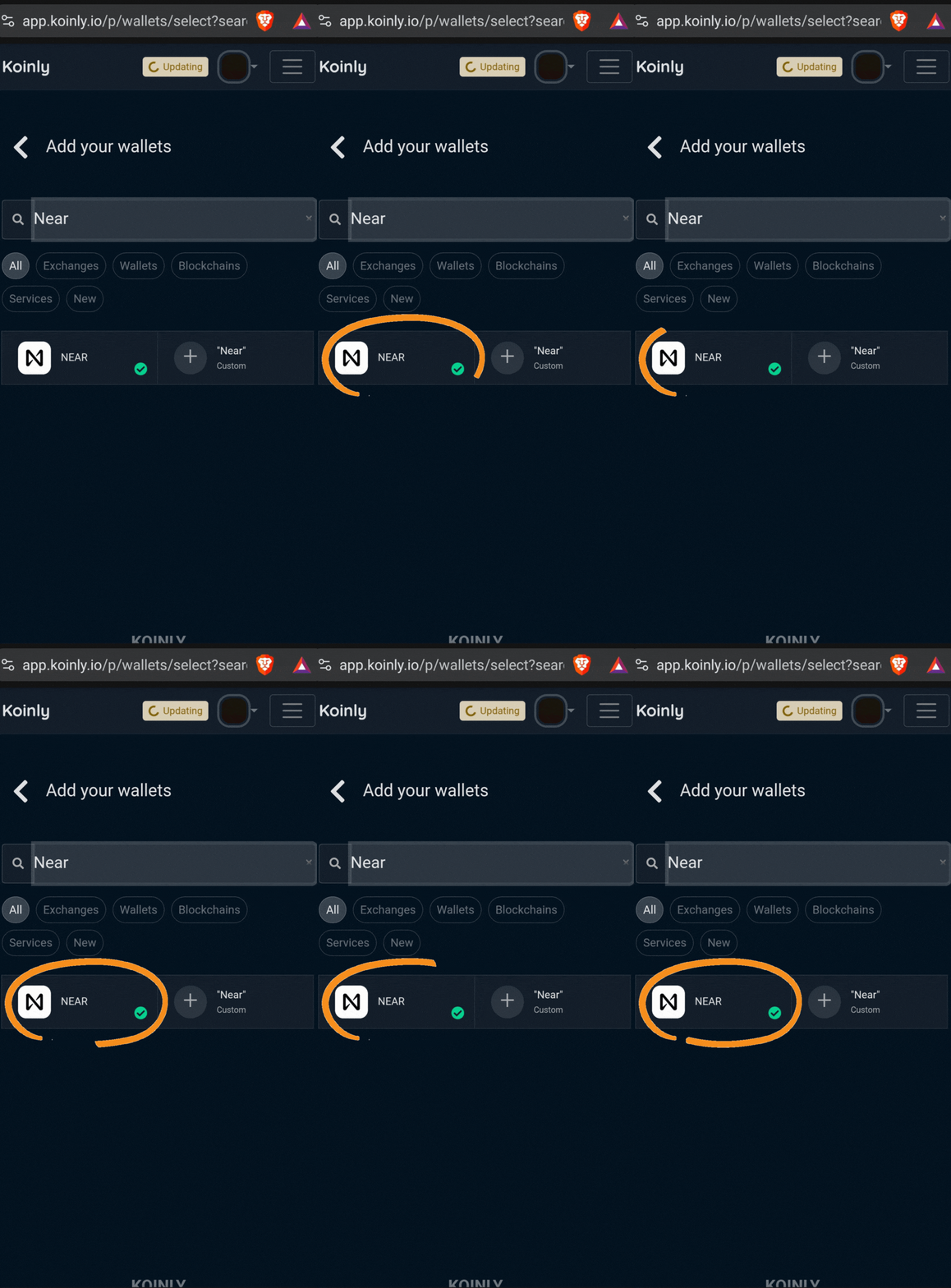
Click on the wallet or exchange you want to import (BAND is manual)
03 / 06SHOW ME KOINLY ↗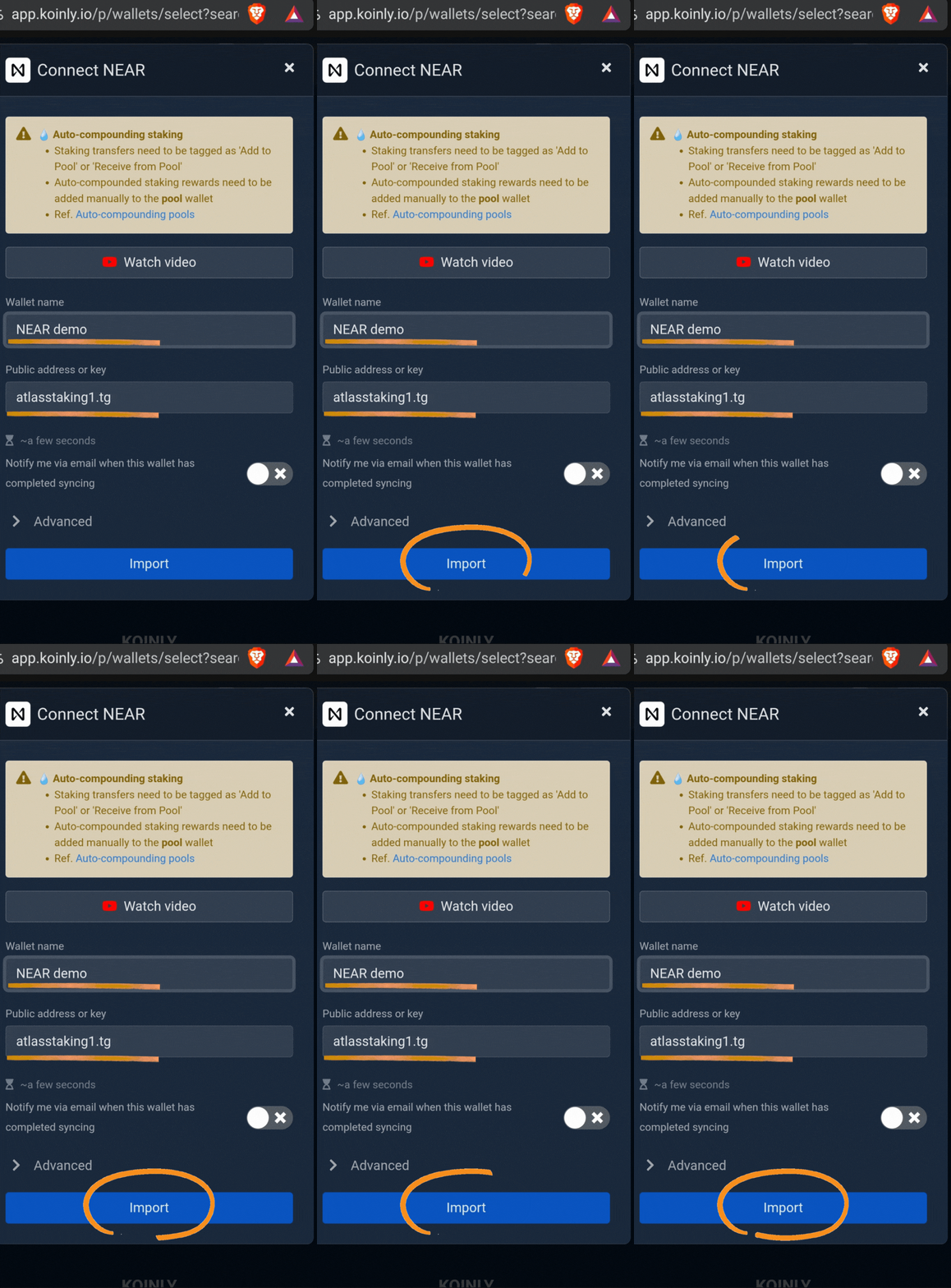
Name your wallet, enter your address, then click “Import”
04 / 06SHOW ME KOINLY ↗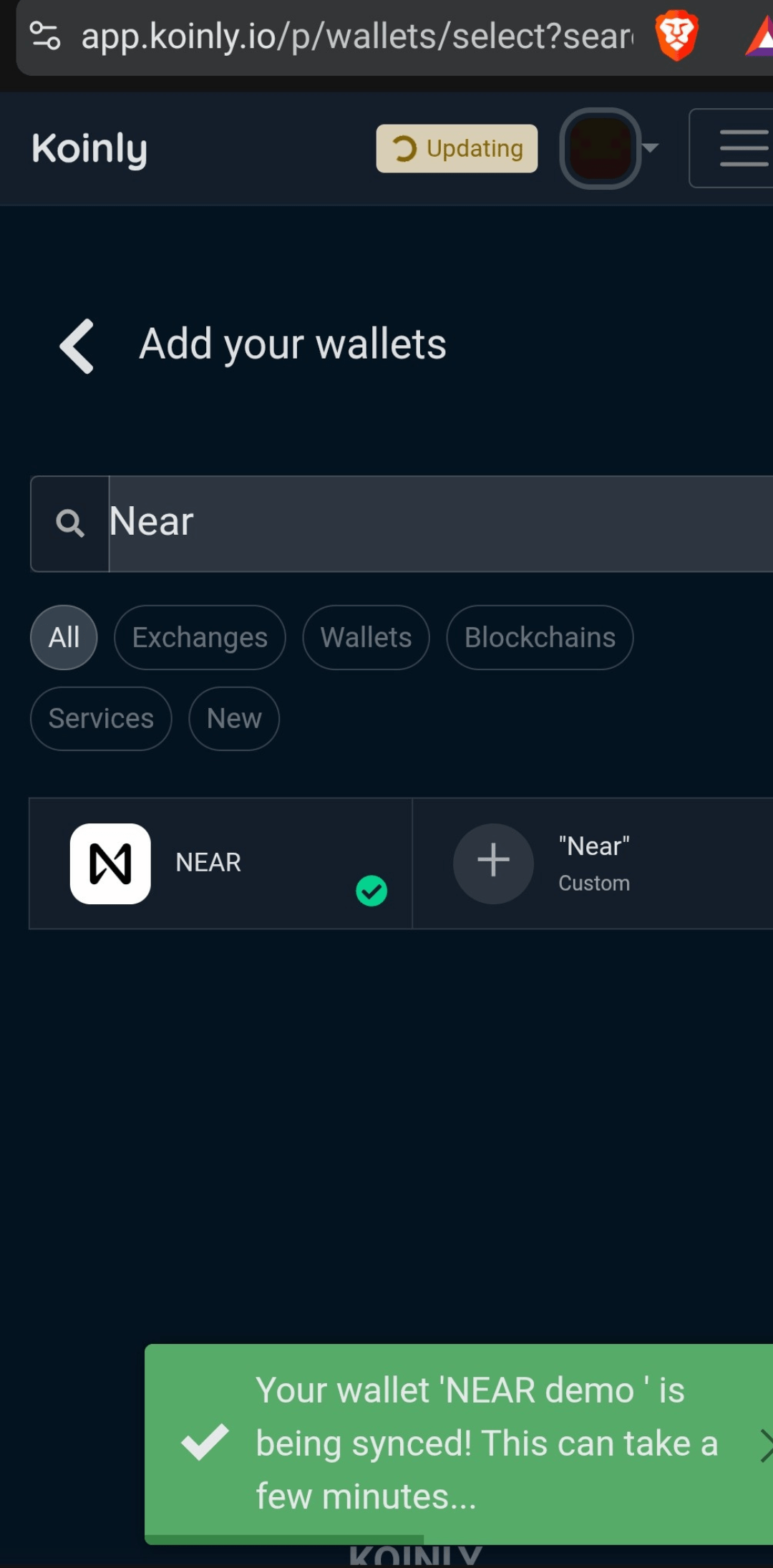
Koinly imports your blockchain transactions in a minute or two
05 / 06SHOW ME KOINLY ↗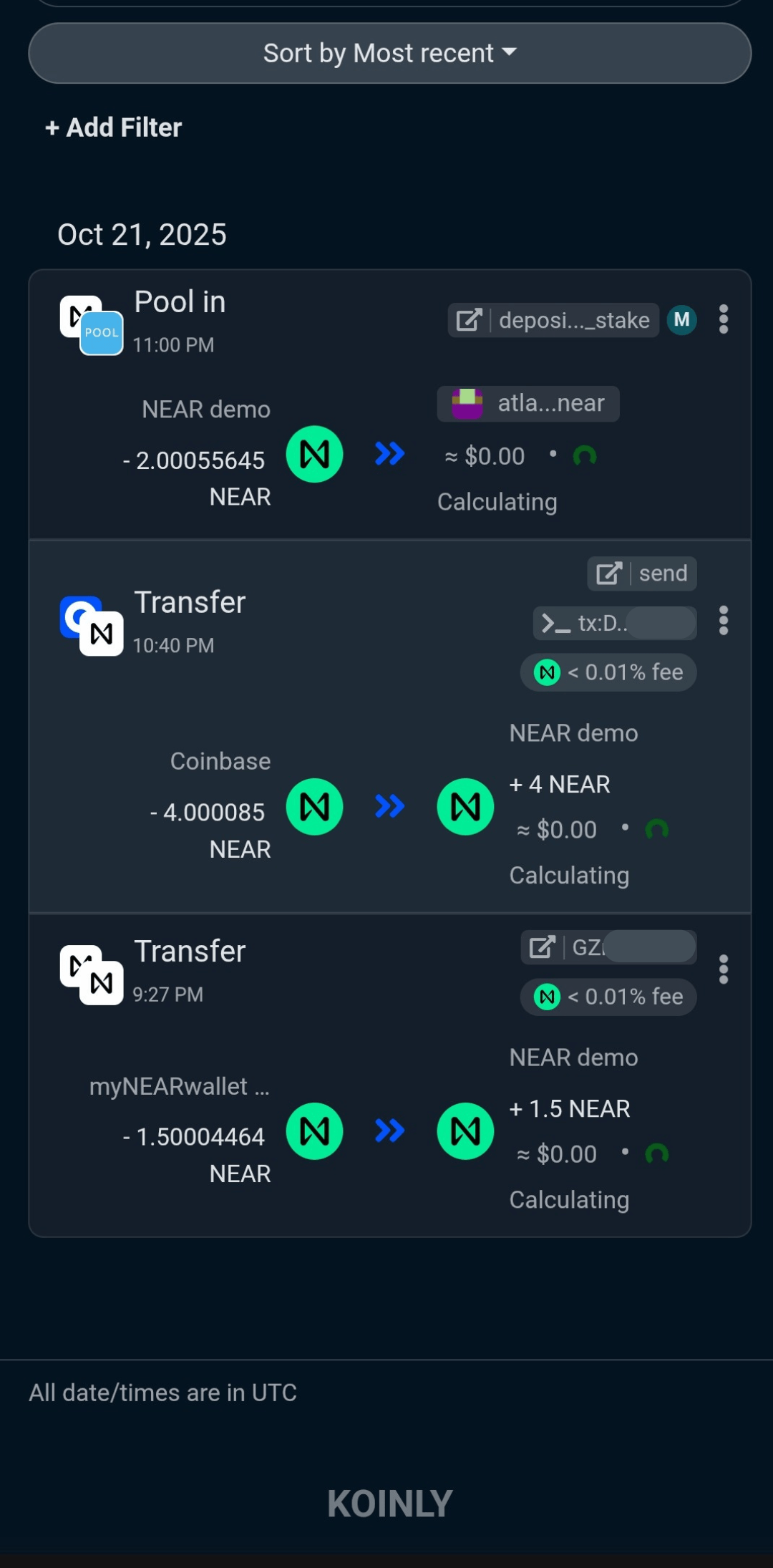
Koinly imports your blockchain transactions in a minute or two
06 / 06SHOW ME KOINLY ↗Swipe or use the arrows to see every original screenshot.

WRAPPING IT ALL UP
Keplr mobile is reliable, simple to use, and makes staking TIA a piece of cake. Once you have your wallet set up, your TIA funded, and your validator selected, the rest becomes a rhythm. You check in occasionally, compound when it makes sense, and stay informed about Celestia’s roadmap and governance.
Delegating your TIA moves you from just holding a token to actively helping secure the modular backbone for on‑chain markets, and you get rewarded for it.
As Celestia grows and more rollups, appchains, and institutions plug into its blockspace, you will already be in position to benefit from the potential growth and thus demand for the TIA token.
FREQUENTLY ASKED QUESTIONS
How do I stake TIA using Keplr mobile with Atlas Staking?
To stake TIA using Keplr mobile, install the Keplr app, import or create your wallet, and make sure you have TIA on the Celestia network. In the Keplr mobile dashboard, tap Celestia, choose “Stake,” search for “Atlas Staking” in the validator list, select it, enter the amount of TIA you want to delegate, and confirm the transaction in the app. Boom!
Why should I use Keplr mobile to stake Celestia TIA?
Keplr mobile is a popular Cosmos wallet because it supports multiple IBC chains, staking, and governance from one interface. The wallet makes managing TIA and other assets easier on the go.
Is staking TIA with Keplr and Atlas Staking non‑custodial?
You bet! Staking TIA with Keplr and Atlas Staking is fully non‑custodial. Your private keys stay encrypted on your device, not with the validator. When you delegate to Atlas Staking, you are assigning your TIA stake and voting power to us, but you can still undelegate, redelegate, or move your funds whenever you like.
What should I know about unbonding and unstaking TIA from Keplr?
When you unstake (undelegate) TIA using Keplr, your tokens enter an 21-day unbonding period defined by the Celestia network. During this period they’re not earning rewards and cannot be transferred until the 21 days is up. Staking isn’t for funds you’ll need in the short run. It’s a great long-term strategy.
How do I check my TIA staking rewards on Keplr mobile?
It’s simple… Open the Celestia chain view and you will see your staked TIA balance, your chosen validator, and your pending rewards. You can tap the rewards section to claim them, then either hold, swap, or restake them with Atlas Staking to compound your position over time.
Why pick Atlas Staking as my Celestia validator?
Atlas Staking operates professional validator infrastructure across multiple proof‑of‑stake networks and publishes educational content specifically about TIA and Keplr staking. We are committed long-term to supporting the ecosystem and you!


Cosmos airdrops move fast
Nothing we say is financial advice or a recommendation to buy or sell anything. Cryptocurrency is a highly speculative asset class. Staking crypto tokens carries additional risks, including but not limited to smart-contract exploitation, poor validator performance or slashing, token price volatility, loss or theft, lockup periods, and illiquidity. Past performance is not indicative of future results. Never invest more than you can afford to lose. Additionally, the information contained in our articles, social media posts, emails, and on our website is not intended as, and shall not be understood or construed as financial advice. We are not attorneys, accountants, or financial advisors, nor are we holding ourselves out to be. The information contained in our articles, social media posts, emails, and on our website is not a substitute for financial advice from a professional who is aware of the facts and circumstances of your individual situation. We have done our best to ensure that the information provided in our articles, social media posts, emails, and the resources on our website are accurate and provide valuable information. Regardless of anything to the contrary, nothing available in our articles, social media posts, website, or emails should be understood as a recommendation to buy or sell anything and make any investment or financial decisions without consulting with a financial professional to address your particular situation. Atlas Staking expressly recommends that you seek advice from a professional. Neither Atlas Staking nor any of its employees or owners shall be held liable or responsible for any errors or omissions in our articles, in our social media posts, in our emails, or on our website, or for any damage or financial losses you may suffer. The decisions you make belong to you and you only, so always Do Your Own Research.