STAKE FET WITH KEPLR EXTENSION
Fetch is the O.G. artificial intelligence chain in Cosmos and Keplr is an O.G. wallet, our favorite Cosmos wallet. Staking ASI / Fetch.ai FET with Keplr browser extension is a powerful way to earn passive rewards while you help secure the network from your desktop.
This step‑by‑step guide will show you how to stake FET tokens using Keplr extension wallet, how to choose a high‑quality validator like Atlas Staking, and set yourself up for long‑term compounding.
Keplr does not currently support FET staking in-wallet, but the browser extension can easily be connected to the ping.pub block explorer to stake.
COSMOS AIRDROPS
New projects and protocols give away tokens to attract users. Crypto rewards those who participate, so register today and collect your free crypto.
You’ll receive PROJECT DETAILS, TOKEN SYMBOL, SNAPSHOT DATES, ELIGIBILITY REQUIREMENTS, LINKS TO CLAIM AND LINKS TO STAKE.
Be sure to add info@atlasstaking.com to your contacts, so our email doesn’t go into your spam folder. You don’t want to miss out!
We will NEVER share or abuse your information
Why stake FET with the Keplr extension
Staking ASI / FET via the Keplr browser extension lets you delegate directly from a non‑custodial wallet you control. You keep ownership of your private keys while your staked FET continually earns protocol rewards. Keplr also has an intuitive user interface for managing delegations.
If you value extra security, Keplr pairs nicely with a Ledger hardware wallet, which we always recommend. Be sure to check out our wallet security checklist.
You can send and receive your FET from the Keplr UI, but not stake FET. However, the Keplr UI allows you to comfortably view your crypto portfolio on a full screen and manage multiple Cosmos‑ecosystem positions.
Despite its limitations with Fetch.ai, Keplr truly is the best crypto wallet in existence.

AdD the Fetch.ai network TO KEPLR
Once Keplr is installed, you need to make sure the Fetch.ai network is visible in the extension.
Open Keplr, click the chain selector at the top, and type “FET” in the search box, or scroll to find it. After adding the network, Keplr will display your Fetch address that you can use to deposit and stake FET.
THE BEST PLACE TO BUY FETCH.AI FET TOKENS
Only native FET on the mainnet can be staked, but many exchanges only sell the Ethereum ERC-20 version of FET that you must bridge over to Fetch.ai mainnet. Always double‑check whether the FET you hold at an exchange is native or ERC-20, before sending to the native Fetch.ai address shown in Keplr.
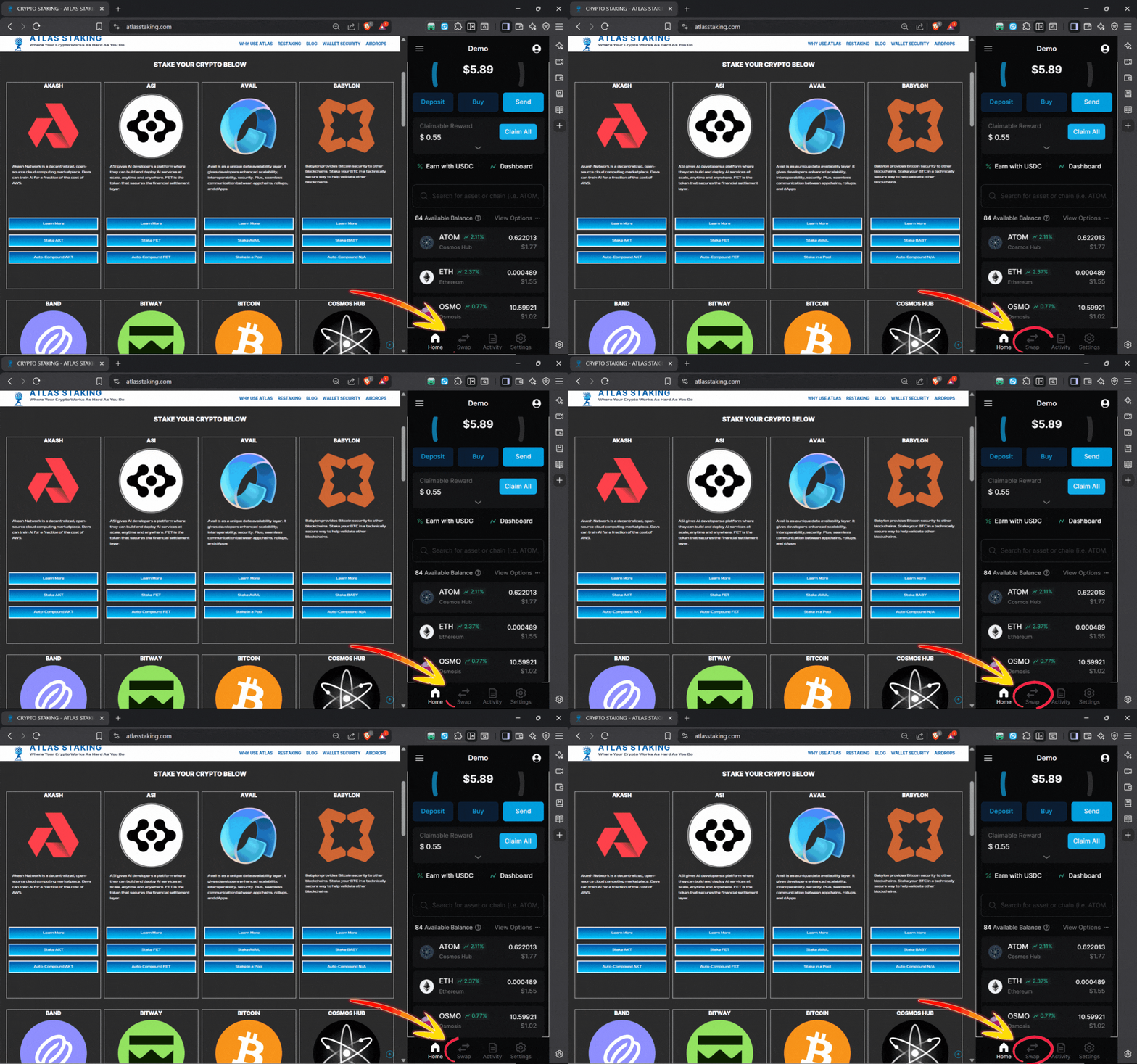
Because of this complexity, we suggest using the swap feature in Keplr to acquire FET. You simply swap a different Cosmos-native token for FET tokens and you’re ready to stake.
1. Click and open the Keplr browser extension
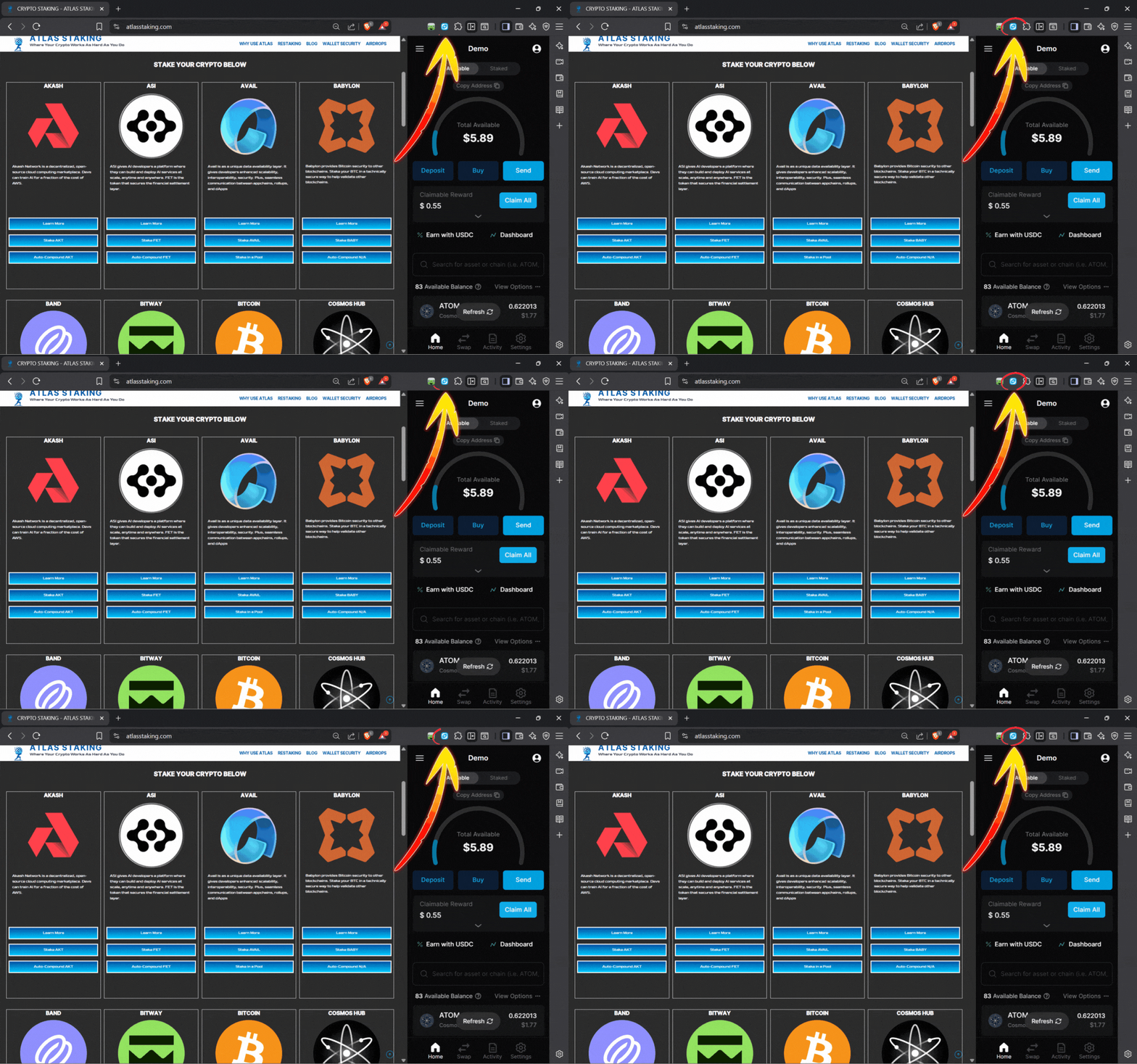
2. Type “FET” or “Fetch” in the search box
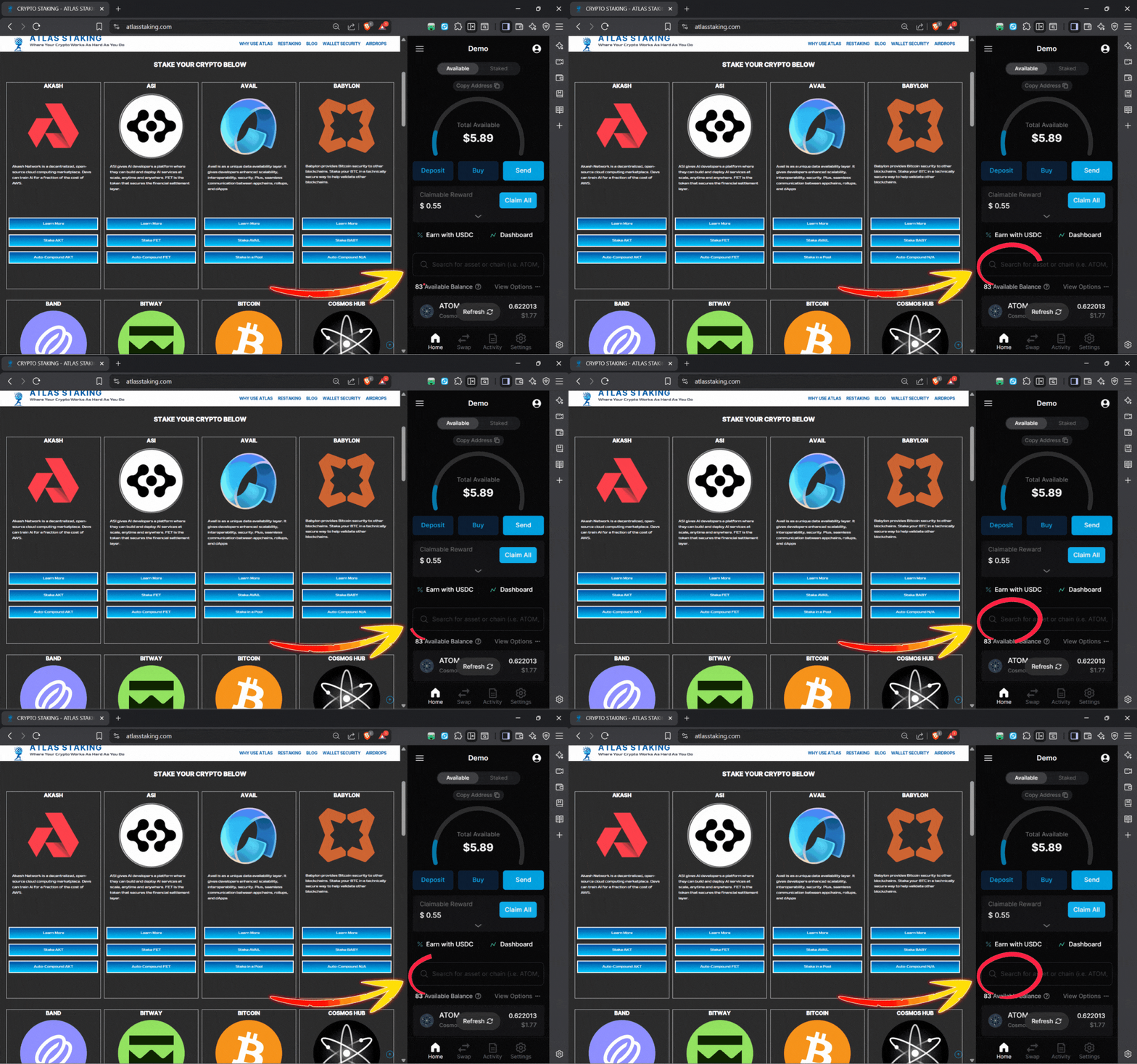
3. Click “Enable” to turn on Fetch.ai network
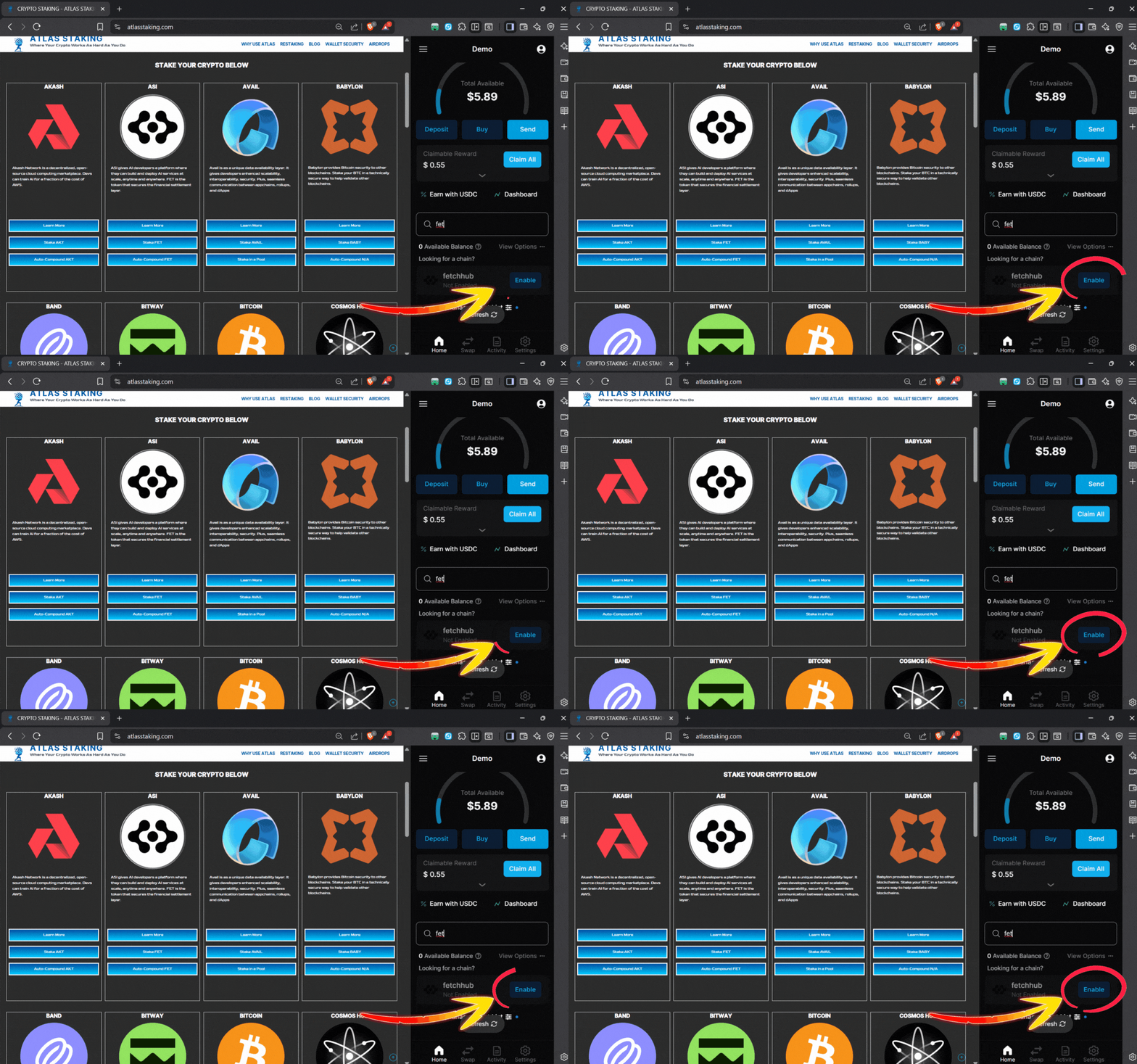
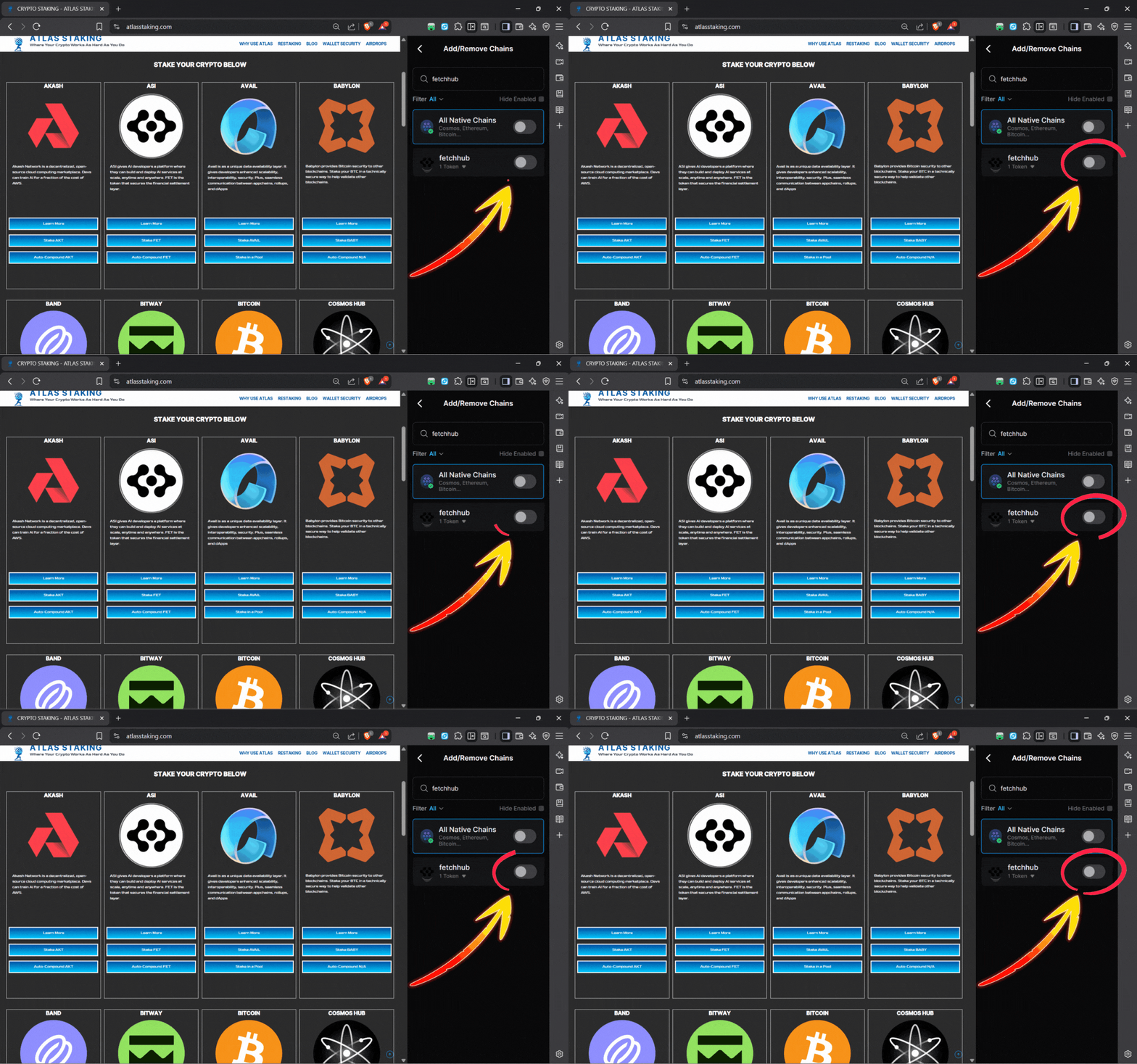
4. Click the toggle to show your FET tokens
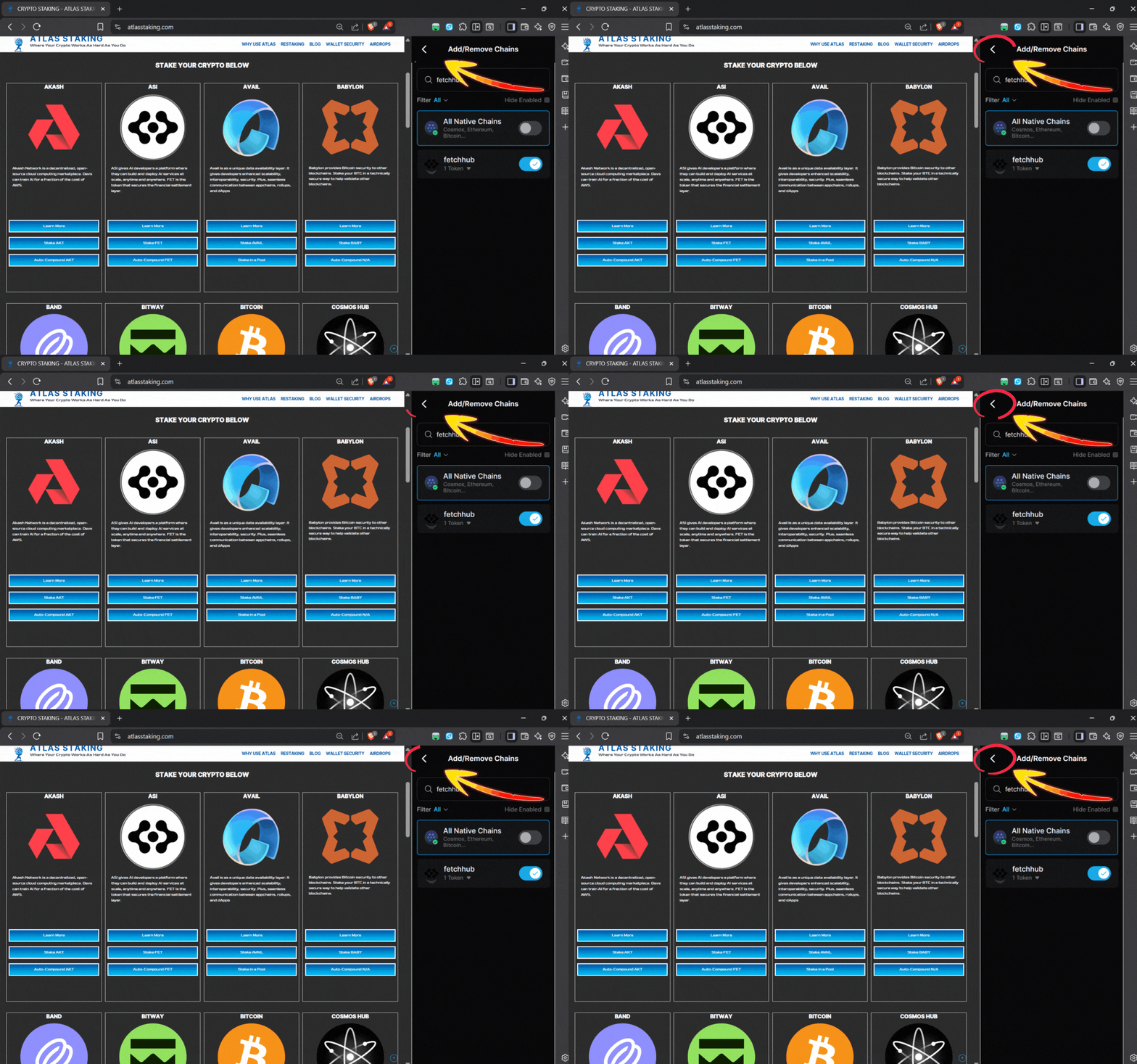
5. Click the back arrow to return to your home page
6. Click “Swap” at the bottom of the wallet
7. Choose what you’re swapping into FET
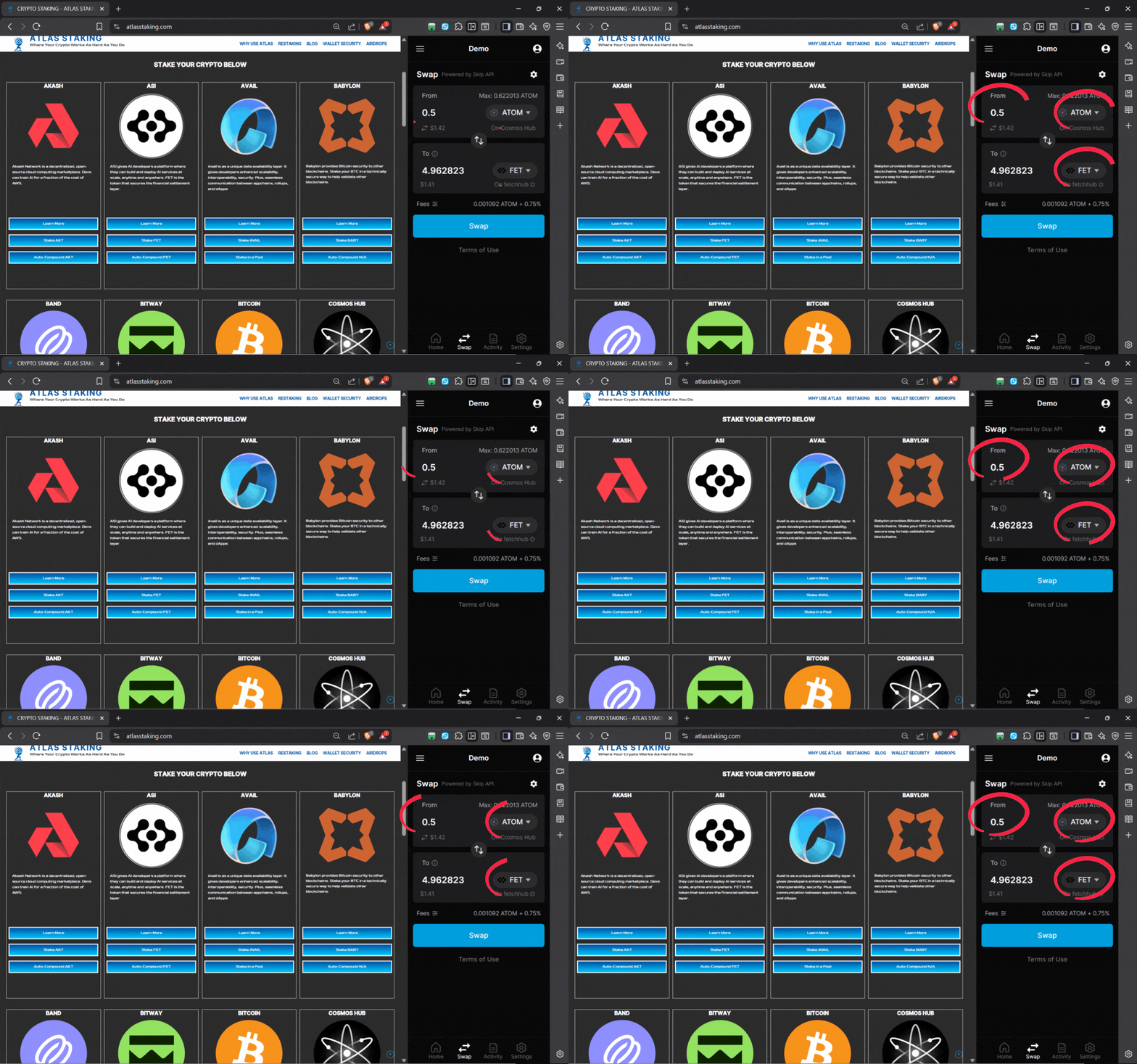
8. After selecting your “swap from” click “Swap”
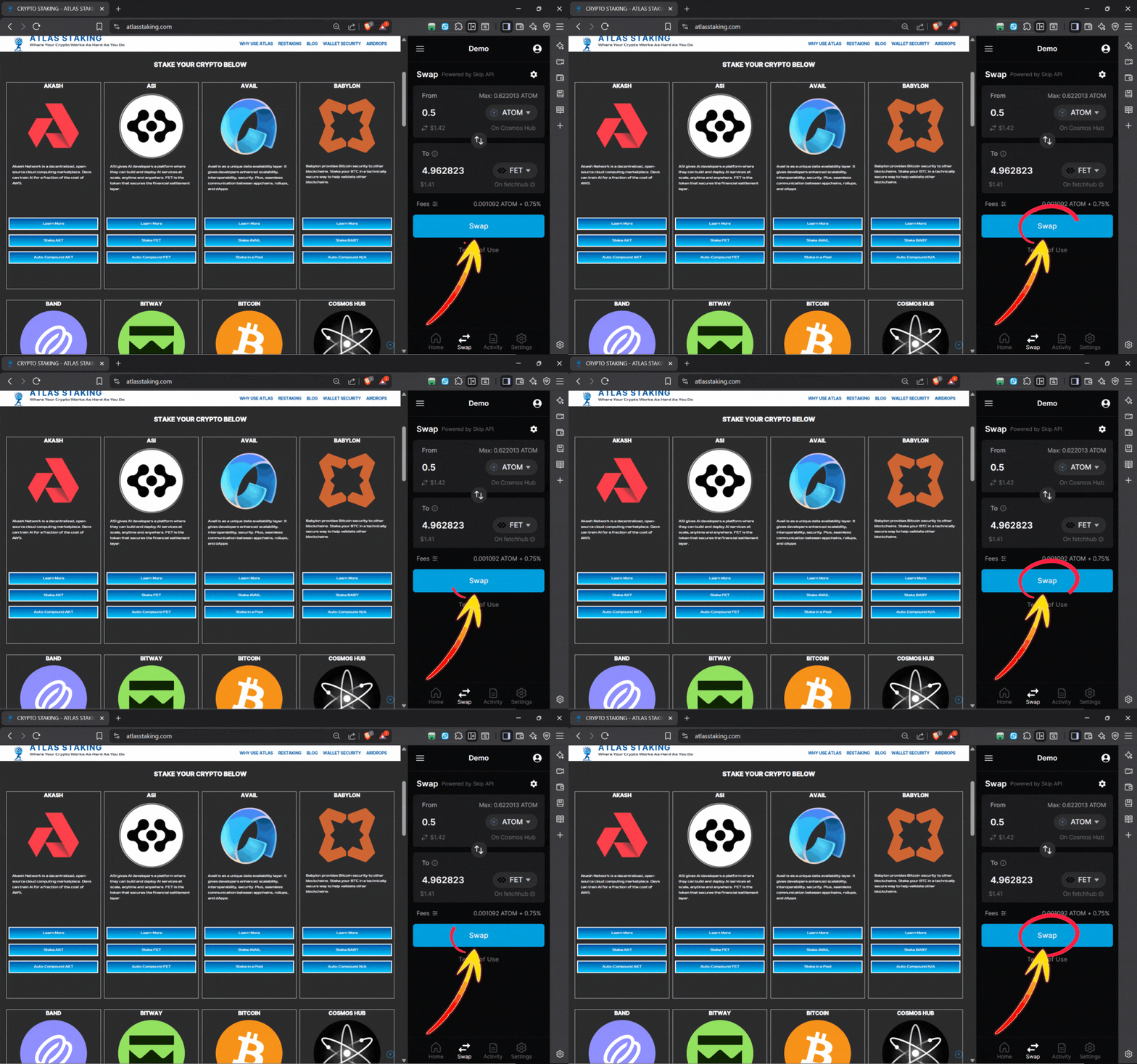
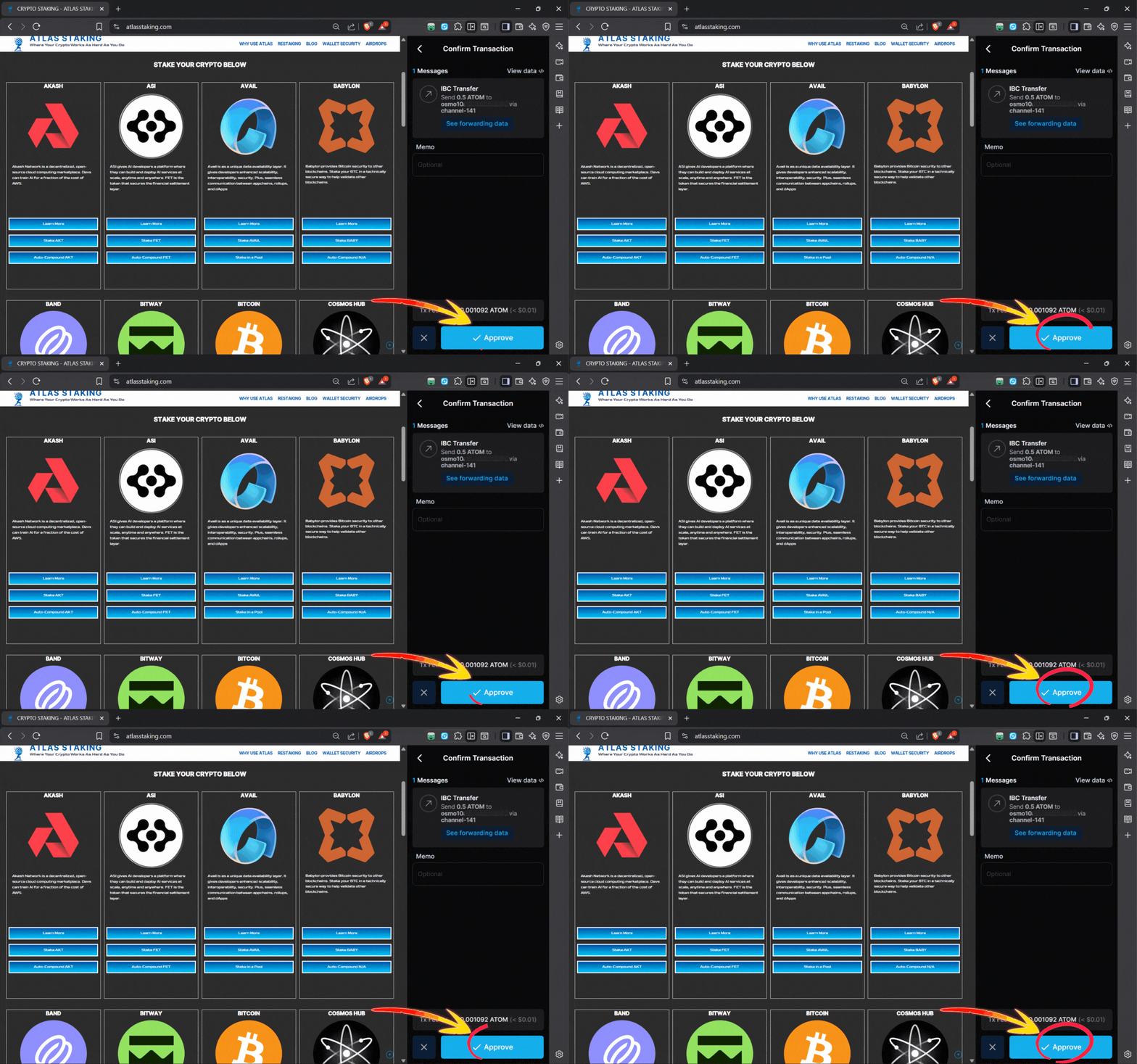
9. Click “Approve” to send the order on-chain
Within a couple seconds you’ll receive a confirmation
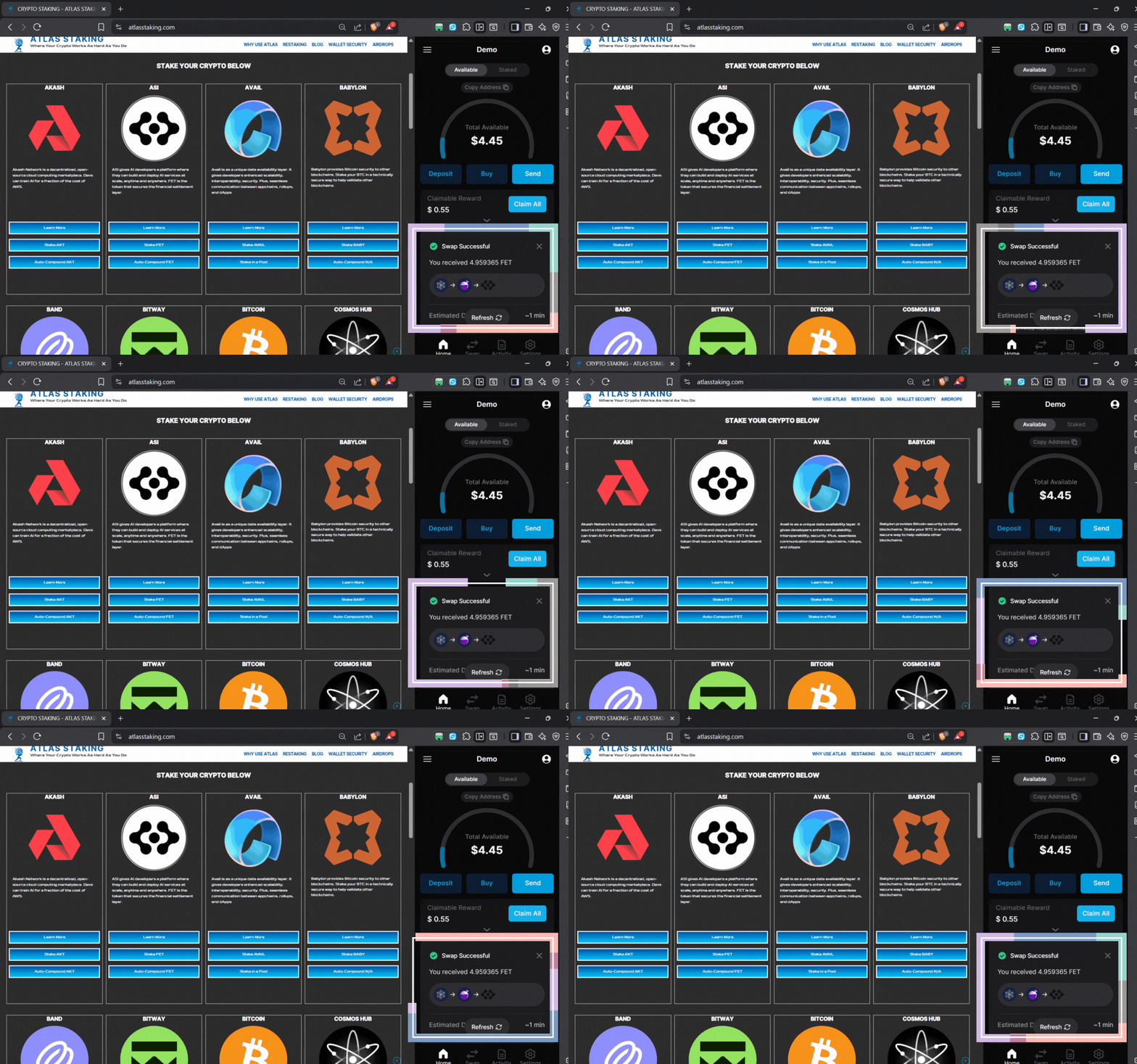
11. Click “Refresh” to see your FET tokens
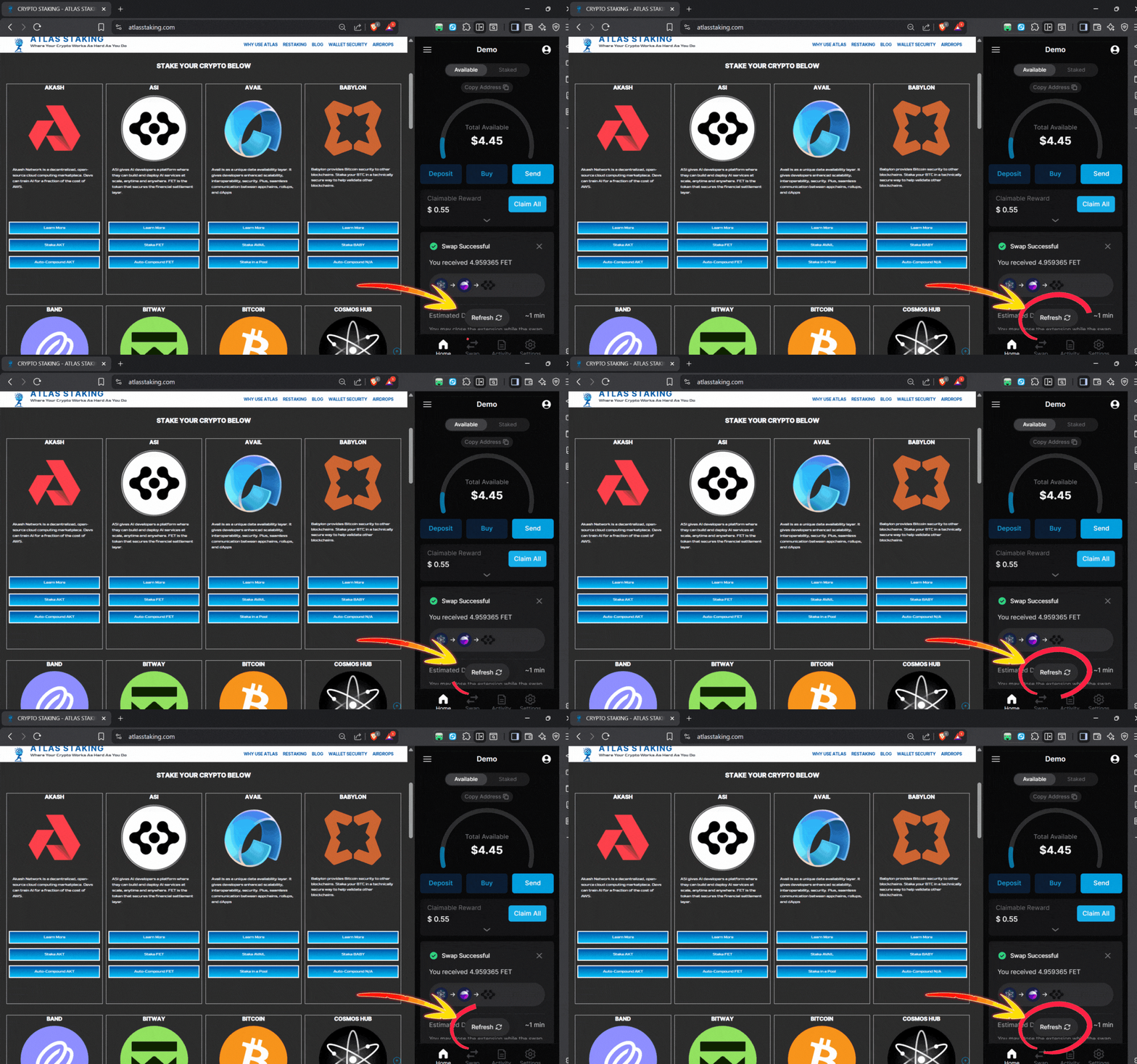
How to stake FET tokens with Keplr extension
Follow our step-by-step FET staking guide below and you’ll be earning rewards in no time.
Key Takeaways:
1. Click “Stake FET” from our home page
2. Or, click “Stake FET” from our ASI page.
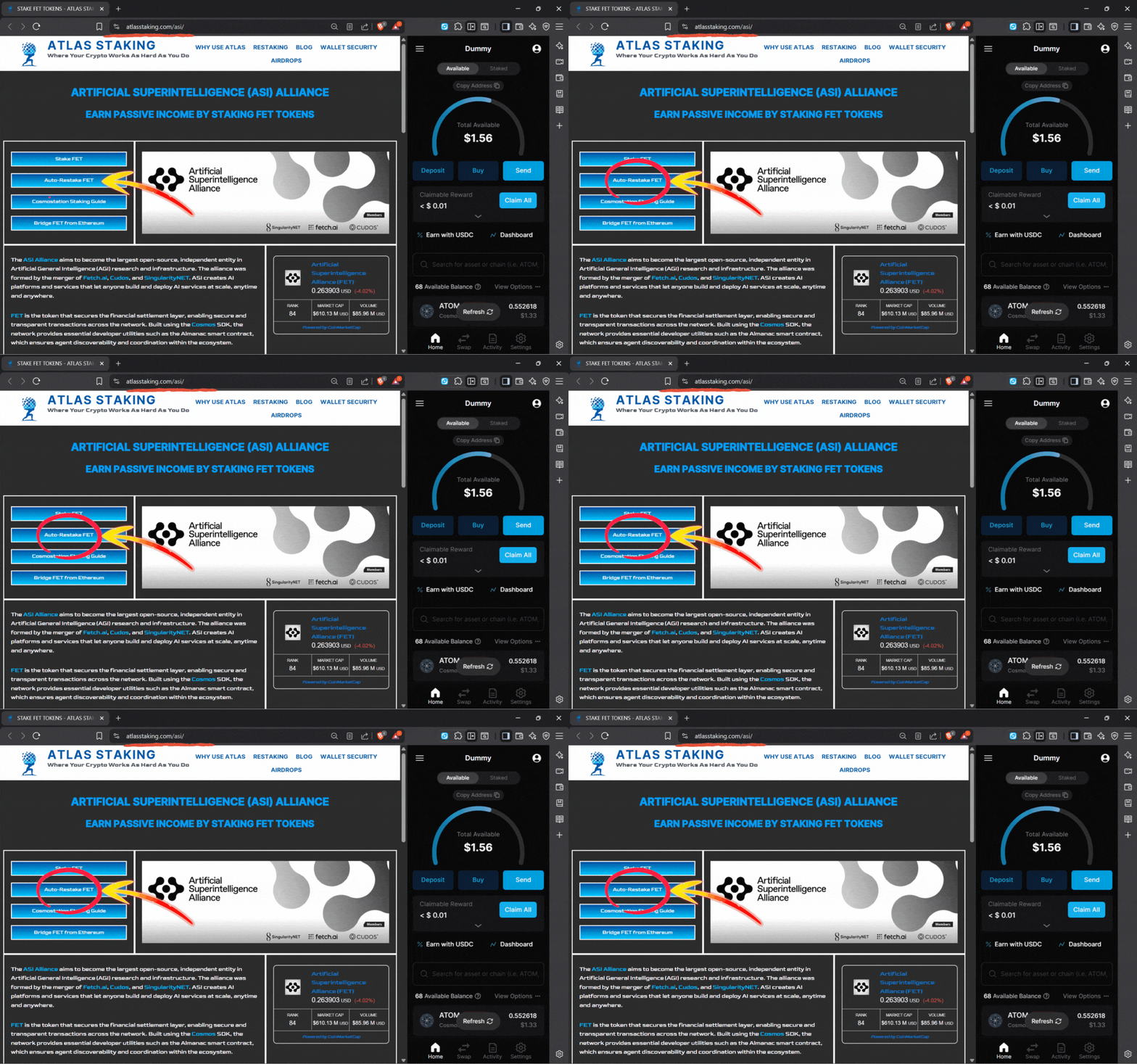
3. To maximize yield using REStake, click “Auto-Restake FET“
4. Click the wallet icon to connect Keplr
5. Click “Keplr” and you’ll see a checkmark and then click “Connect”
6. Click “Approve” on the wallet popup to connect the extension
7. Click the “Pages” icon in the sidebar to view the whole website page
8. Click the “Delegate” button to begin the staking process
9. Enter the number of FET tokens you would like to stake
10. Click “Send” at the bottom of the Delegate popup
11. Click “Approve” in the Keplr popup window to continue
1. Click “Stake FET” from AtlasStaking.com home page
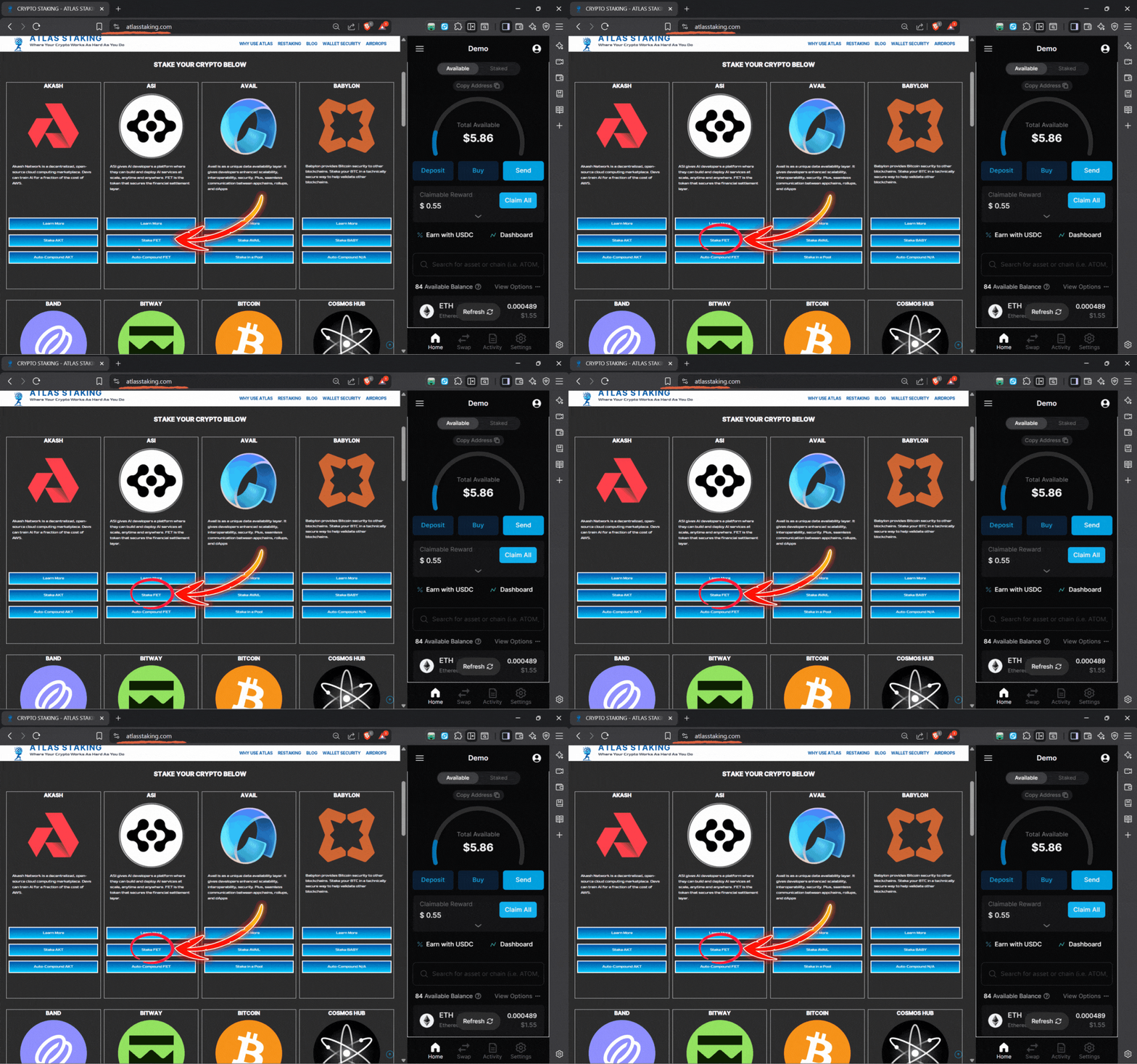
2. Or, click “Stake FET” from our ASI page: atlasstaking.com/asi
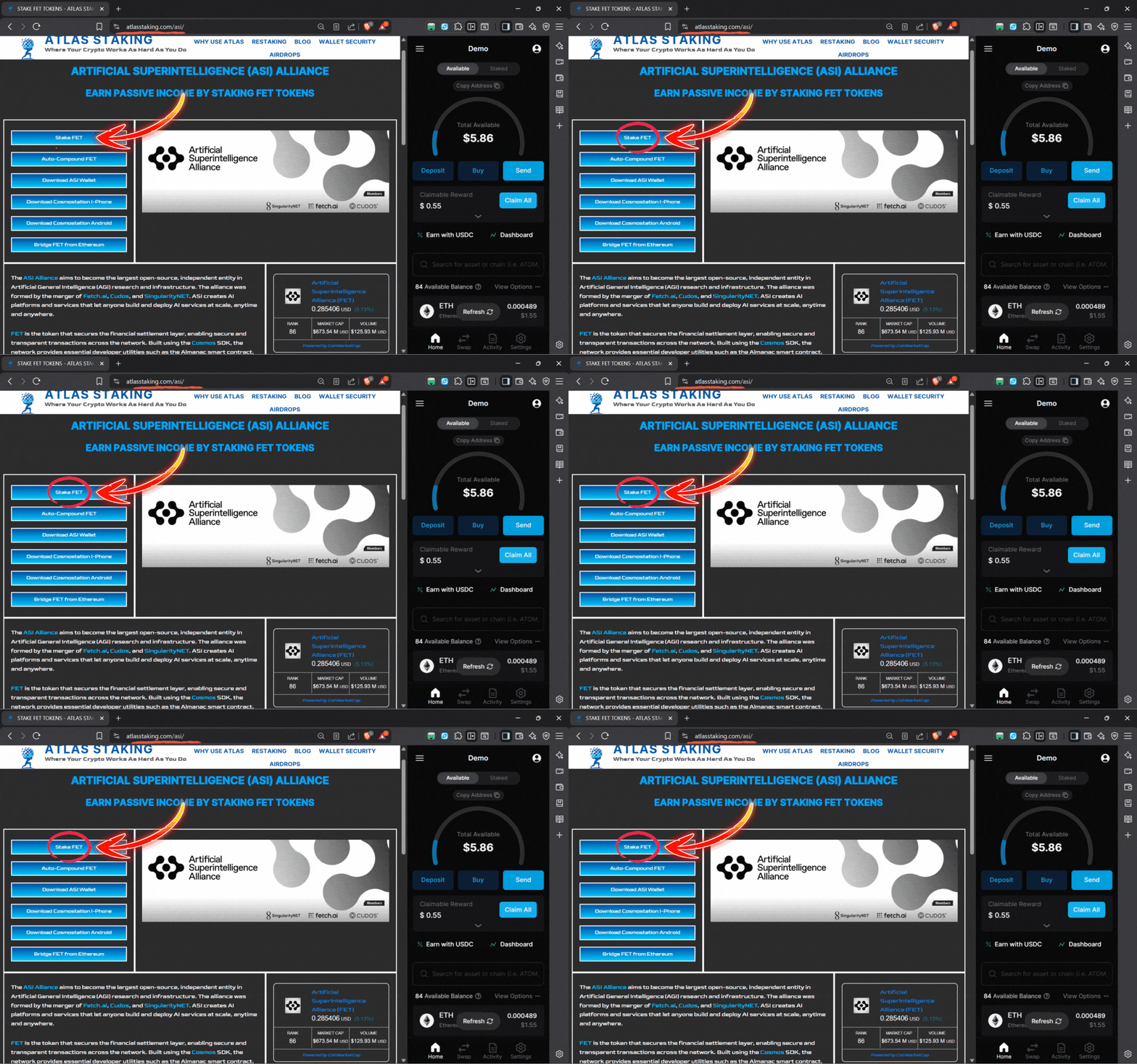
3. To maximize yield using REStake, click “Auto-Compound FET”
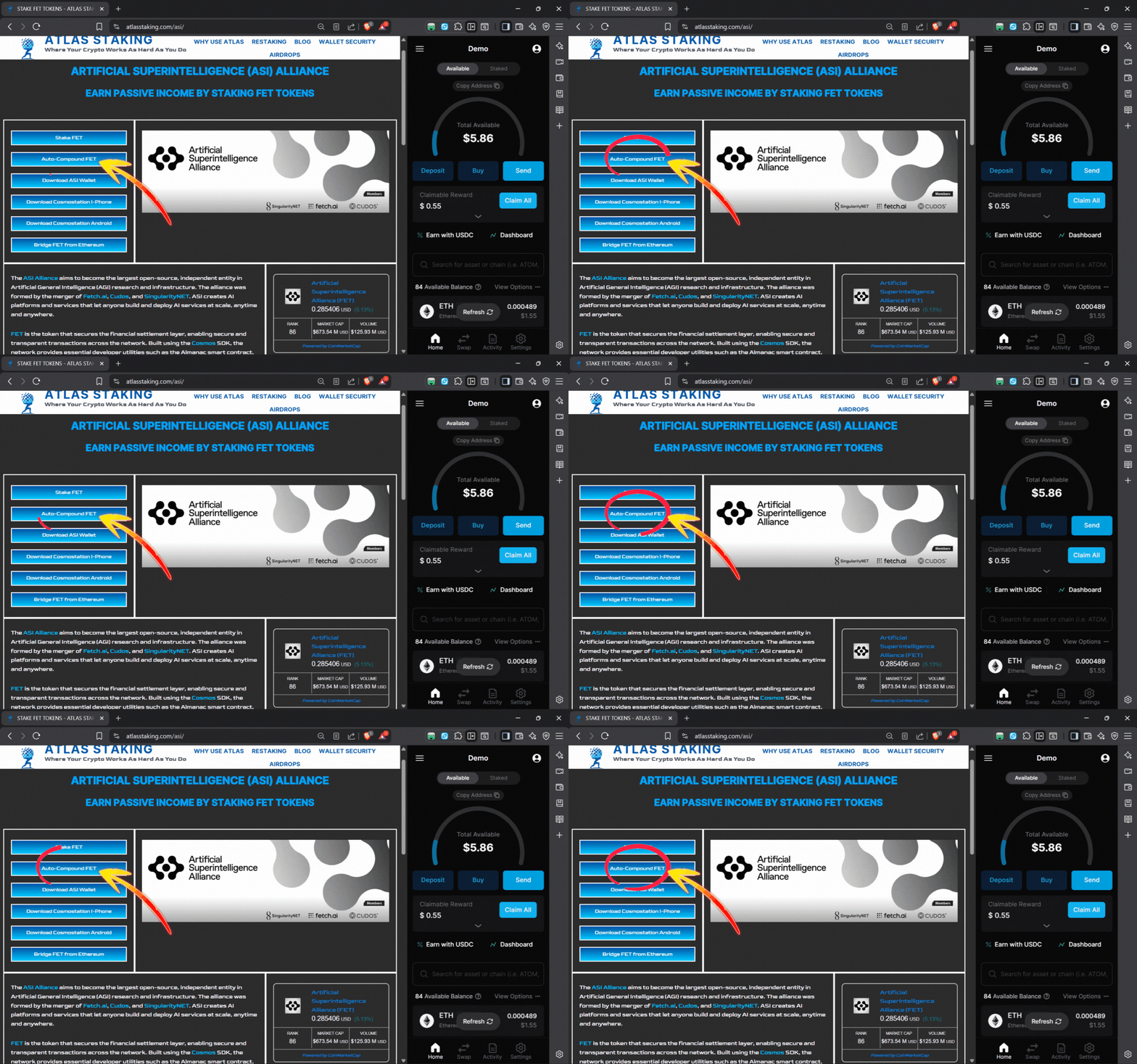
4. Click the wallet icon to connect Keplr
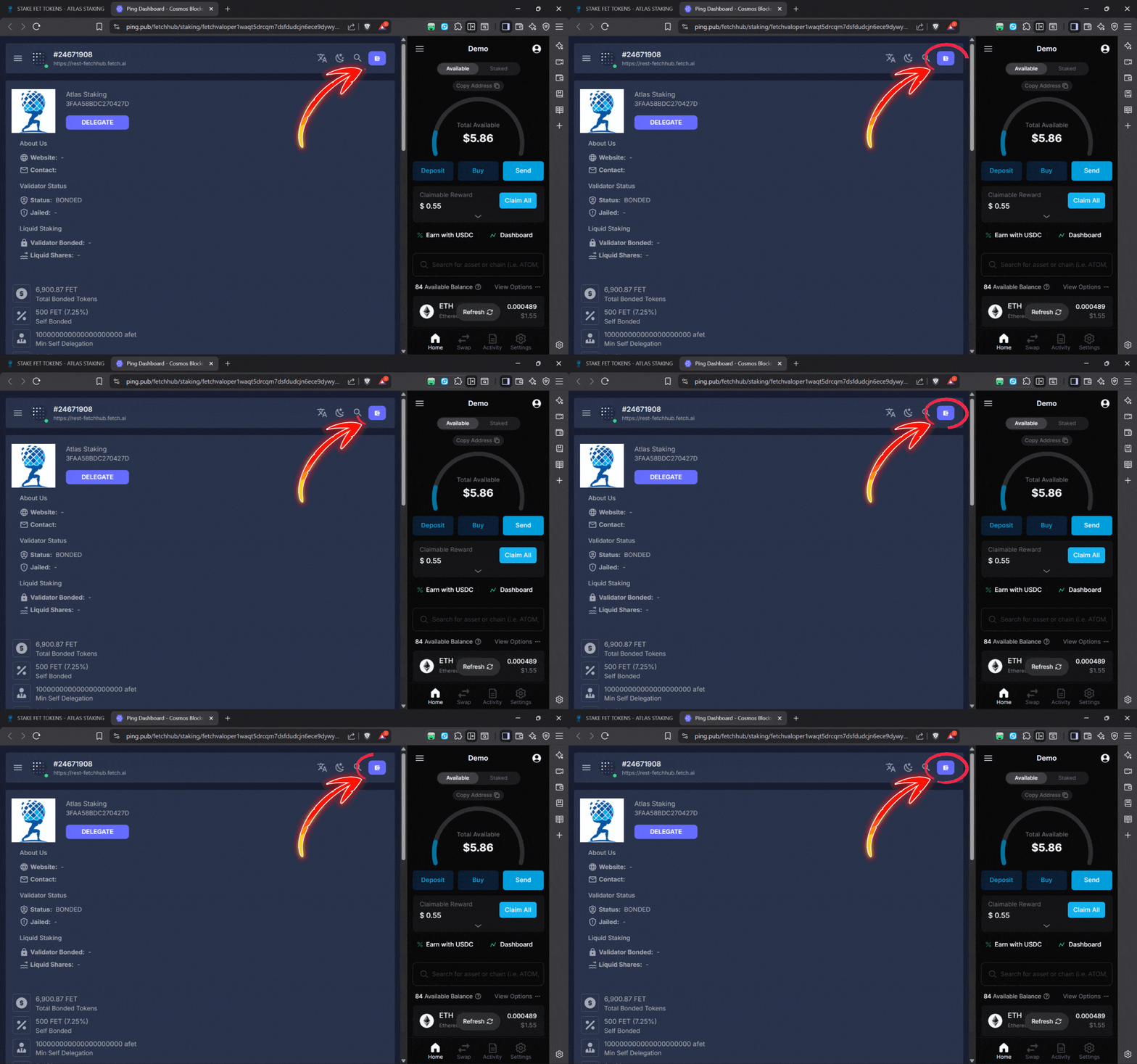
5. Click “Keplr” and you’ll see a checkmark and then click “Connect”
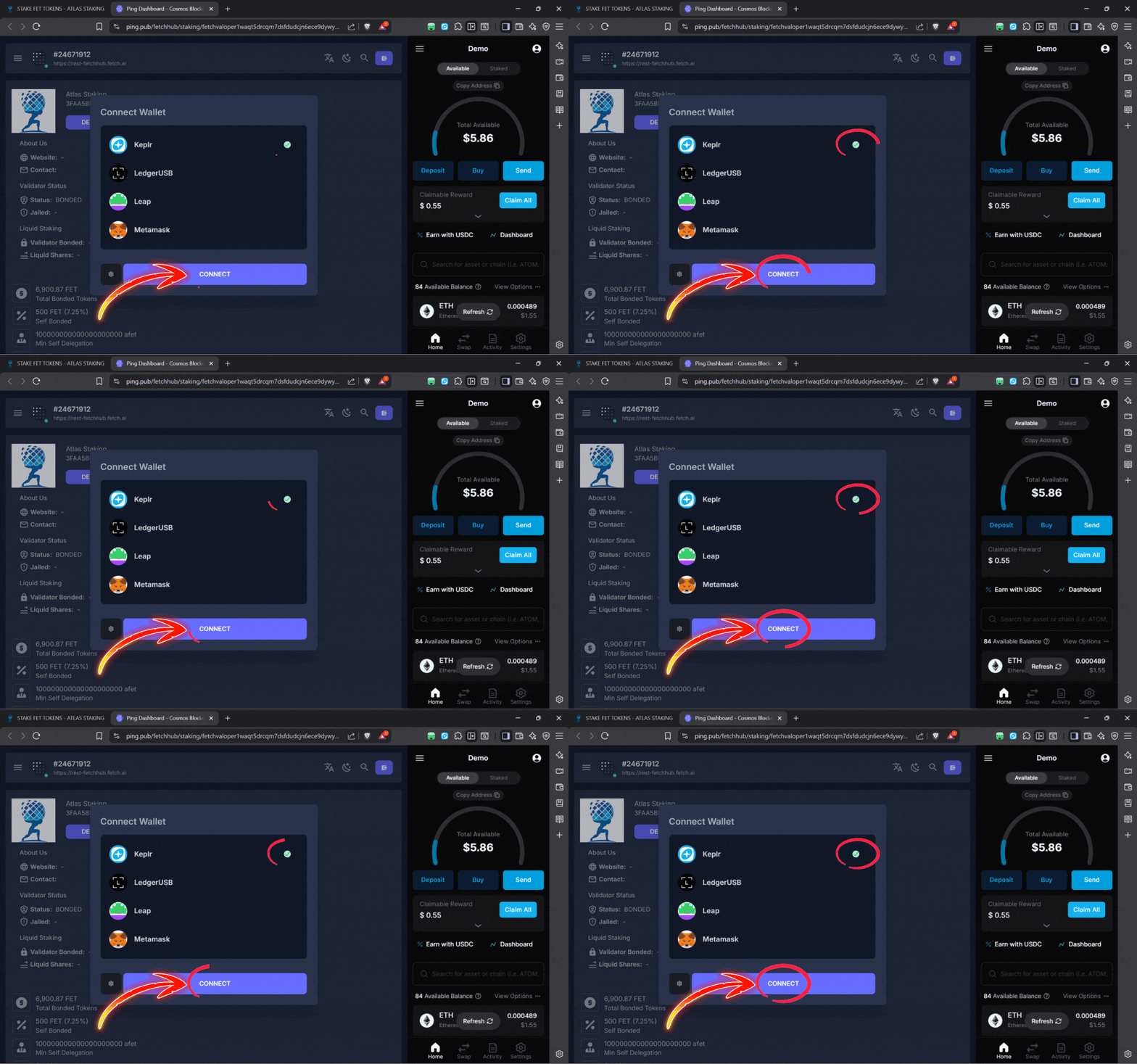
6. Click “Approve” on the wallet popup to connect the extension
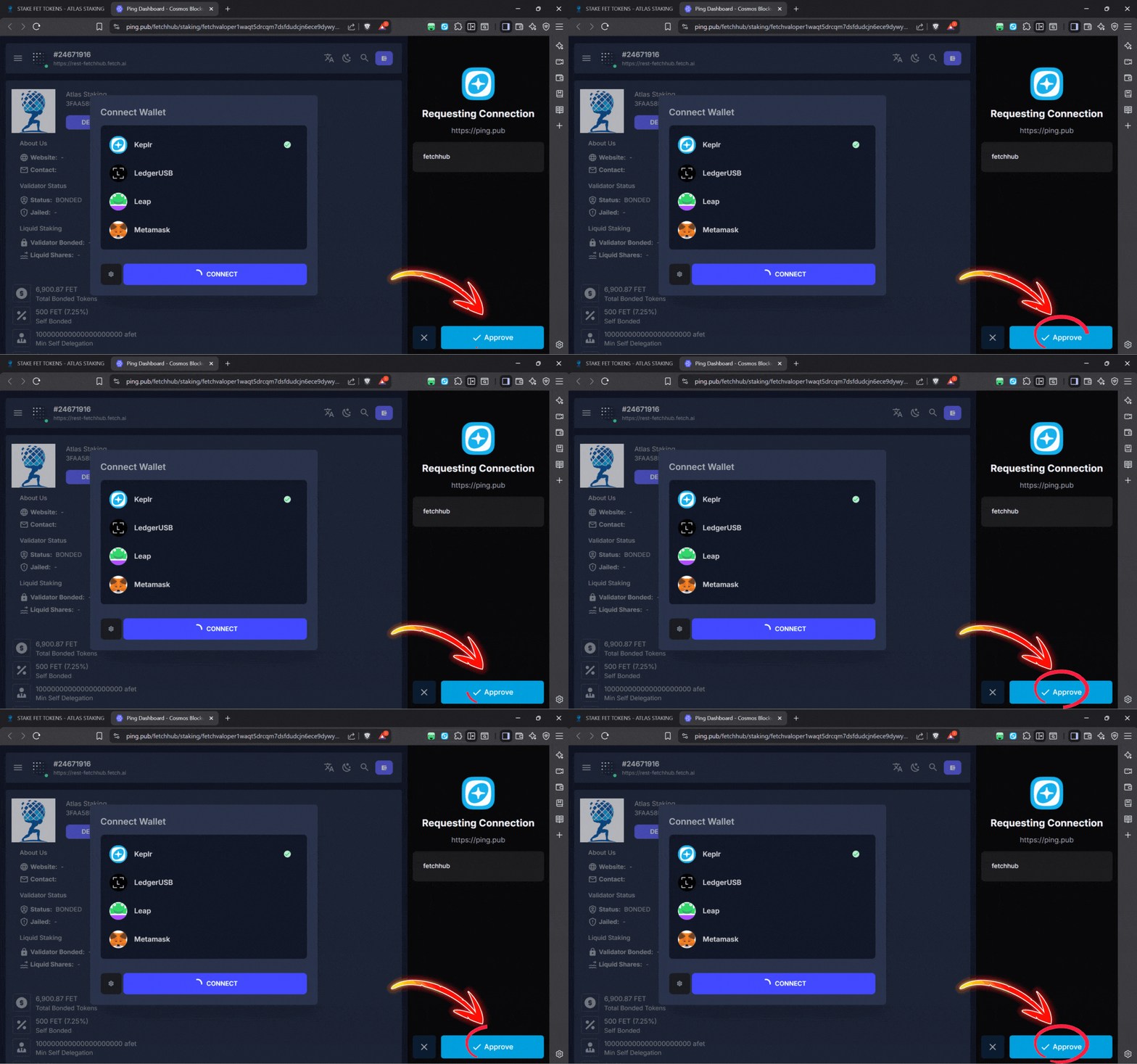
7. Click the “Pages” icon in the sidebar to view the whole website page
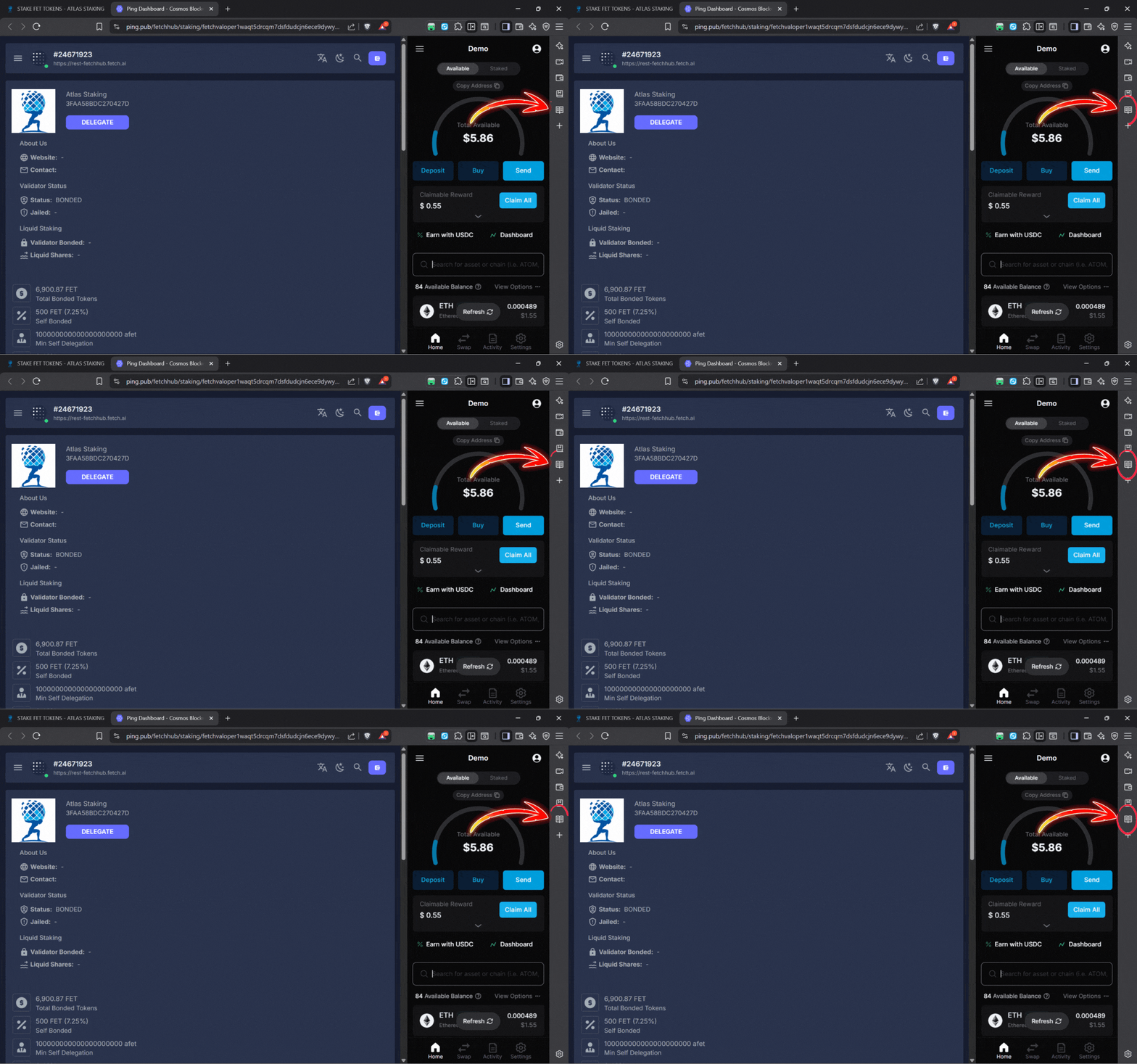
8. Click the “Delegate” button to begin the staking process
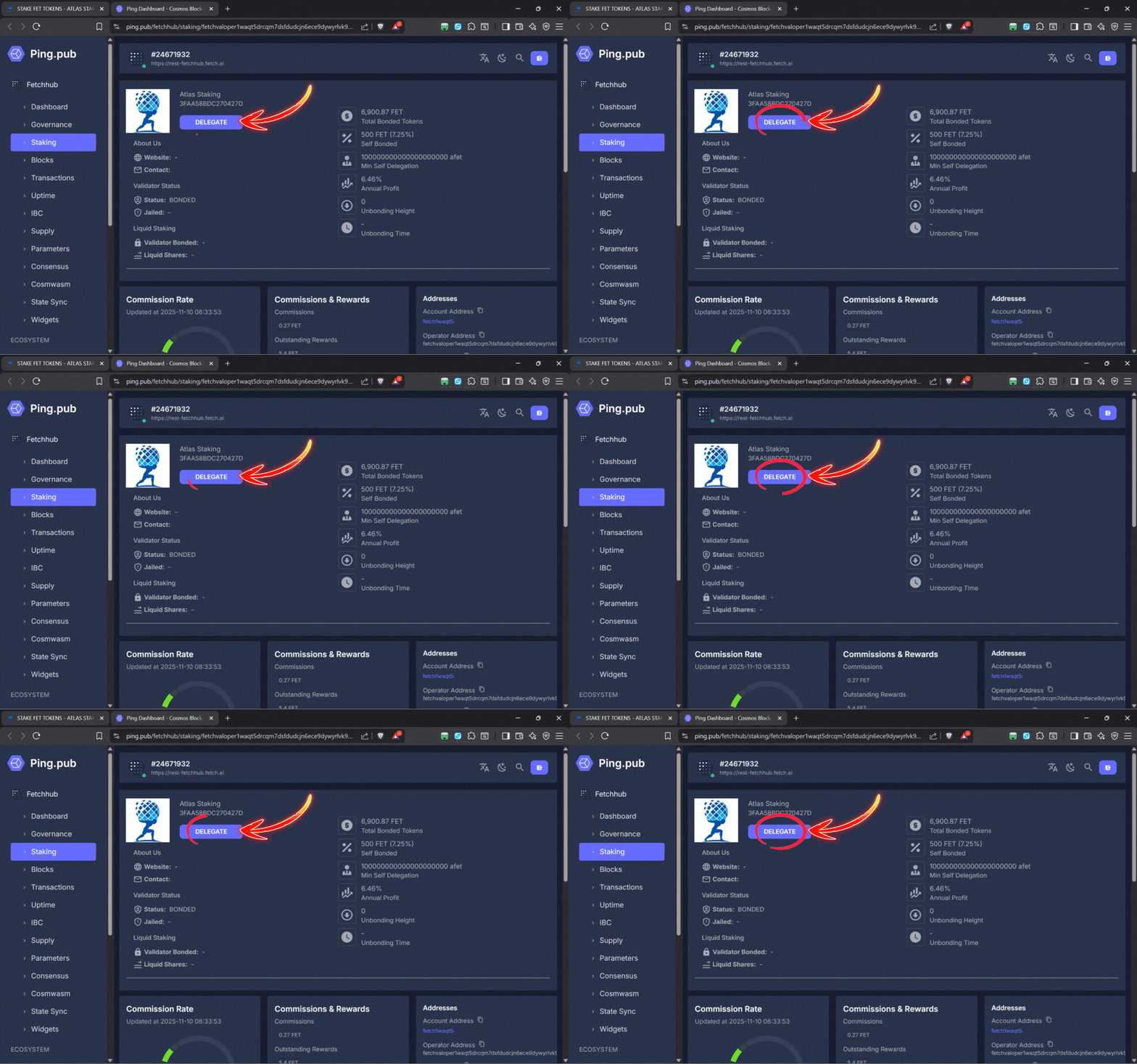
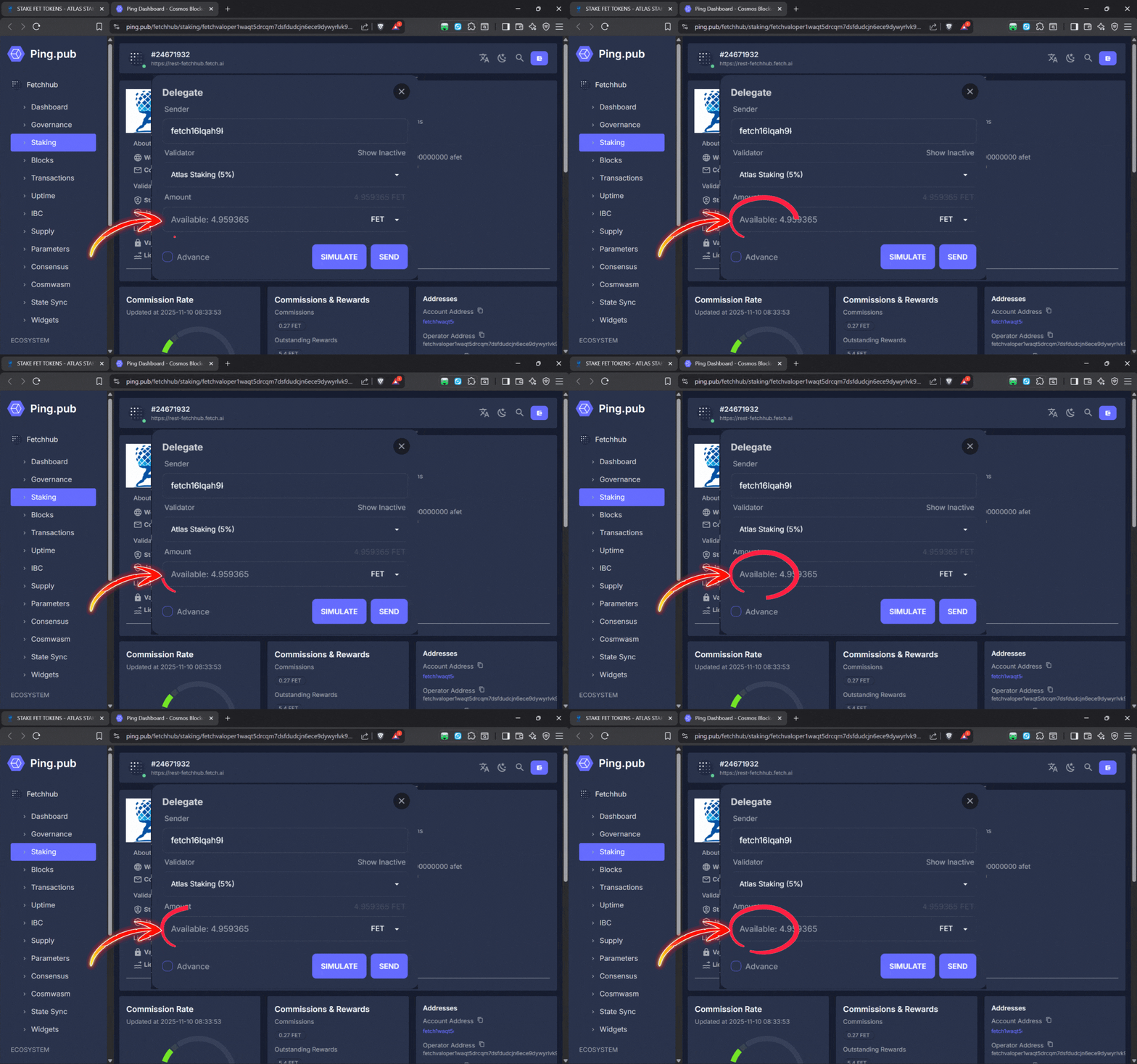
9. Enter the number of FET tokens you would like to stake
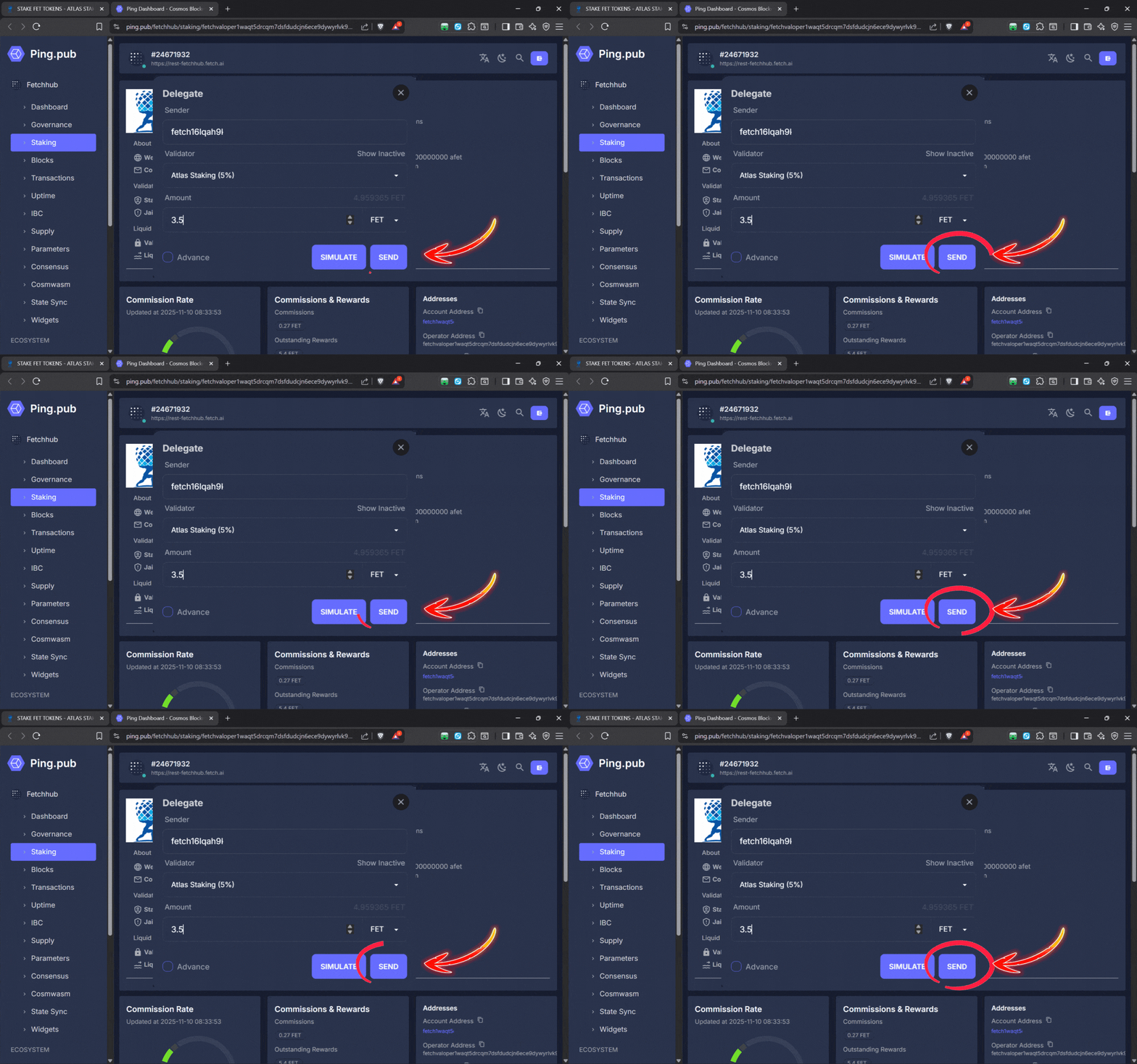
10. Click “Send” at the bottom of the Delegate popup
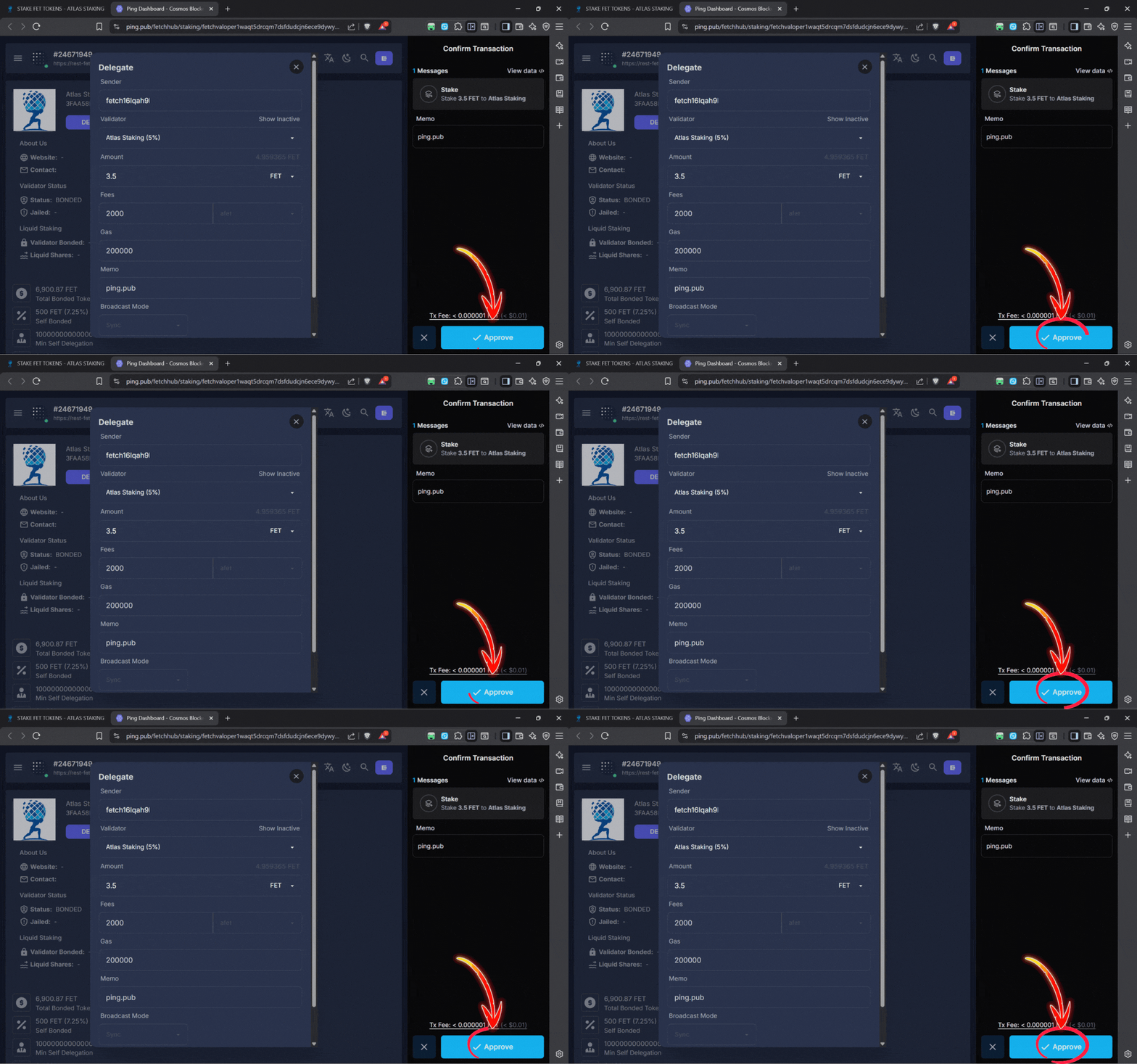
11. Click “Approve” in the Keplr popup window to continue
Within a second or two your FET tokens are staked with Atlas!
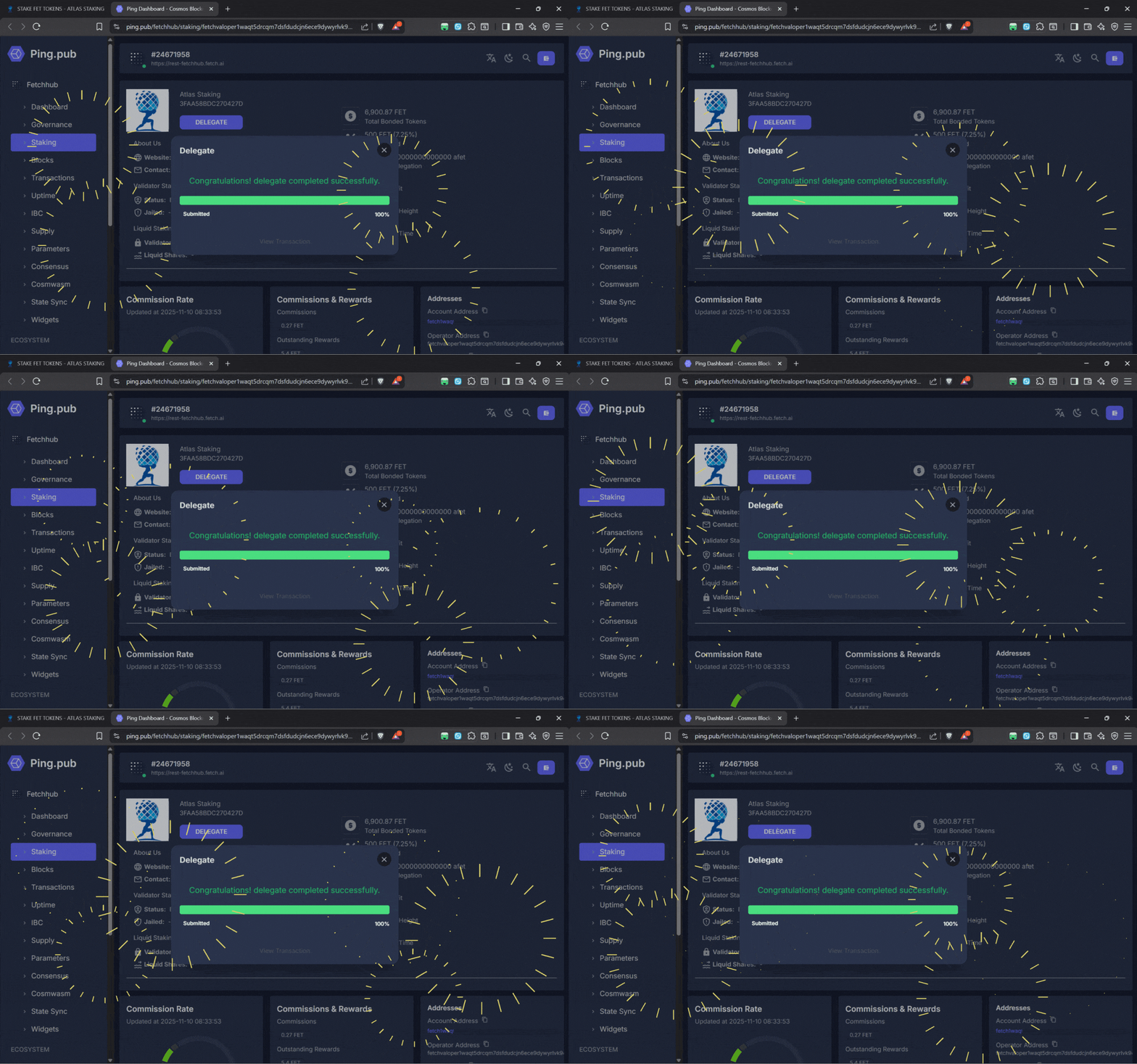

GET THE HIGHEST FET STAKING APY
The more often you claim and restake your FET rewards, the quicker you compound your stack of tokens so we recommend restaking as often as possible. However, it’s time consuming.
That’s why we run a FET restaking docker and can automate the process for you! Just connect Keplr to the REStake app and we will claim and restake your FET rewards every 24 hours for you (assuming you meet the minimum restaking requirement).
Key Takeaways:
1. Click “Auto-Restake FET” from our home page
2. Or, click “Auto-Restake FET” from our ASI page
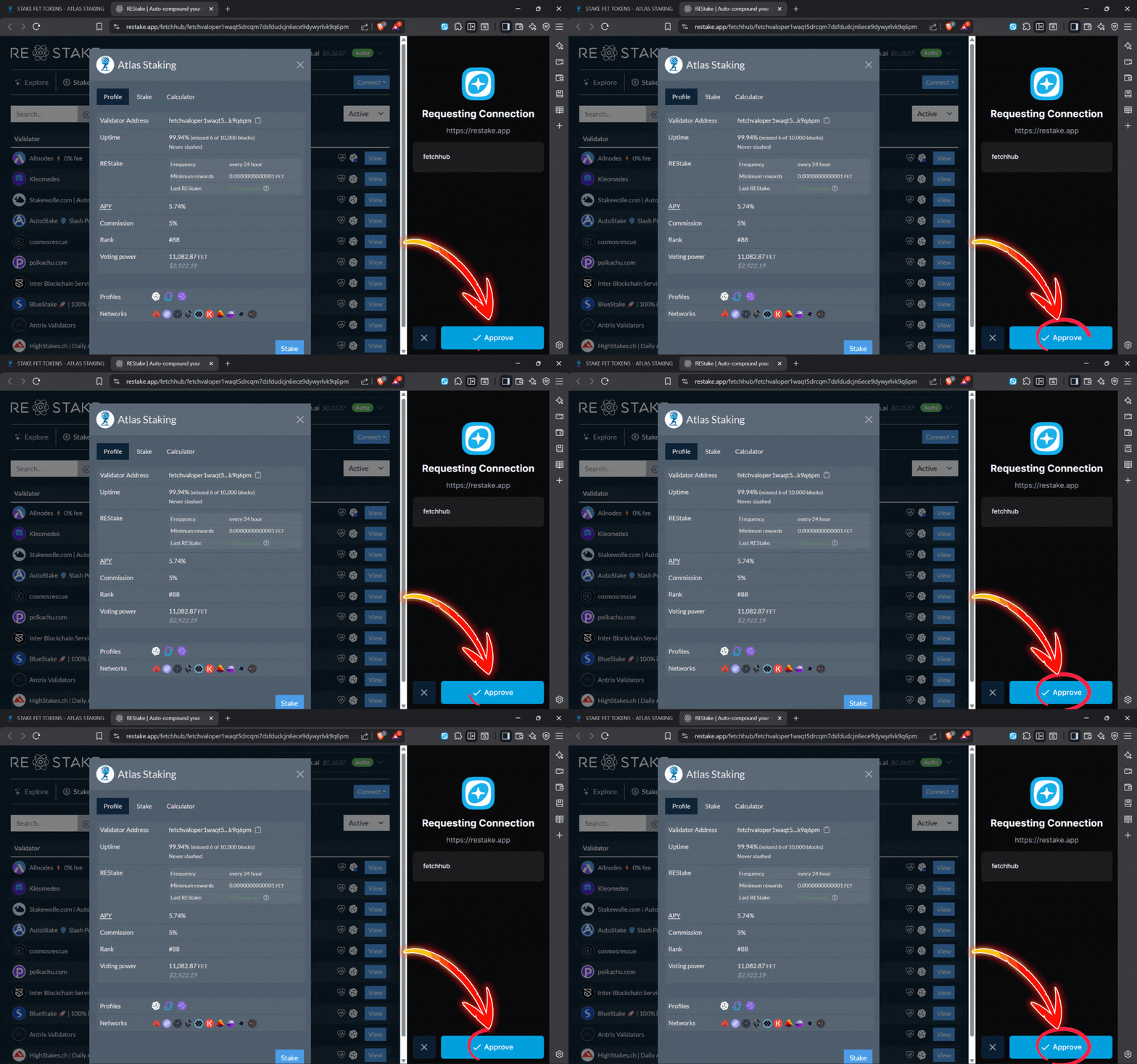
3. Click “Approve” in Keplr to connect
4. If your aren’t automatically prompted to connect Keplr, click “Connect”
5. Click “Connect Keplr Wallet”
6. Click “Approve” on the wallet popup to connect the extension
7. Type “Atlas Staking” in the search box (if you weren’t prompted to automatically connect to our FET restaking page)
8. Click on “Atlas Staking” to begin
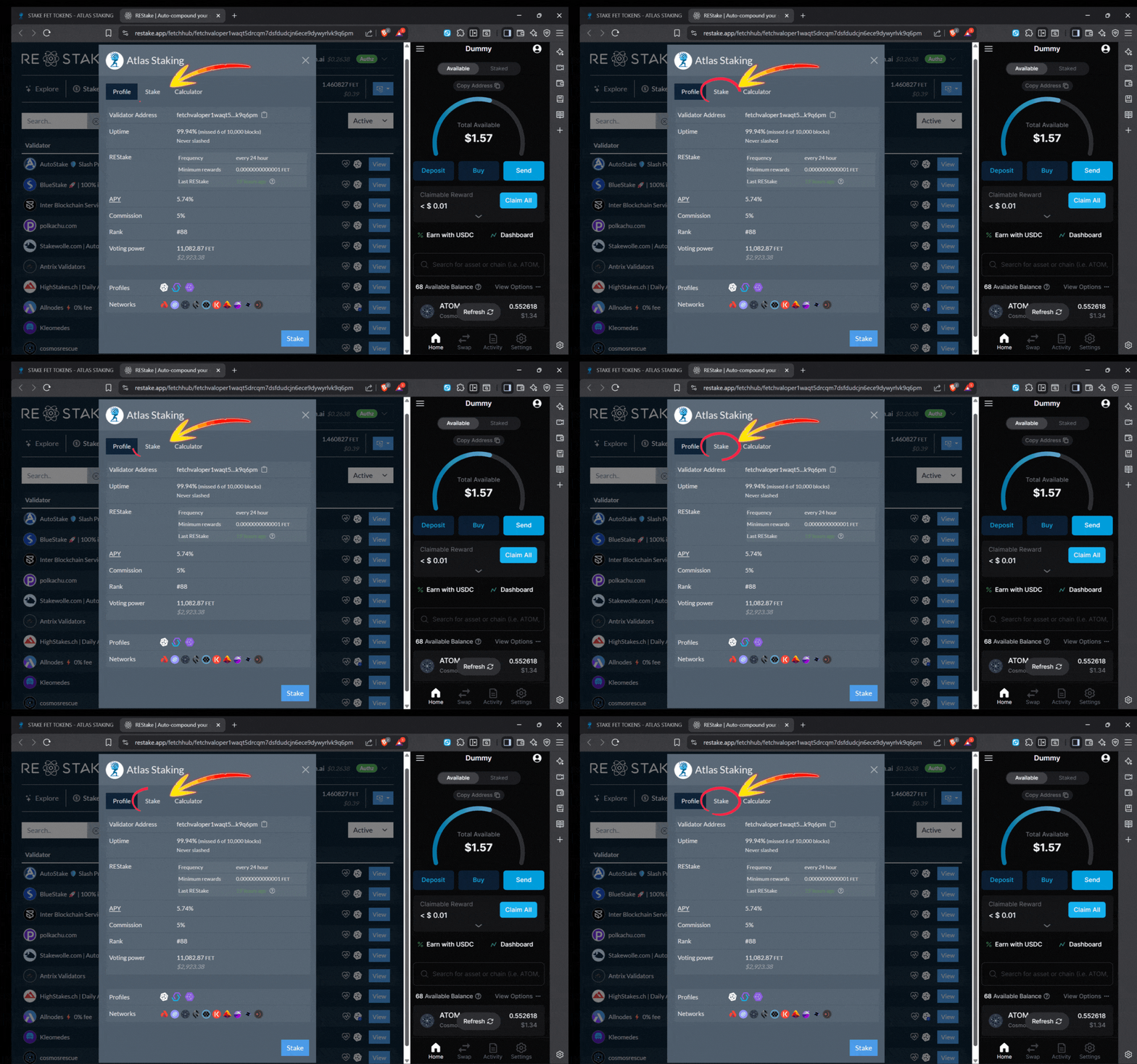
9. Click “Stake” on the popup
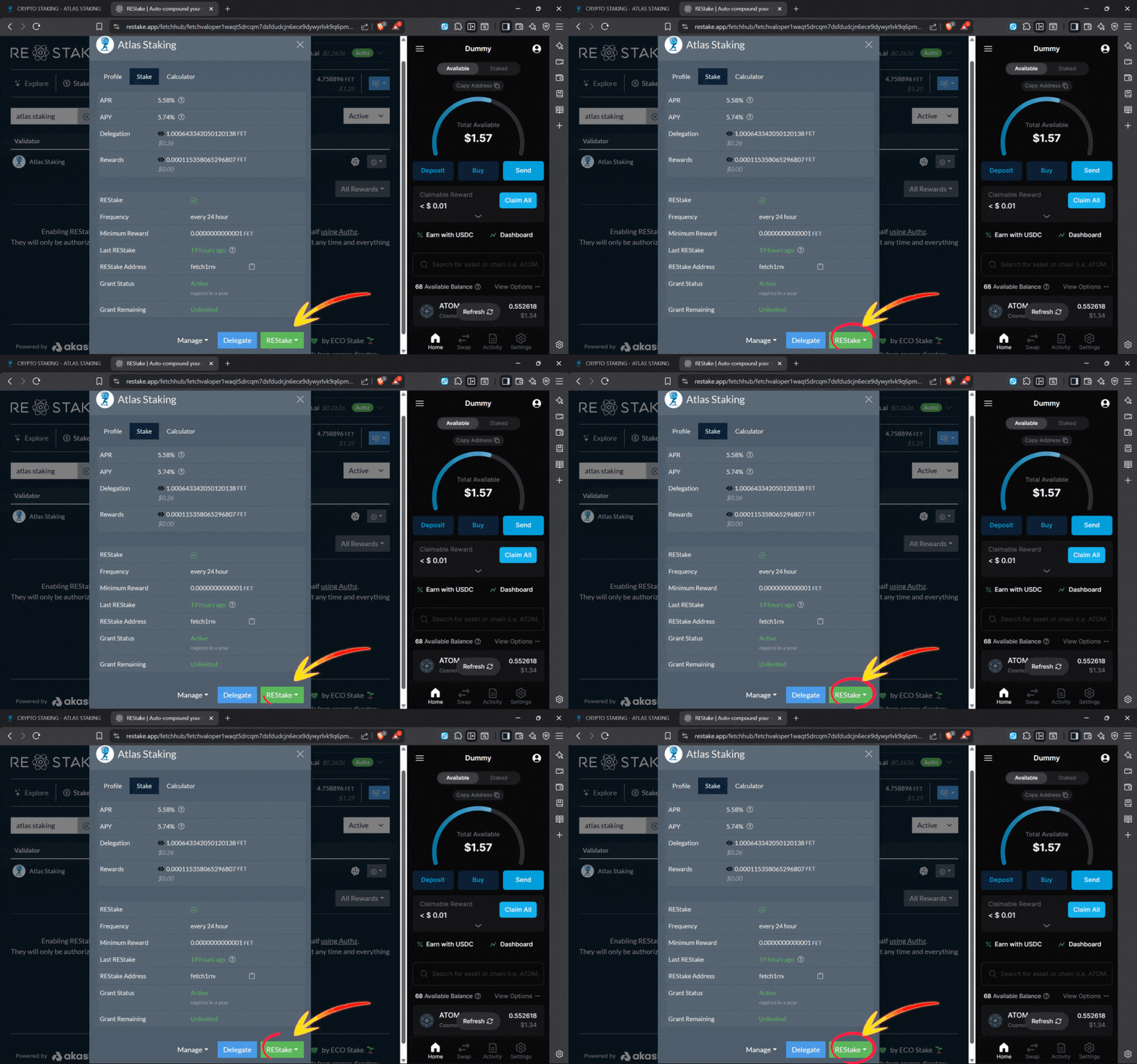
10. Click “REStake” on the popup window
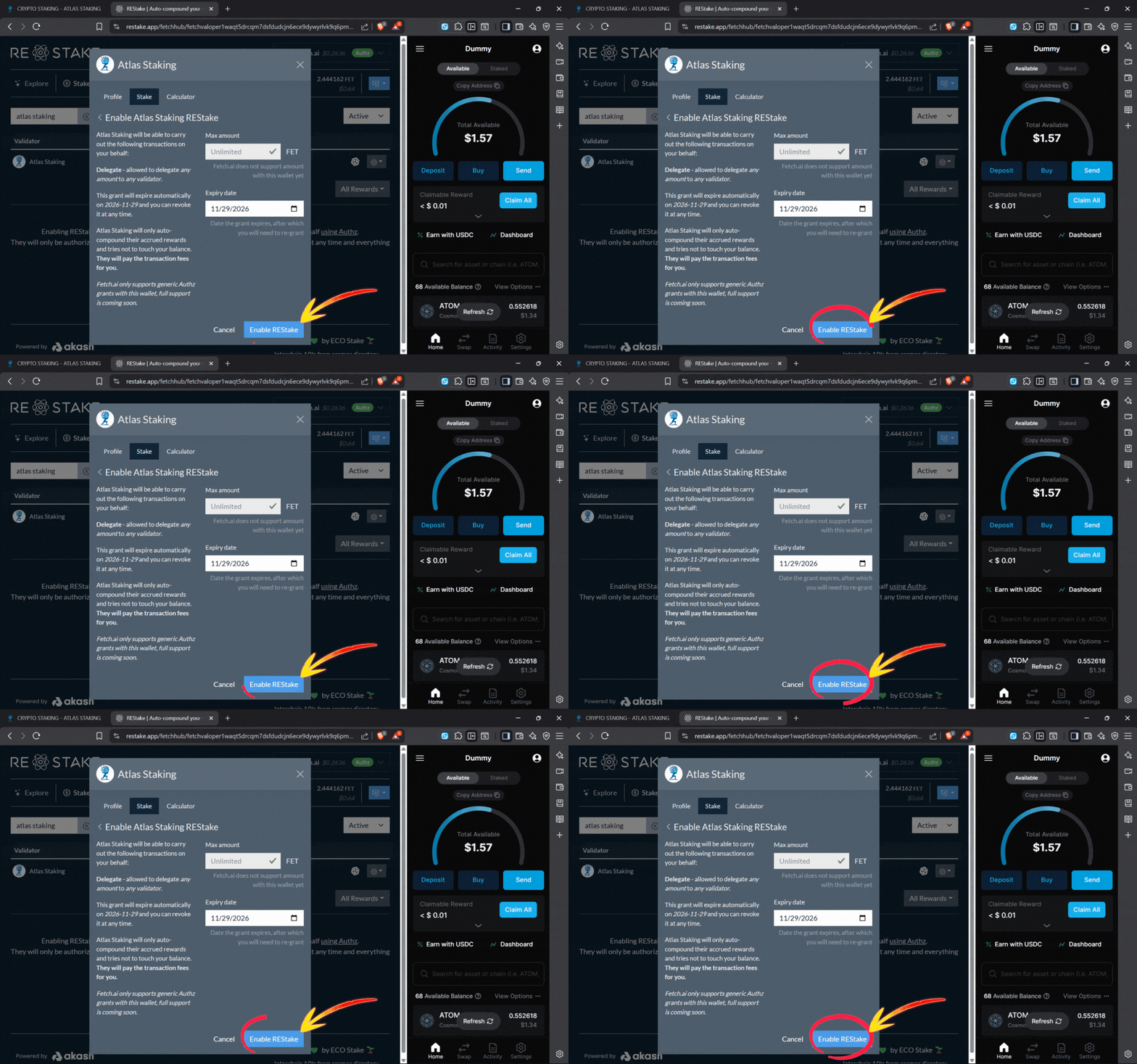
11. Click “Enable REStake” and then approve in-wallet
1. Click “Auto-Restake FET” from our home page
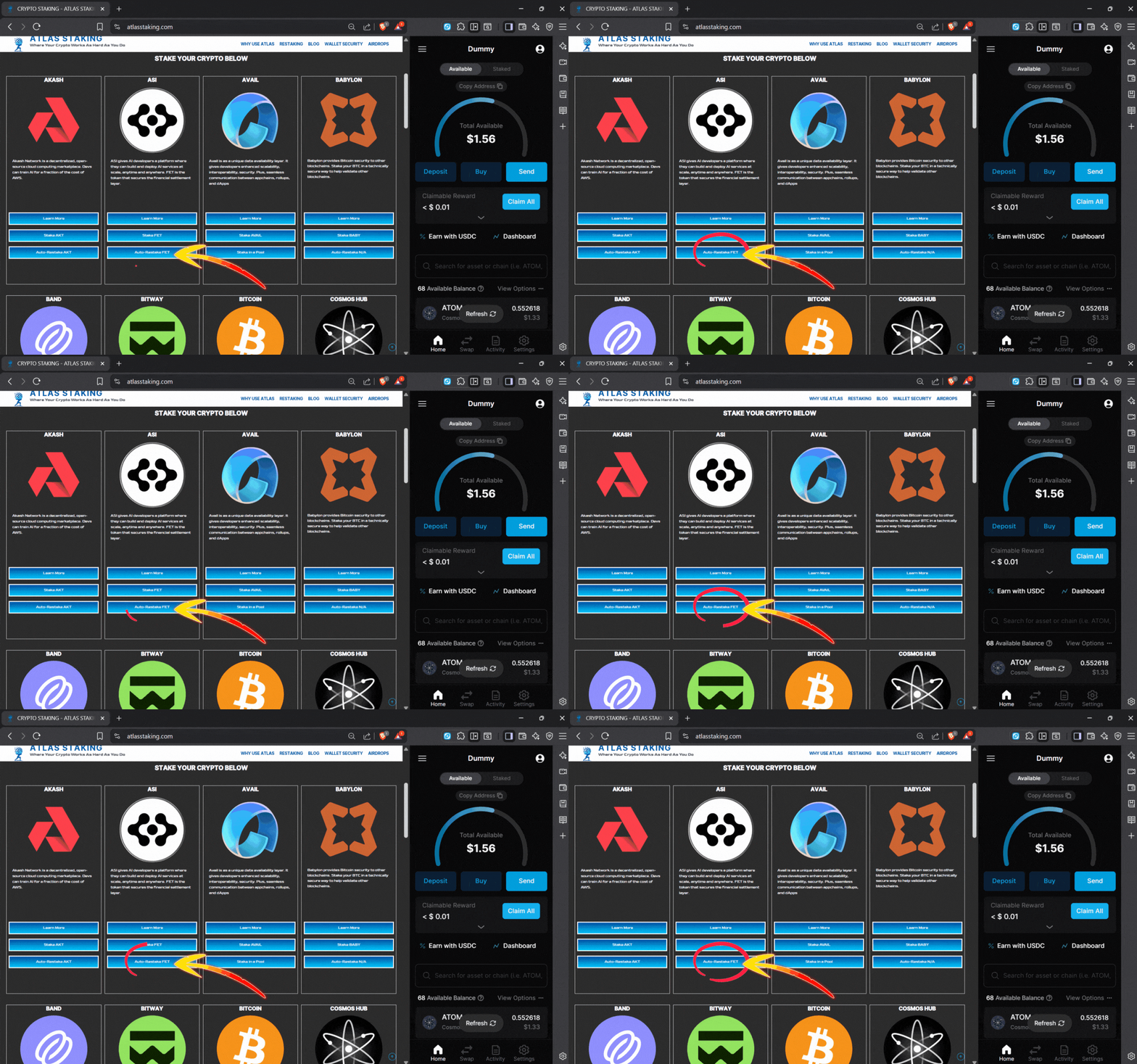
2. Or, click “Auto-Restake FET” from our ASI page
3. Click “Approve” in Keplr to connect
4. If your aren’t automatically prompted, click “Connect”
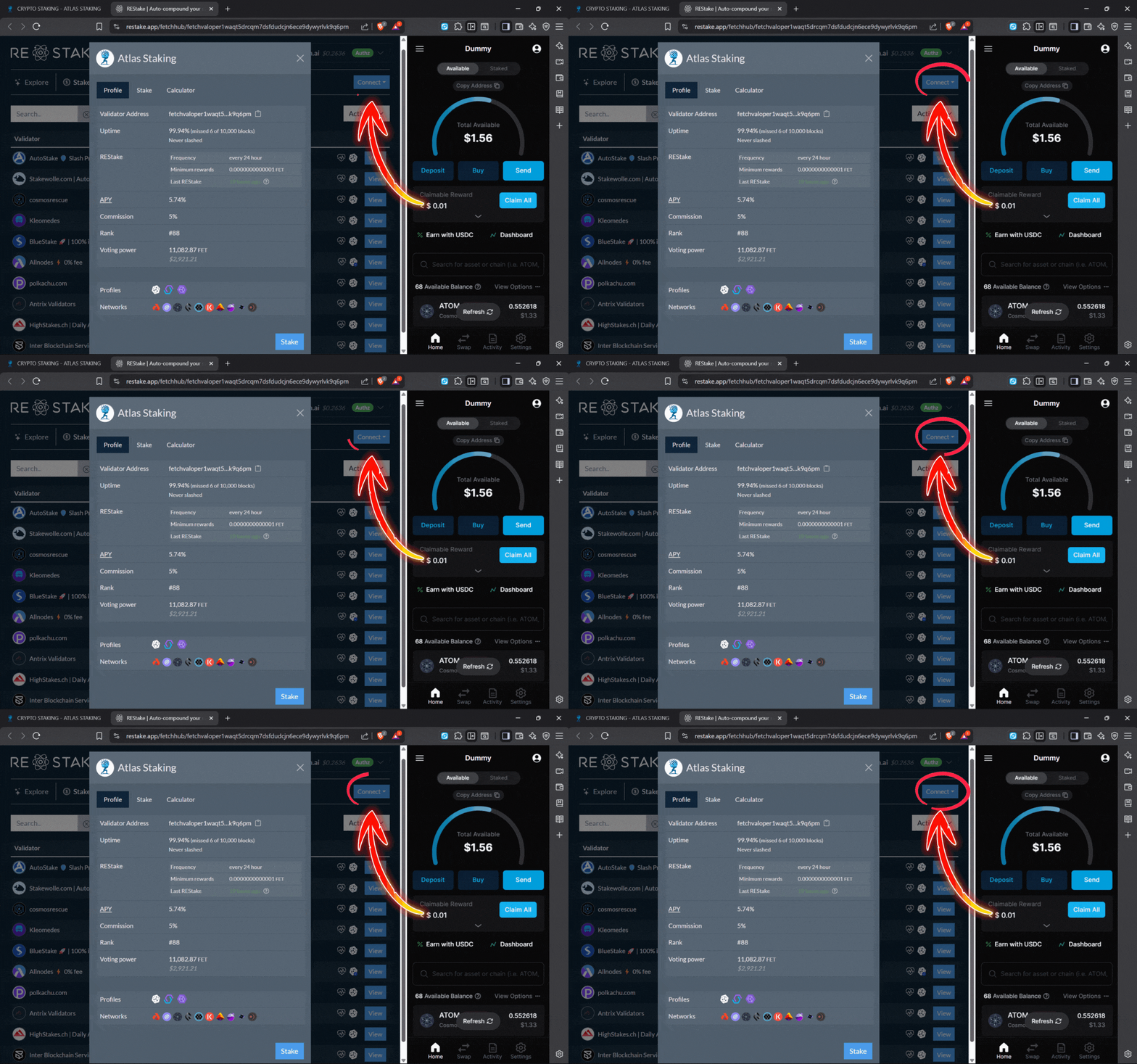
5. Click “Connect Keplr Wallet”
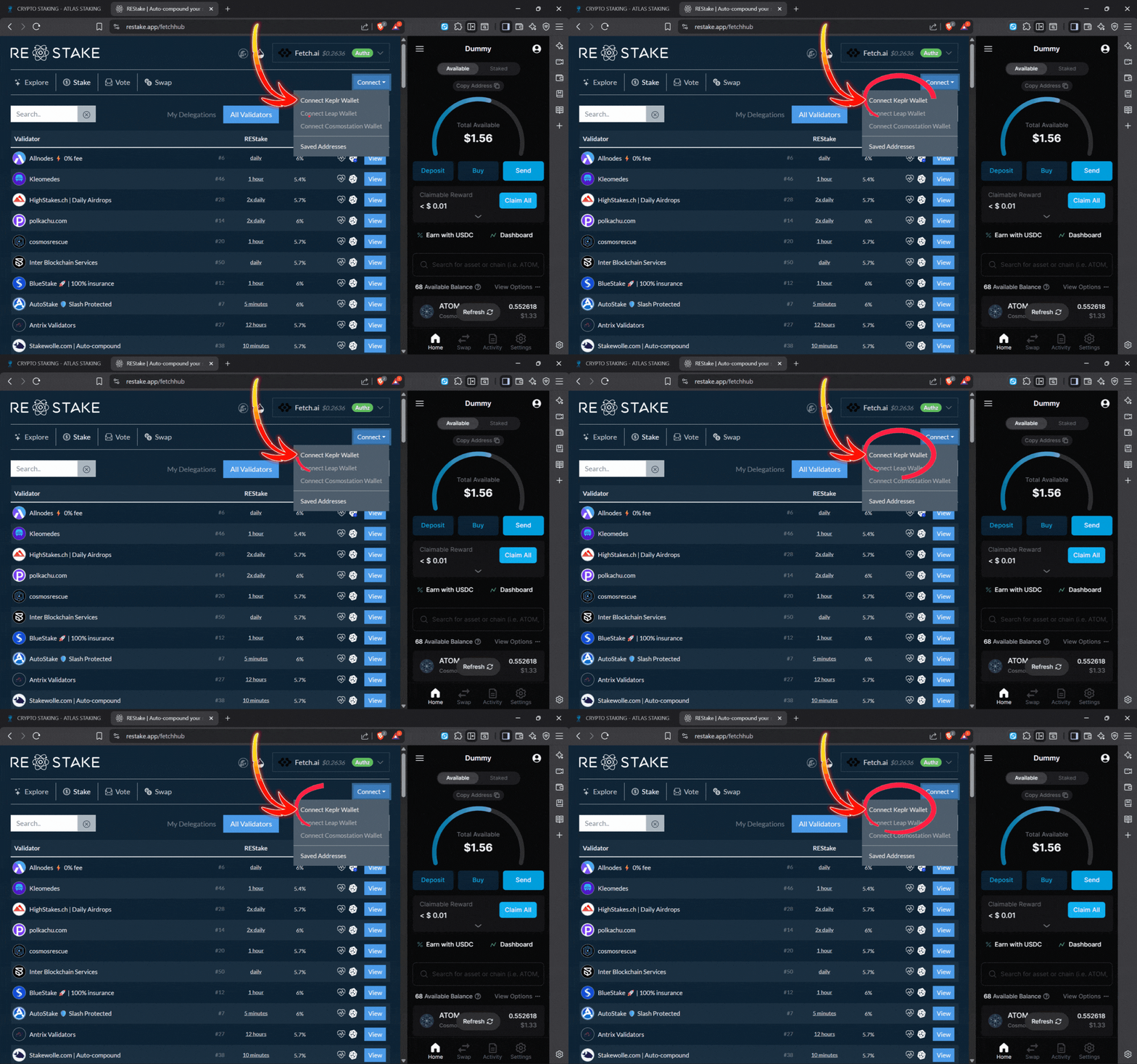
6. Click “Approve” on the wallet popup to connect the extension
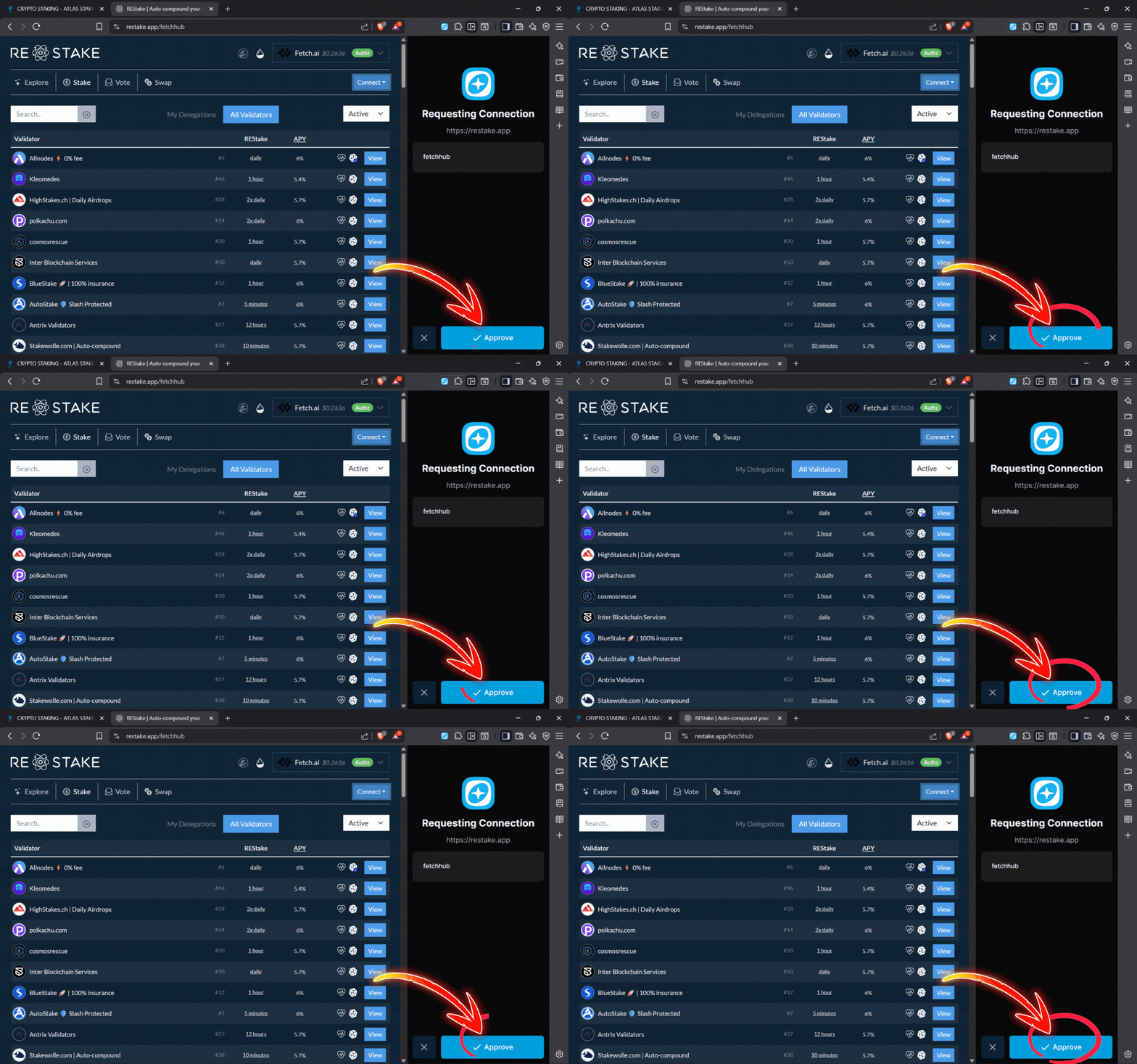
7. Type “Atlas Staking” in the search box
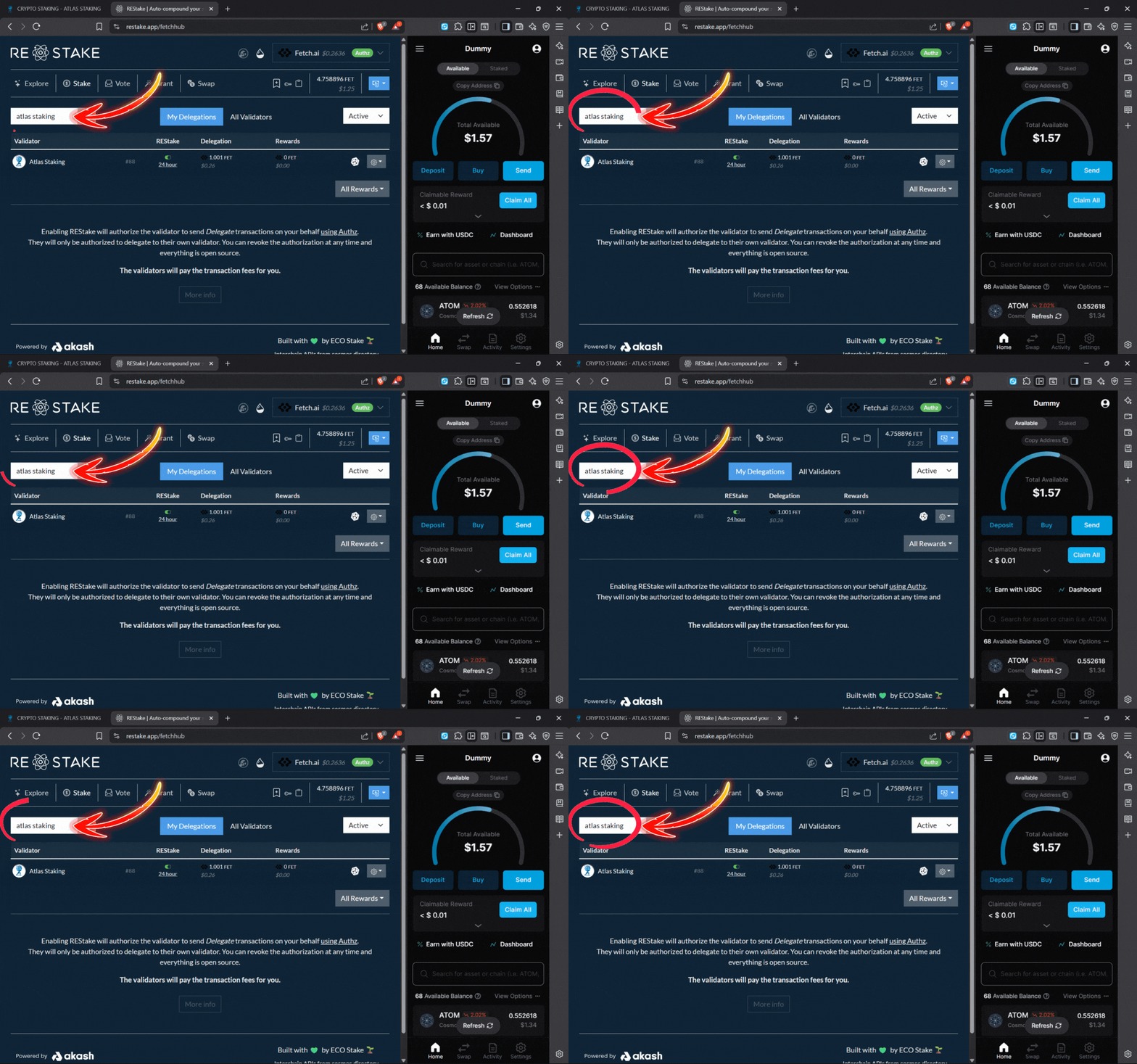
8. Click on “Atlas Staking” to begin
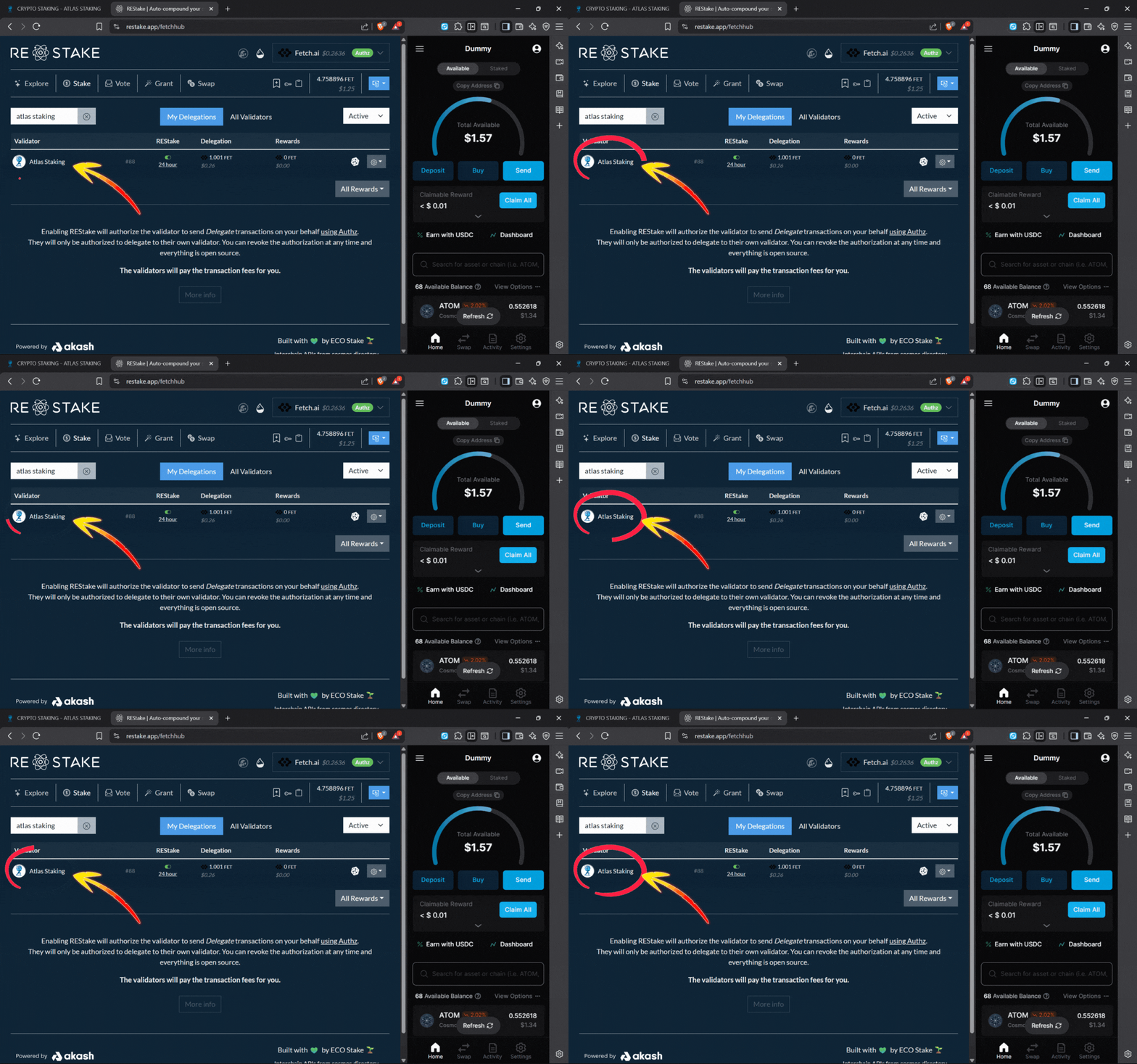
9. Click “Stake” on the popup
10. Click “REStake” on the popup window
11. Click “Enable REStake” and then approve in-wallet

Monitoring rewards and crypto taxes
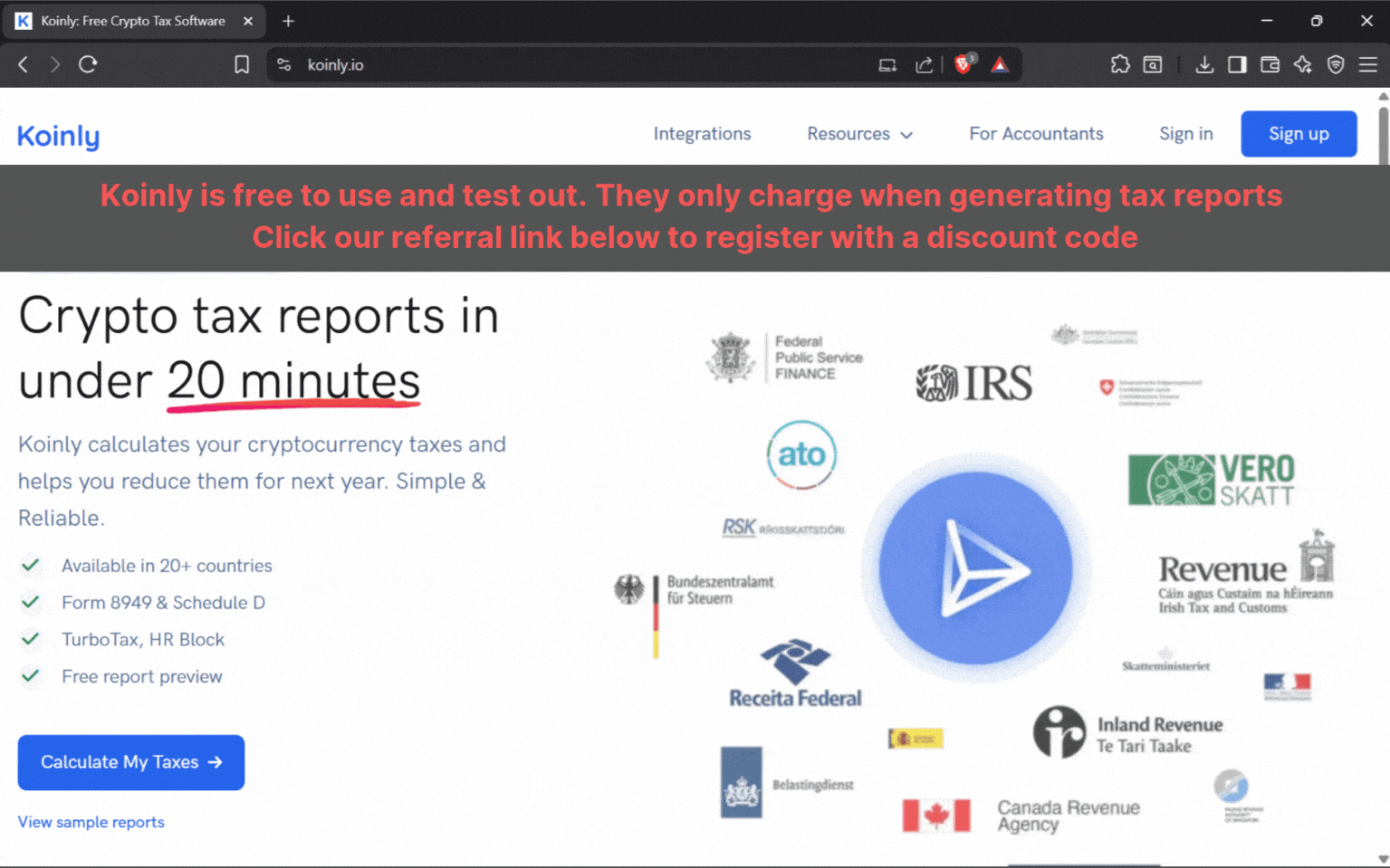
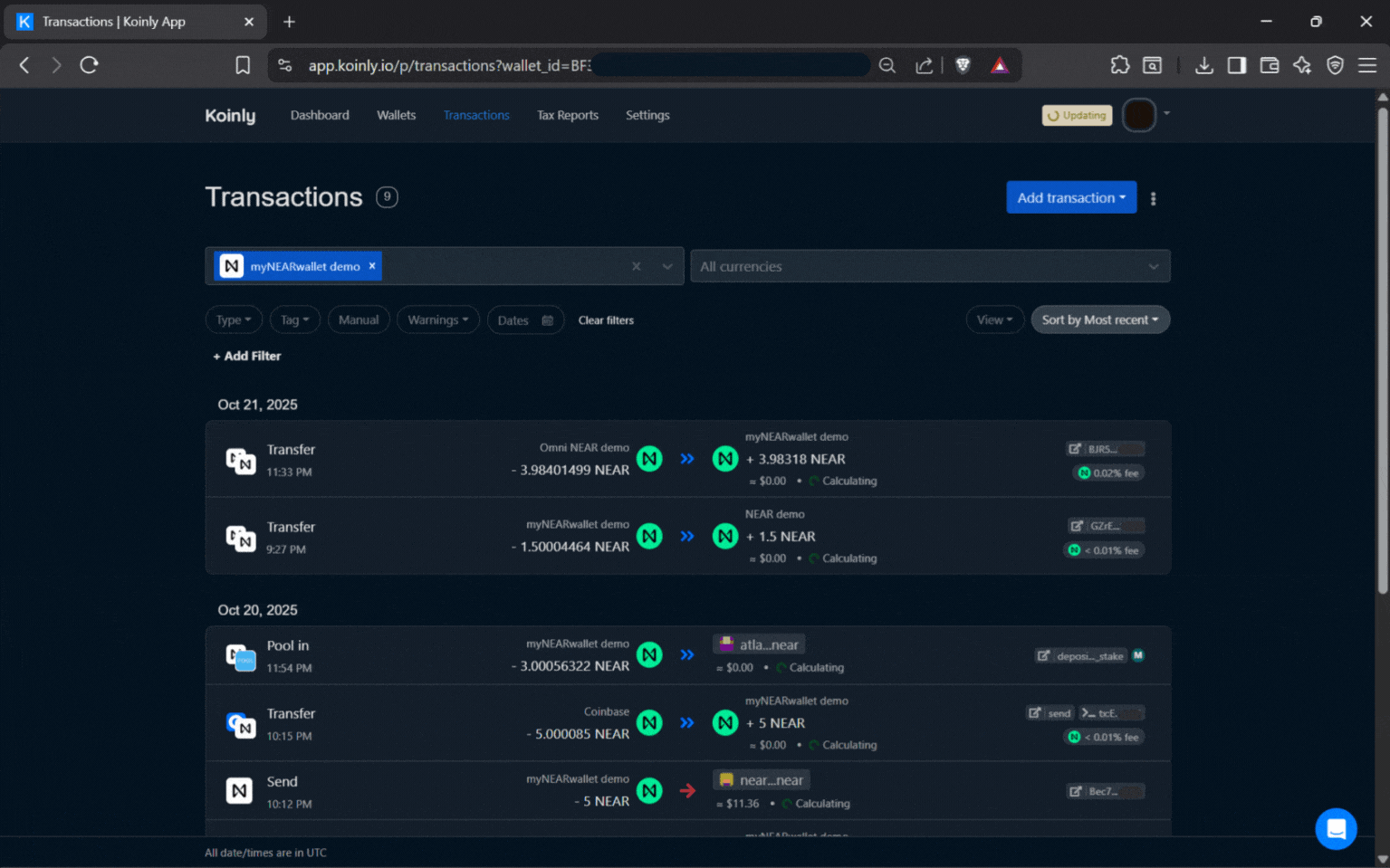
Keplr is a great place to keep an eye on your crypto and rewards. However, a portfolio management and tax software tool like Koinly takes things to the next level.
U.S. residents owe income taxes on staking rewards. They are taxed like stock dividends, so keeping track of their crypto portfolios is essential.
Plus, a tool like Koinly can show you when an unauthorized transaction occurred. If you are unfortunate and get hacked, you may be able to mitigate the loss because you’ll see what’s happening.
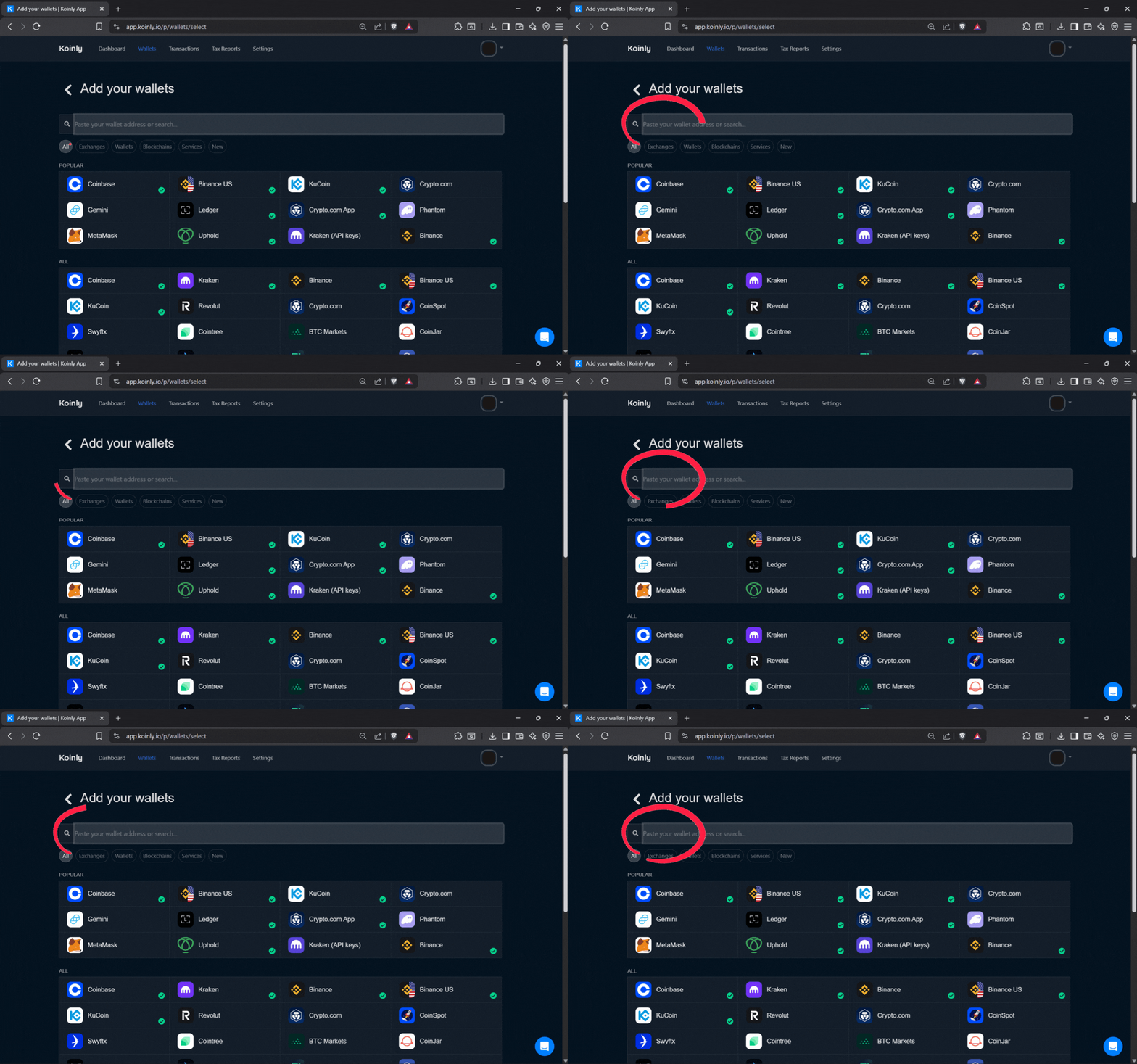
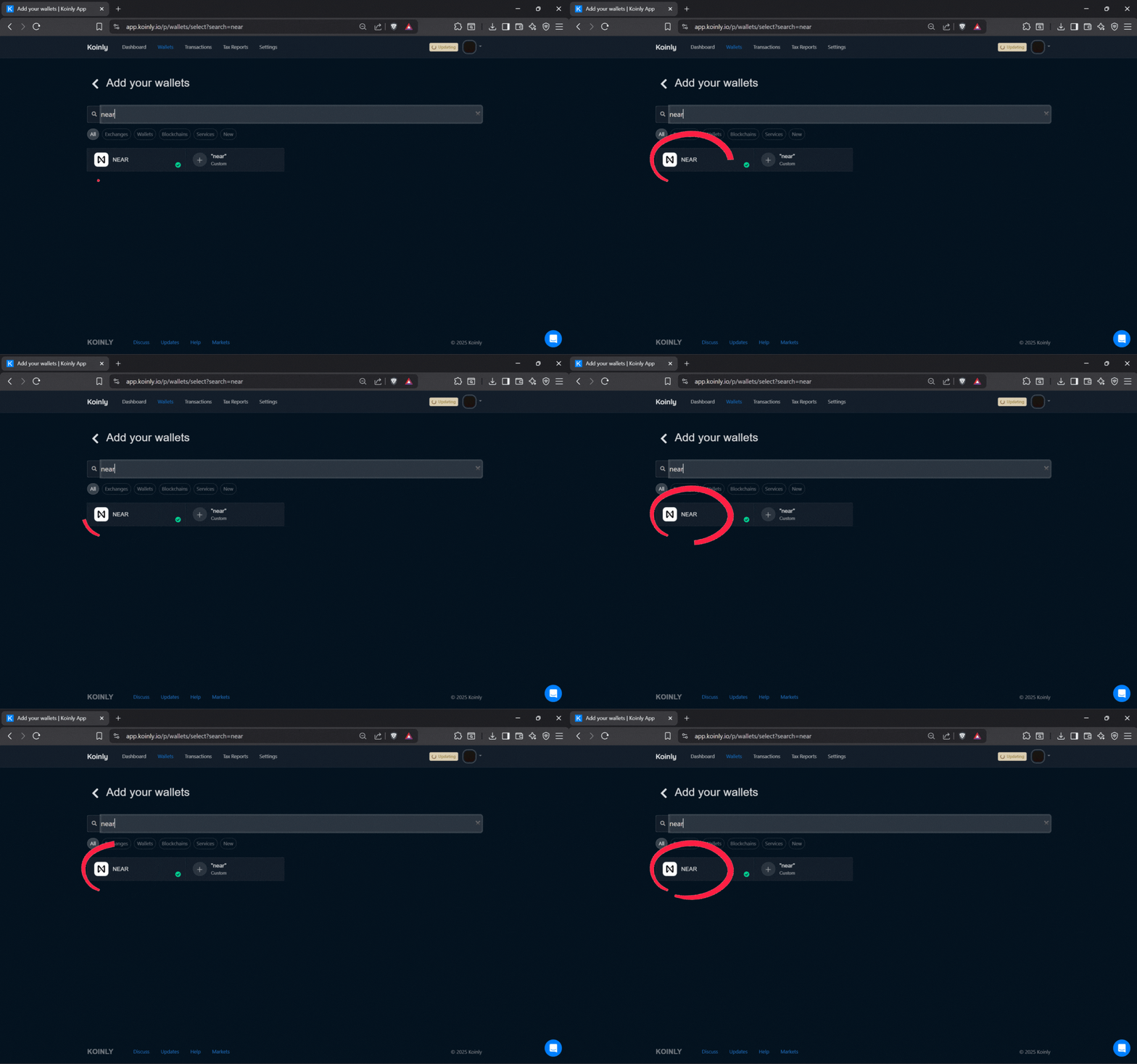
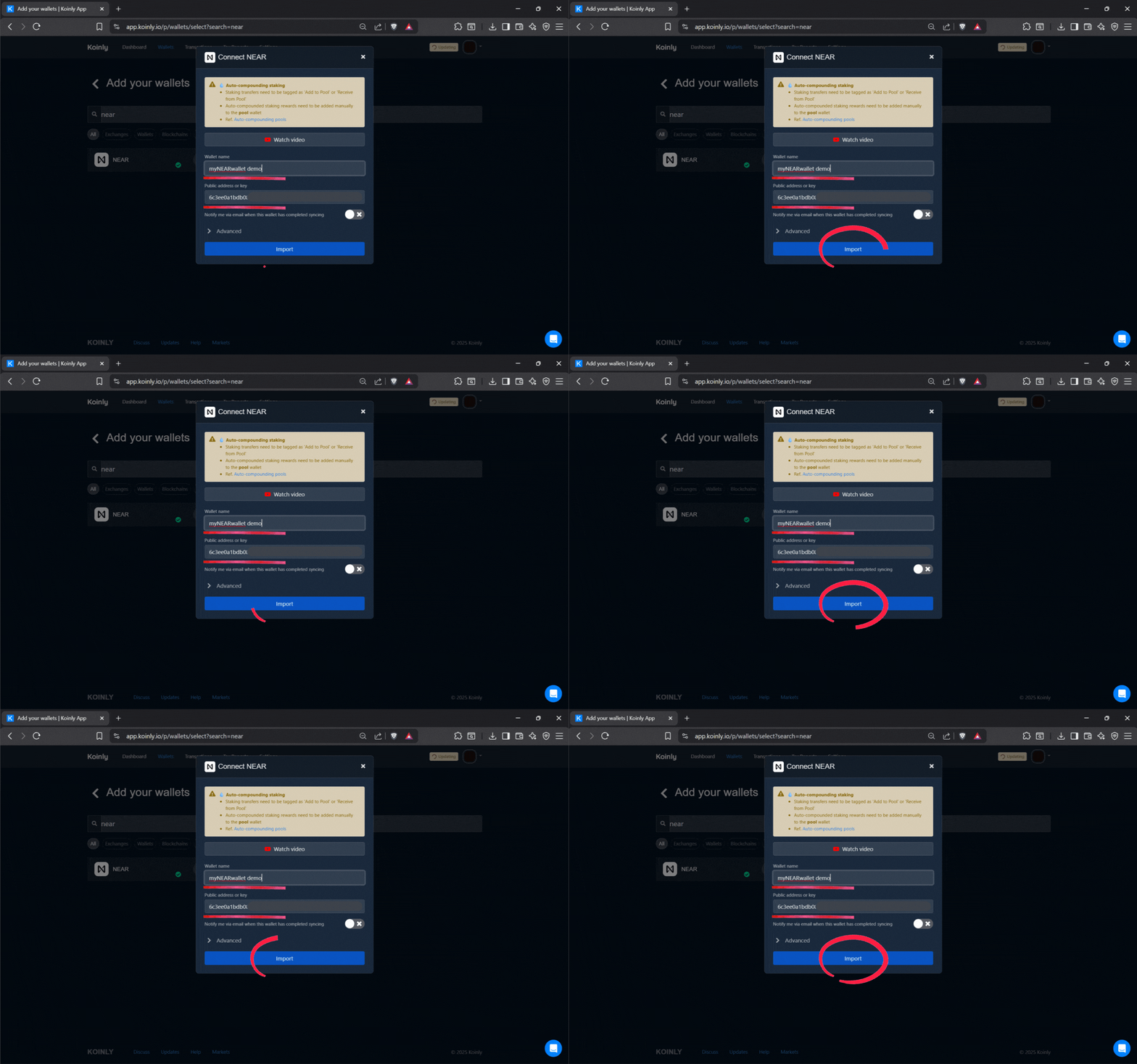
Koinly doesn’t automatically import transactions from the Fetch.ai network yet, but imports hundreds of other chains and exchanges with the click of a button.
AND, Koinly is free to use. A fee is only charged when generating a report, so we highly encourage you to check it out. Lock in future discounts by using our referral link below.
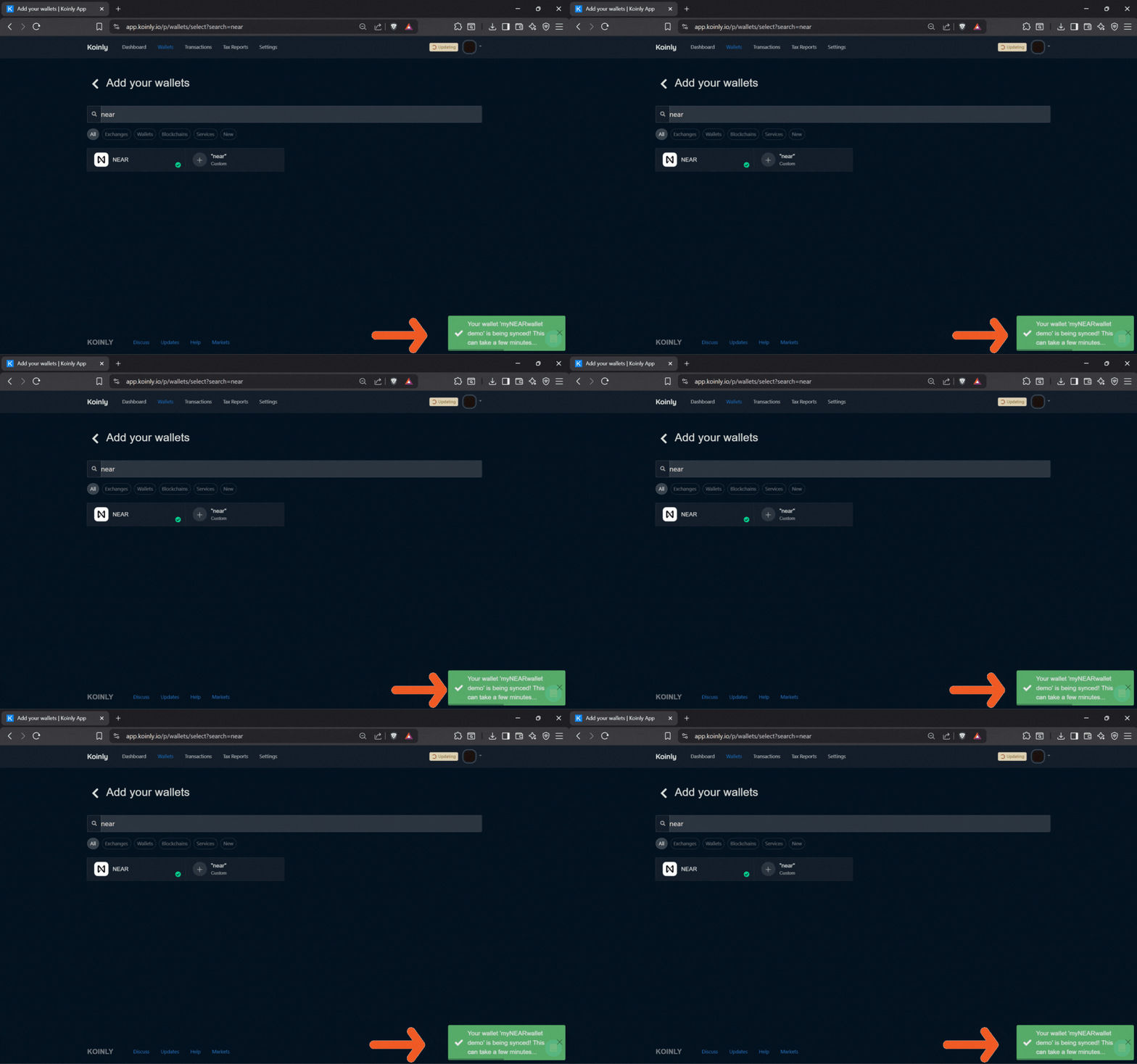
Check out the screenshot carousel below to get a sneak peak.
Final best practices for Keplr extension FET staking
Treat your staking setup like any other serious investment account. Keep your browser and extension updated, verify URLs before connecting your wallet, and consider using a dedicated browser profile just for crypto.
We have a great wallet security checklist that you can check out by clicking the button below.
Be sure to keep your seed phrase securely backed up offline.
Congratulations on taking charge of your finances and your life, and thanks for staking with us!
Frequently Asked Questions
How do I install the Keplr extension for staking FET tokens?
Visit the official Keplr site to download the wallet and add it to your browser. During setup, create a new wallet or import an existing one, then securely back up your seed phrase offline to protect your assets and FET holdings. This non-custodial setup ensures you control your keys and we highly encourage you to use a hardware wallet in tandem with Keplr.
Why use the Keplr extension for Fetch.ai FET staking instead of mobile?
We encourage you to use both the extension and the mobile app. The Keplr extension offers a larger interface without the limitations of a phone screen. Investors who prioritize detailed analysis and hardware wallet integration find it ideal for long-term strategies like staking.
How can I add the Fetch.ai network to my Keplr extension for FET?
To add the Fetch.ai network in Keplr extension for FET, open the extension, click the chain selector, and search for “Fetch.ai” or “FET” to enable it in your active list. Once added, a dedicated FET account appears, allowing you to view balances and access staking options. Follow the steps we outlined above in the first image carousel.
What are the steps to fund my Keplr extension with FET for staking?
Only native FET on the Fetch.ai chain can be used for staking. Many centralized exchanges, like Coinbase, only offer the ERC-20 version so those tokens must be bridged over to Fetch mainnet. We encourage you to use the swap feature in Keplr wallet instead and swap a different Cosmos token for FET. This positions your FET for immediate staking. Be sure to check out the image carousel at the top of the page.
How do I delegate FET using the Keplr extension?
To delegate FET to Atlas Staking with Keplr extension, acquire tokens, toggle the switch in Keplr that turns on access to the Fetch.ai chain, and then click the “Stake FET” button on our home page or ASI page. You’ll then need to connect your wallet to the ping.pub explorer to stake.
To activate automated restaking to compound your return, click here or click the “Auto-Restake” button on our ASI page.
Can I connect a hardware wallet to Keplr extension for safer FET staking?
Absolutely, and we always recommend using a hardware wallet, like Ledger to keep your private keys offline. You use Keplr as your UI, but still need to press the physical buttons on the usb device in your hand to approve transactions and move funds.
How do I monitor and claim FET staking rewards in Keplr extension?
The Fetch.ai integration with Keplr extension doesn’t have the functionality that Keplr mobile does. We recommend using a portfolio management tool like Koinly to keep track of all crypto transactions. We also highly recommend going over our wallet security checklist.
What should I know about unbonding FET from Keplr extension staking?
Unstaking your FET tokens activates a 21-day unbonding period, during which your tokens cannot be moved. You do not earn rewards during the unbonding period either, so plan accordingly.
Nothing we say is financial advice or a recommendation to buy or sell anything. Cryptocurrency is a highly speculative asset class. Staking crypto tokens carries additional risks, including but not limited to smart-contract exploitation, poor validator performance or slashing, token price volatility, loss or theft, lockup periods, and illiquidity. Past performance is not indicative of future results. Never invest more than you can afford to lose. Additionally, the information contained in our articles, social media posts, emails, and on our website is not intended as, and shall not be understood or construed as financial advice. We are not attorneys, accountants, or financial advisors, nor are we holding ourselves out to be. The information contained in our articles, social media posts, emails, and on our website is not a substitute for financial advice from a professional who is aware of the facts and circumstances of your individual situation. We have done our best to ensure that the information provided in our articles, social media posts, emails, and the resources on our website are accurate and provide valuable information. Regardless of anything to the contrary, nothing available in our articles, social media posts, website, or emails should be understood as a recommendation to buy or sell anything and make any investment or financial decisions without consulting with a financial professional to address your particular situation. Atlas Staking expressly recommends that you seek advice from a professional. Neither Atlas Staking nor any of its employees or owners shall be held liable or responsible for any errors or omissions in our articles, in our social media posts, in our emails, or on our website, or for any damage or financial losses you may suffer. The decisions you make belong to you and you only, so always Do Your Own Research.