STAKE FET WITH COSMOSTATION
Staking FET tokens with the Cosmostation mobile wallet is a simple way to earn passive rewards on the Fetch.ai mainnet, while helping secure the ASI network.
The Artificial Super Intelligence Alliance was formed by the merger of FetchAI, SingularityNet and Cudos. ASI creates AI platforms and services that let anyone build and deploy AI services at scale, anytime and anywhere.
This guide walks through the benefits and key risks for delegating your FET using Cosmostation on iOS or Android. Check out our other FET staking guides by clicking the buttons below.
COSMOS AIRDROPS
New projects and protocols give away tokens to attract users. Crypto rewards those who participate, so register today and collect your free crypto.
You’ll receive PROJECT DETAILS, TOKEN SYMBOL, SNAPSHOT DATES, ELIGIBILITY REQUIREMENTS, LINKS TO CLAIM AND LINKS TO STAKE.
Be sure to add info@atlasstaking.com to your contacts, so our email doesn’t go into your spam folder. You don’t want to miss out!
We will NEVER share or abuse your information
Why stake FET with Cosmostation?
Staking FET using Cosmostation gives you direct exposure to on-chain staking yields rather than relying on centralized exchange staking programs, that often charge huge commissions and restrict access to your tokens.
When using a non-custodial wallet like Cosmostation, you keep control of your private keys, choose your own validators, and can move or redelegate your stake whenver you like.
Cosmostation was built specifically for Cosmos chains, and recommended by the Fetch.ai team for native FET staking. The mobile app combines token management, staking, governance, and validator selection in a single UI that’s intuitive and easy to use.

WHERE TO BUY FETCH.AI (FET) TOKENS
Before staking, you need your FET tokens at a Fetch.ai mainnet address. You can start either with native FET from an exchange that supports mainnet withdrawals or with ERC‑20 FET that must be bridged to the Fetch.ai chain.
Coinbase only sells ERC-20 FET that must be bridged over to Fetch.ai mainnet. That can make things complicated and confusing, so we recommend swapping for FET in wallet.
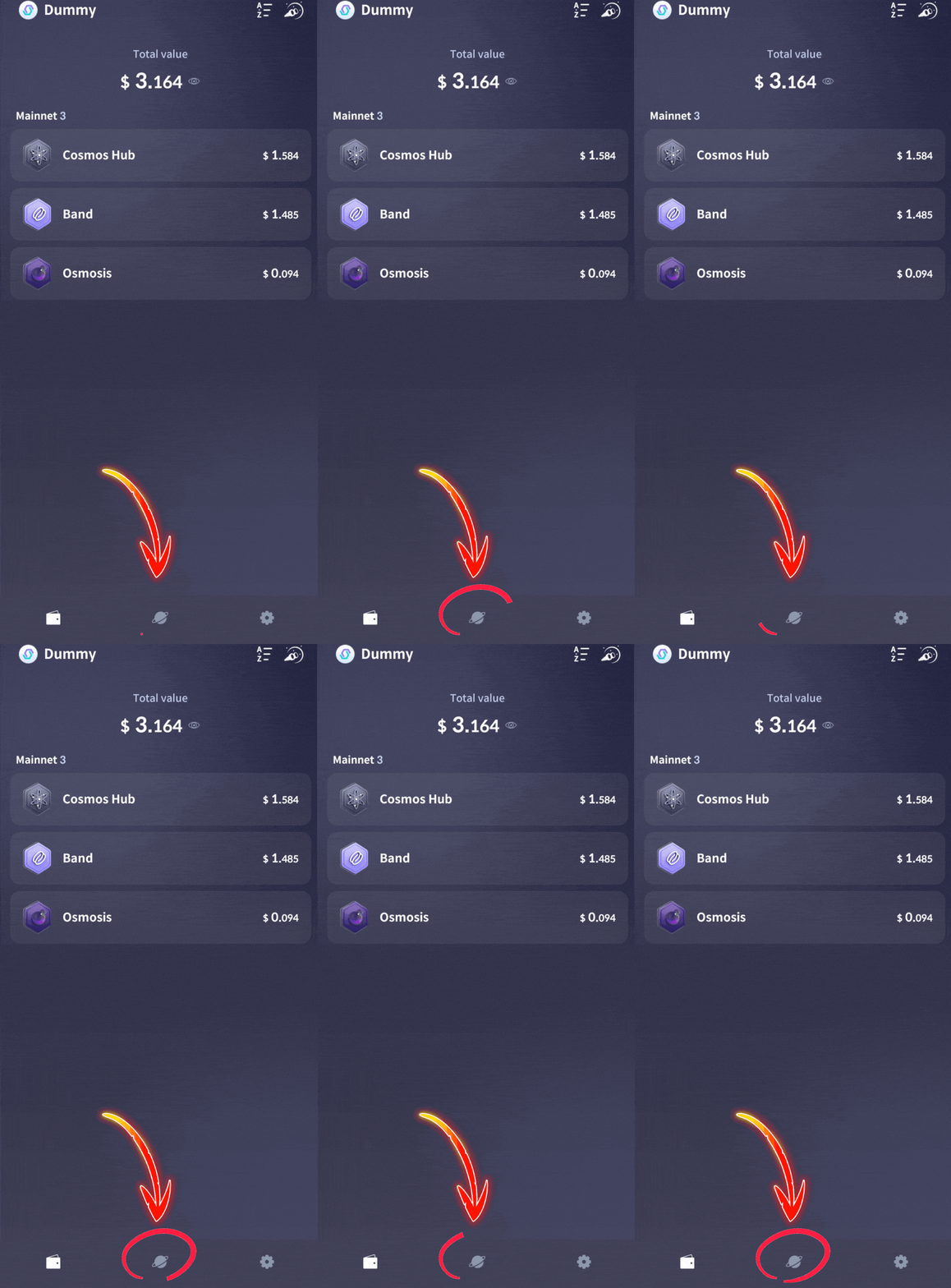
1. Tap the planet icon
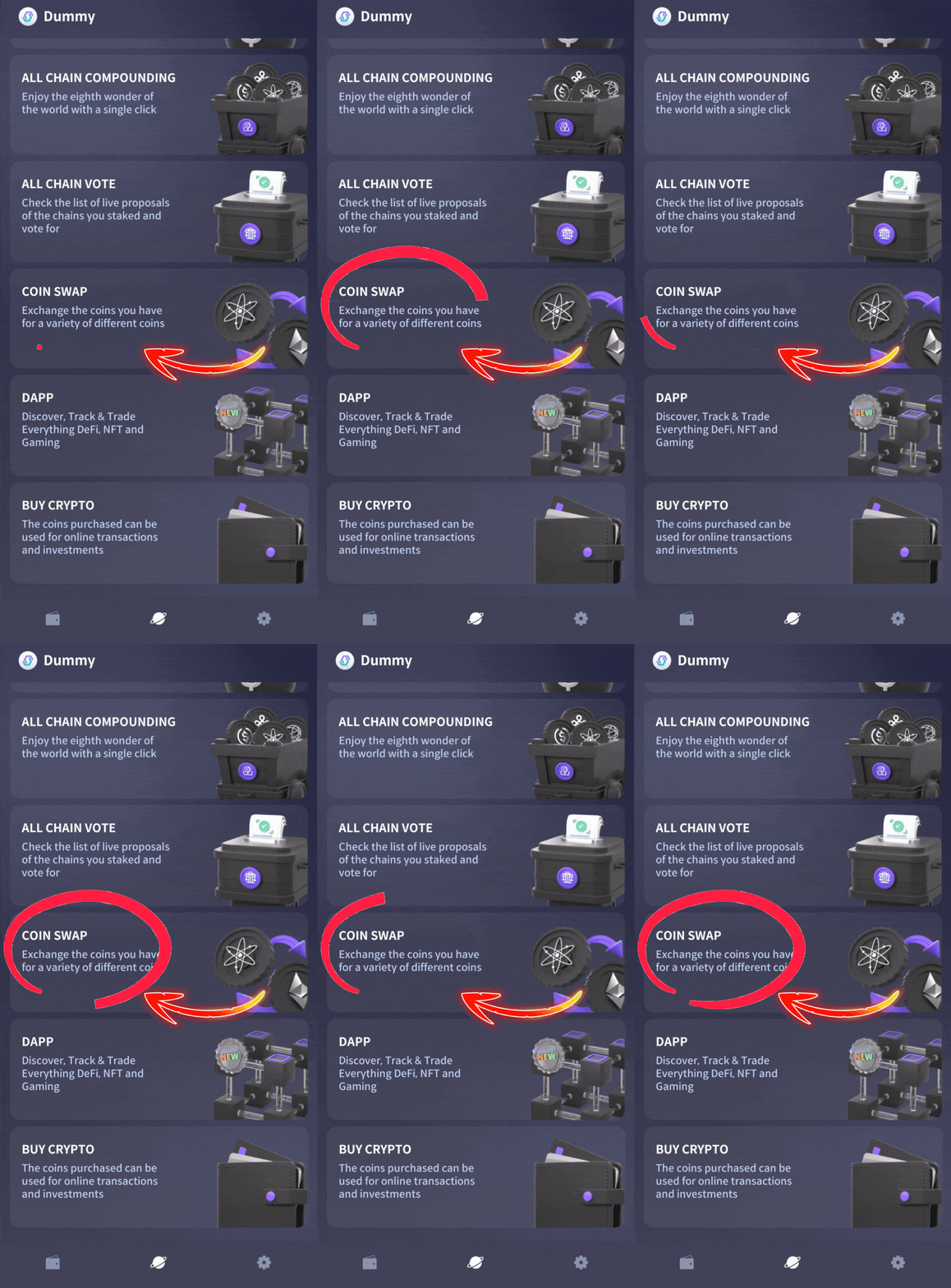
2. Tap the “COIN SWAP” icon
3. Select the token you want to swap from
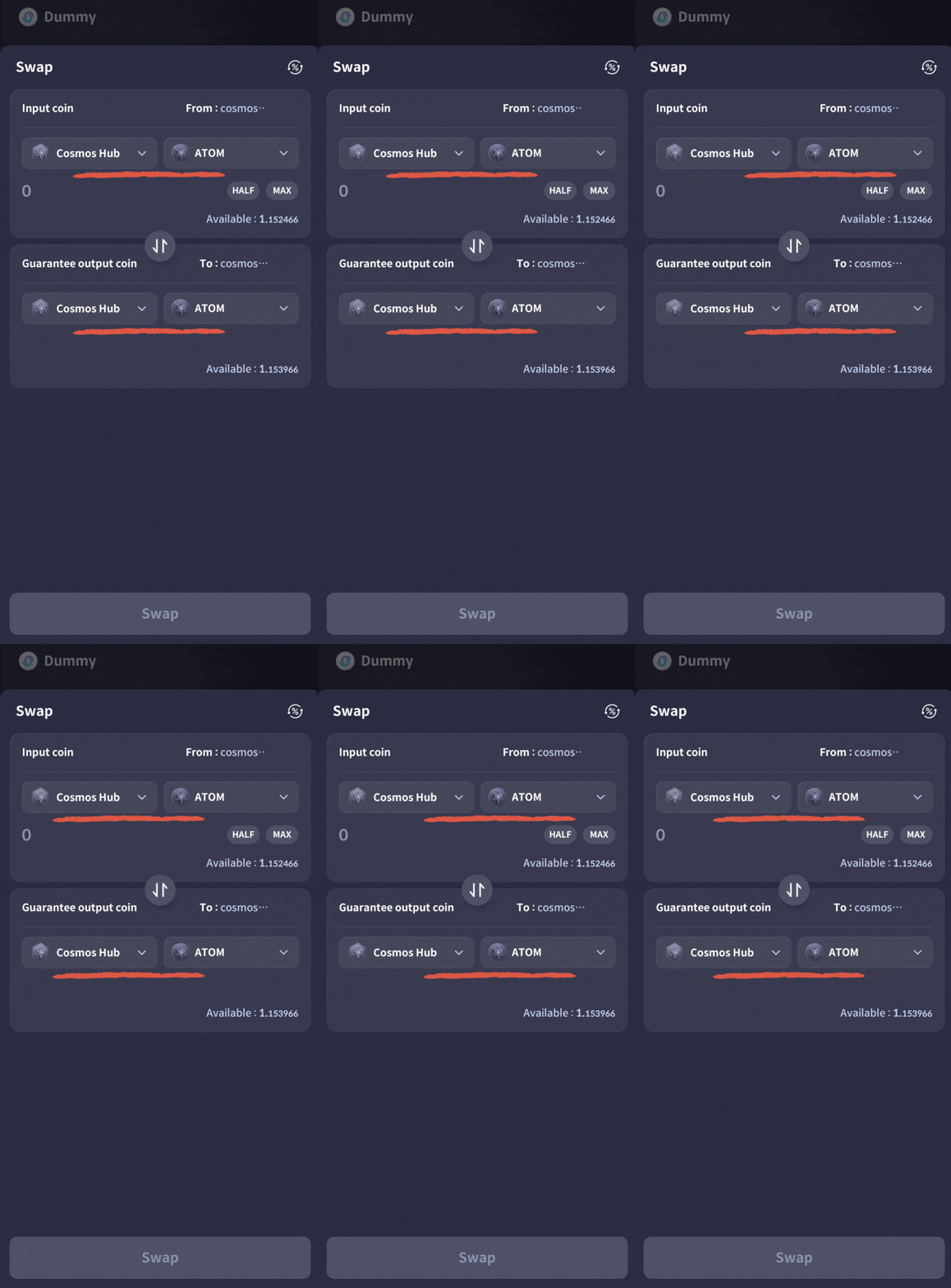
4. Select ASI and FET for the output
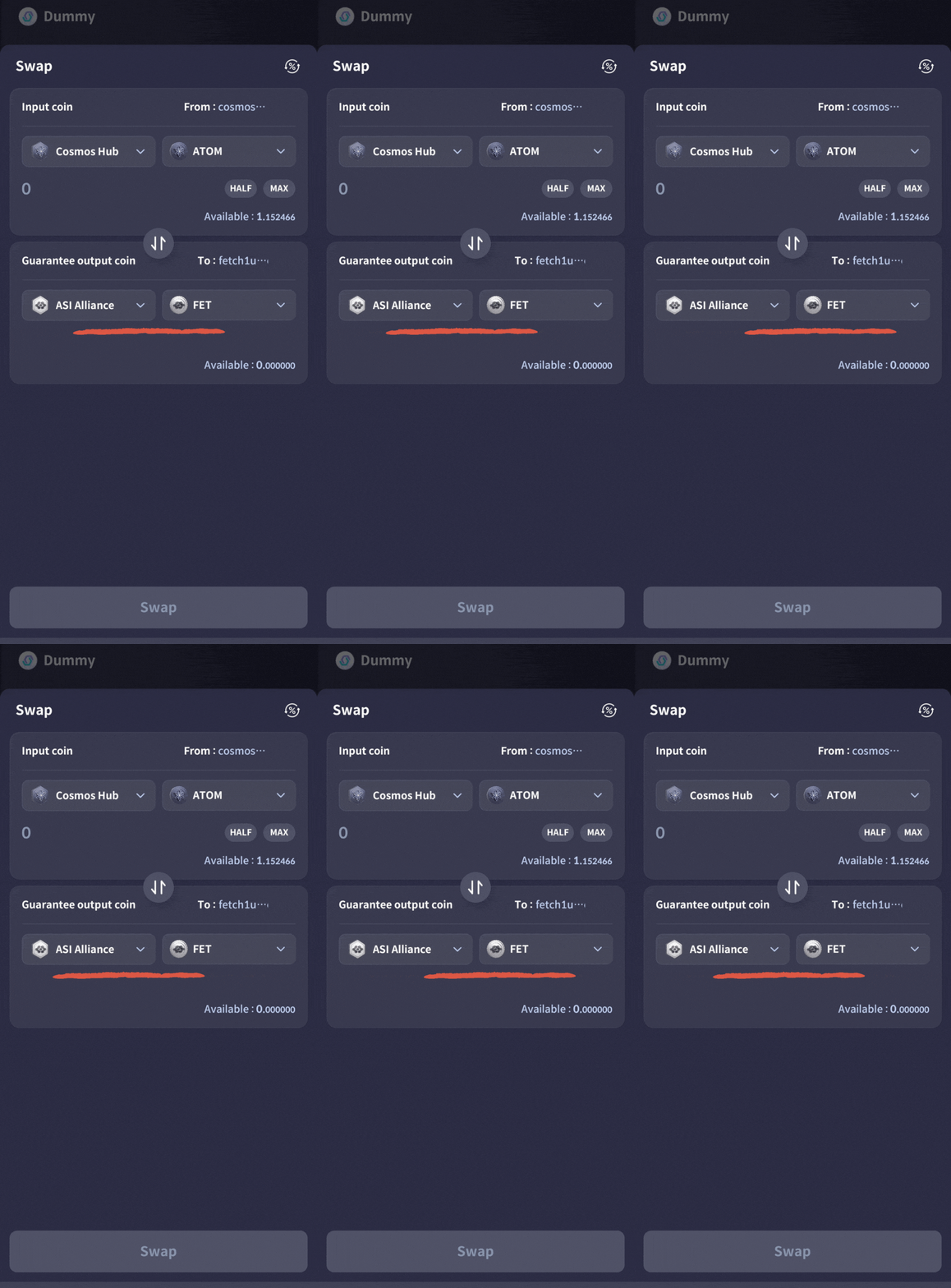
5. Tap the “Swap” button
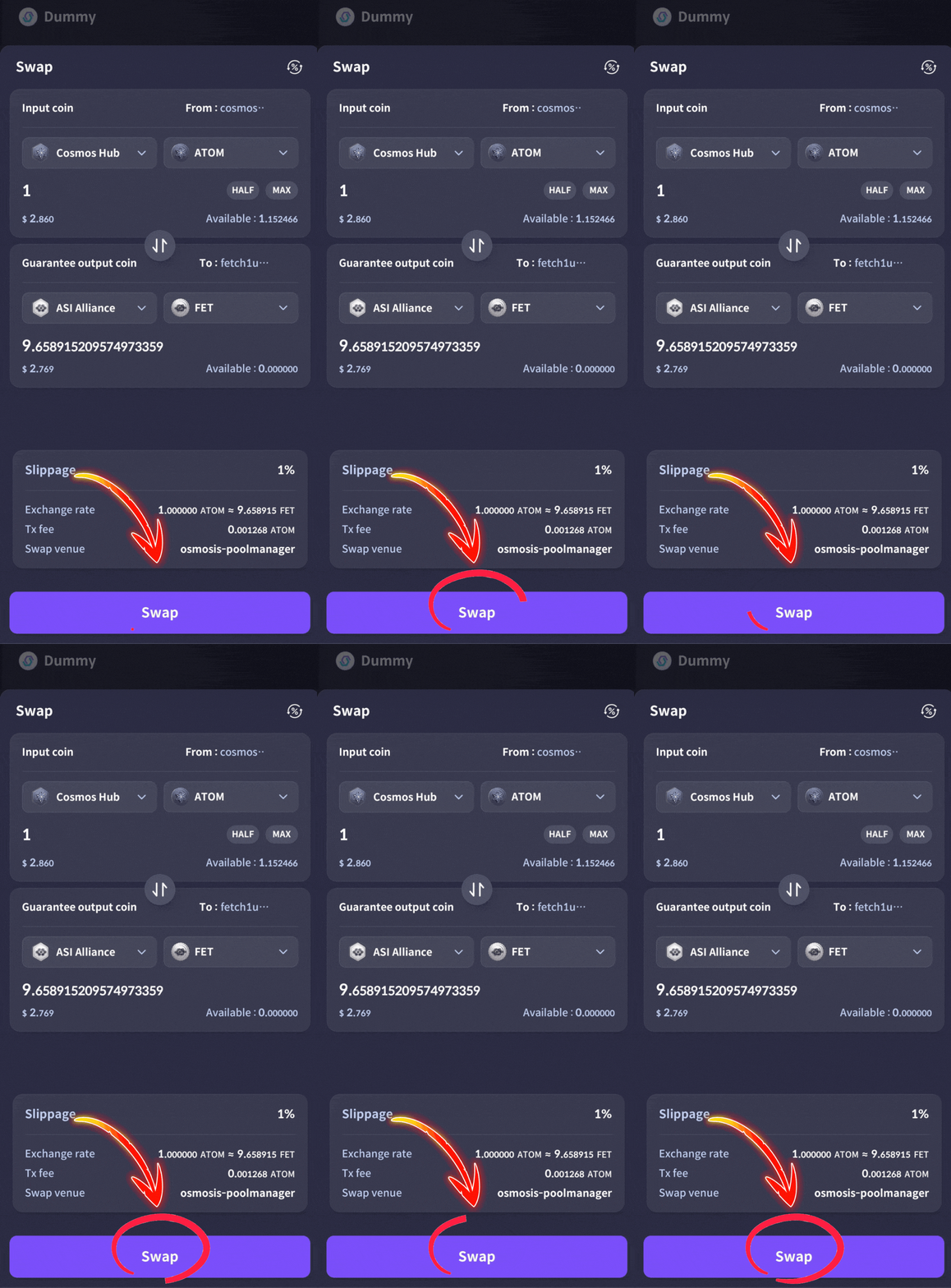
6. Type “Confirm”
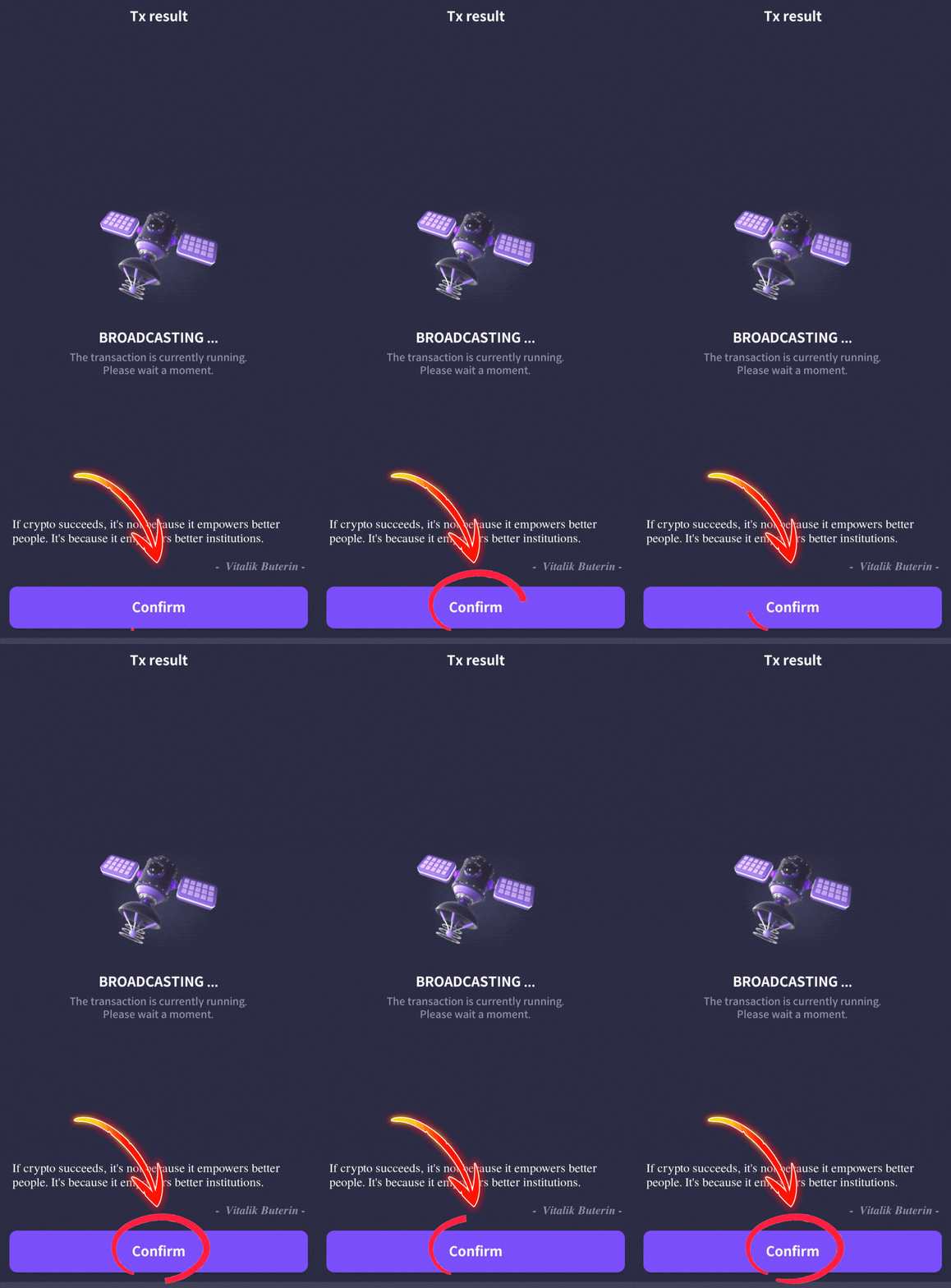
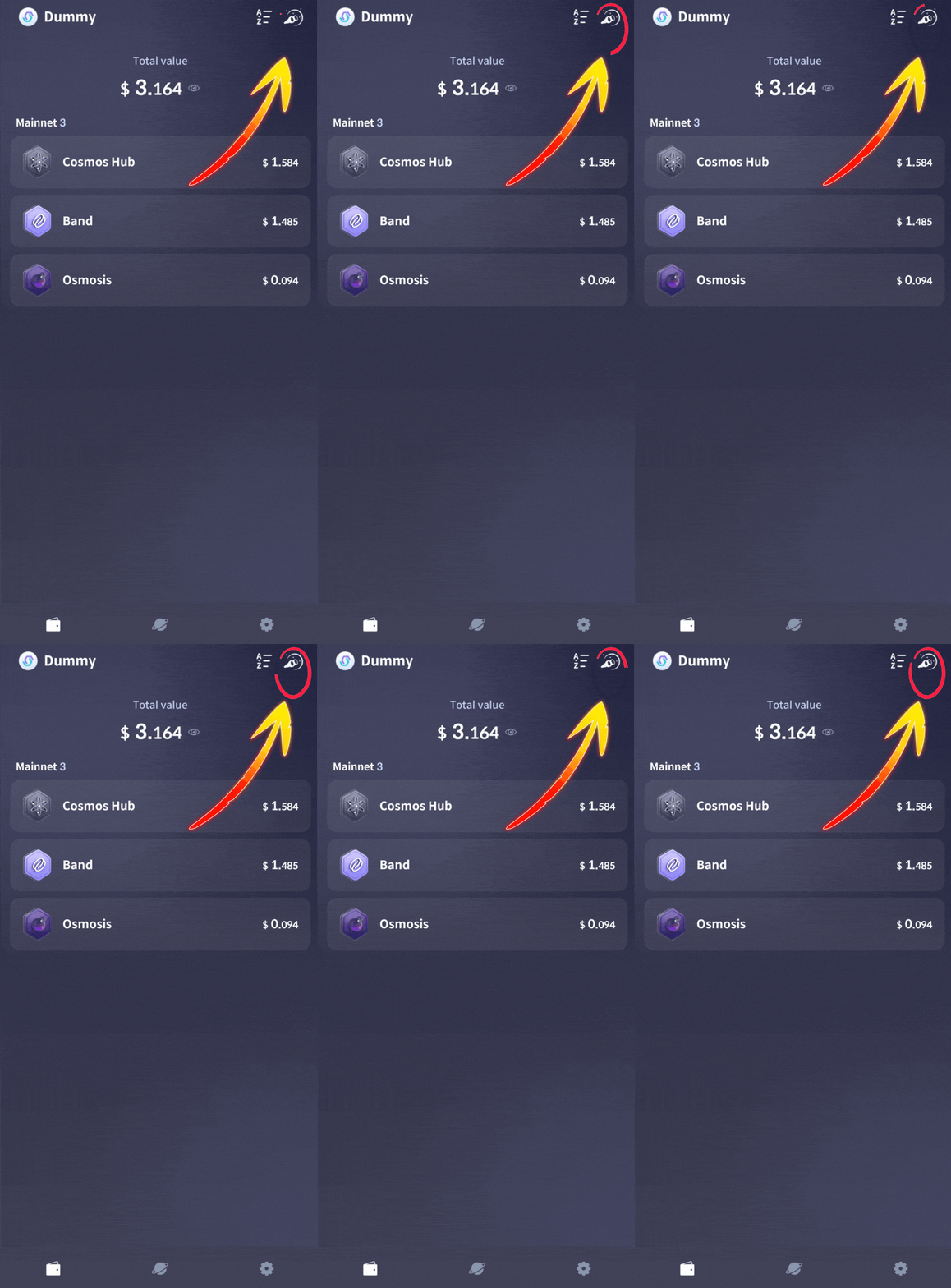
7, Tap the icon in the top corner to add Fetch
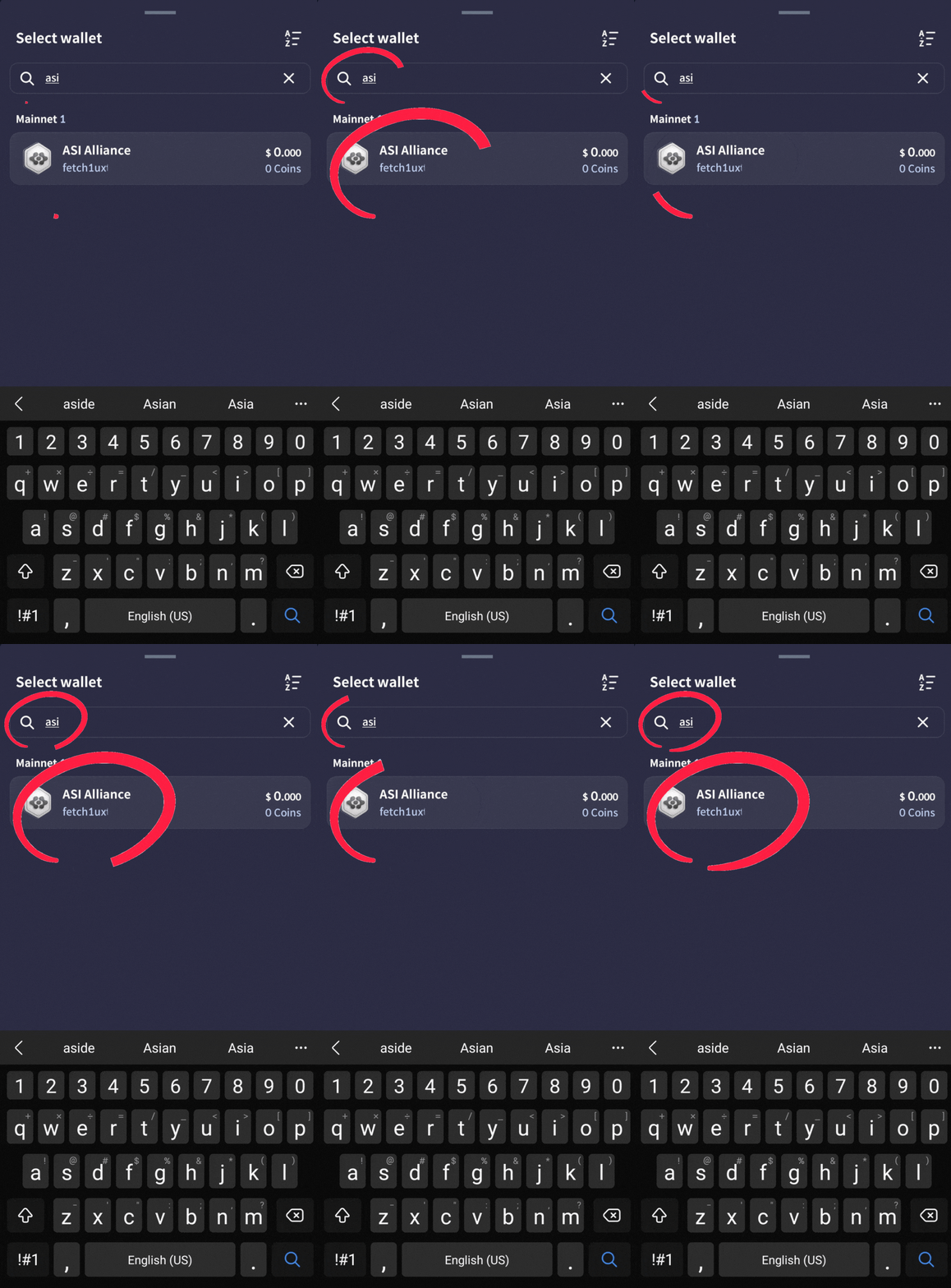
8. Type “ASI” in the search box and tap ASI
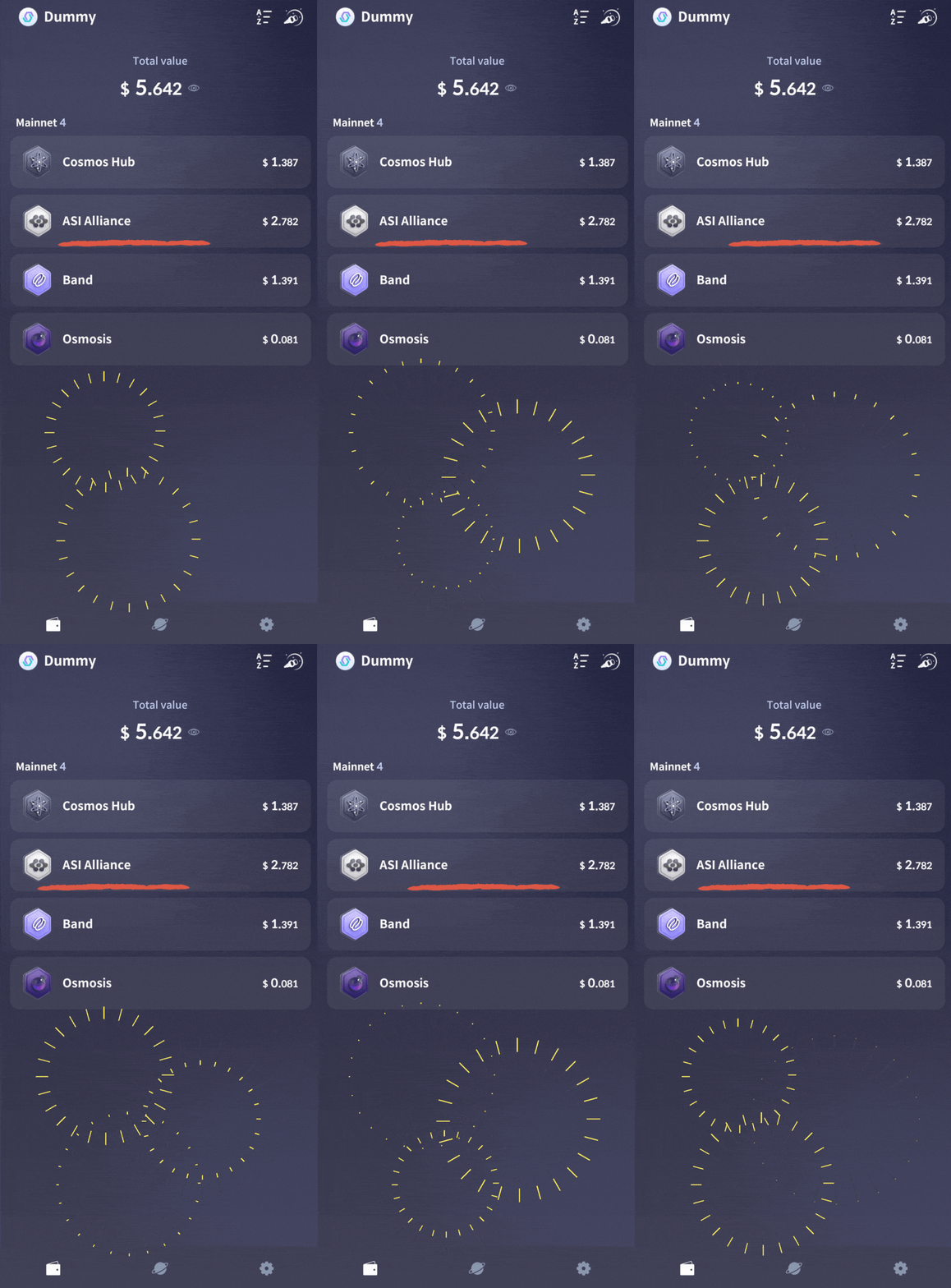
9. Your FET position is now visible!
Delegate FET to a validator
Below you’ll find our step-by-step guide for staking FET tokens in Cosmostation mobile. It’s a piece of cake!
Key Takeaways:
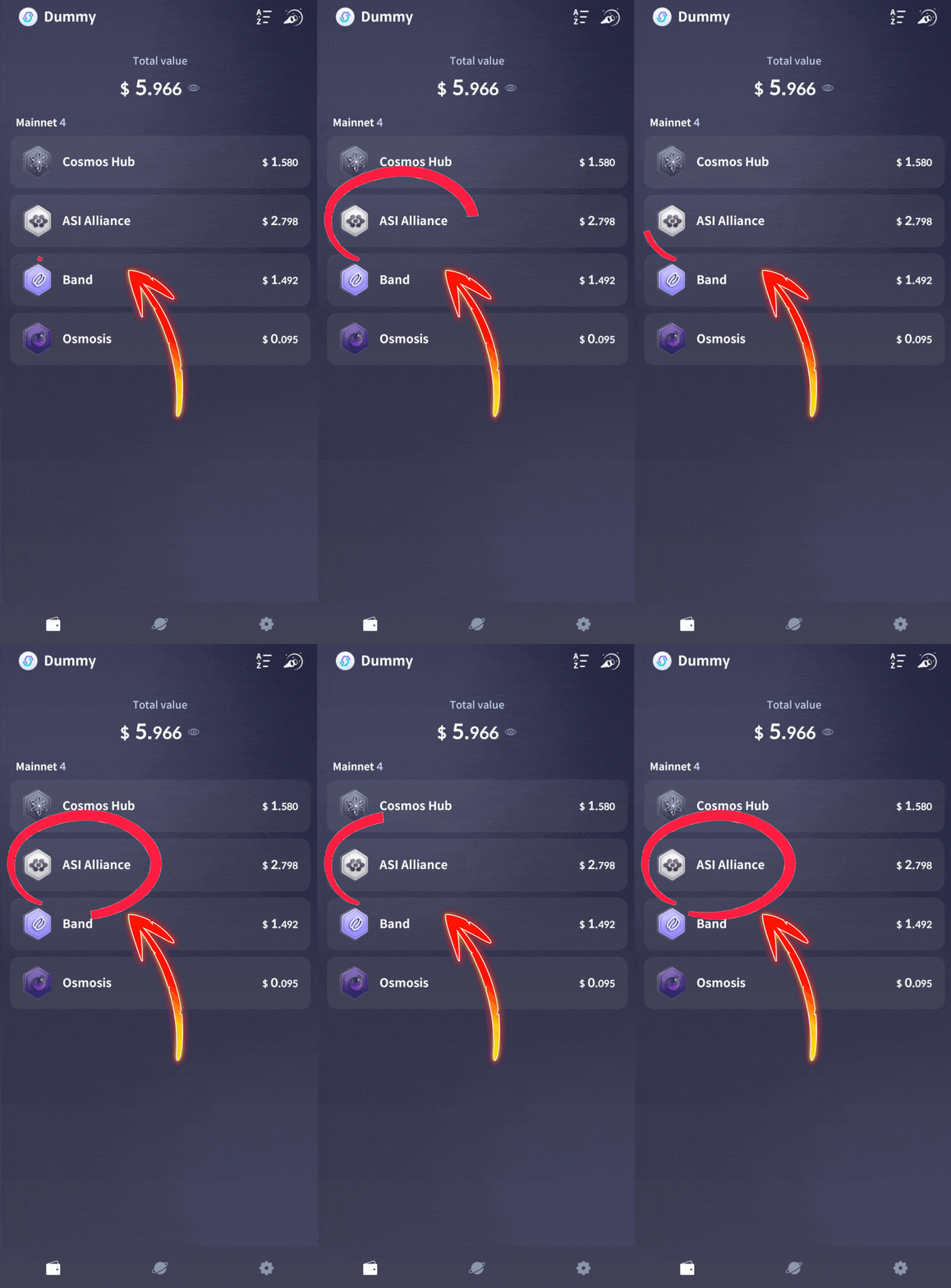
1. Tap ASI from your wallet home screen
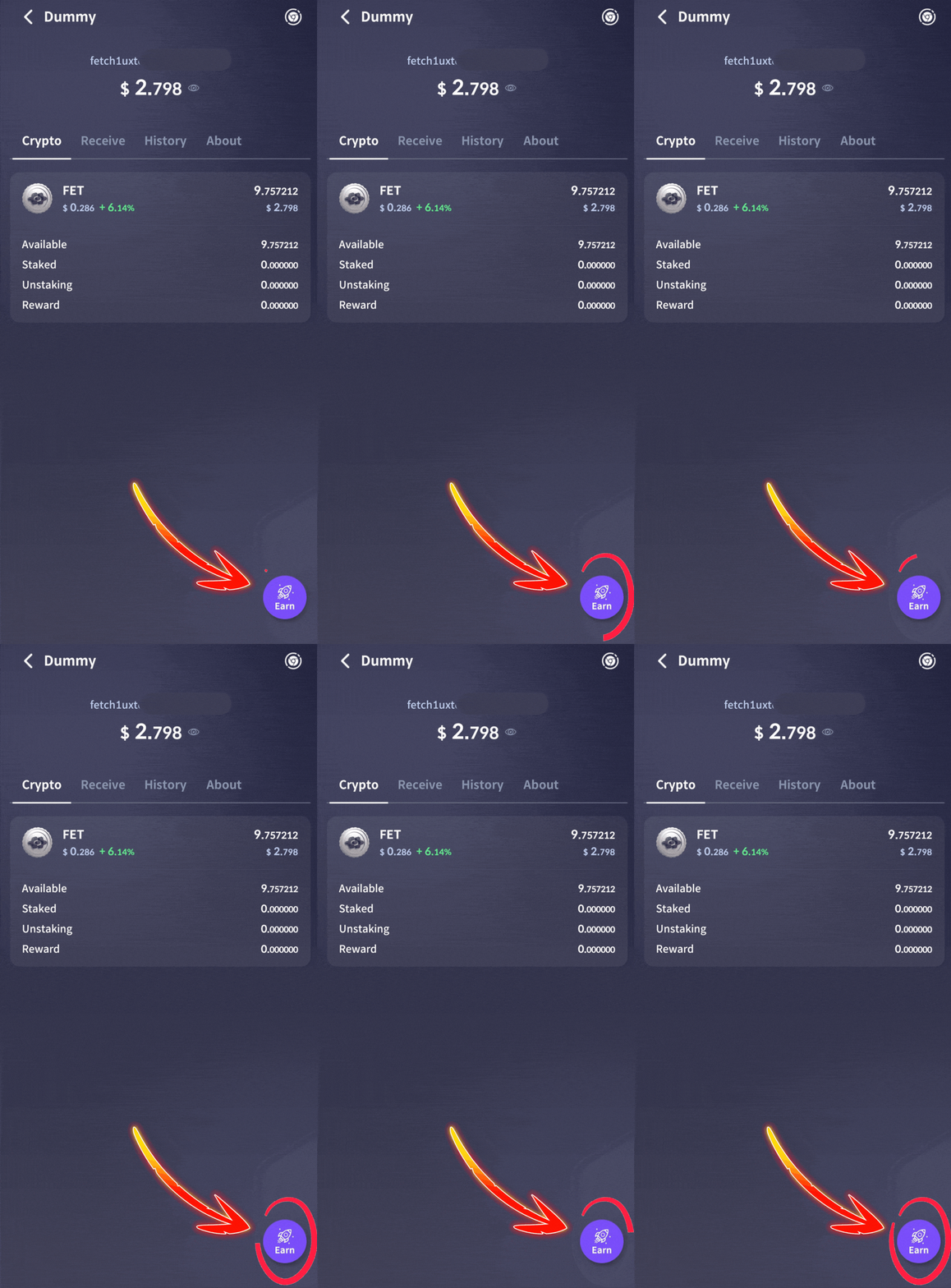
2. Tap the “Earn” button in the bottom corner
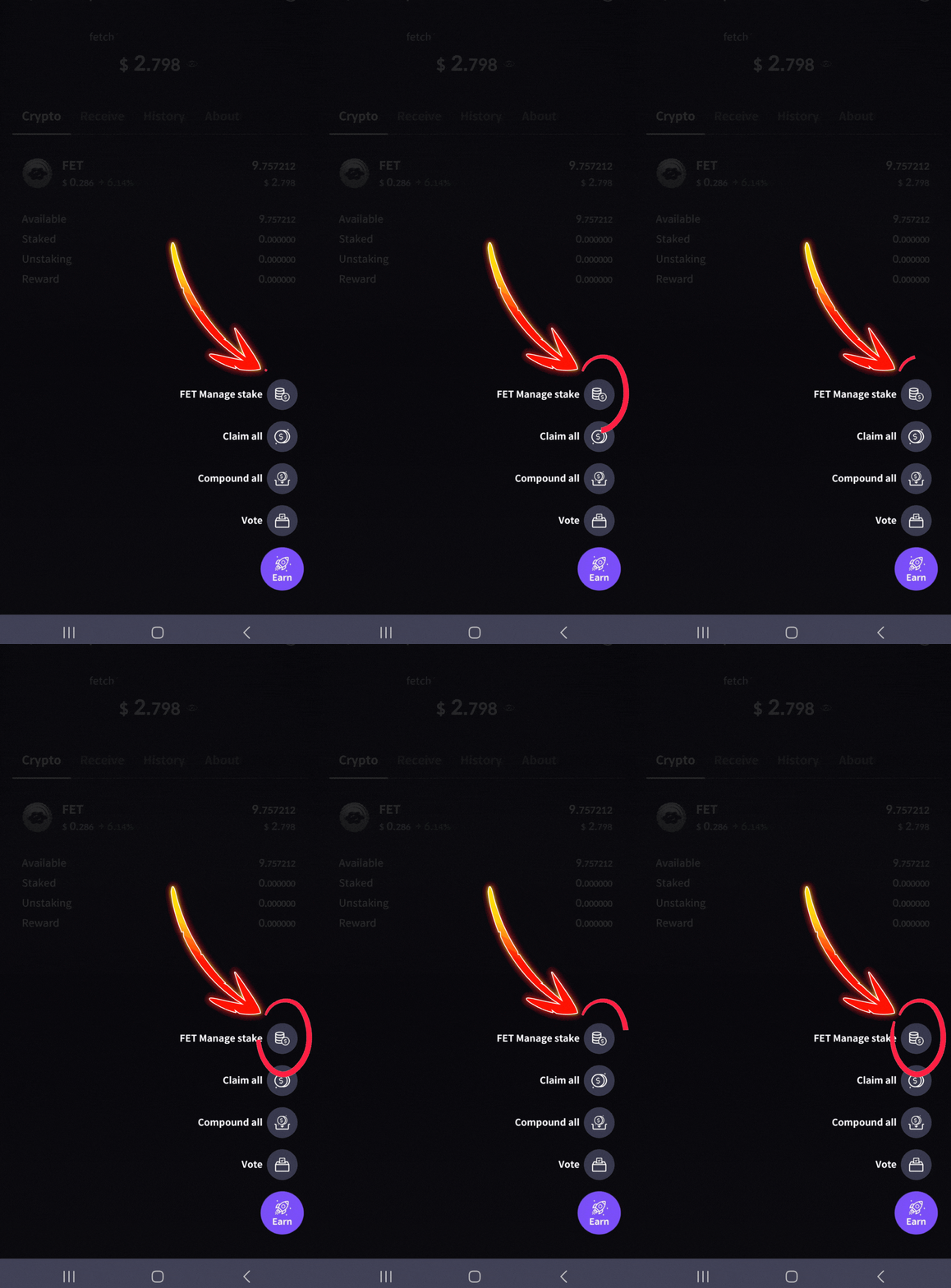
3. Tap “FET Manage stake”
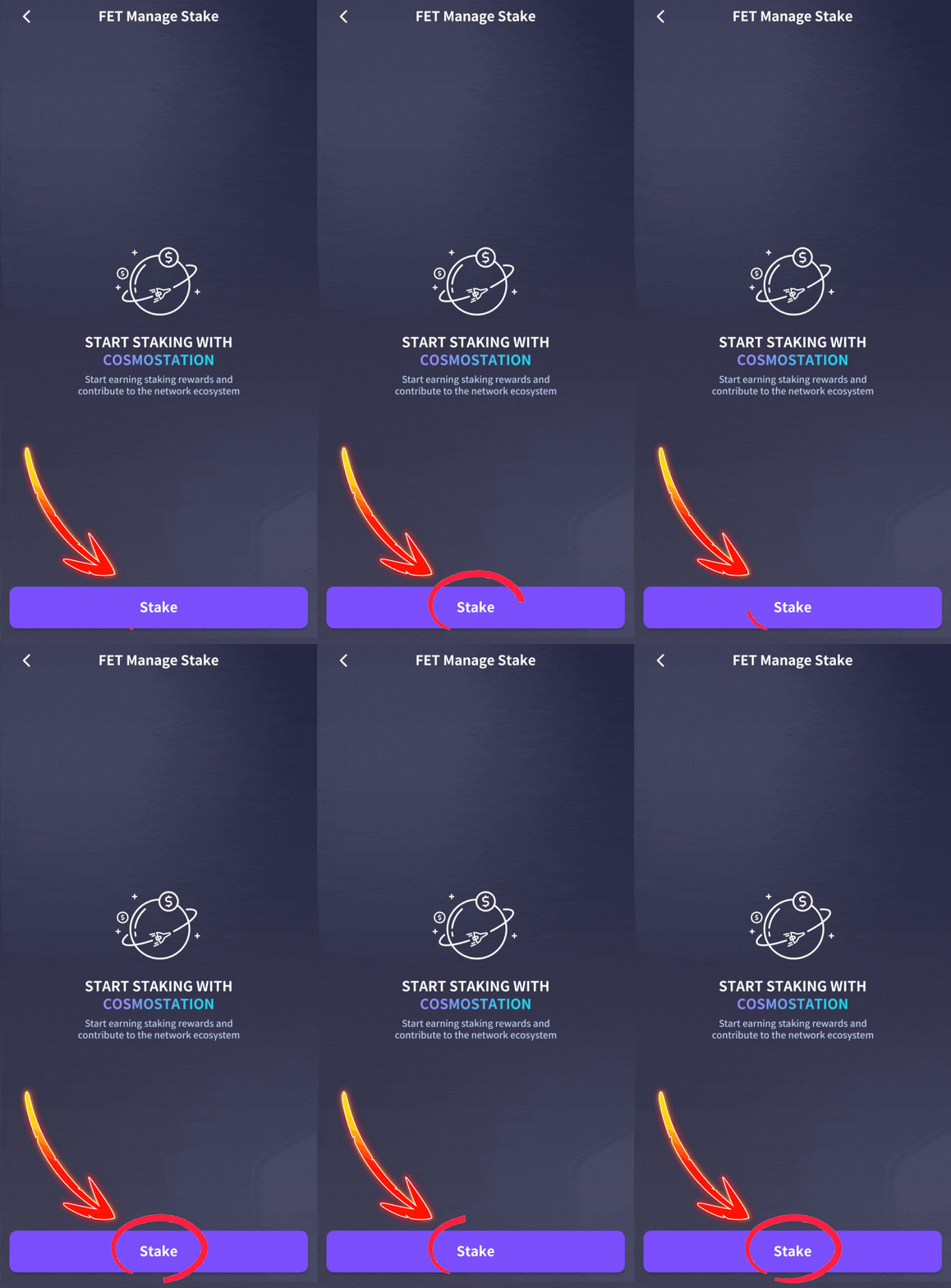
4. Tap on the “Stake” button
5. Tap the dropdown arrow to open the validator list
6. Type “Atlas Staking” in the search box
7. Tap on “Atlas Staking” to select us
8. Tap “Delegate amount” to enter your desired stake
9. Tap “Confirm”
10. Tap “Stake”
11. Tap “Confirm” on the next screen
1. Tap ASI from your wallet home screen
2. Tap the “Earn” button in the bottom corner
3. Tap “FET Manage stake”
4. Tap on the “Stake” button
DO NOT STAKE WITH WALLET PROVIDER VALIDATORS
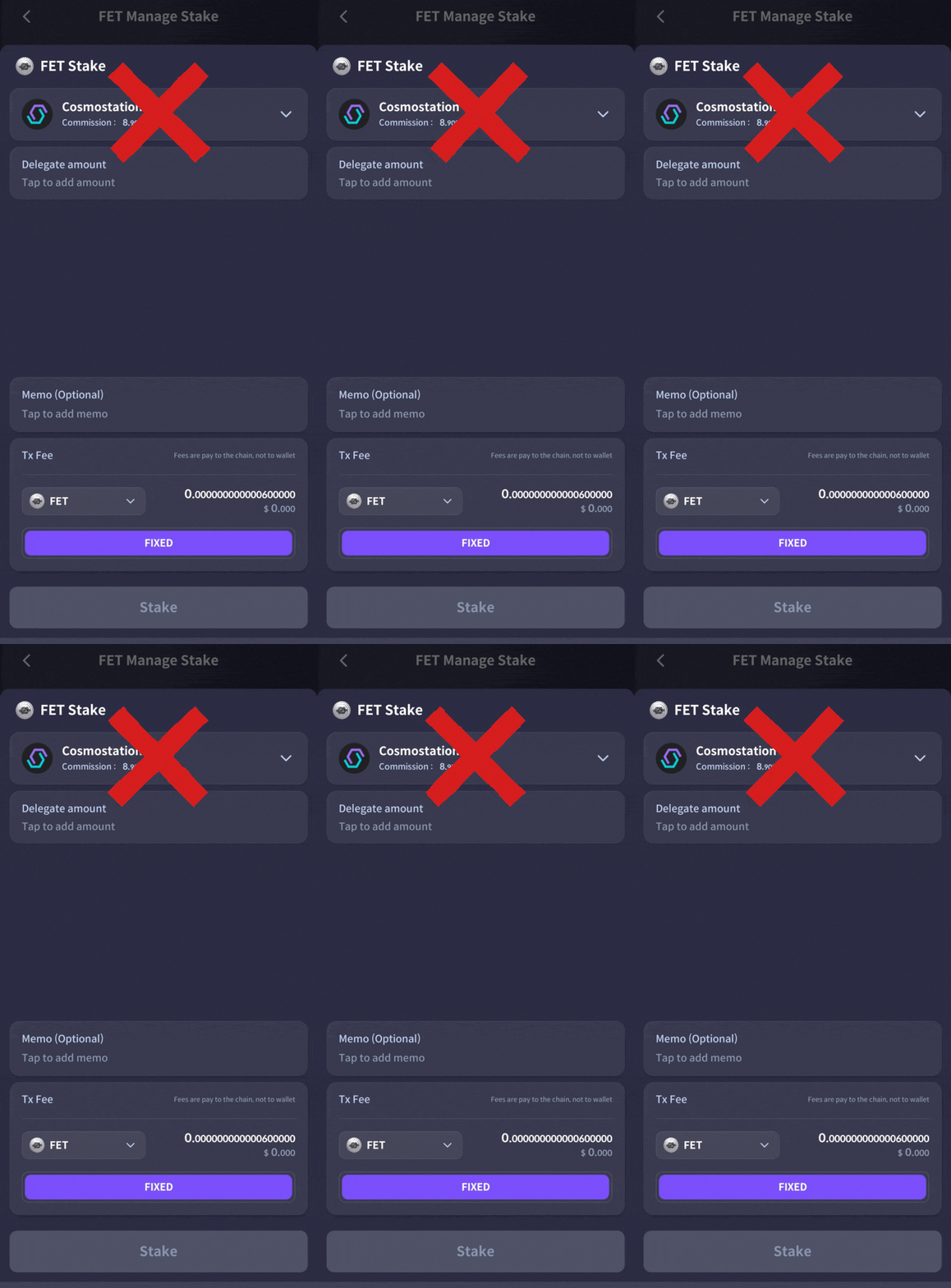
5. Tap the dropdown arrow to open the validator list
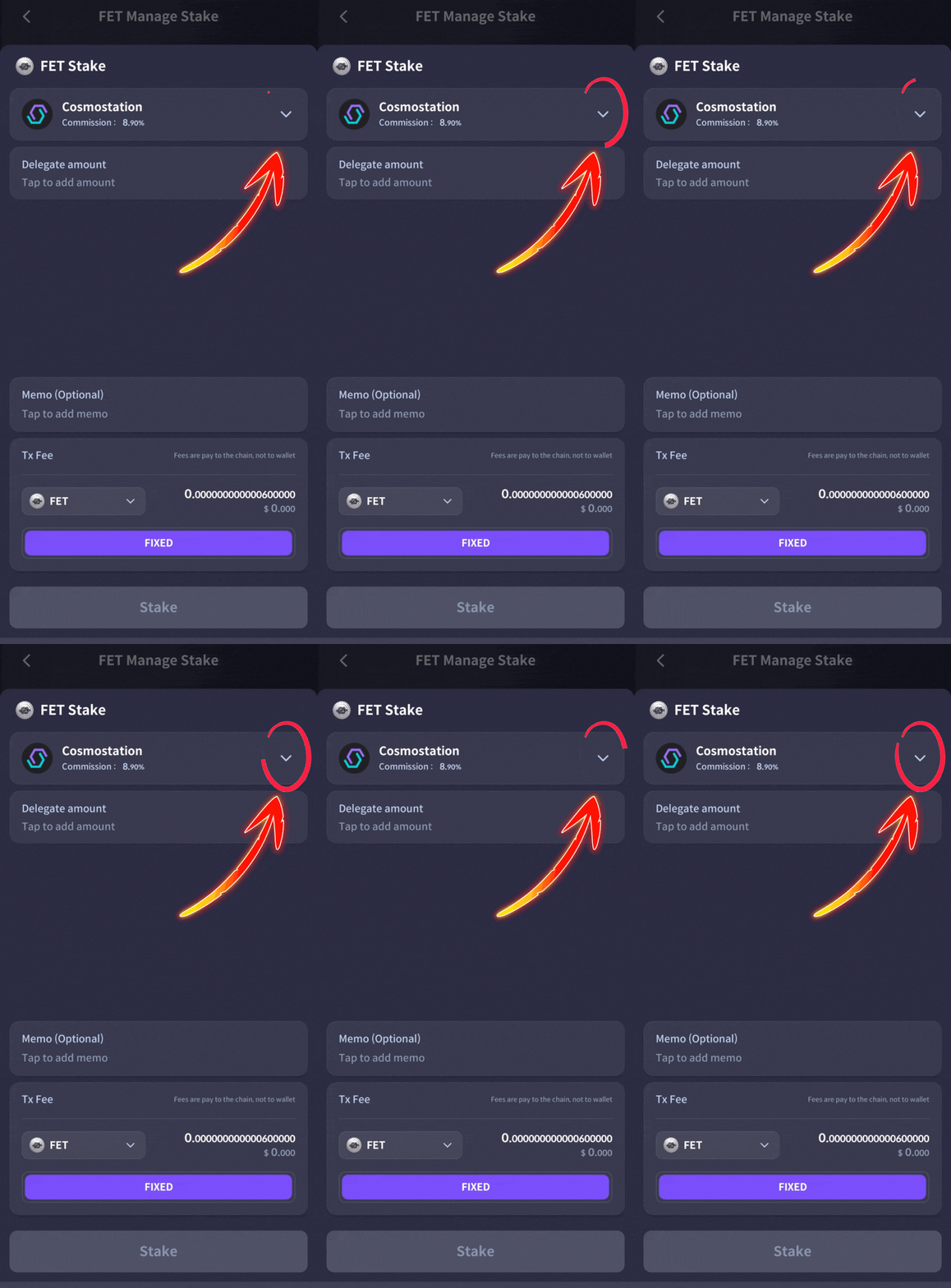
6. Type “Atlas Staking” in the search box
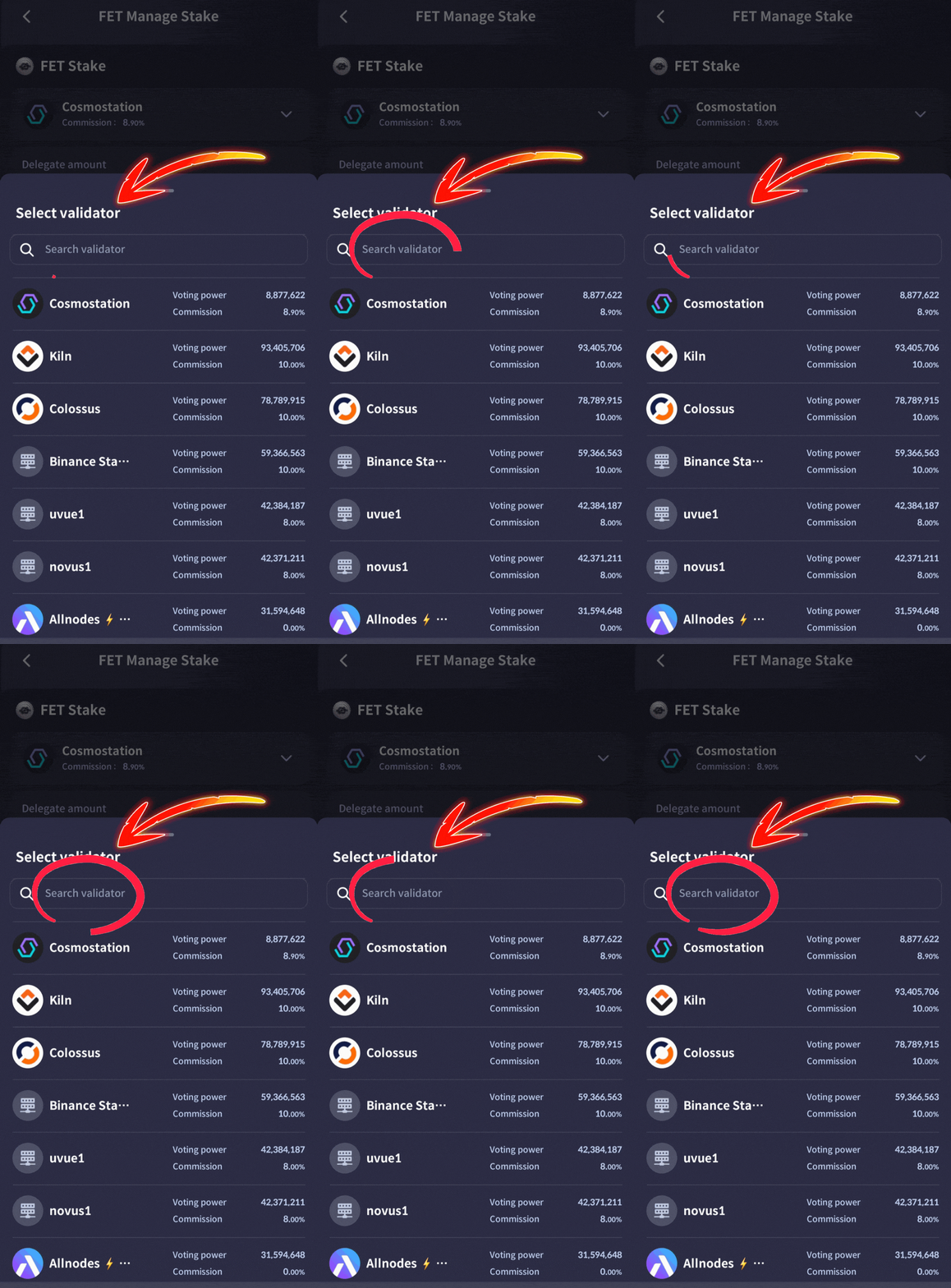
7. Tap on “Atlas Staking” to select us
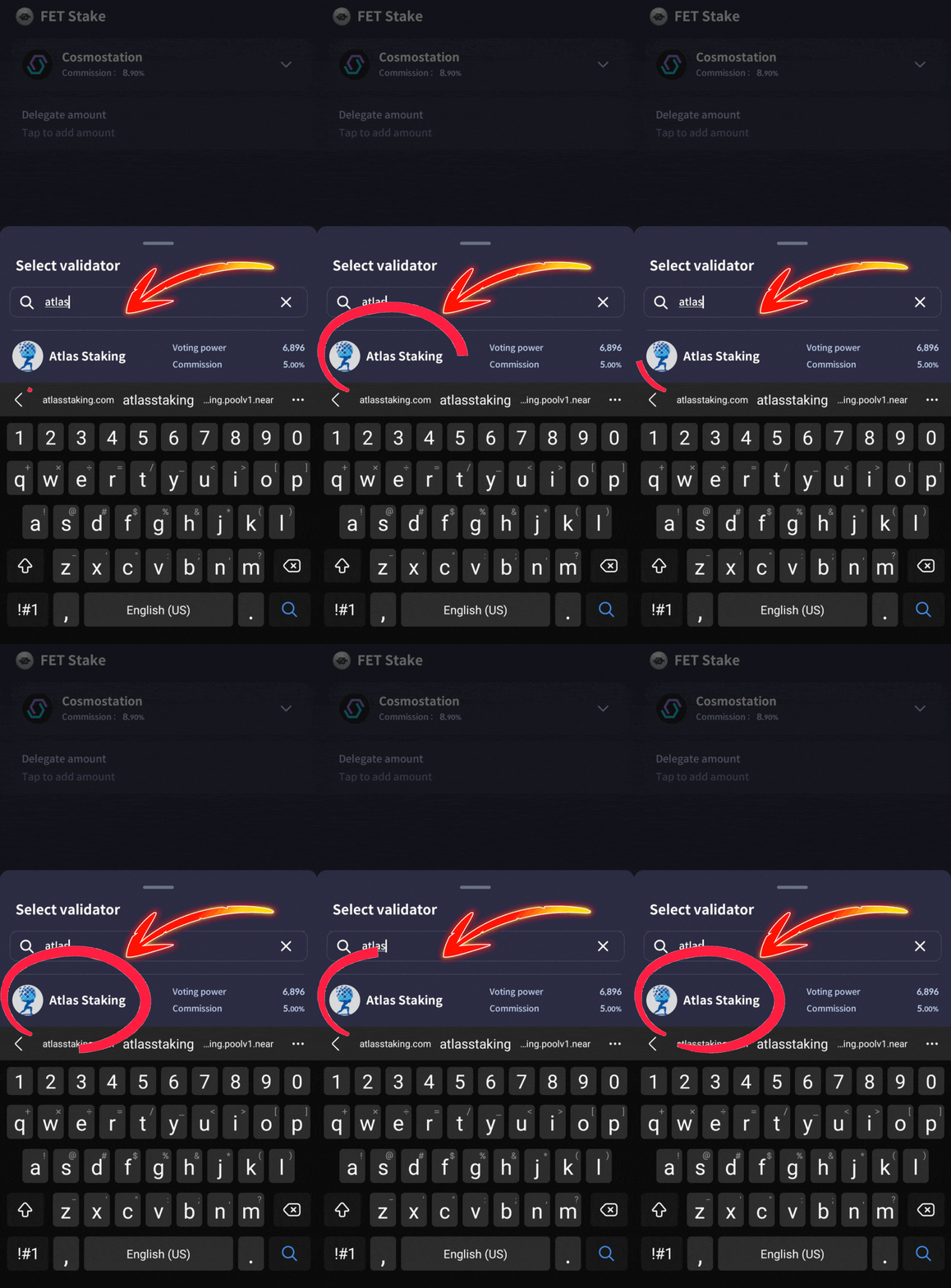
8. Tap “Delegate amount” to enter your desired stake
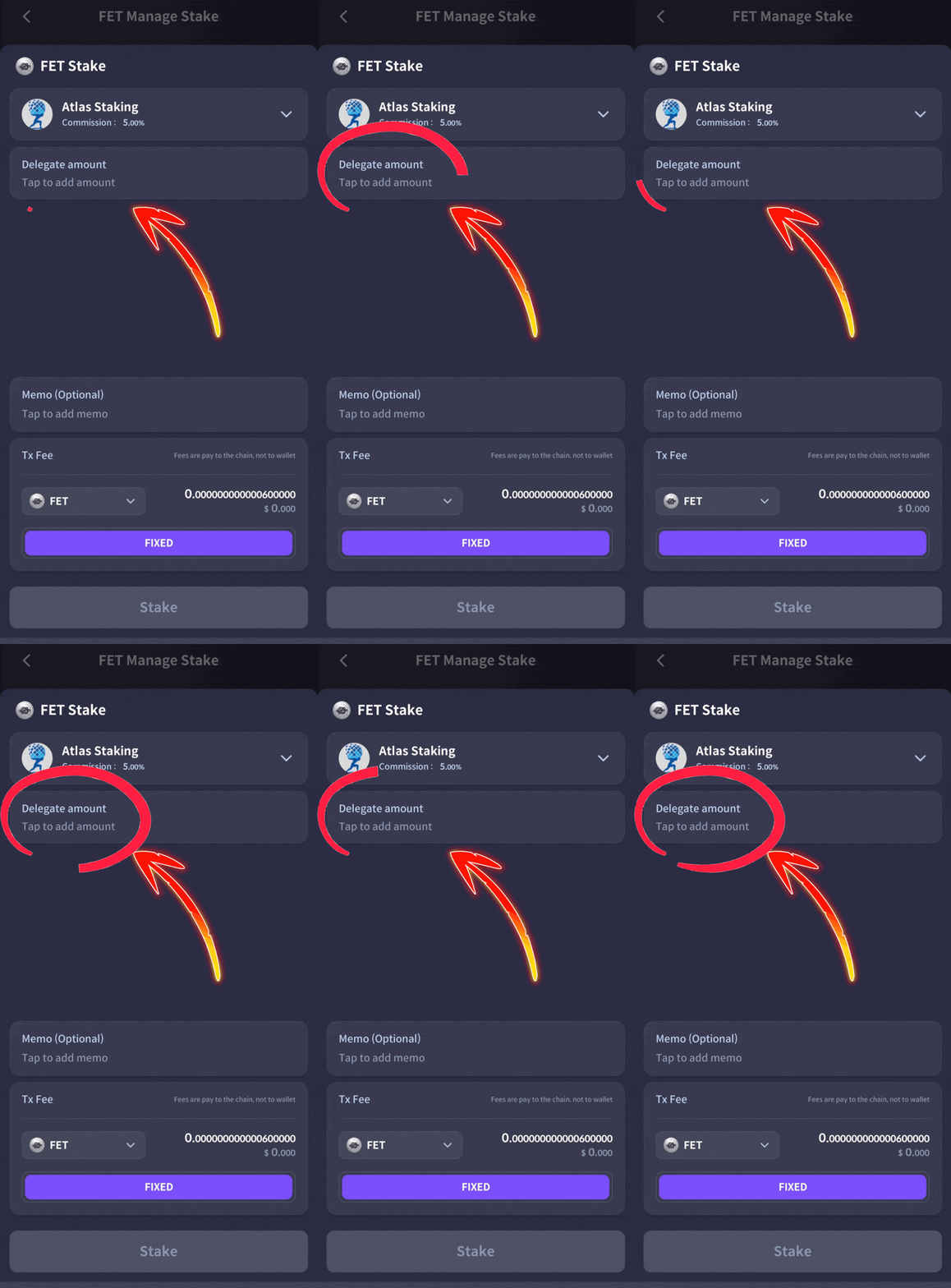
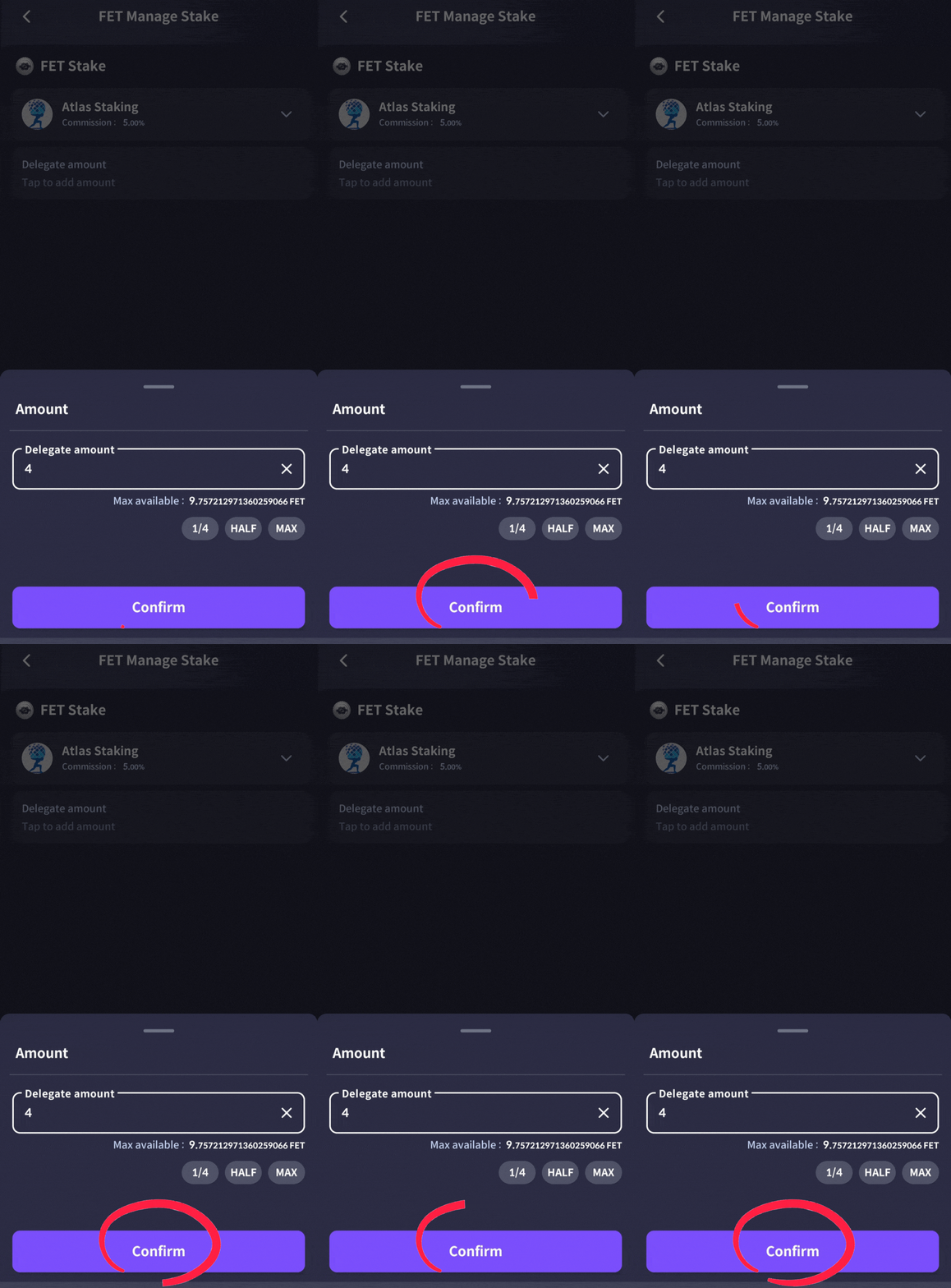
9. Tap “Confirm”
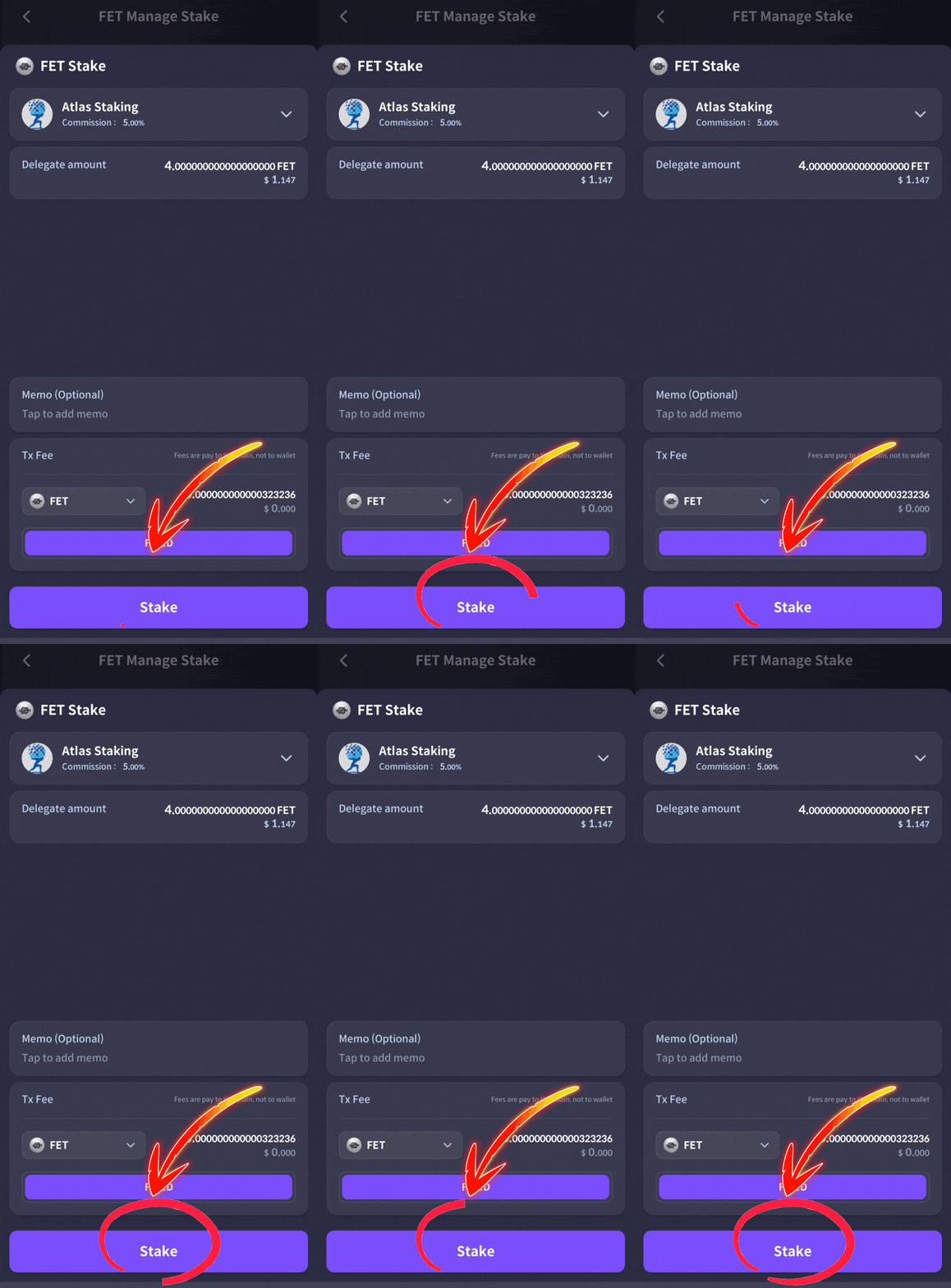
10. Tap “Stake”
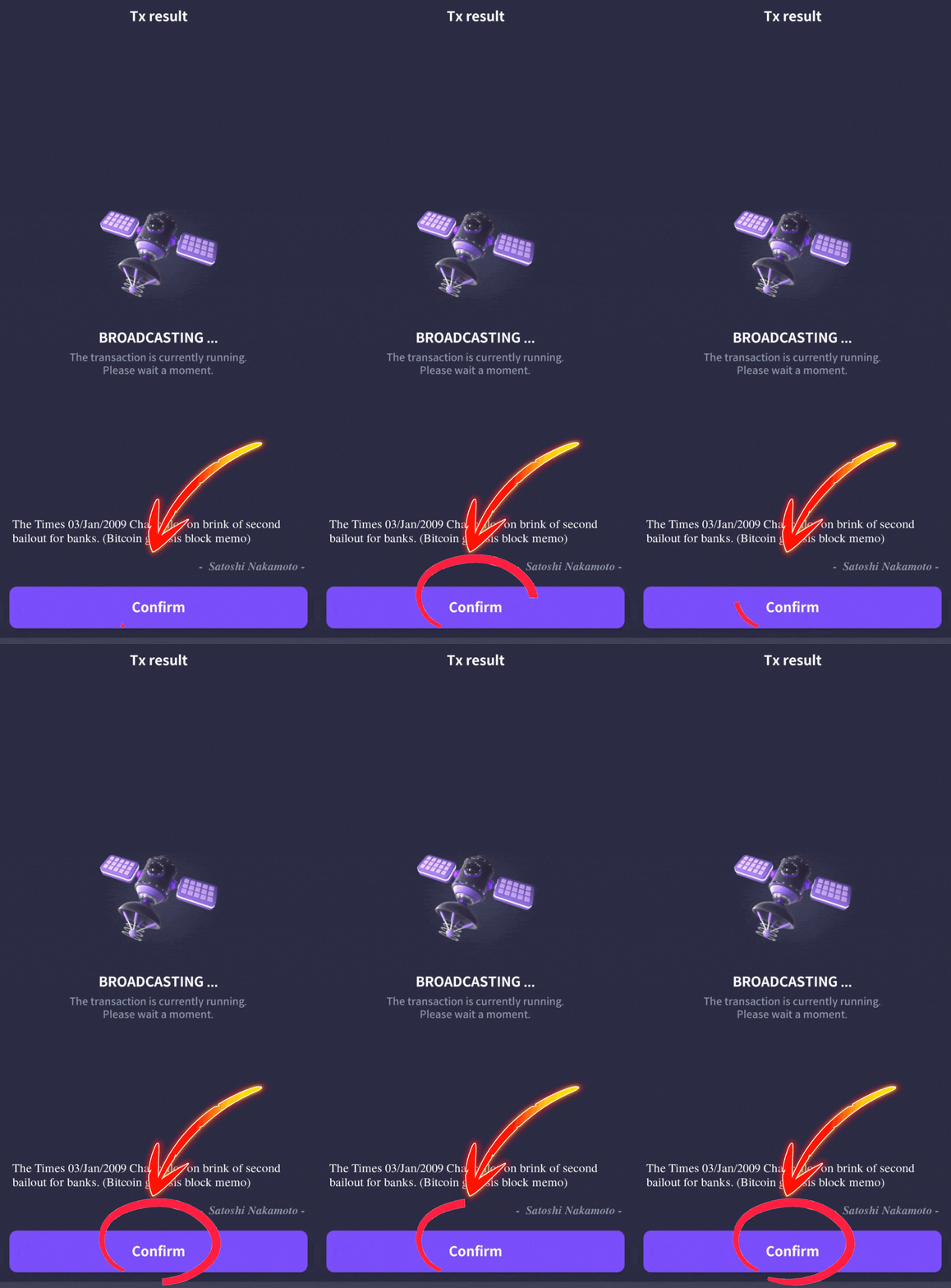
11. Tap “Confirm” on the next screen
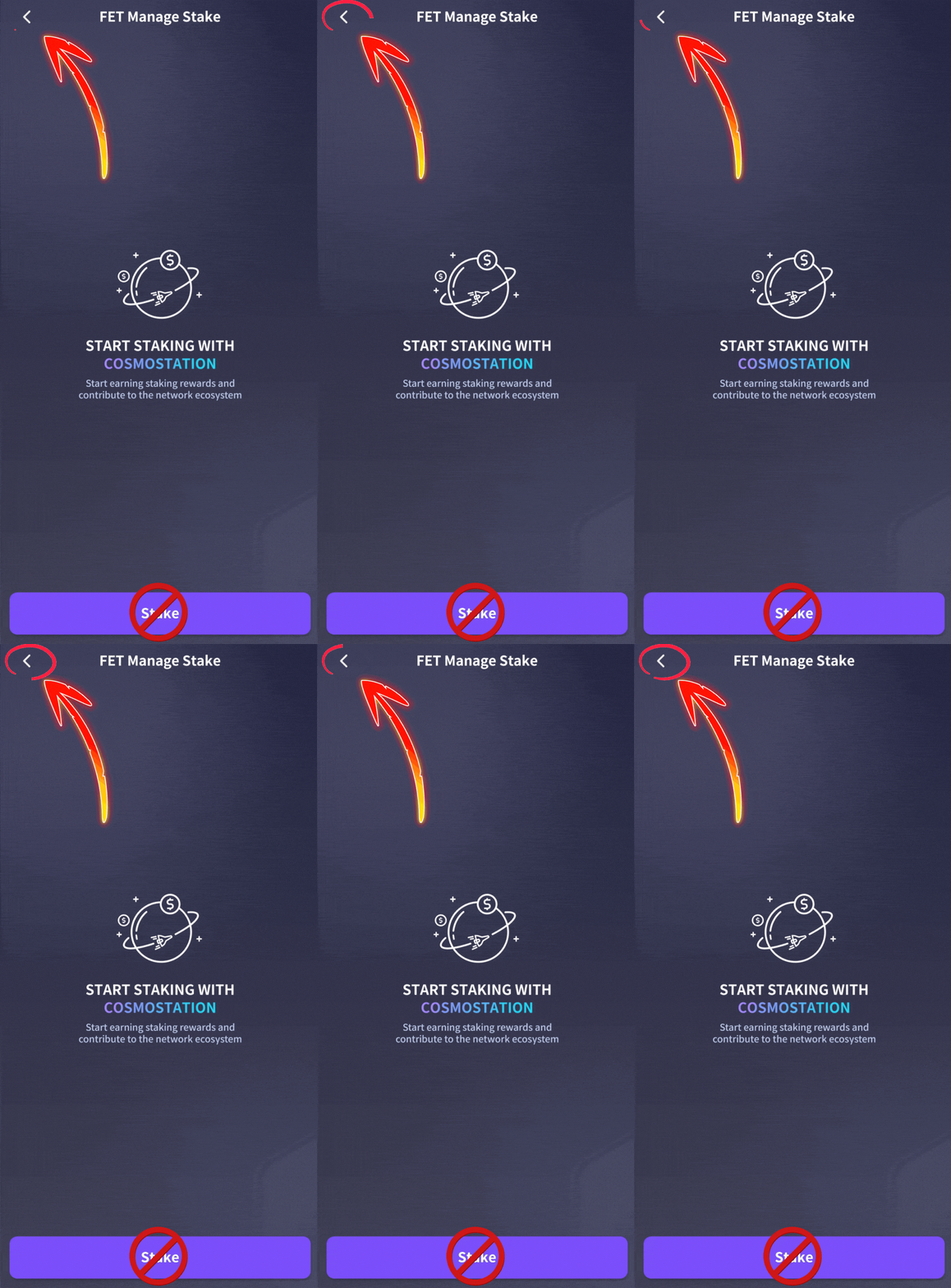
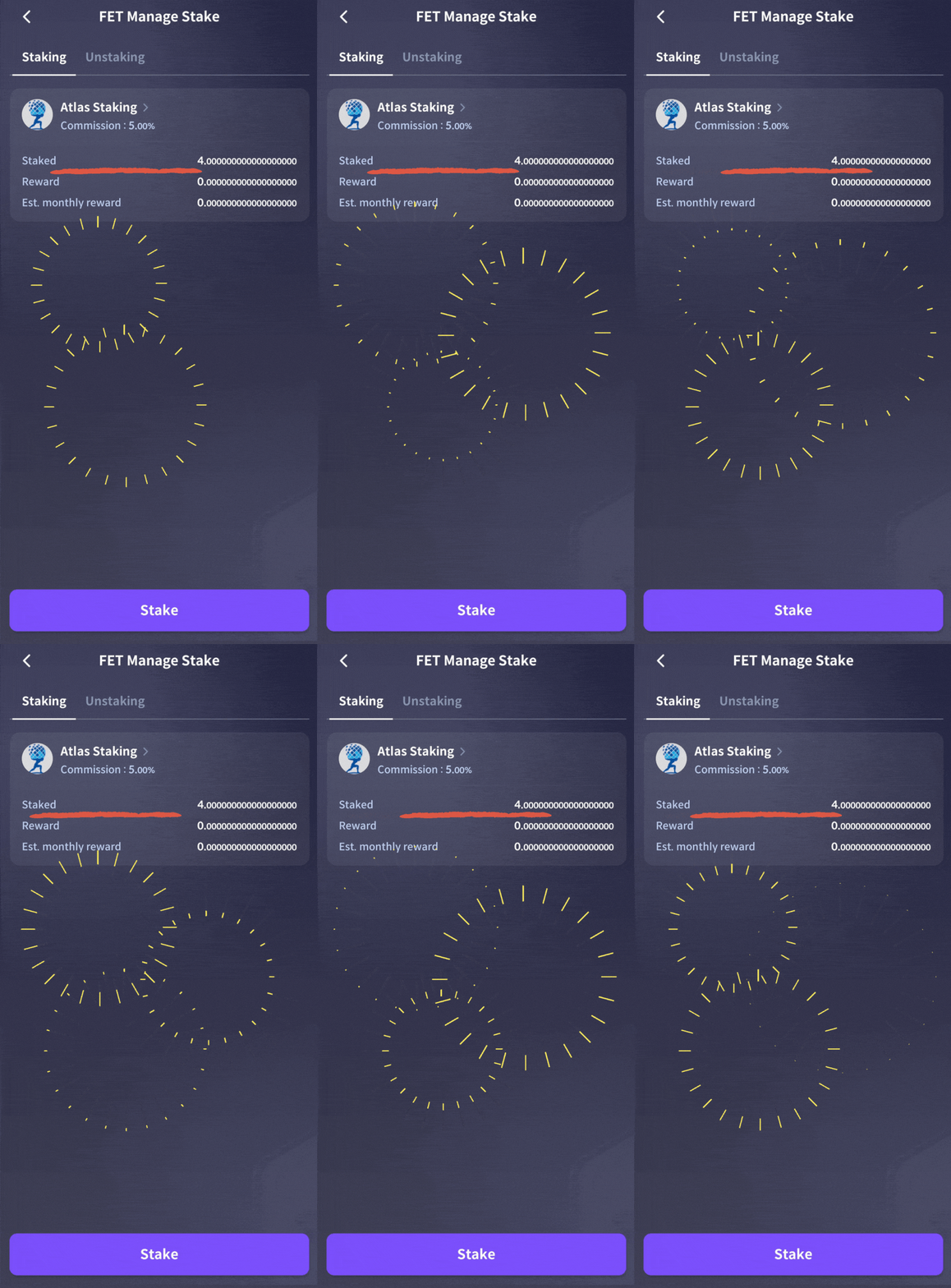
Tap the back arrow to view your staked FET
Your FET tokens are staked with Atlas!
GET THE HIGHEST FET STAKING APY
If you’re not familiar with compounding, it’s the secret sauce for long-term investors. Claiming and restaking rewards daily will give you a higher APY vs occasional restaking.
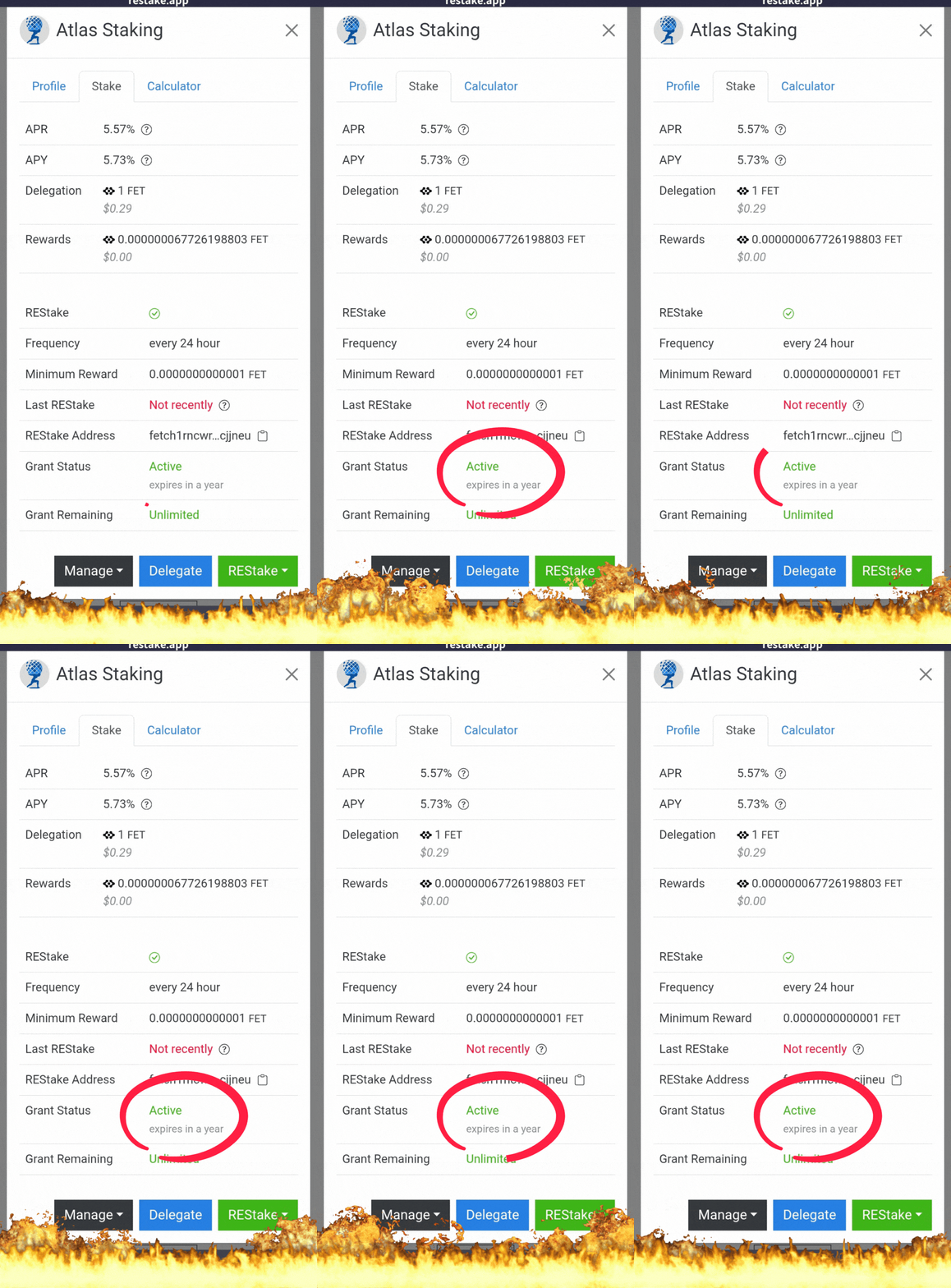
The good news…. Atlas Staking uses the REStake app to automate the process and we can do it for you!
Follow the step-by-step FET restaking guide below to see how simple it is to get the highest yield.
Key Takeaways:
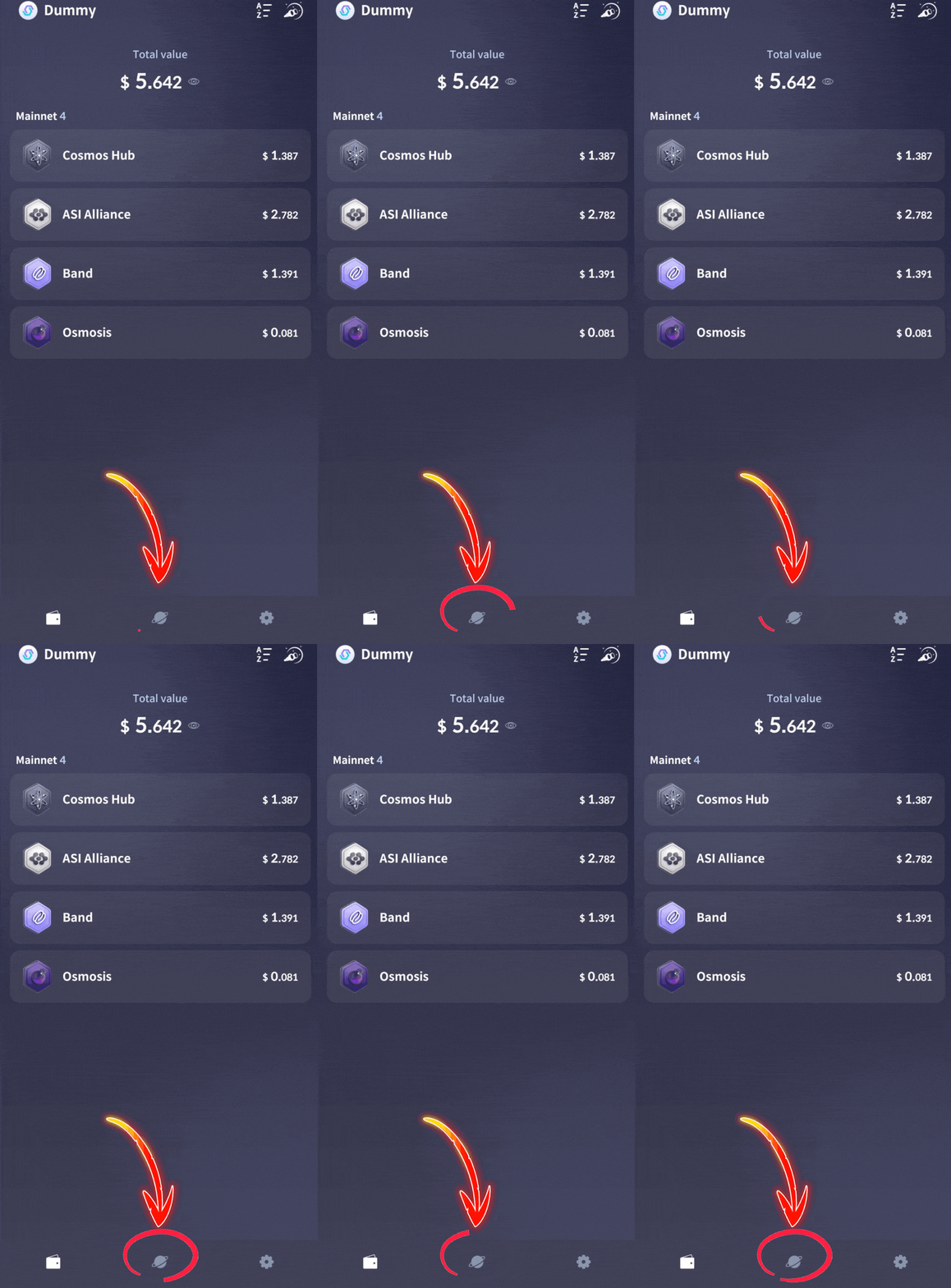
1. Tap the planet icon on your home screen
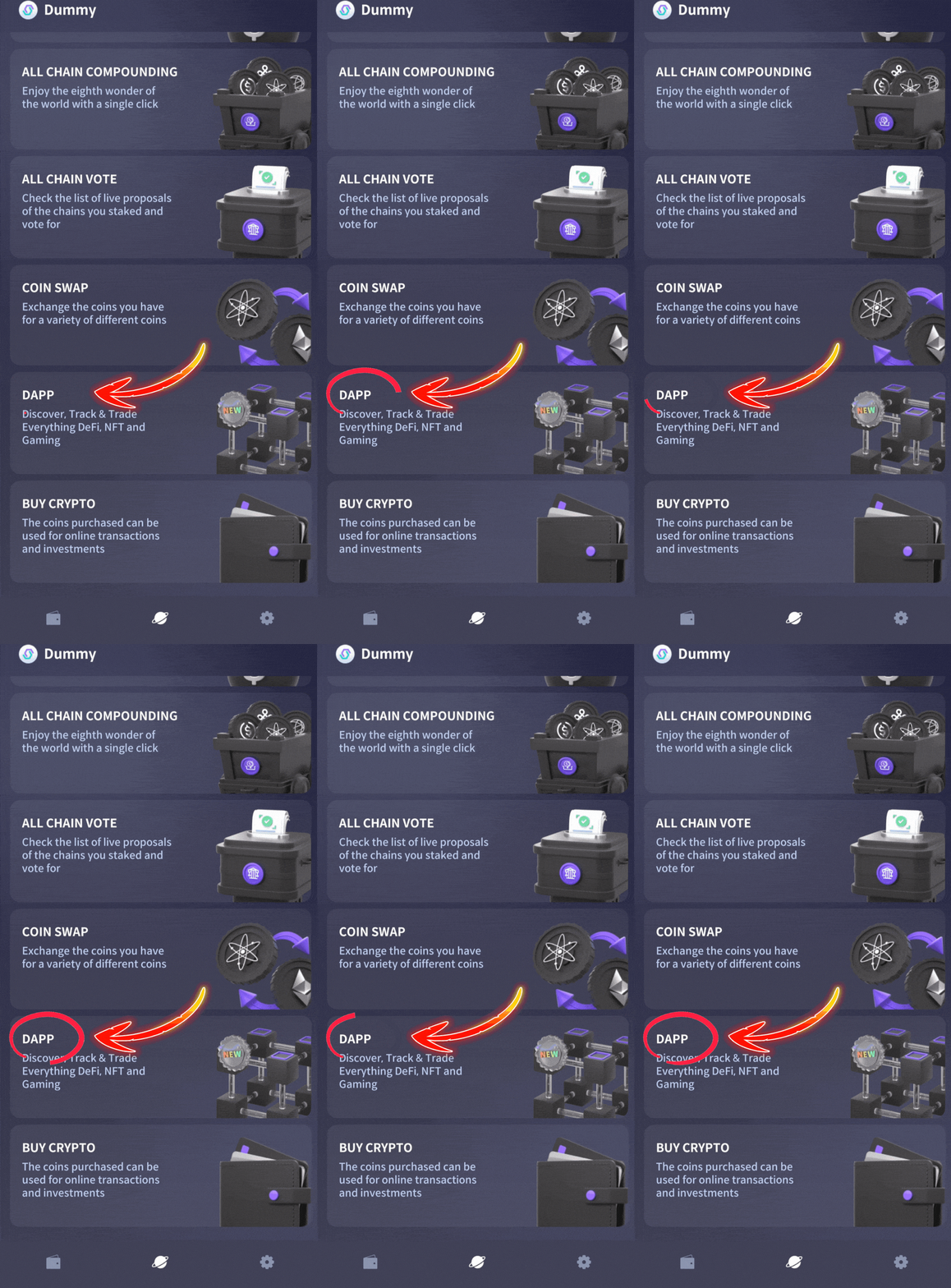
2. Tap the “DAPP” icon
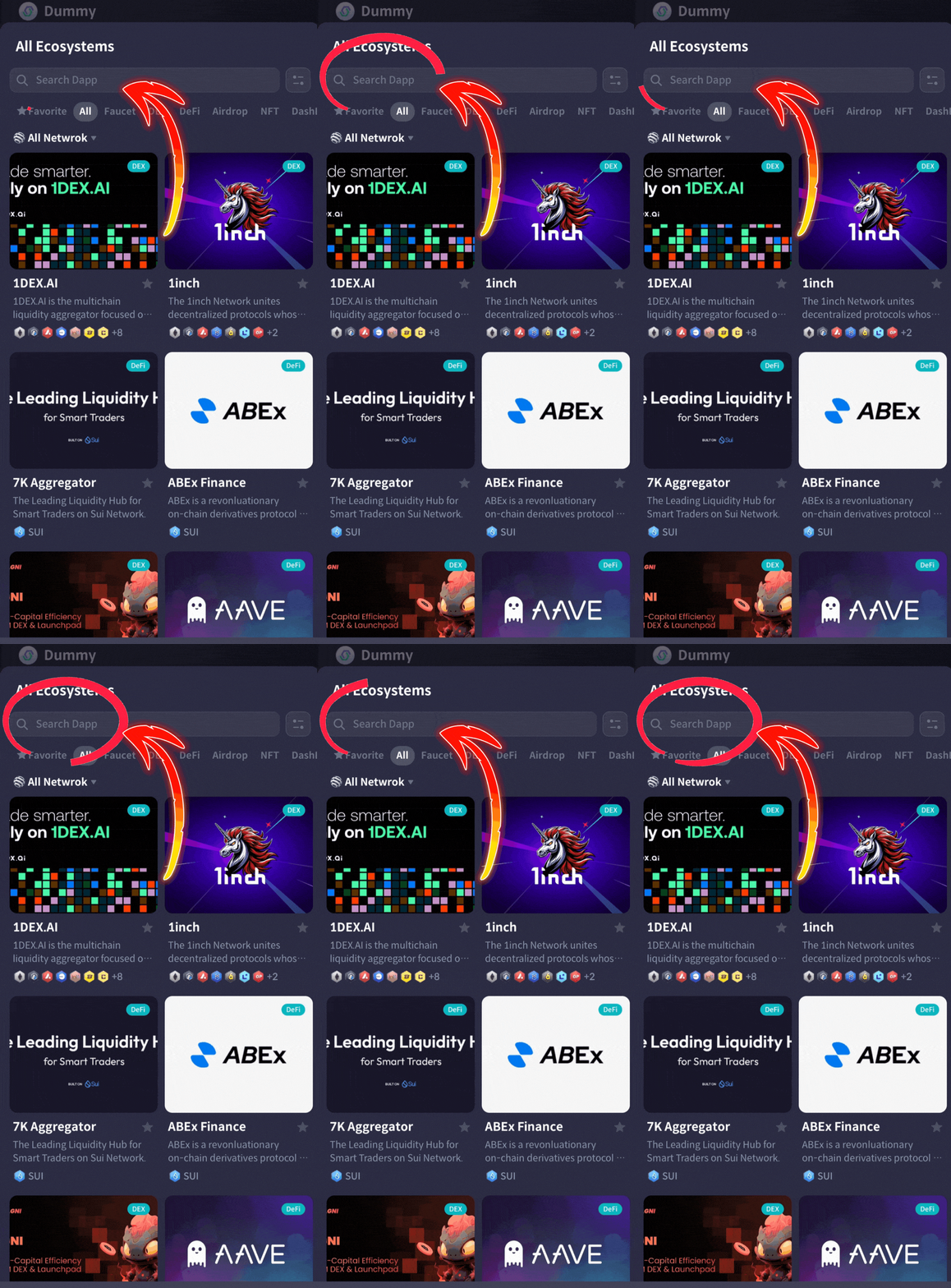
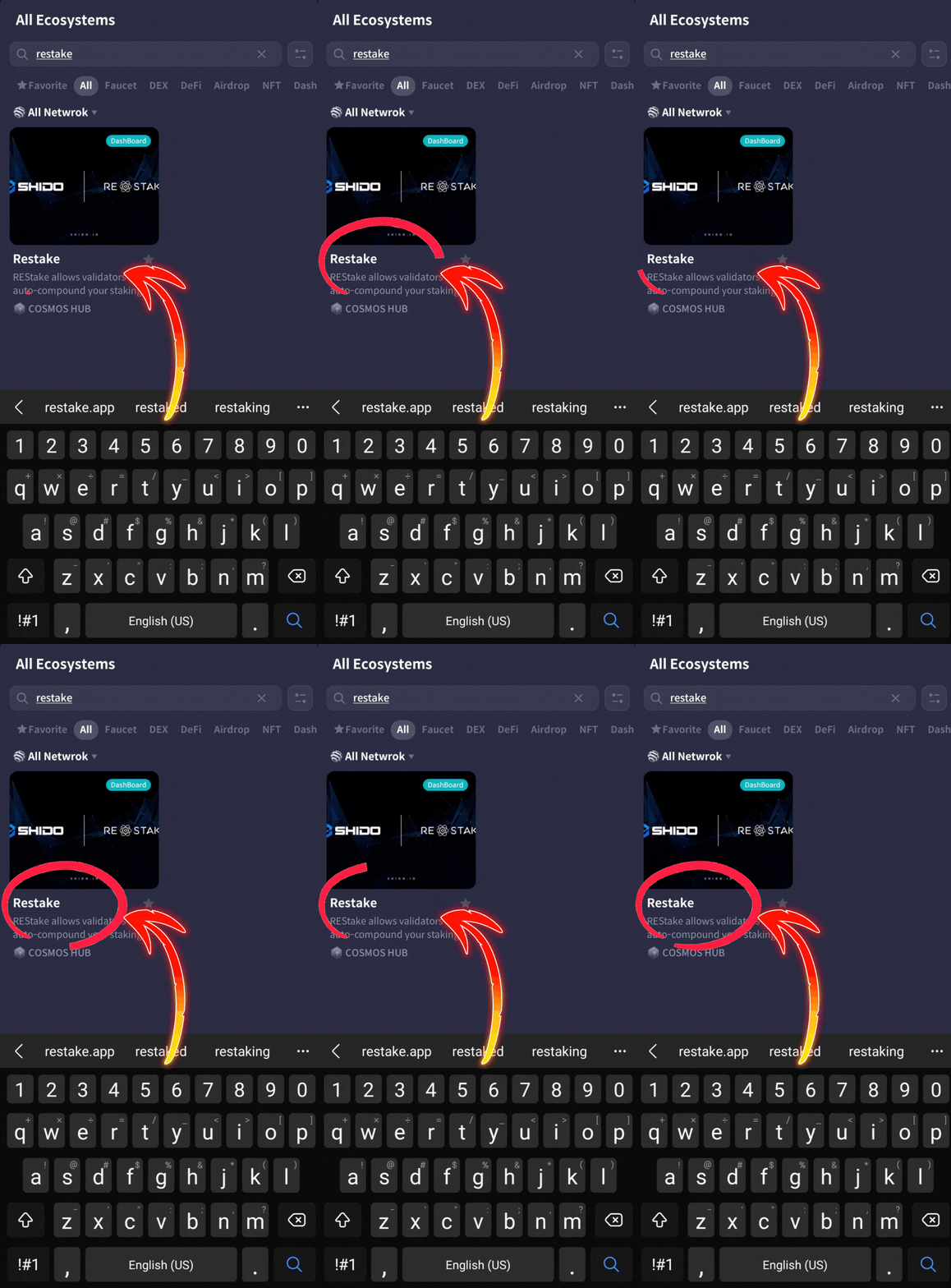
3. Type “REStake” in the search box
4. Tap on “REStake”
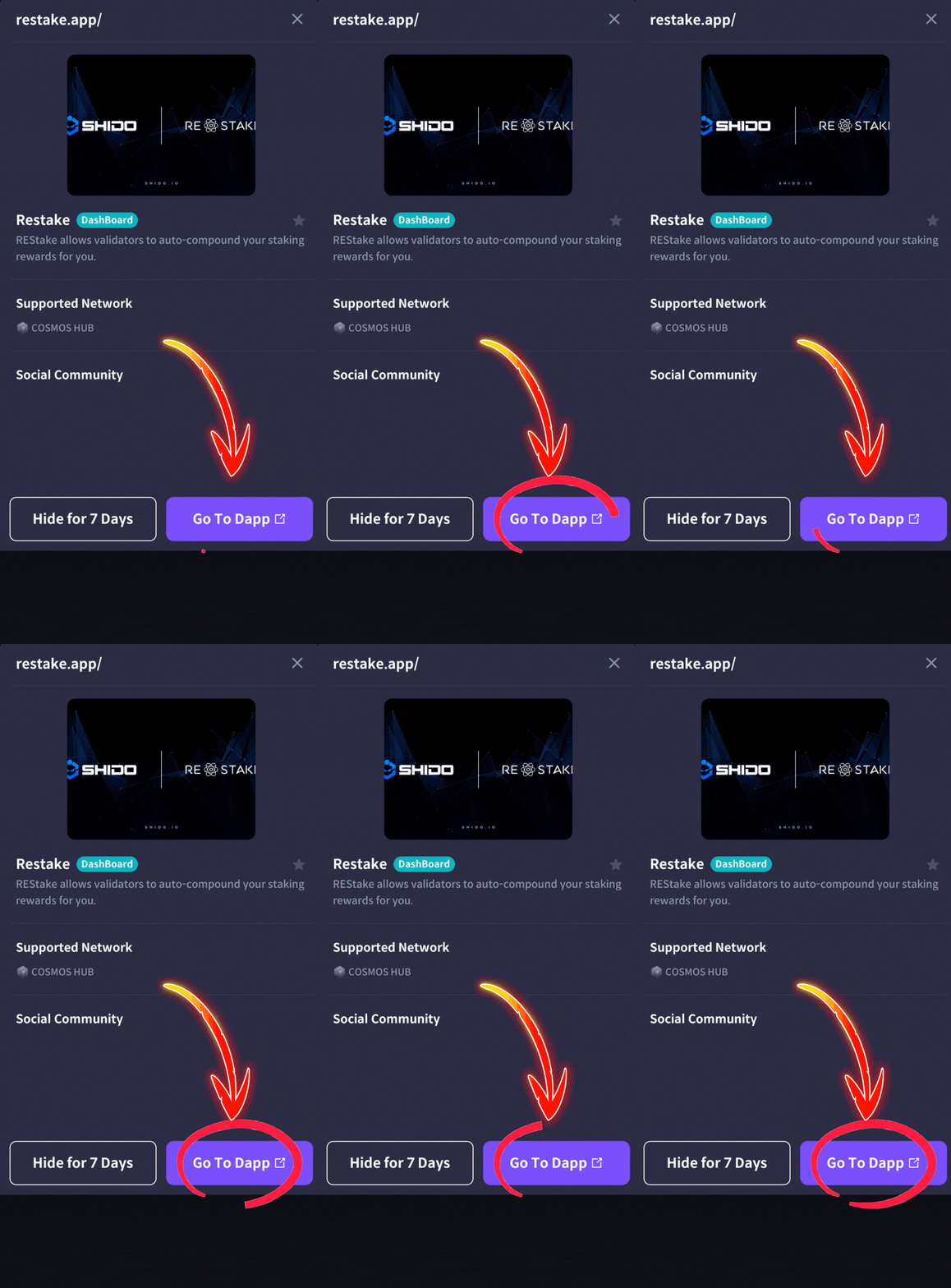
5. Tap “Go To Dapp” button
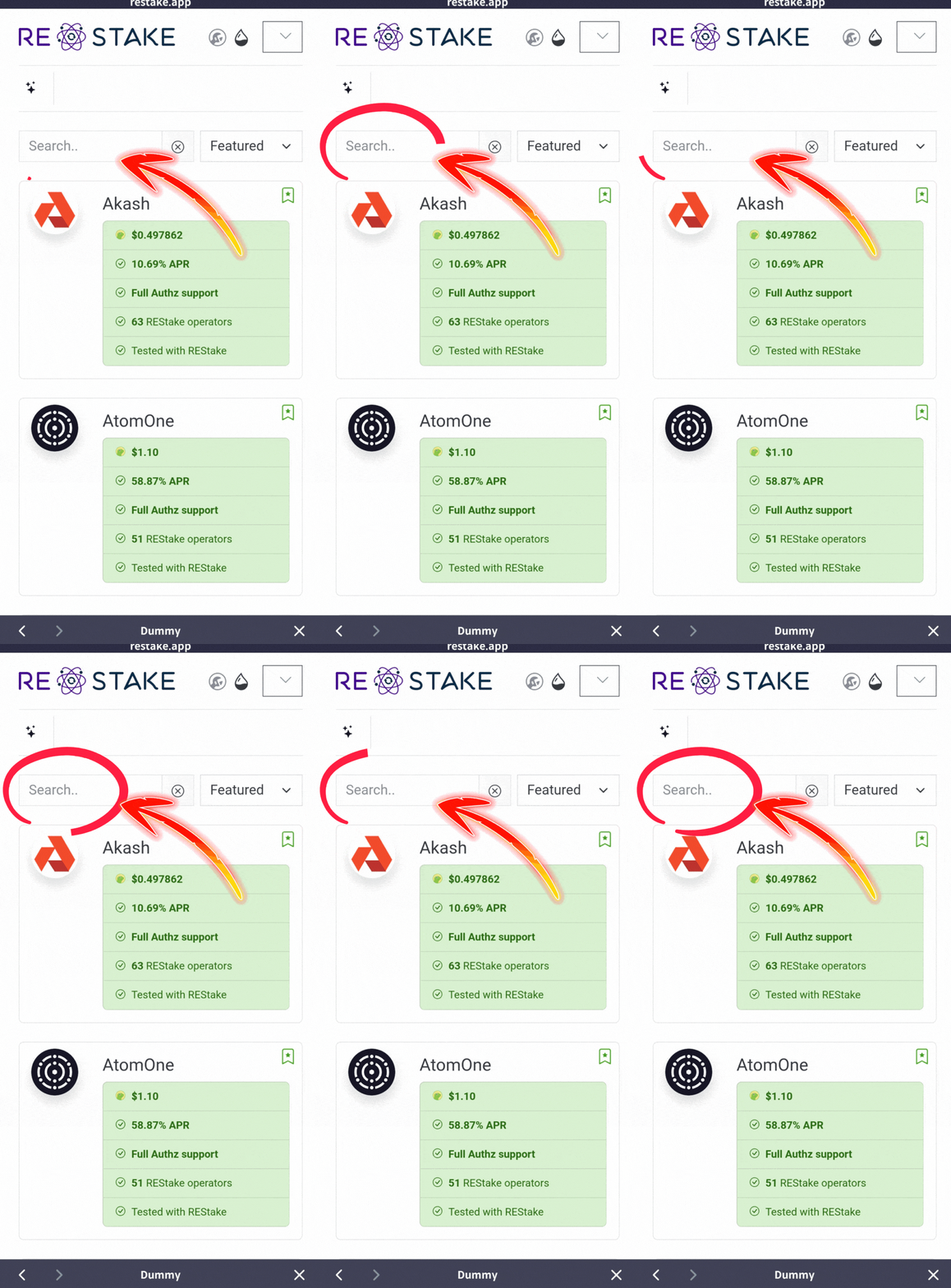
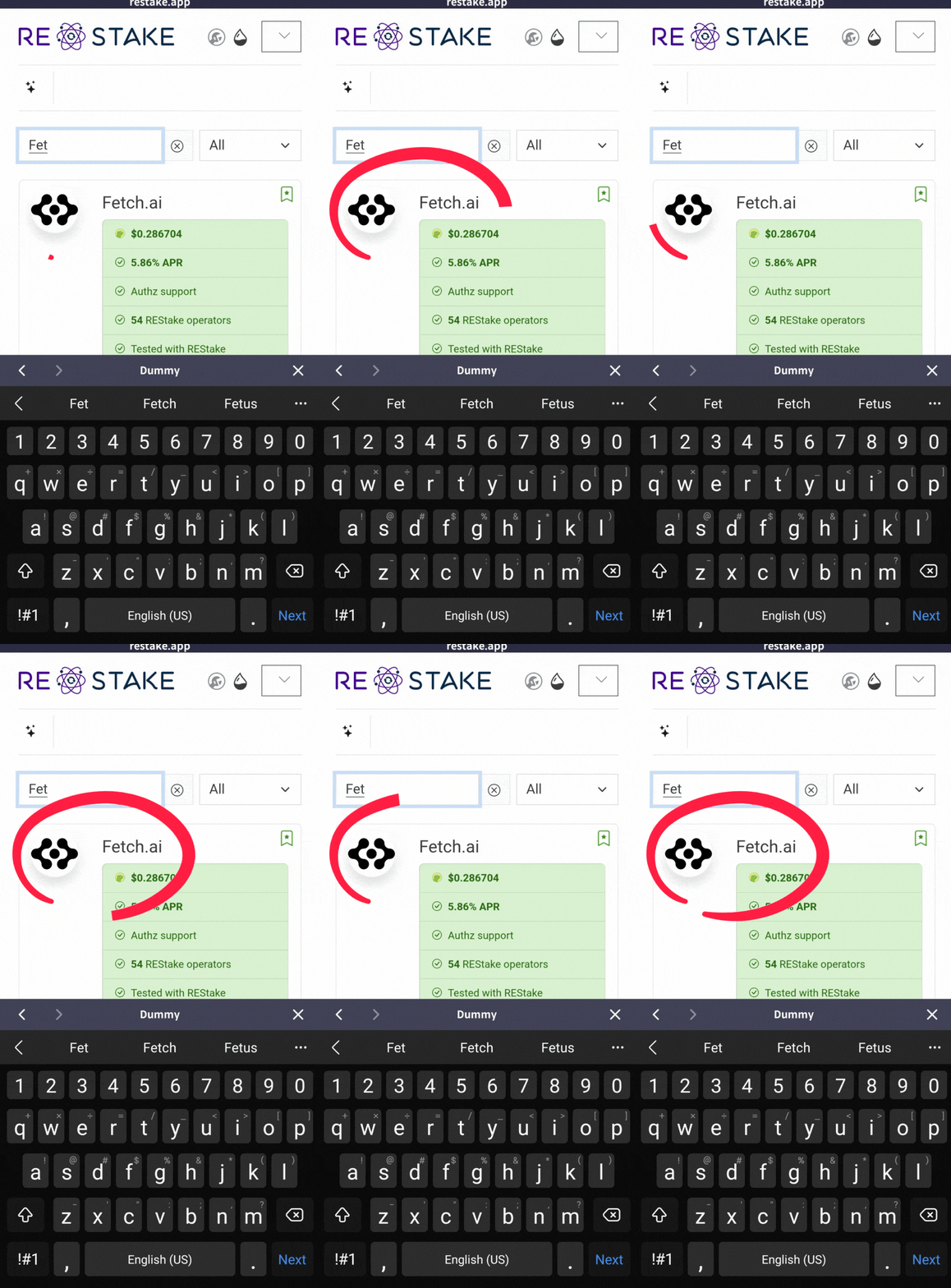
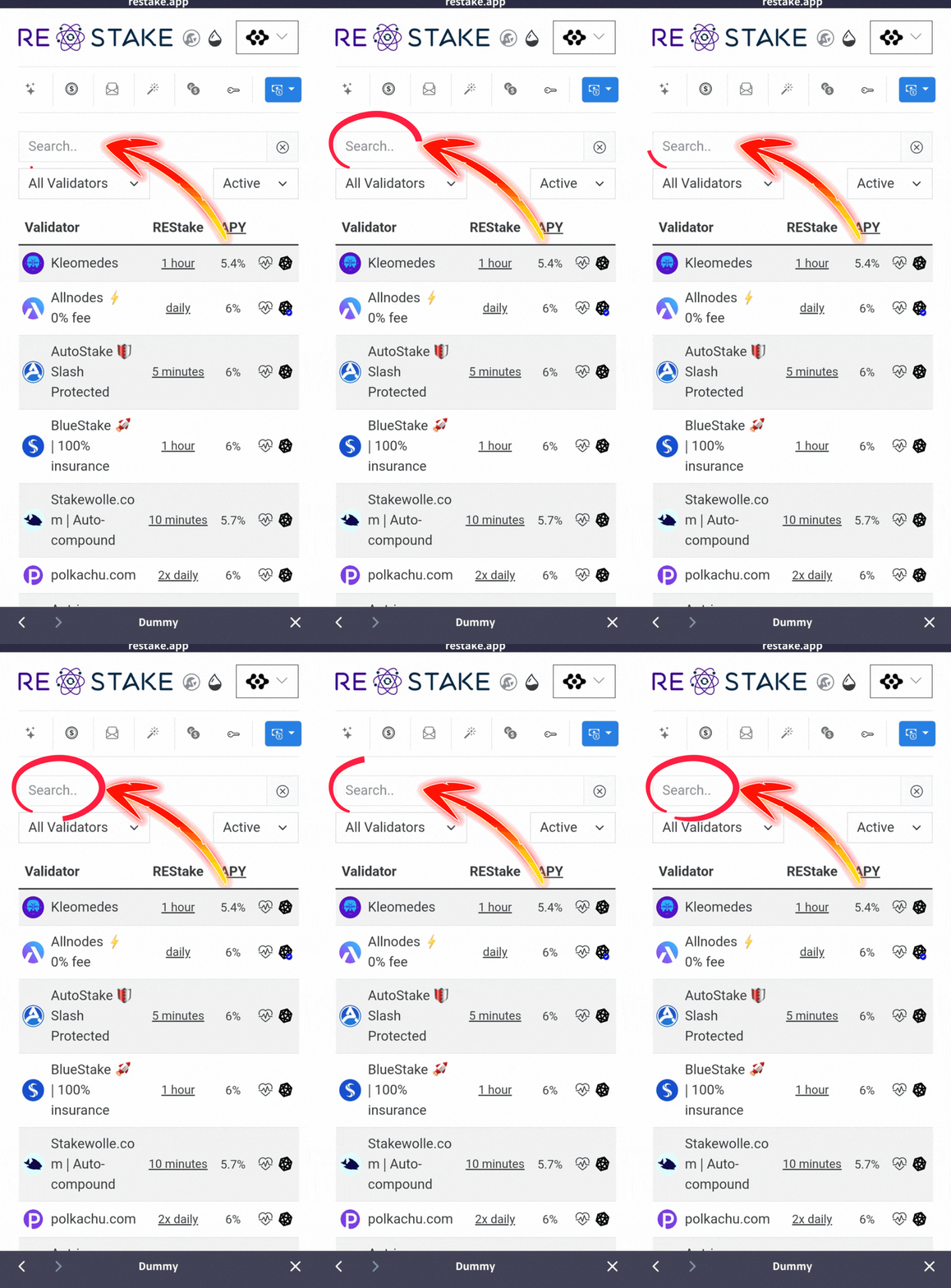
6. Type “Fetch” in the search box
7, Tap “Fetch.ai”
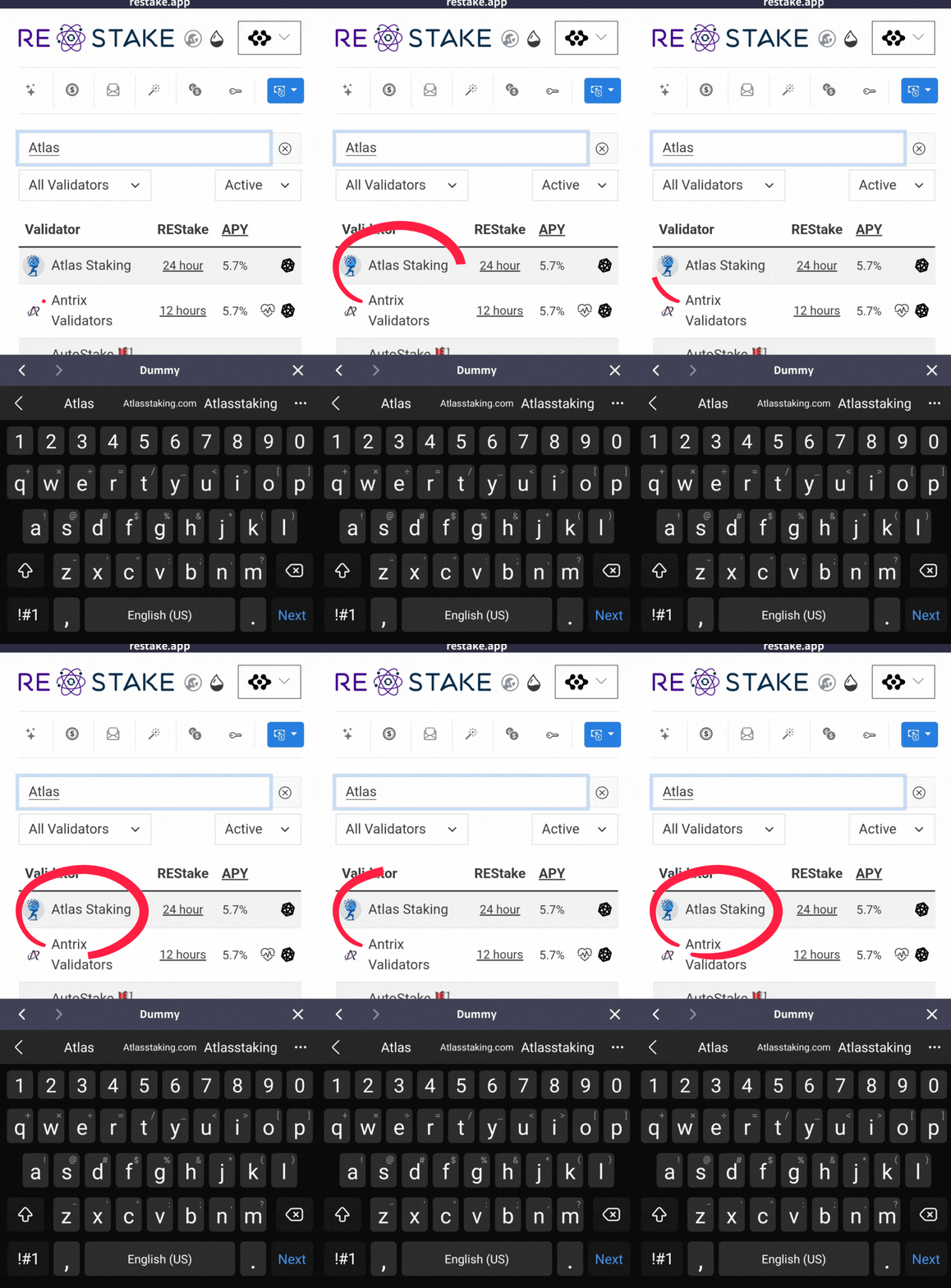
8. Type “Atlas Staking” in the search box
9. Tap “Atlas Staking”
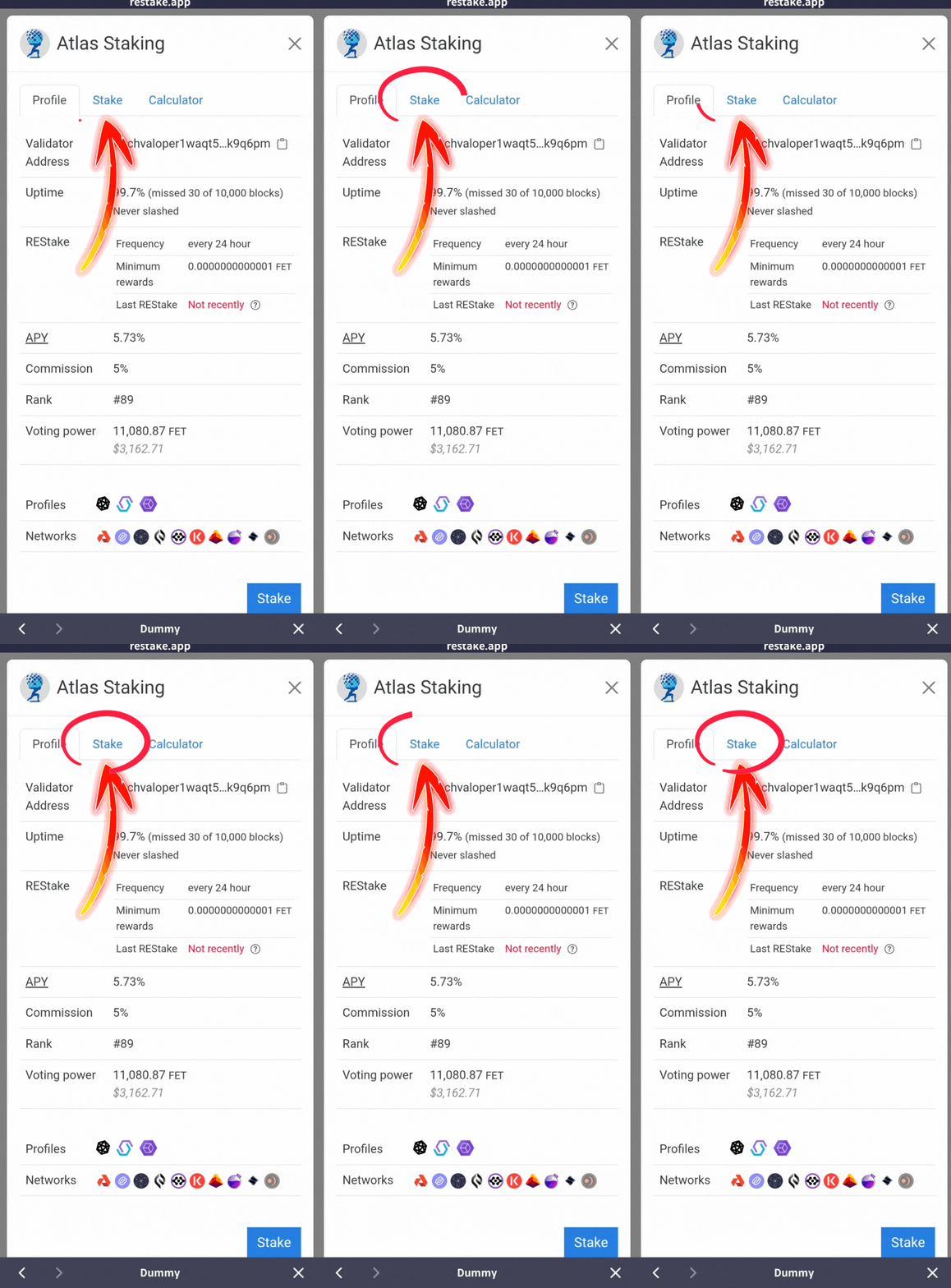
10. Tap “Stake”
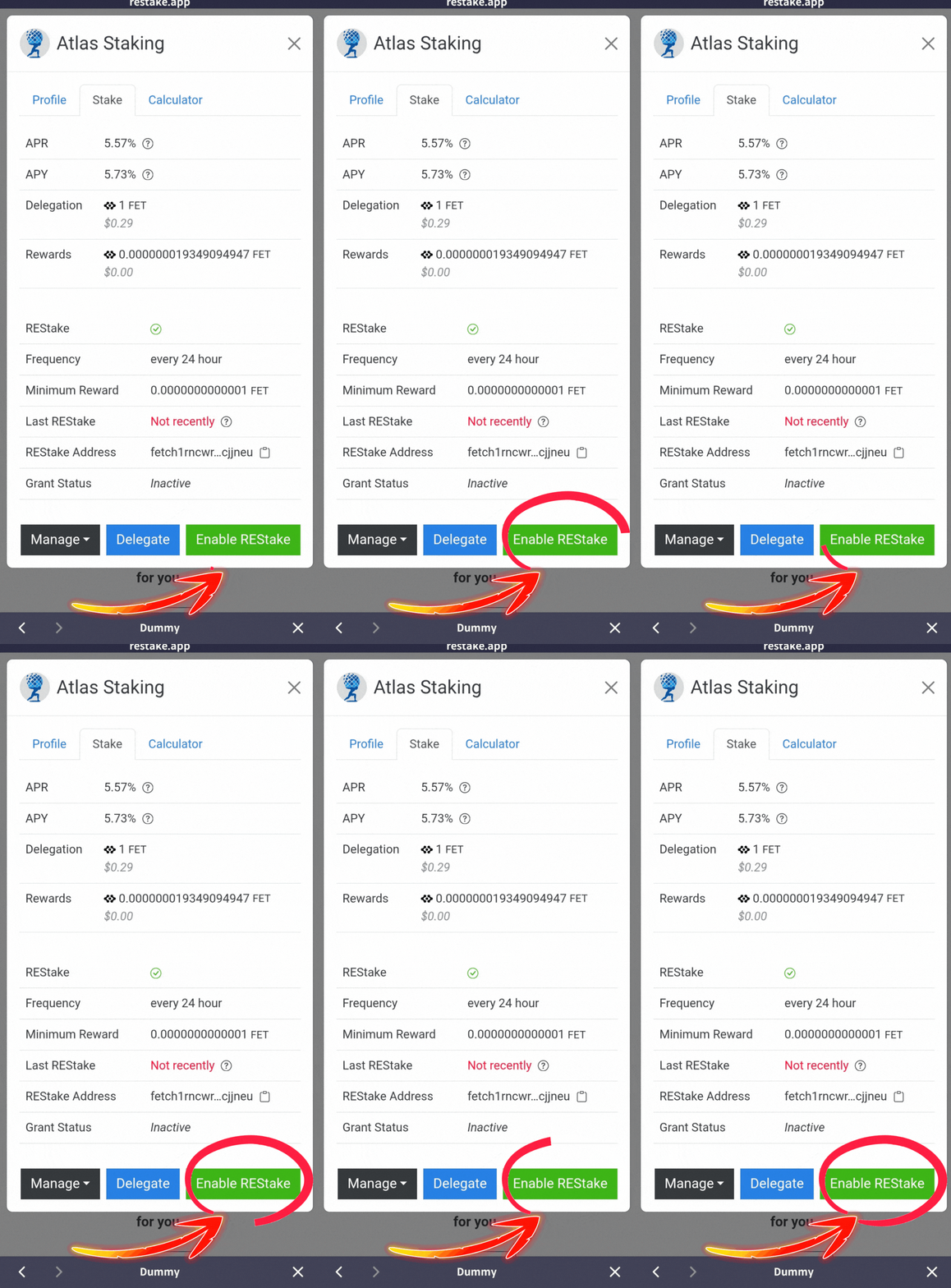
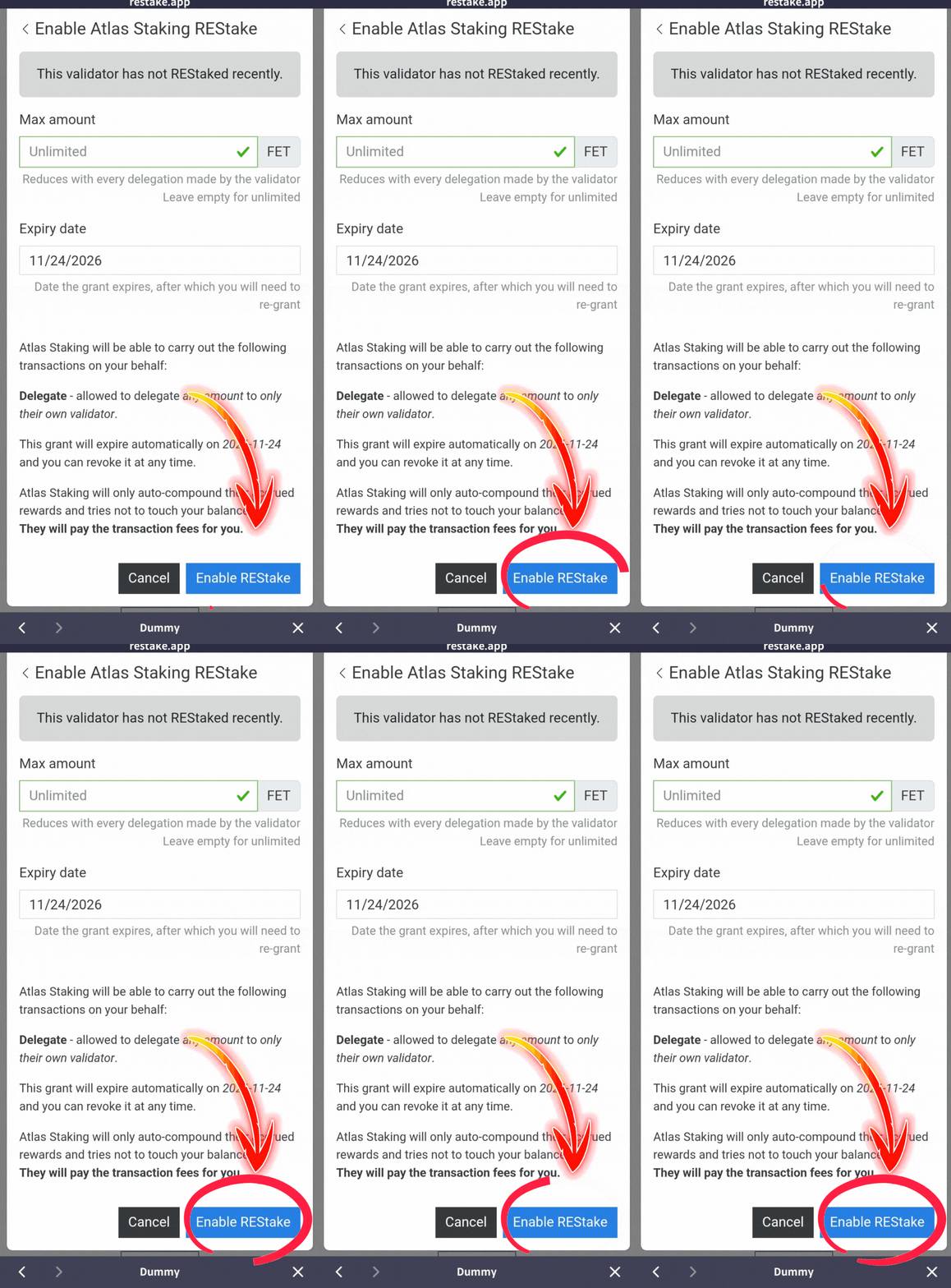
11. Tap “Enable REStake”
12. Tap “Enable REStake” again
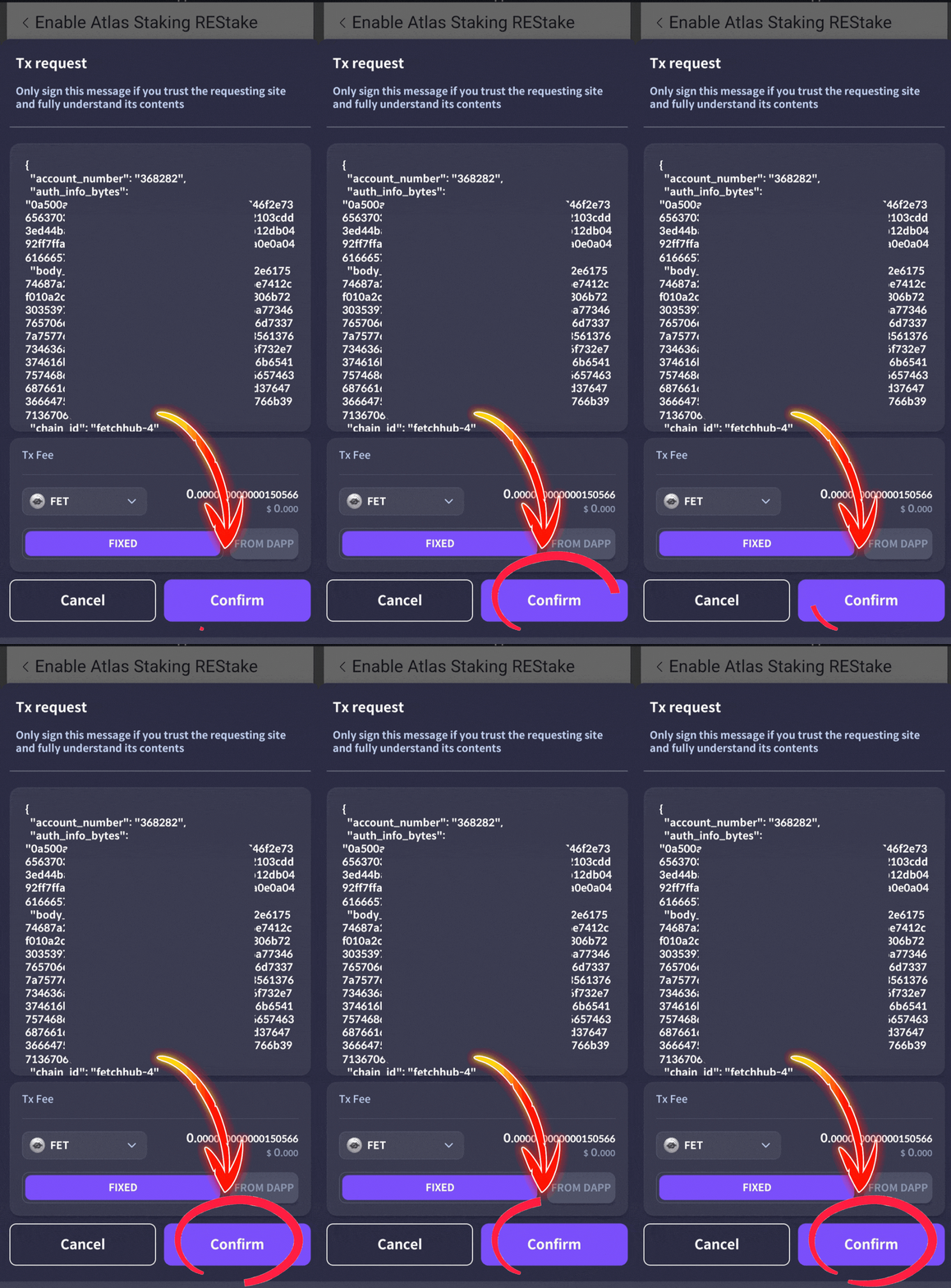
13, Tap “Confirm” to send it on-chain
MONITORING REWARDS AND CRYPTO TAXES
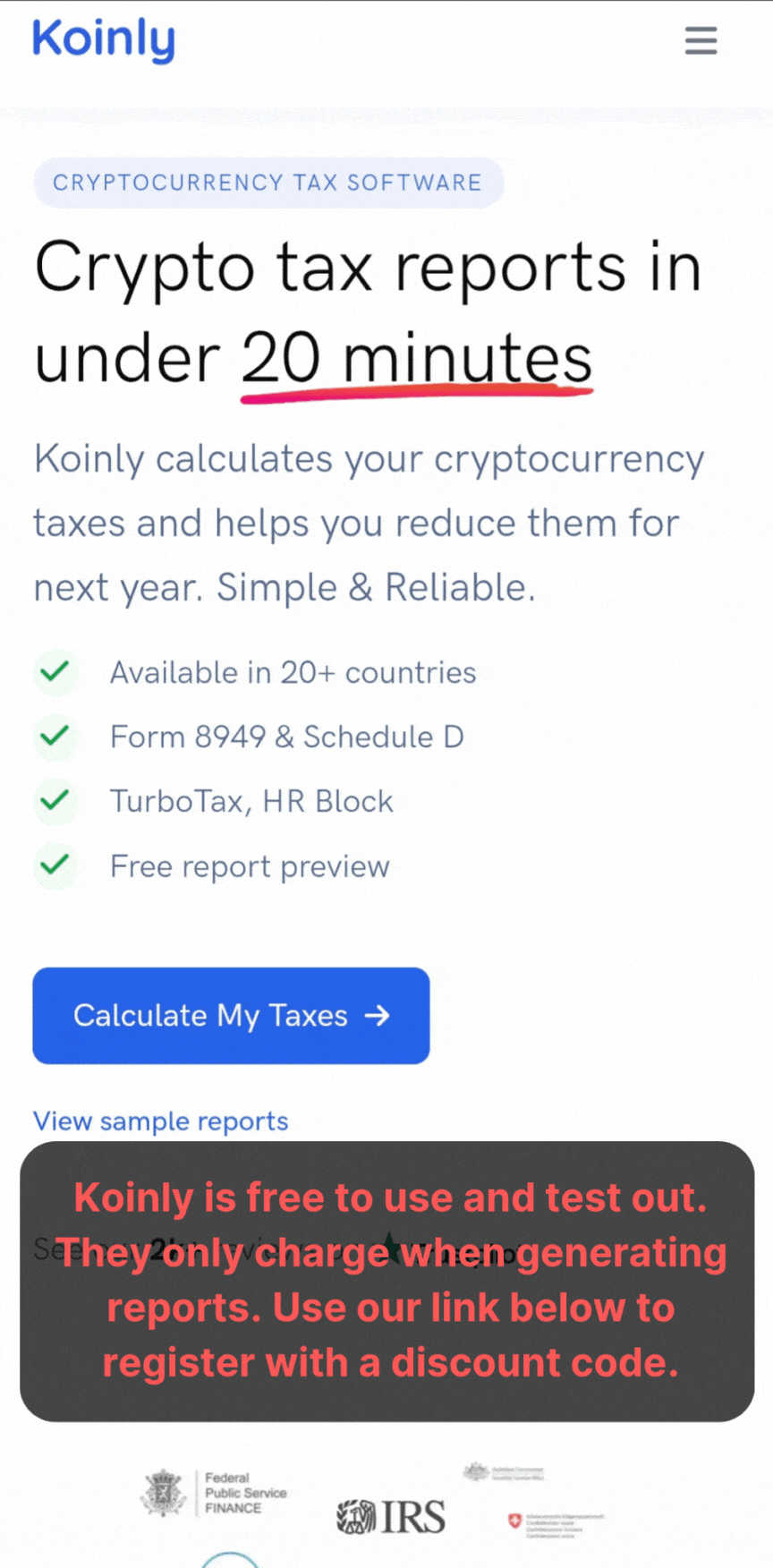
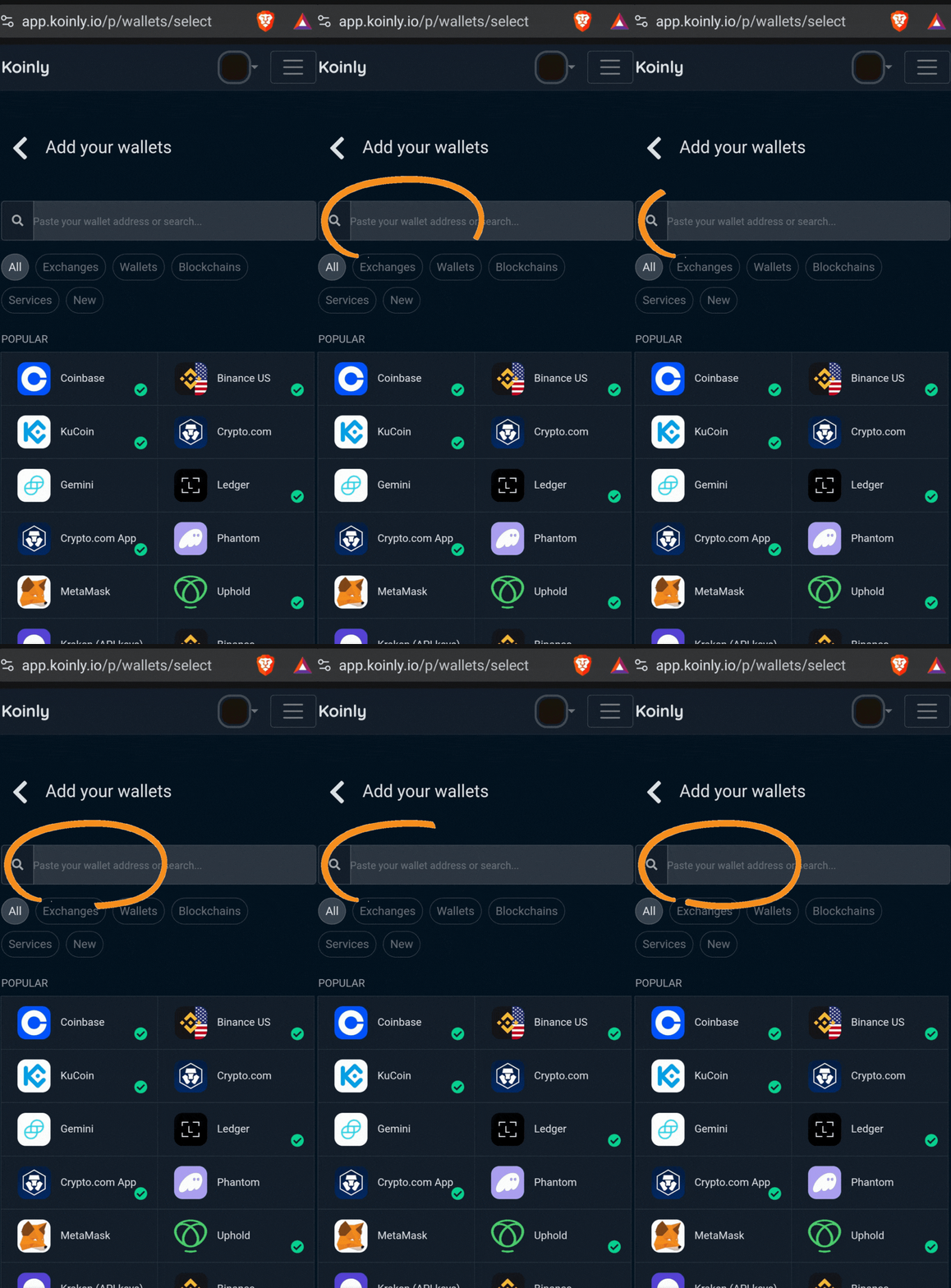
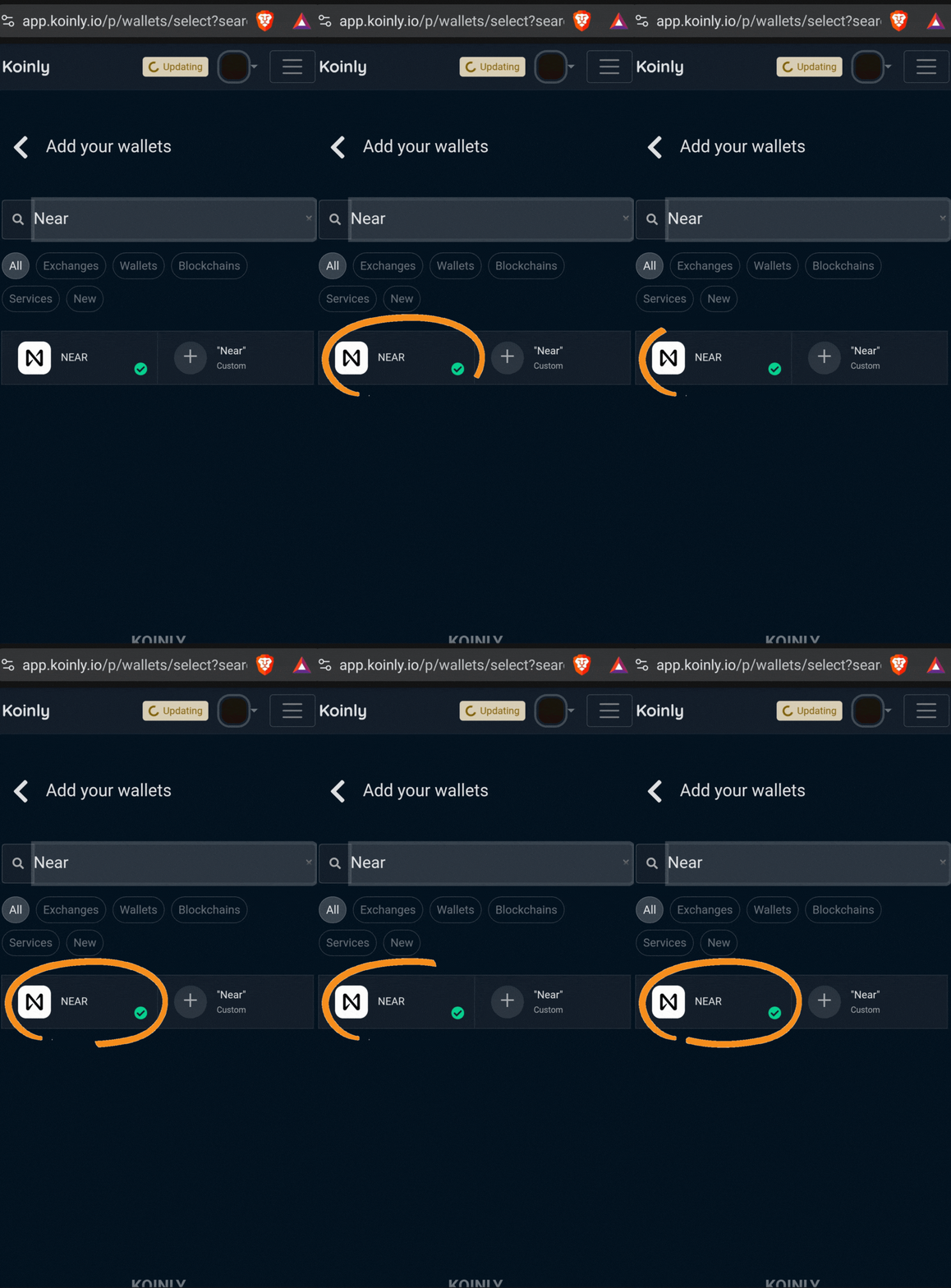
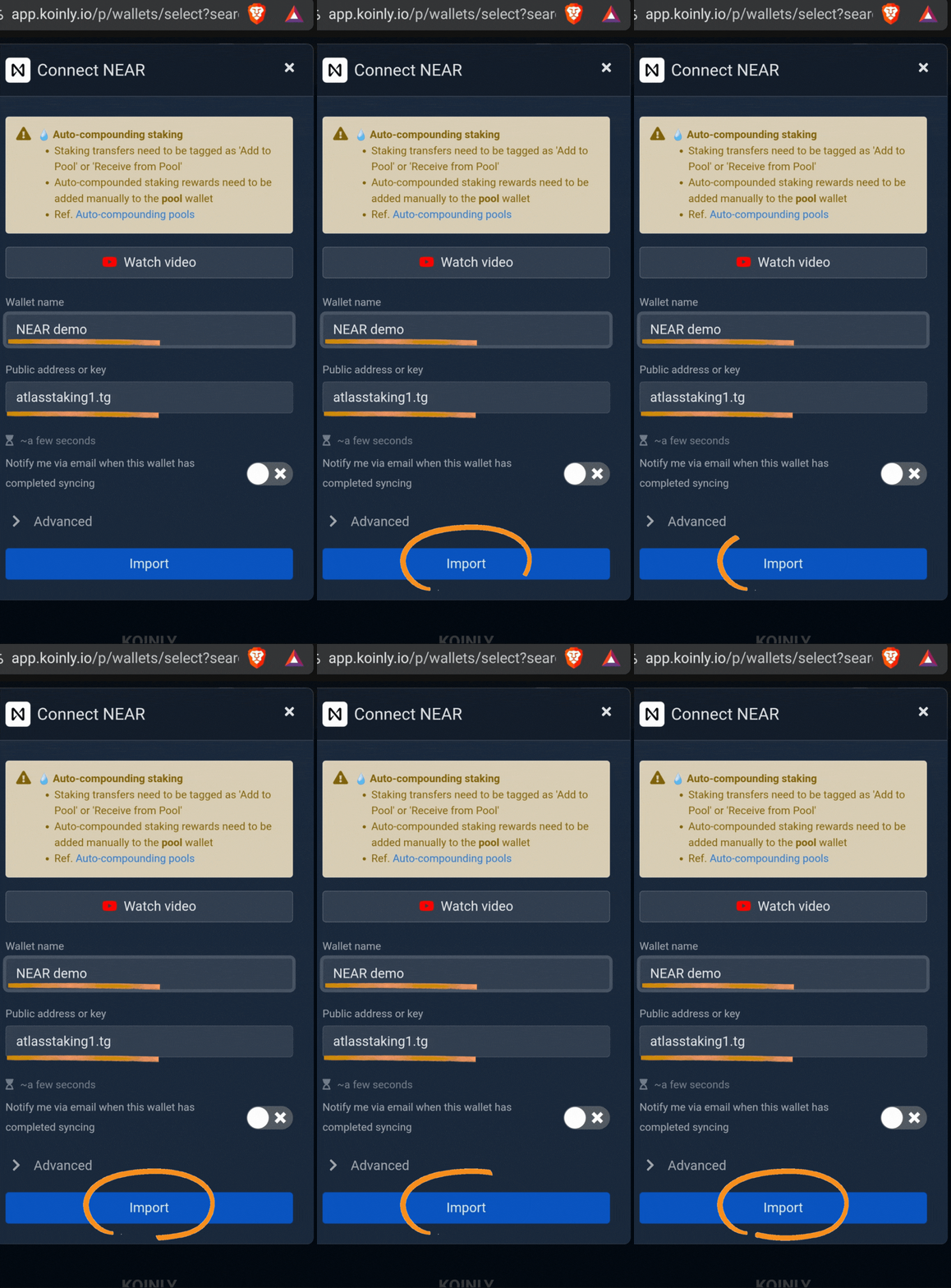
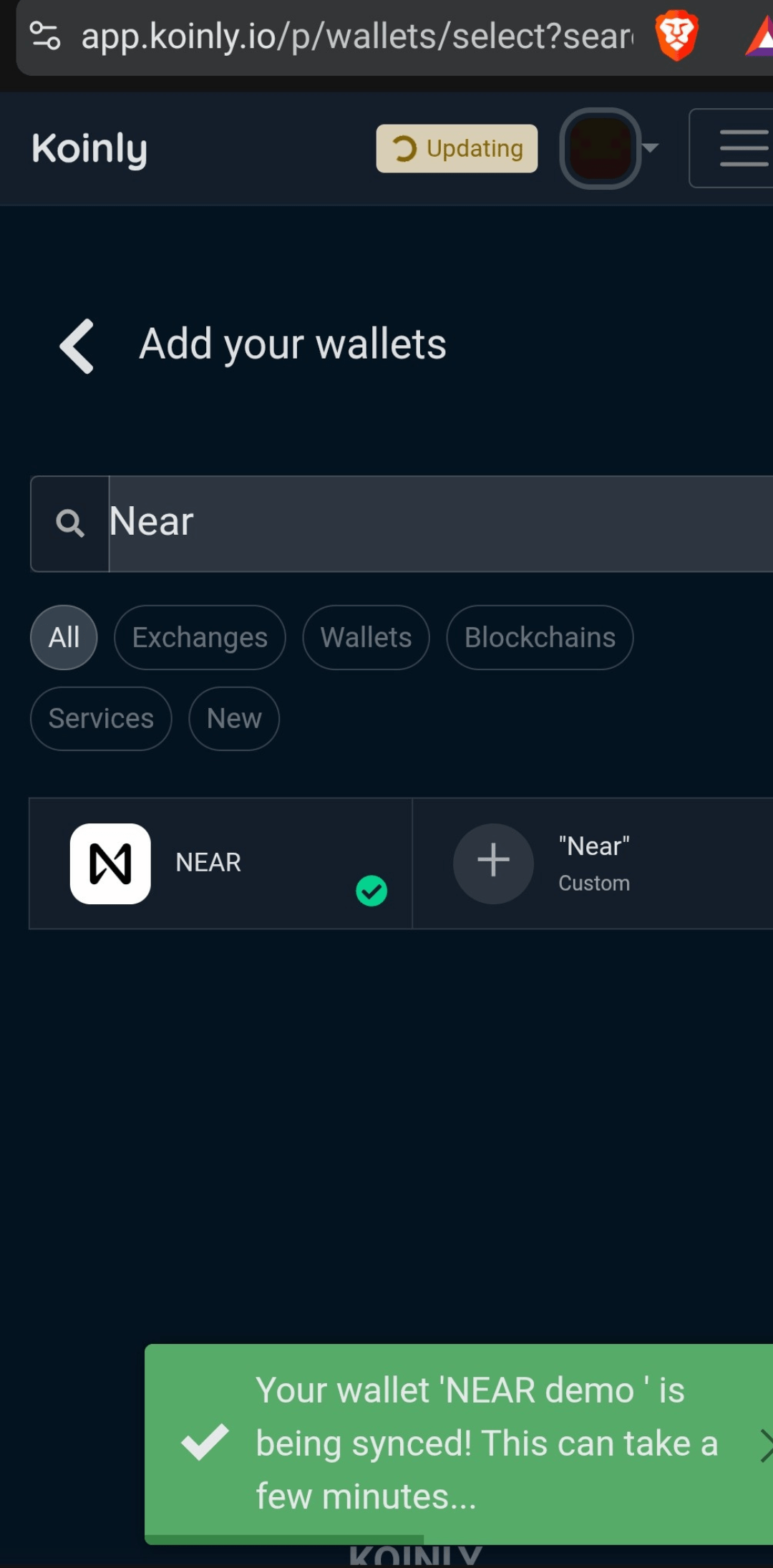
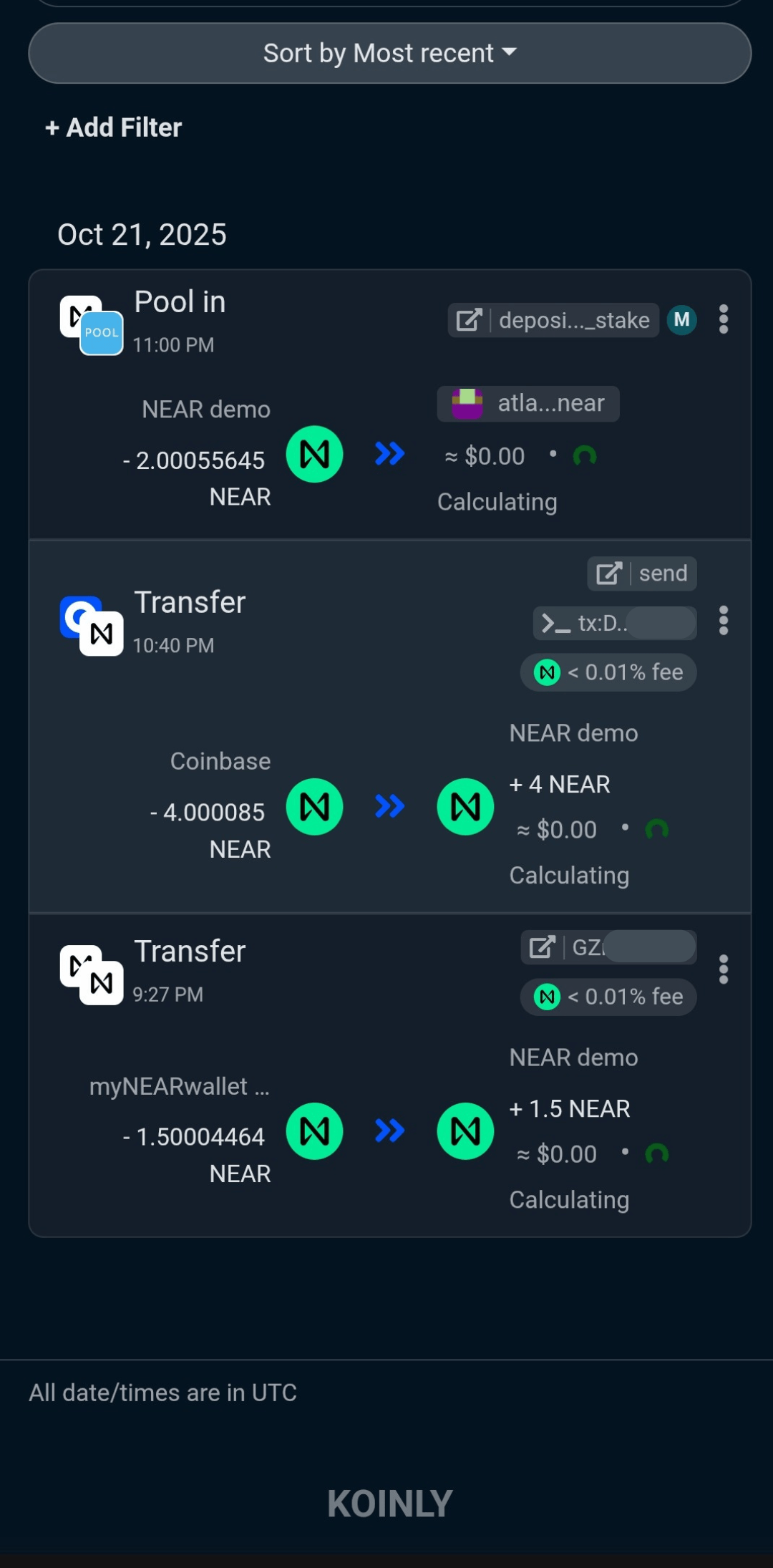
Some countries, like the U.S. require you to pay income taxes on your staking rewards. Crypto portfolio management and tax tools, like Koinly are super handy. Even if your government doesn’t collect taxes on your crypto, it’s still a great way to keep track of transactions.
AND, Koinly is free to use. They only charge when generating a report, so it’s risk-free to try out. Use our referral link below when you sign up to lock in future discounts.

Security and best practices
Safeguard your Cosmostation wallet recovery phrase closely. Keep it written on paper offline and never share it with anyone you don’t trust with your life. Also, lock your phone with biometrics or a strong passcode, and consider enabling optional wallet security settings, like app locks.
When bridging or withdrawing from exchanges, double-check that the network field is set to Fetch.ai mainnet and that the address matches your Cosmostation Fetch address. Start with small test transfers whenever you interact with a new exchange, bridge, or validator to reduce the risk of user error.
Definitely check out our wallet security checklist and download the infographic for quick reference.
We hope our step-by-step FET staking guide has shown you how to stake FET confidently with the Cosmostation mobile wallet. It’s a great way to earn on-chain rewards and actively support the security of the Fetch.ai ecosystem. AND… Thanks for staking with Atlas!
FREQUENTLY ASKED QUESTIONS
How do I set up the Cosmostation wallet for FET staking?
Download Cosmostation from the iOS or Android app store, create a new wallet, and select the Fetch.ai mainnet network. Safely store your recovery phrase. Transfer your FET tokens into the wallet, either as native tokens or bridge ERC-20 tokens to the Fetch mainnet, then you’re ready to stake!
Can I stake FET tokens directly from an exchange with Cosmostation?
You cannot stake directly on Cosmostation from exchanges unless you withdraw your FET tokens to your Cosmostation Fetch.ai wallet address first. Some centralized exchanges support native FET withdrawals that you can send to Cosmostation for staking. Be sure to verify because sending ERC-20 FET to a native FET address will result in loss of funds.
What is the minimum amount of FET I need to stake with Cosmostation?
There is no strict minimum for delegation, but if you are bridging ERC-20 FET tokens to the Fetch.ai mainnet using the official token bridge, typically a minimum of 100 FET is required to perform the transfer.
How do I choose a validator for staking FET on Cosmostation?
Choose a validator based on criteria like uptime reliability, commission rates, community reputation, and transparency. We’d love to have you as a staking partner at Atlas. Cosmostation lists top validators by stake and performance—select multiple validators to diversify your stake and mitigate risk.
How do I claim or compound my staking rewards in Cosmostation?
In the Cosmostation app, you can view your accrued rewards and claim them anytime. You can either withdraw rewards to your wallet or choose to restake them to increase your staked amount, compounding your earnings over time.
Using Atlas and the REStake app gives us permission to claim and restake your rewards automatically. This saves you time and maximizes your staking APY. Check the carousel above or click here.
What is the unbonding period after unstaking FET?
After undelegating your FET tokens, they enter a 21-day unbonding period during which they cannot be transferred or staked. If you want to switch validators and move your FET tokens over to us at Atlas Staking, click the “Redelegate” button in-wallet.
Is staking FET on Cosmostation safe and secure?
Cosmostation is a non-custodial wallet where you hold your keys, so as long as you keep your mnemonic phrase secure and avoid phishing scams, your tokens are safe. We always recommend using a hardware wallet, like Ledger to keep your keys offline. Be sure to check out our wallet security checklist.
Nothing we say is financial advice or a recommendation to buy or sell anything. Cryptocurrency is a highly speculative asset class. Staking crypto tokens carries additional risks, including but not limited to smart-contract exploitation, poor validator performance or slashing, token price volatility, loss or theft, lockup periods, and illiquidity. Past performance is not indicative of future results. Never invest more than you can afford to lose. Additionally, the information contained in our articles, social media posts, emails, and on our website is not intended as, and shall not be understood or construed as financial advice. We are not attorneys, accountants, or financial advisors, nor are we holding ourselves out to be. The information contained in our articles, social media posts, emails, and on our website is not a substitute for financial advice from a professional who is aware of the facts and circumstances of your individual situation. We have done our best to ensure that the information provided in our articles, social media posts, emails, and the resources on our website are accurate and provide valuable information. Regardless of anything to the contrary, nothing available in our articles, social media posts, website, or emails should be understood as a recommendation to buy or sell anything and make any investment or financial decisions without consulting with a financial professional to address your particular situation. Atlas Staking expressly recommends that you seek advice from a professional. Neither Atlas Staking nor any of its employees or owners shall be held liable or responsible for any errors or omissions in our articles, in our social media posts, in our emails, or on our website, or for any damage or financial losses you may suffer. The decisions you make belong to you and you only, so always Do Your Own Research.