STAKE FET WITH KEPLR MOBILE
The Artificial Superintelligence Alliance (ASI) is underpinned by the Fetch.ai network. Staking FET tokens with Keplr mobile allows you to support the network and put your crypto to work.
We’ll show you how to use Keplr mobile to buy FET, stake FET, and connect to the REStake app to automate restaking, so you get the highest yield. For your convenience, you can check out our other FET staking guides by clicking the buttons below.
COSMOS AIRDROPS
New projects and protocols give away tokens to attract users. Crypto rewards those who participate, so register today and collect your free crypto.
You’ll receive PROJECT DETAILS, TOKEN SYMBOL, SNAPSHOT DATES, ELIGIBILITY REQUIREMENTS, LINKS TO CLAIM AND LINKS TO STAKE.
Be sure to add info@atlasstaking.com to your contacts, so our email doesn’t go into your spam folder. You don’t want to miss out!
We will NEVER share or abuse your information
Why stake ASI / FET in Keplr
The ASI Alliance aims to become the largest open-source, independent entity in Artificial General Intelligence (AGI) research and infrastructure. The alliance creates AI platforms and services that let anyone build and deploy AI at scale, anytime and anywhere.
Staking FET on the Fetch.ai mainnet lets you support the alliance and help AI infrastructure and services develop in the Cosmos ecosystem. You earn rewards in exchange for backing validators (like Atlas Staking) who keep the chain secure.
Setting up Keplr mobile for FET
To get started, download Keplr mobile wallet and then enable the Fetch.ai network. We will show you how to enable the network in the screenshot carousel below.
Download from Keplr’s website and be sure to write your seed phrase on paper and store it somewhere safe.
In the asset list, search for “Fetch.ai” or “FET” and add the network so your FET balance and staking options become visible.
If you use a hardware wallet like Ledger, you can connect it through Keplr’s Cosmos integration to manage and stake your FET with added security.
Once the network is added, Keplr will show your FET account, transaction history, and a “Stake” section where you can browse validators, like us at Atlas Staking.

Buying FET with Keplr swap
Most exchanges offer the Ethereum ERC-20 version of FET tokens that need to be bridged over to the Fetch.ai mainnet. To avoid the complexity, we recommend using Keplr’s swap feature to acquire tokens.
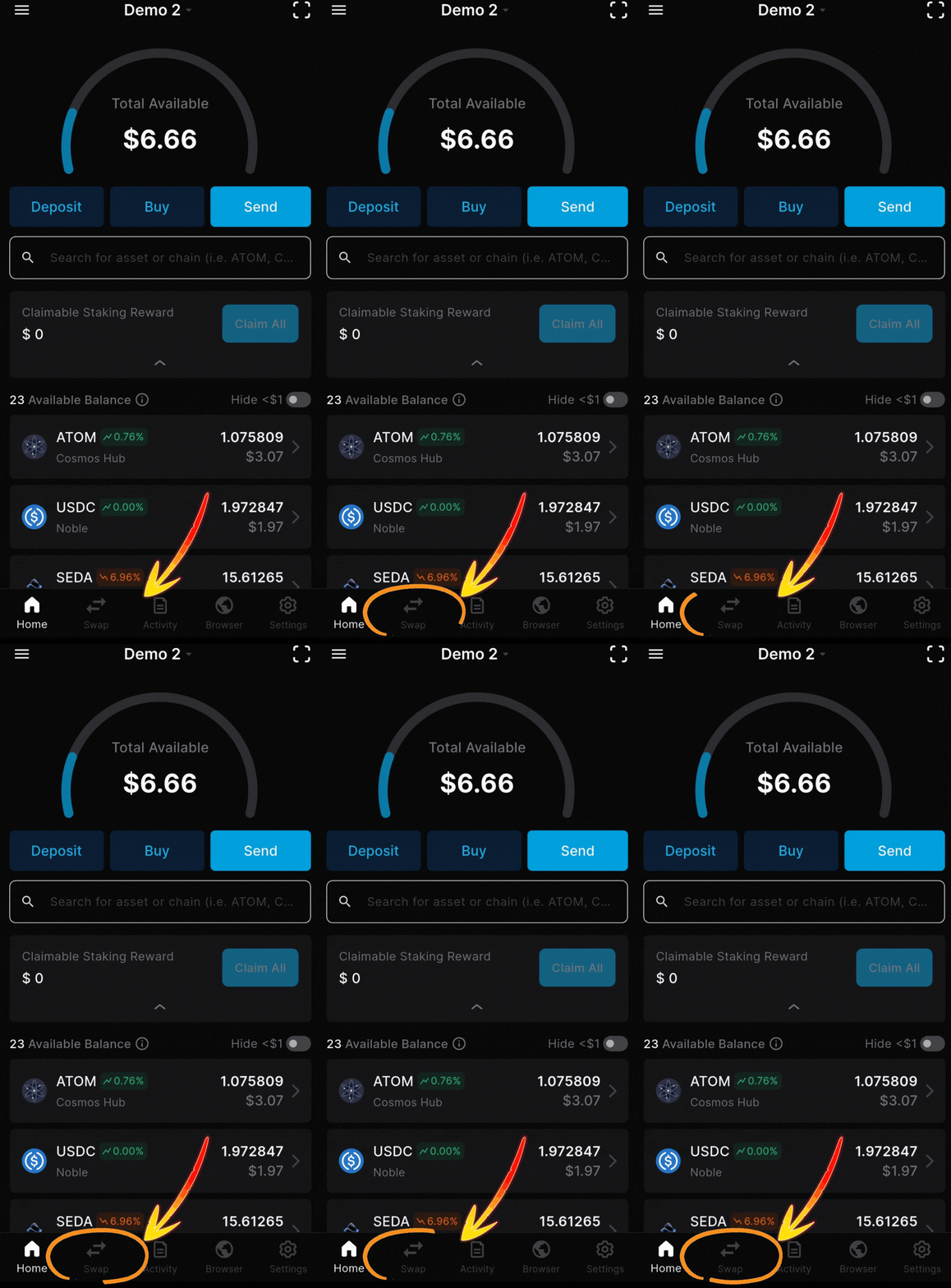
Open Keplr mobile and tap the “Swap” option.
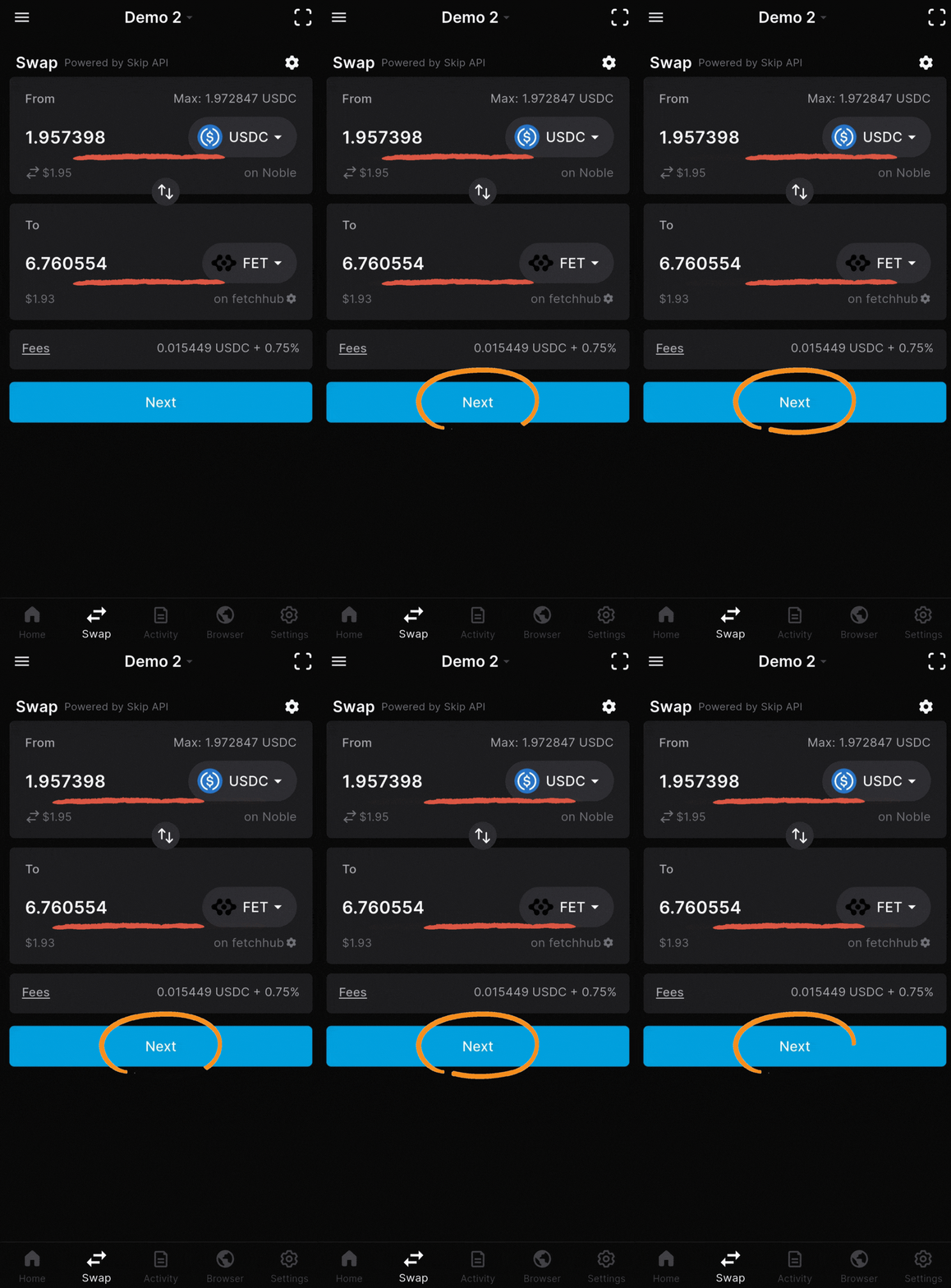
Select the Cosmos token you want to trade for FET (ATOM for example).
Choose FET as the token you want to receive, enter the amount to swap, then confirm the transaction.
This on‑chain swap simplifies the process and keeps you in control.
Check the image carousel below and you’ll see how simple it is.
1. Tap the swap icon on your home screen
2. Select input & output tokens and amounts
3. Click “Approve” to send it on-chain
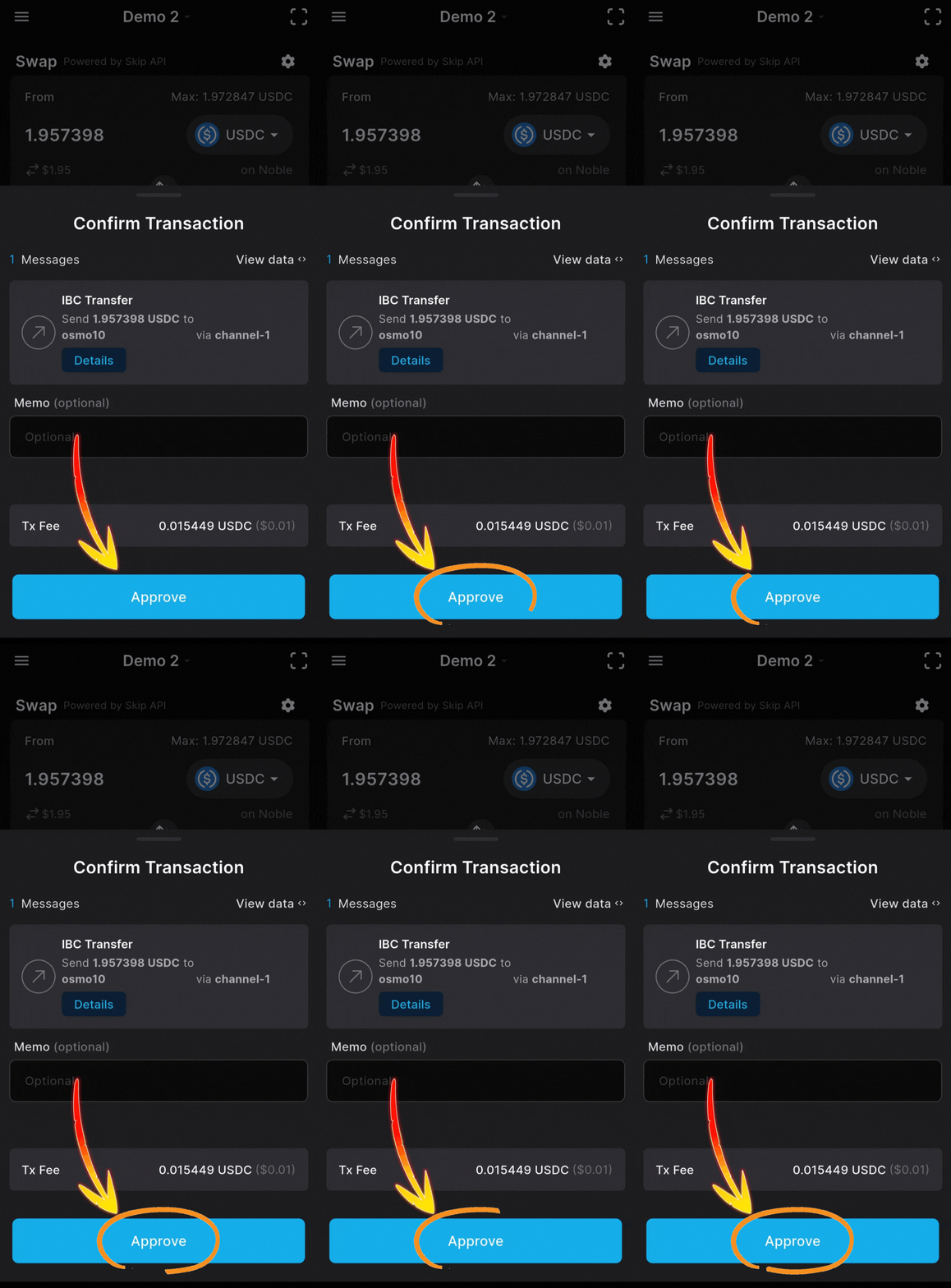
Within a few seconds you’re good!
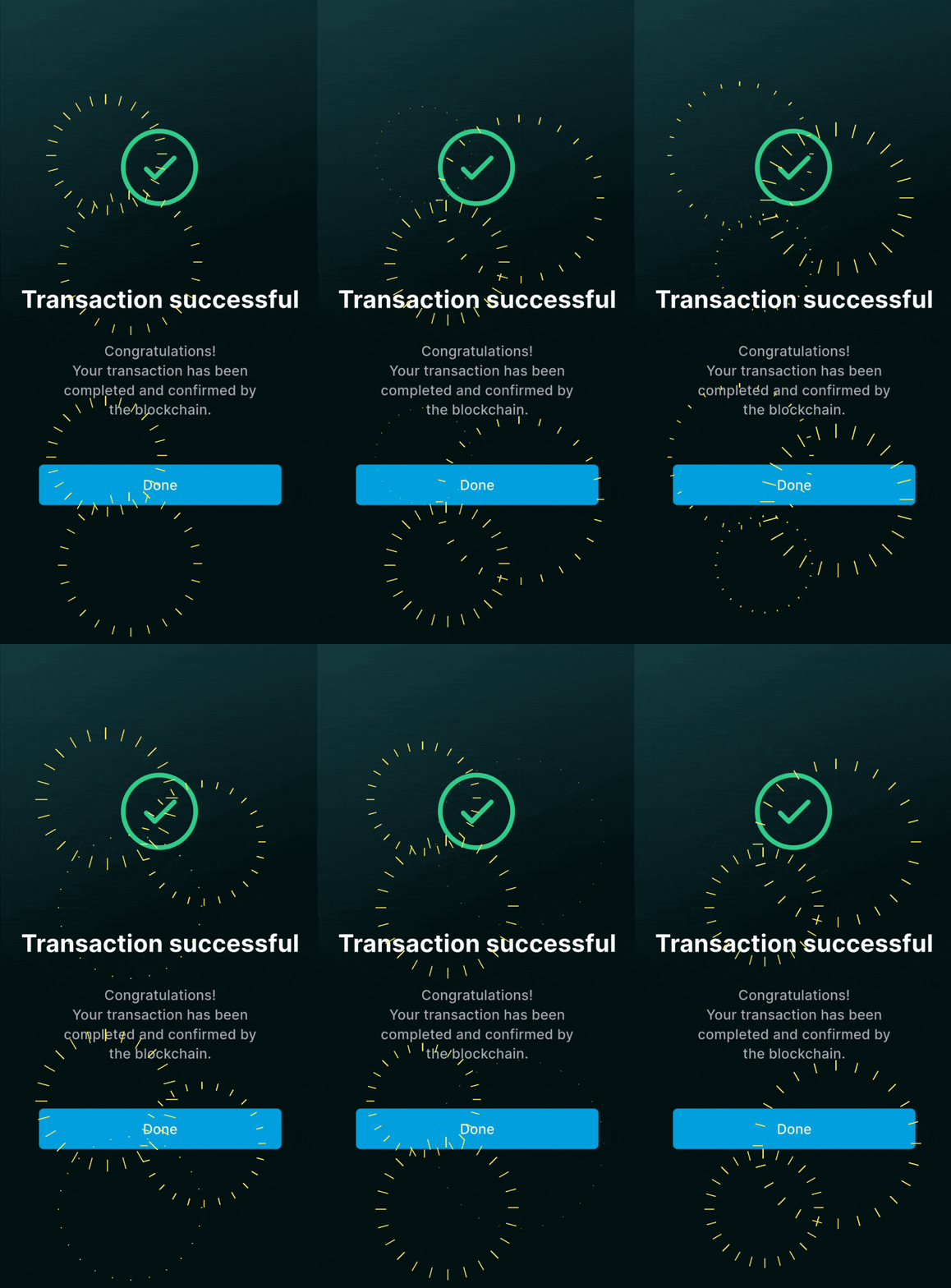
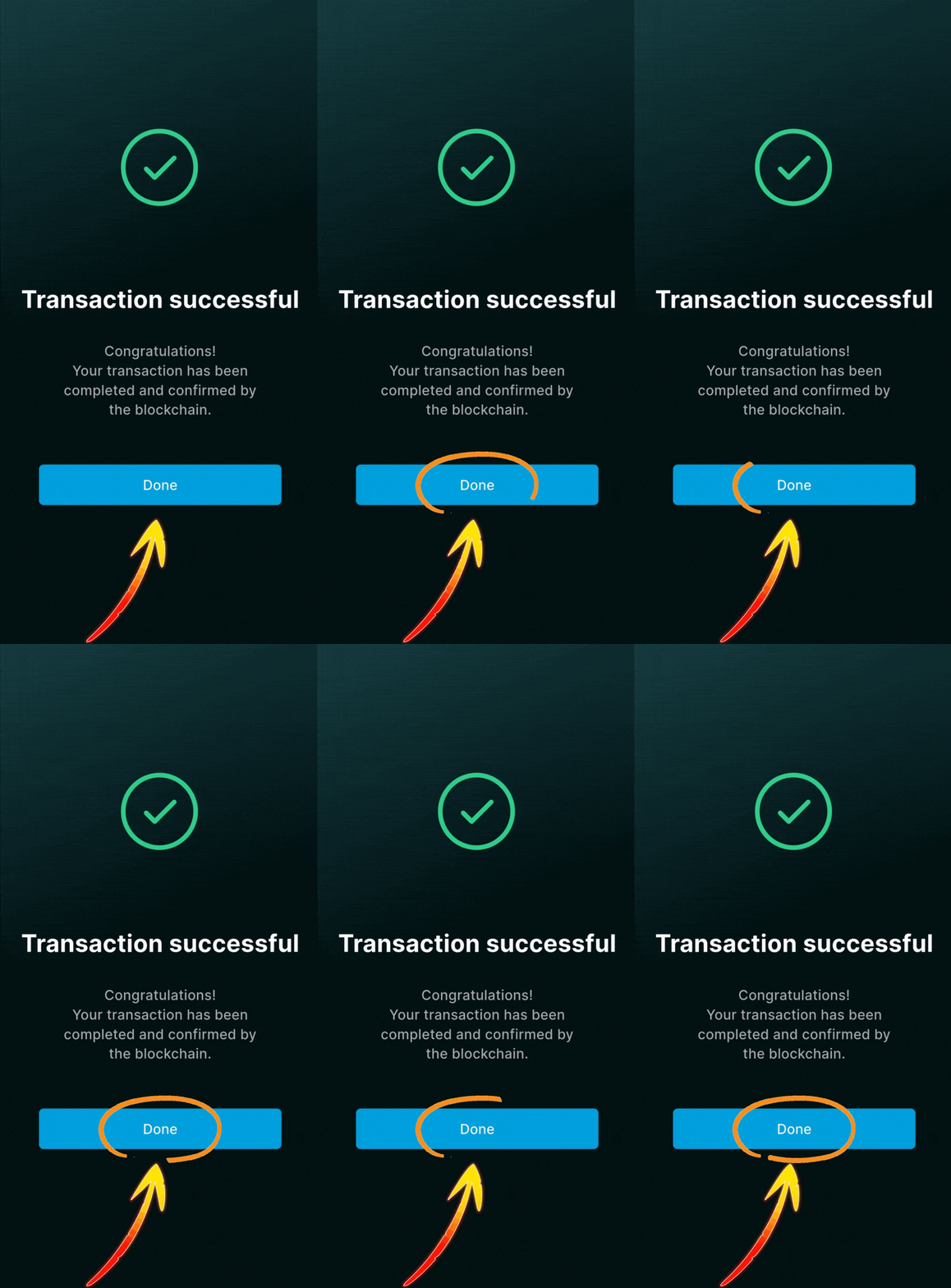
4. Tap the “Done” button to continue
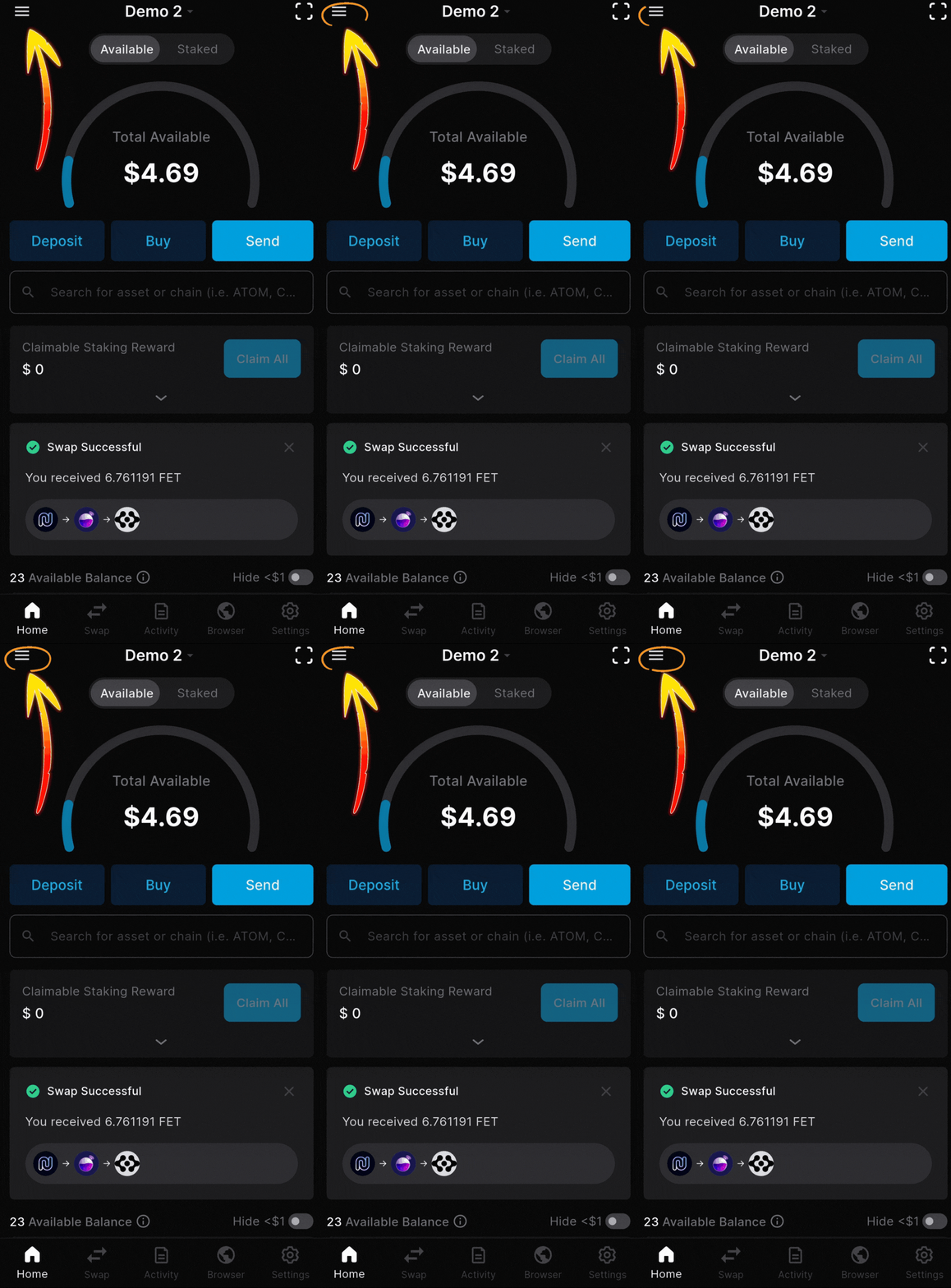
5. Tap the three lines in the top corner
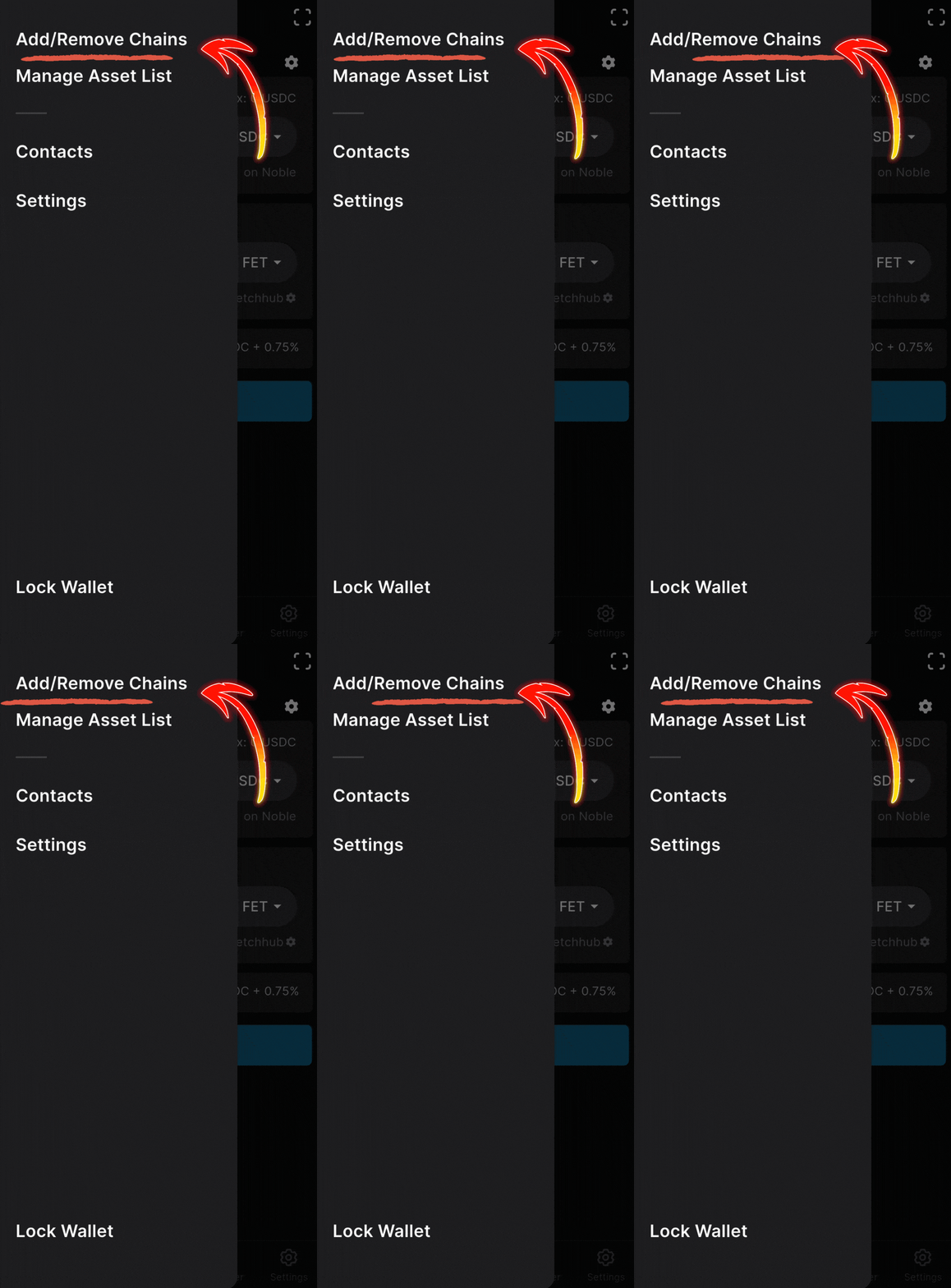
6. Tap “Add/Remove Chains” option
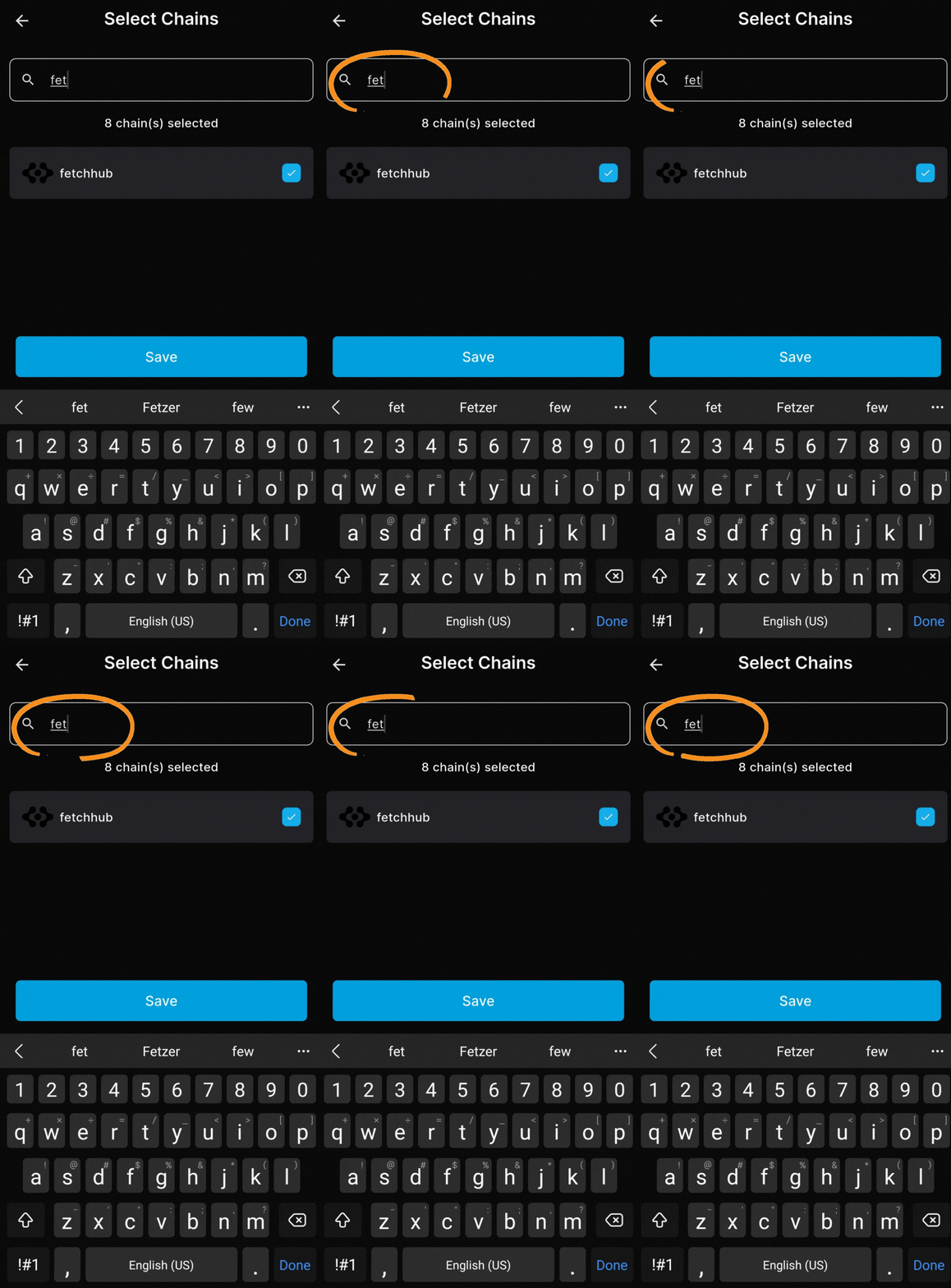
7. Type “FET” in the search box
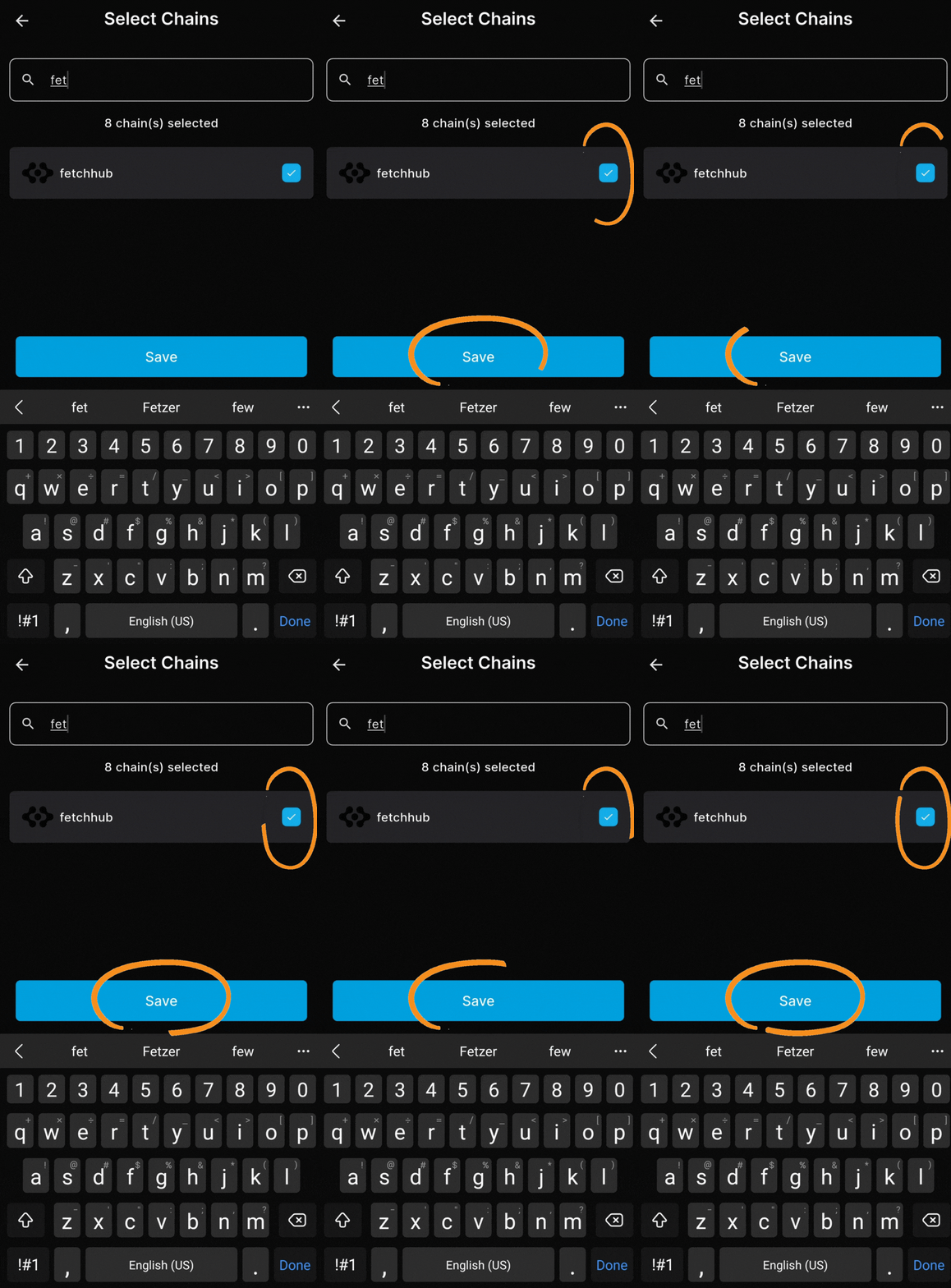
8. Tap the “fetchhub” checkbox and “Save”
Staking FET tokens in Keplr Mobile
Follow our step-by-step FET staking guide below and you’ll be earning rewards in no time!
Key Takeaways:
1. Tap FET from your wallet home screen
2. Tap the “Stake” button
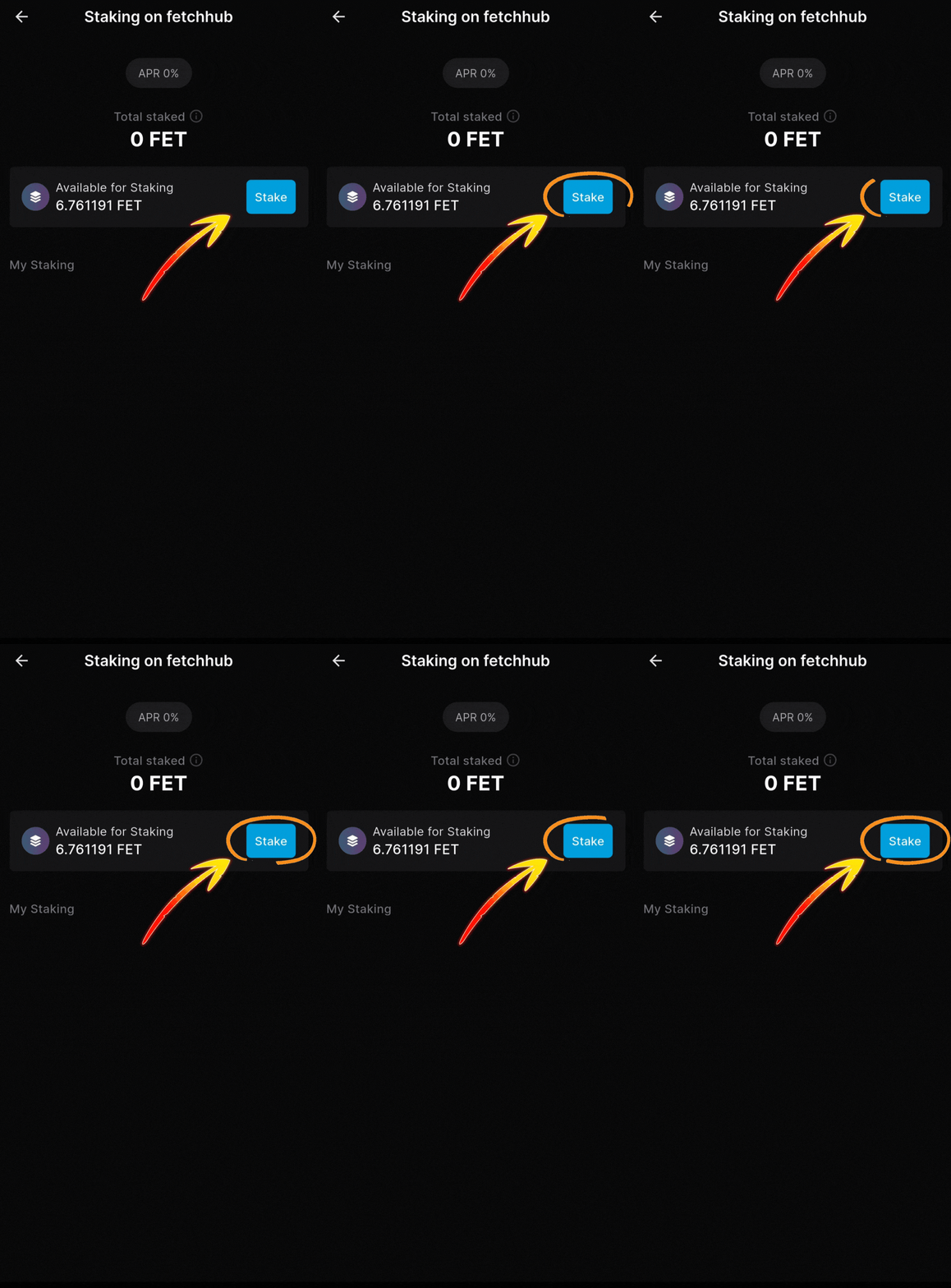
3. Tap the “Stake” button again
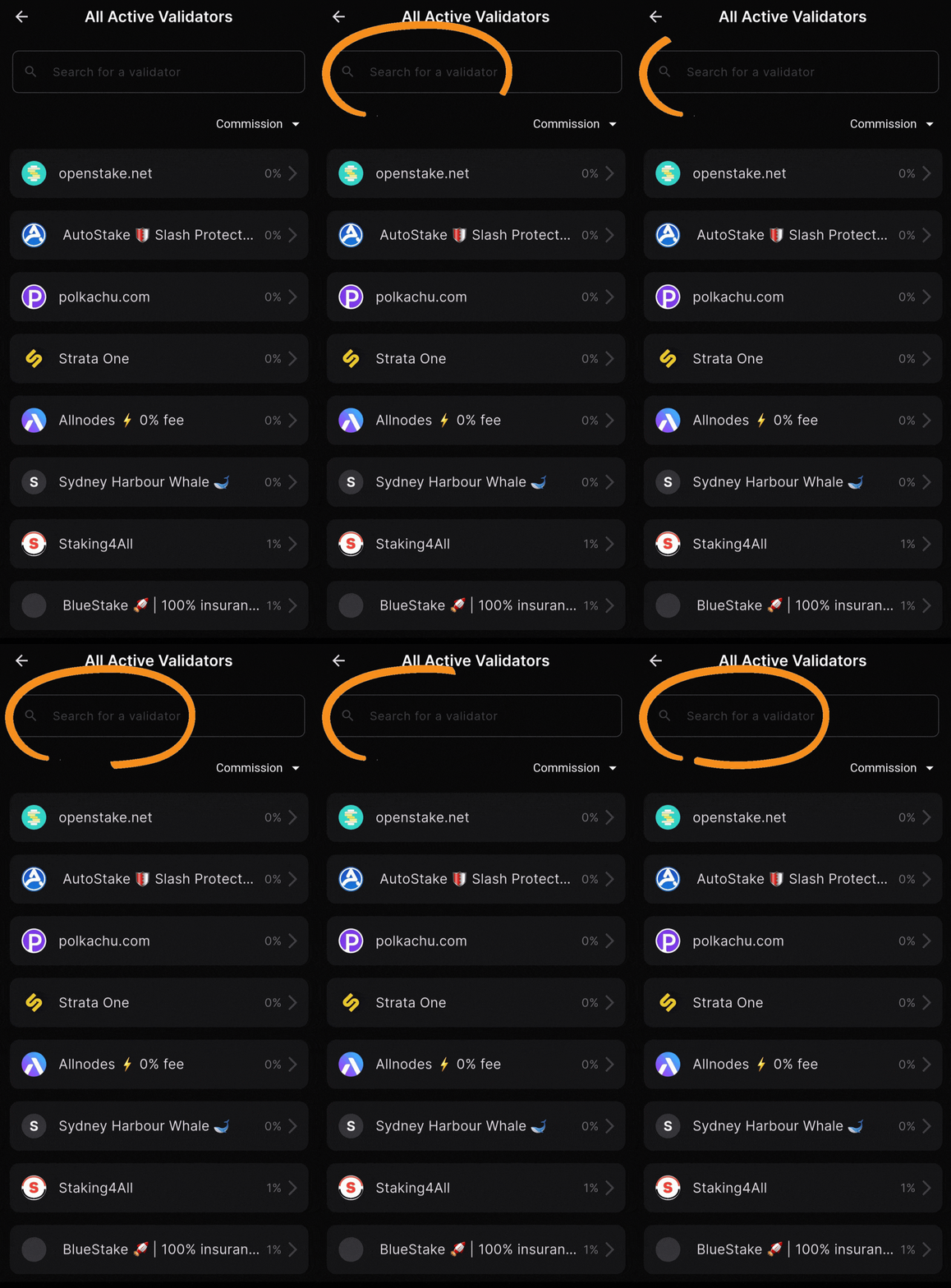
4. Type “Atlas Staking” in the search box
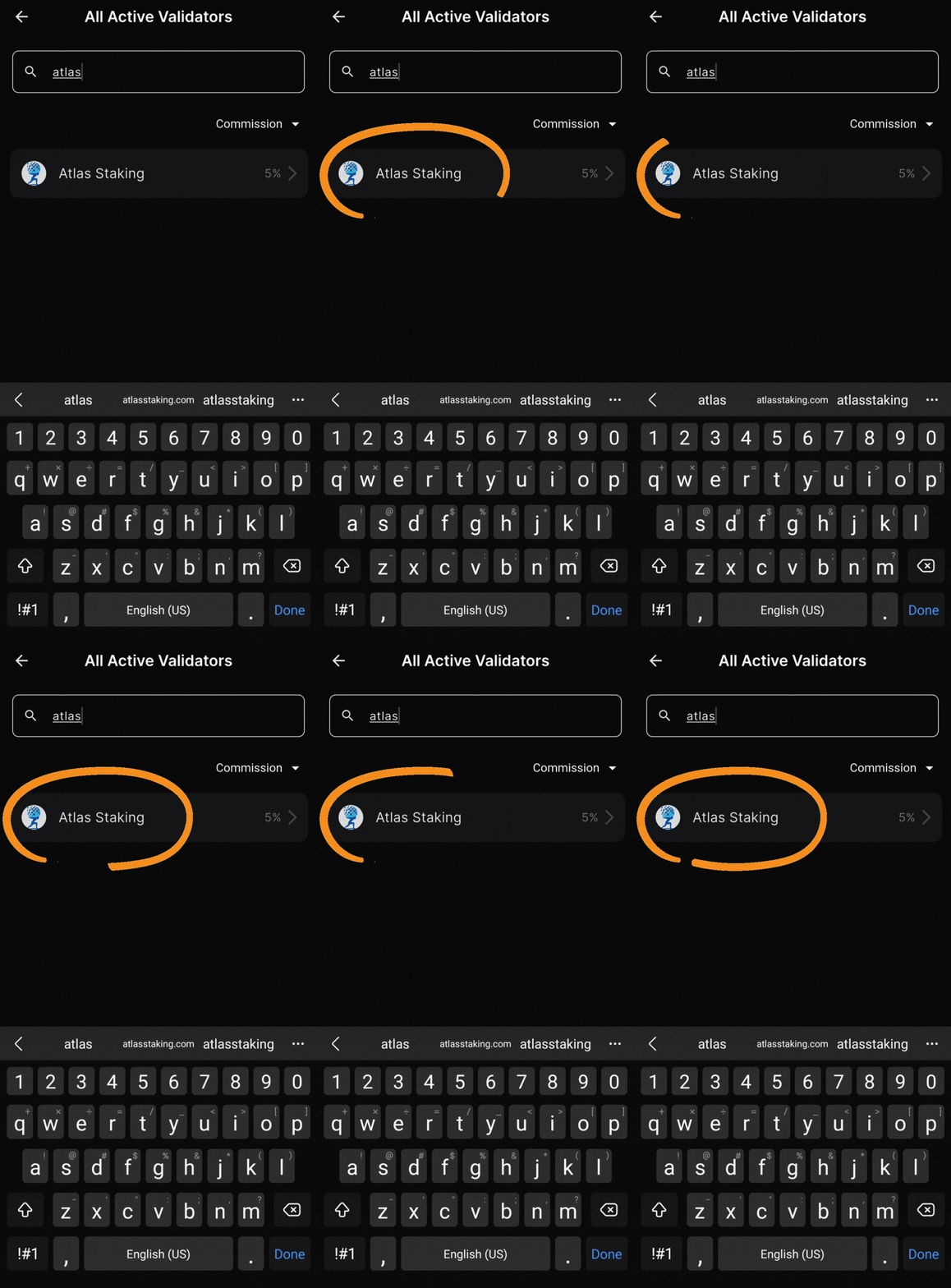
5. Tap on “Atlas Staking” to select us
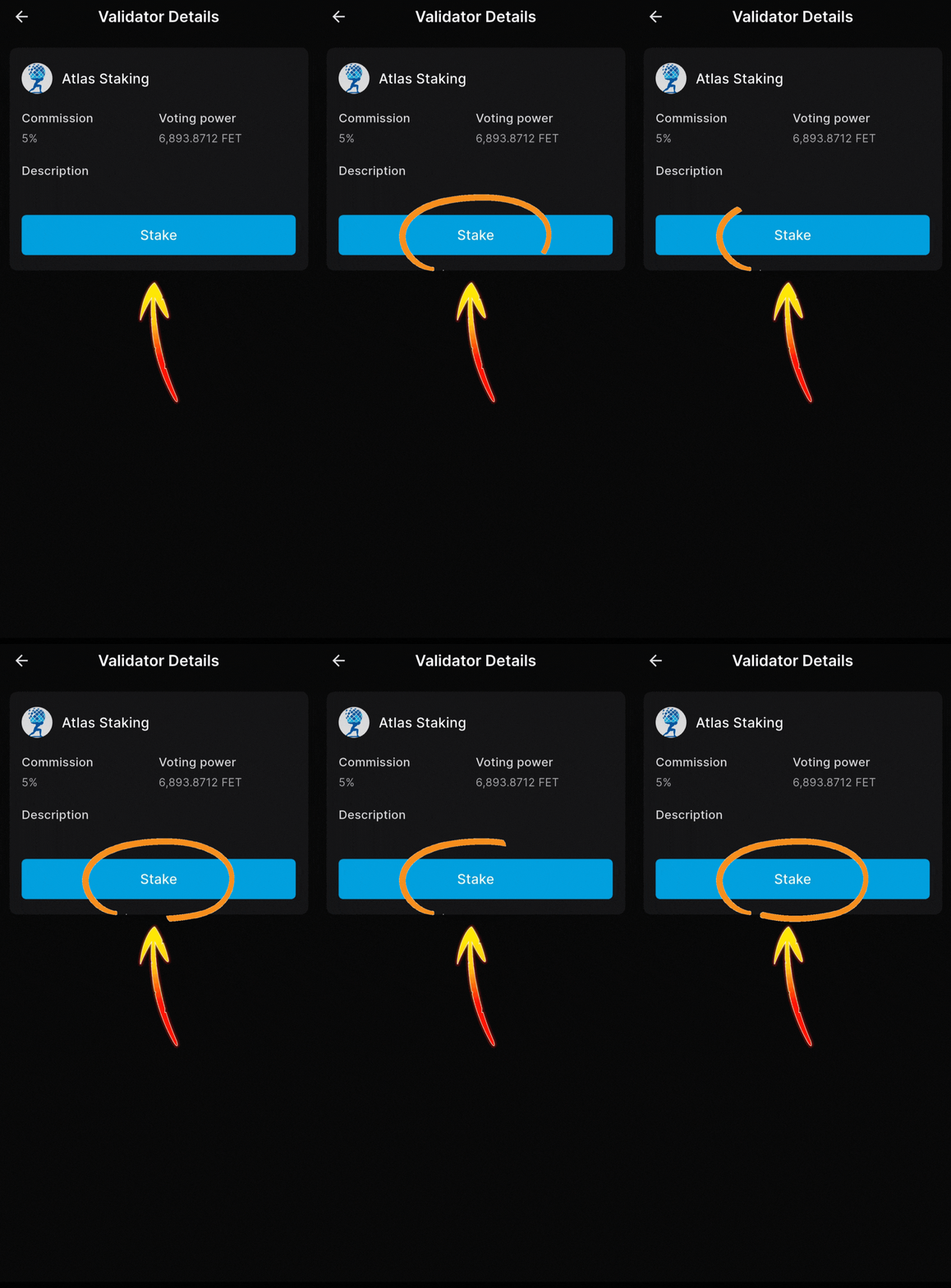
6. Tap the “Stake” button
7. Enter the number of FET you want to stake
8. Tap “Next”
9. Tap “Approve”
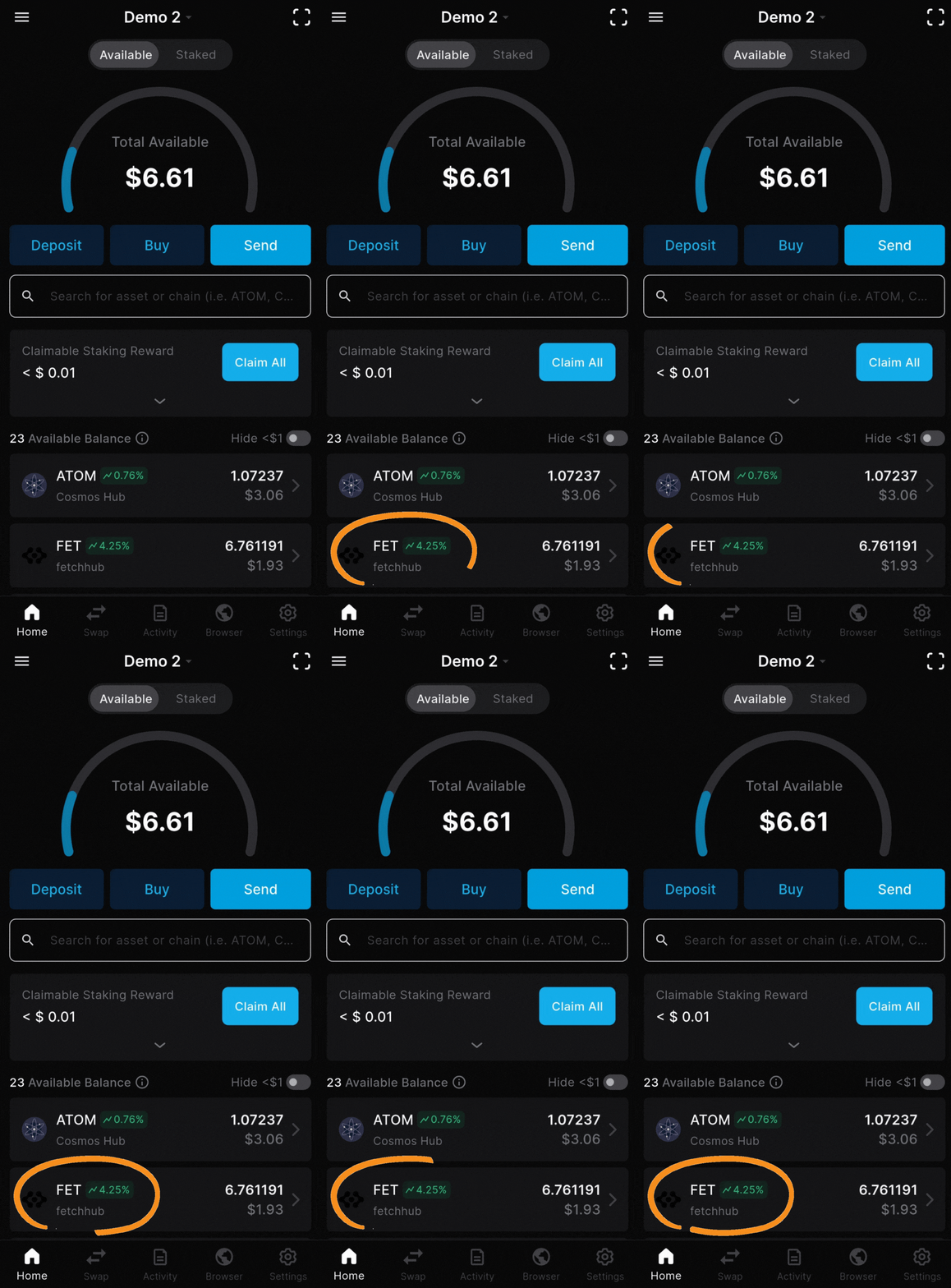
1. Tap FET from your wallet home screen
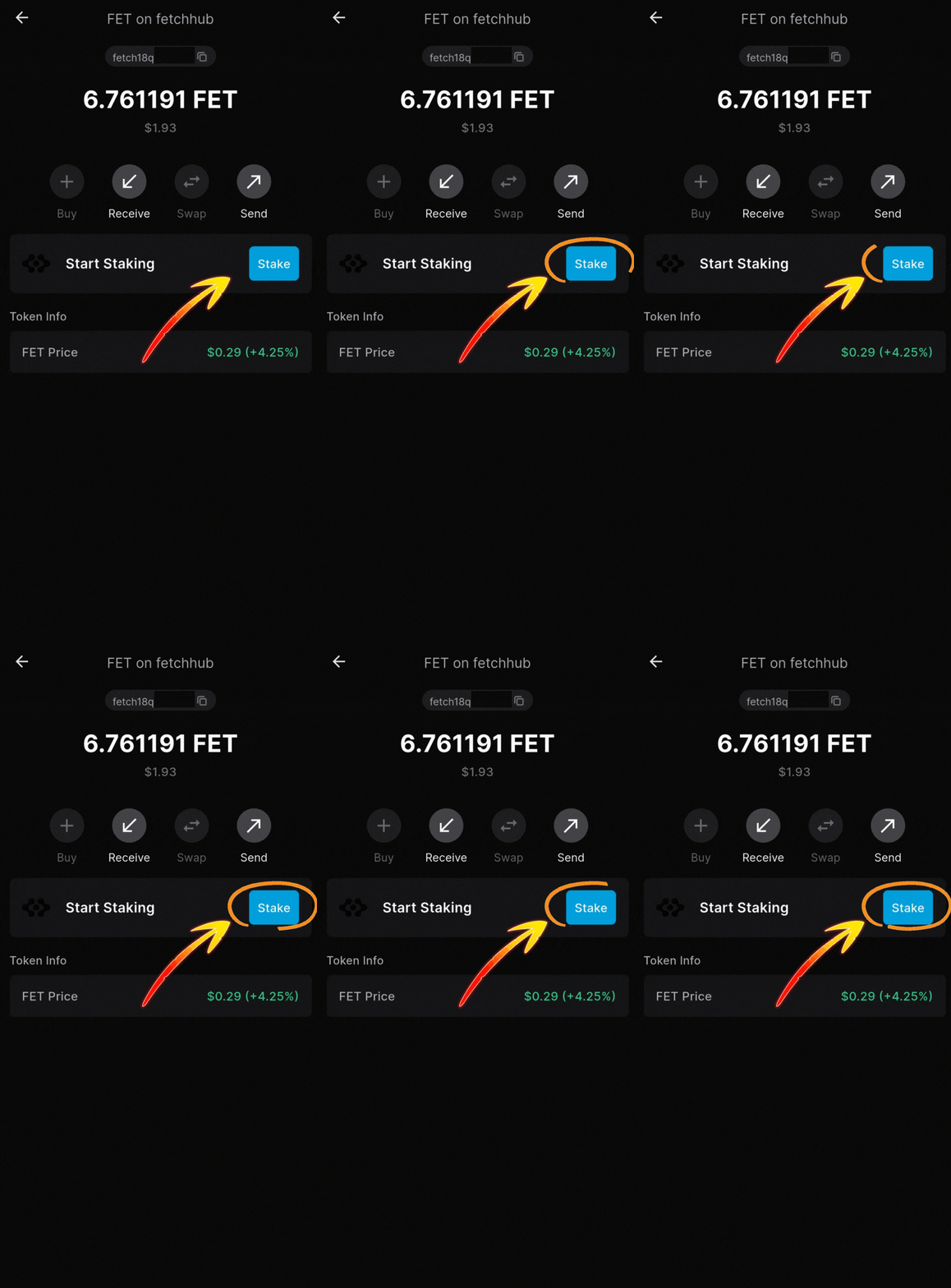
2. Tap the “Stake” button to continue
3. Tap the “Stake” button again
4. Type “Atlas Staking” in the search box
5. Tap on “Atlas Staking” to select us
6. Tap the “Stake” button to continue
Never stake 100% of your tokens
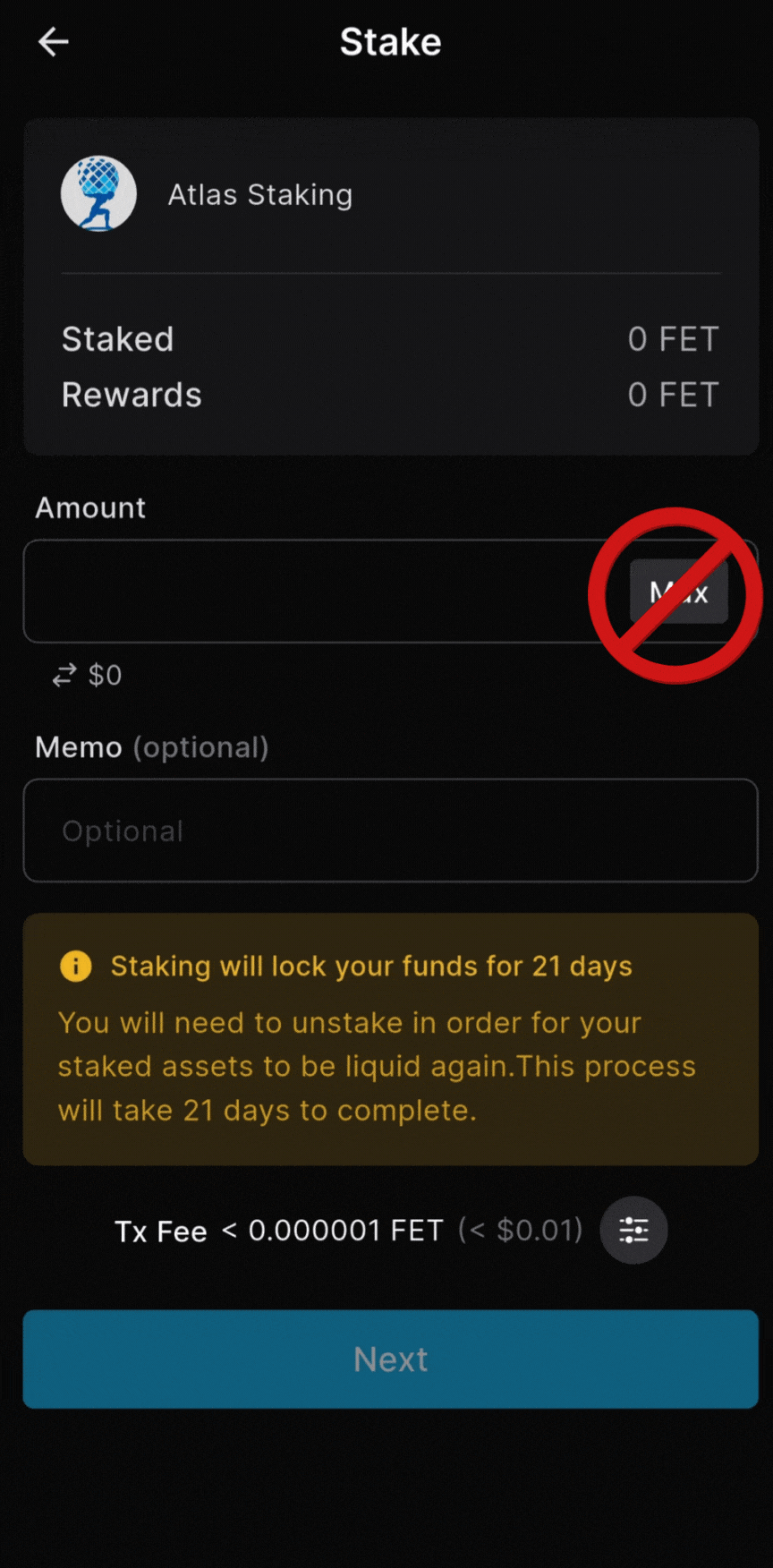
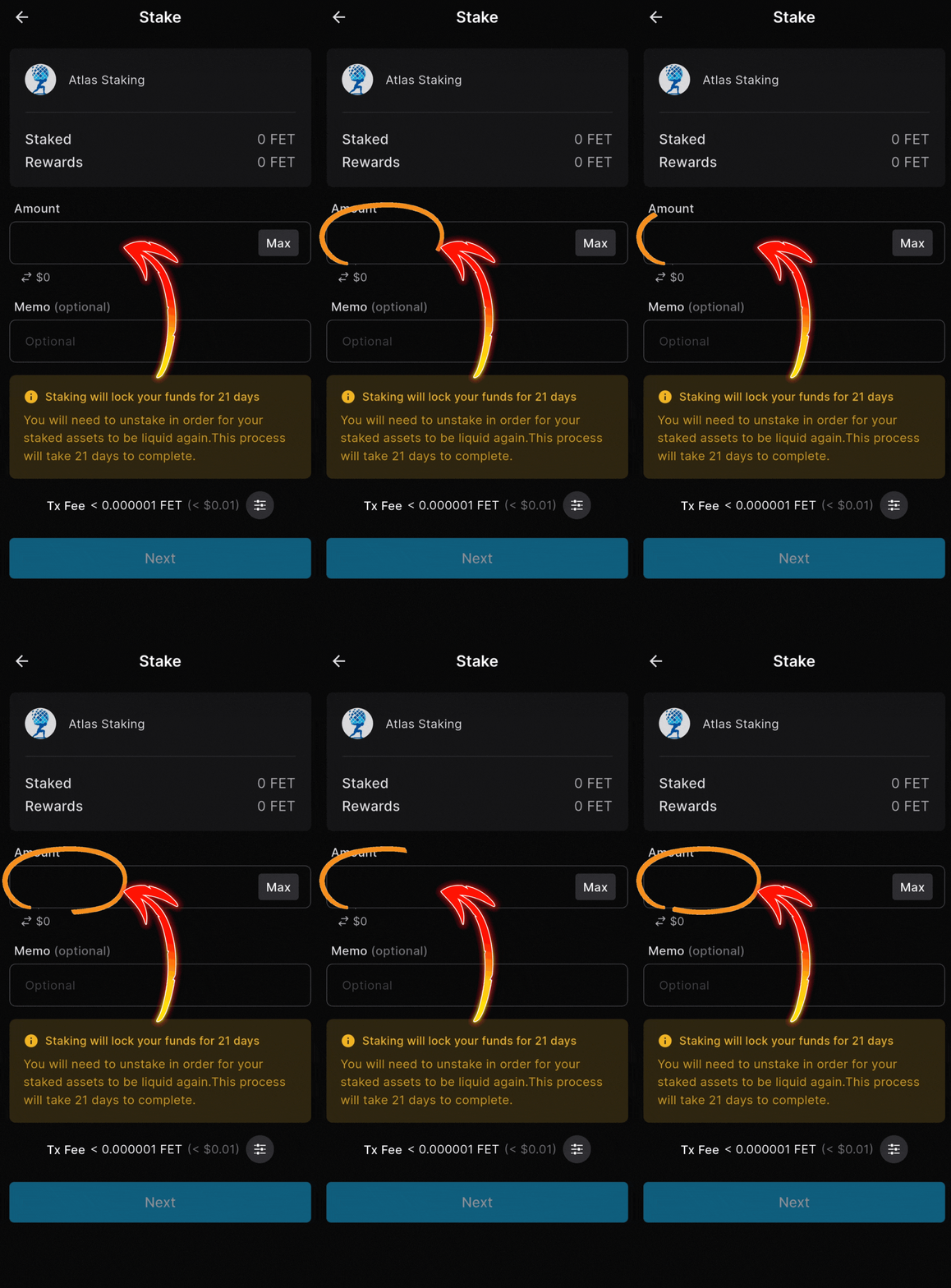
7. Enter the number of FET you want to stake
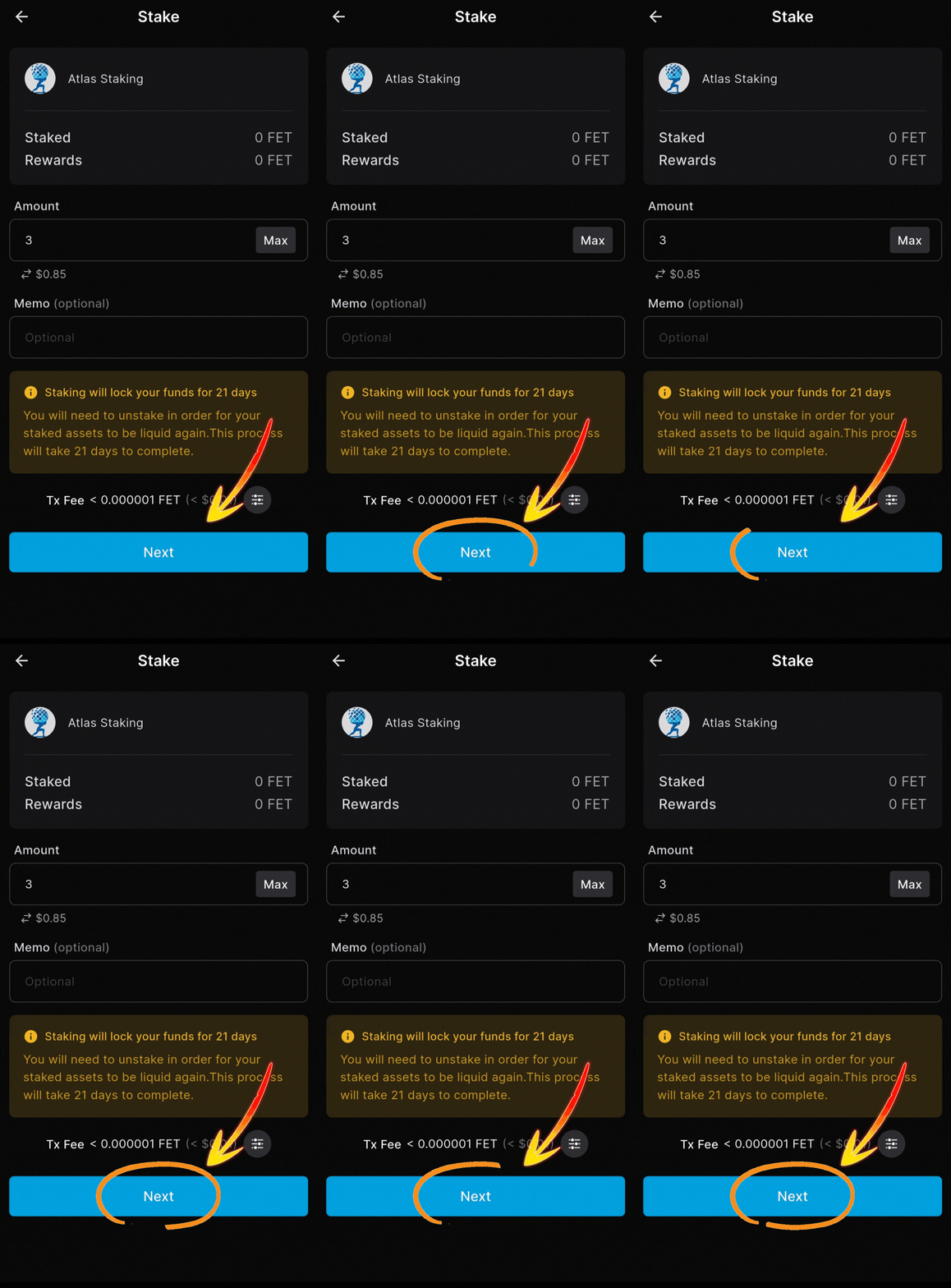
8. Tap “Next” to proceed to the last step
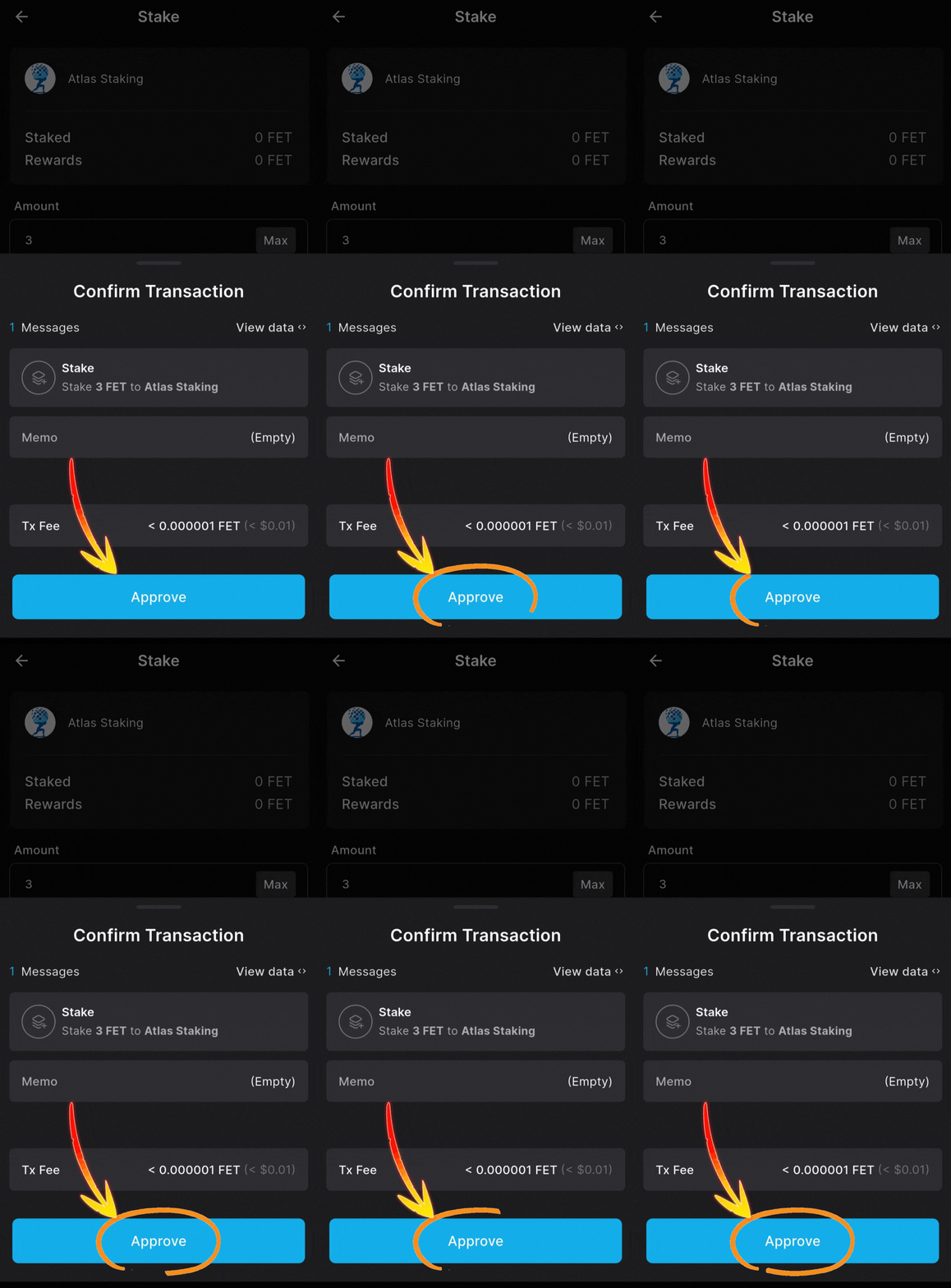
9. Tap “Approve” to send it on-chain
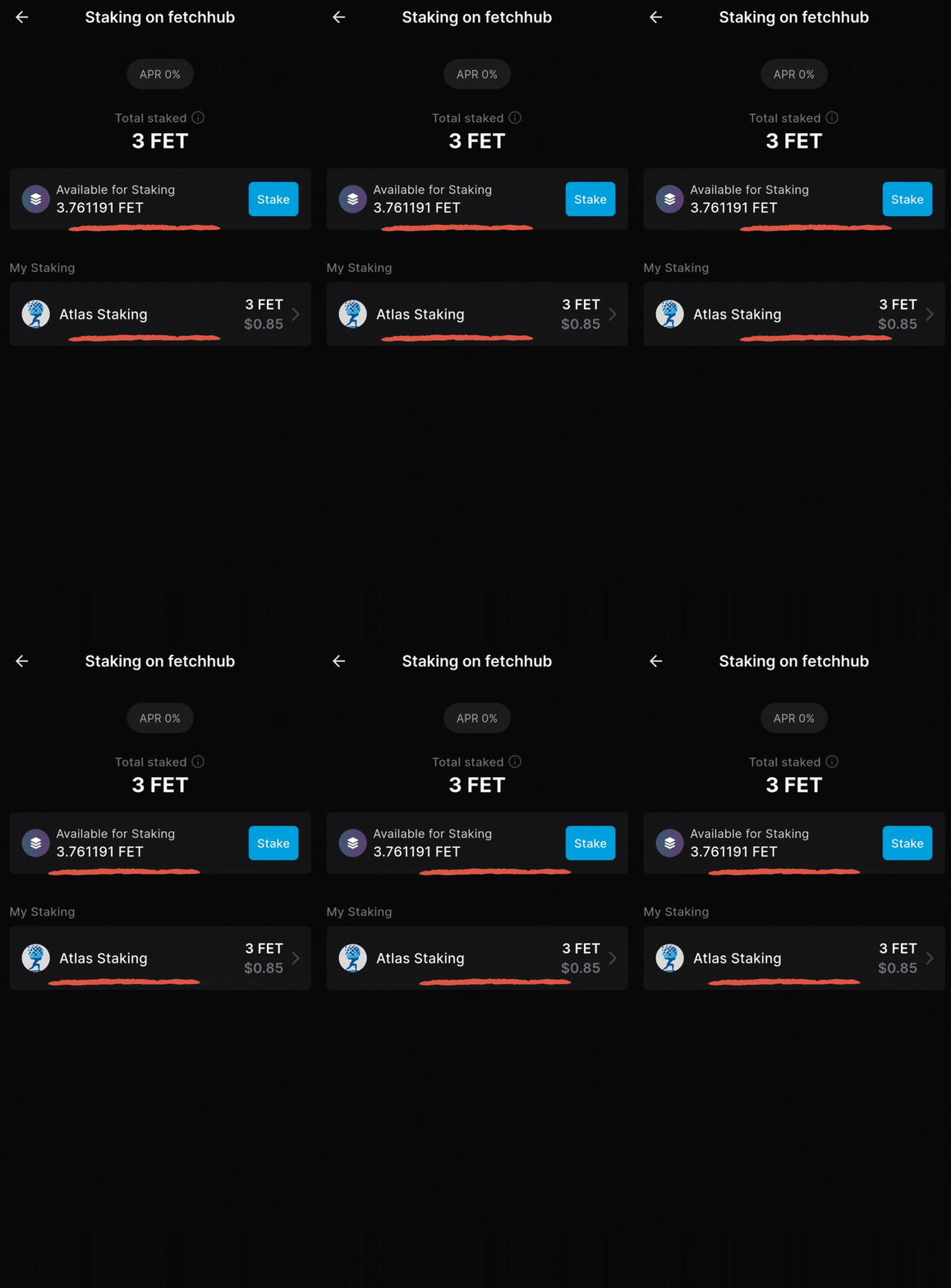
A couple seconds later your FET is staked!
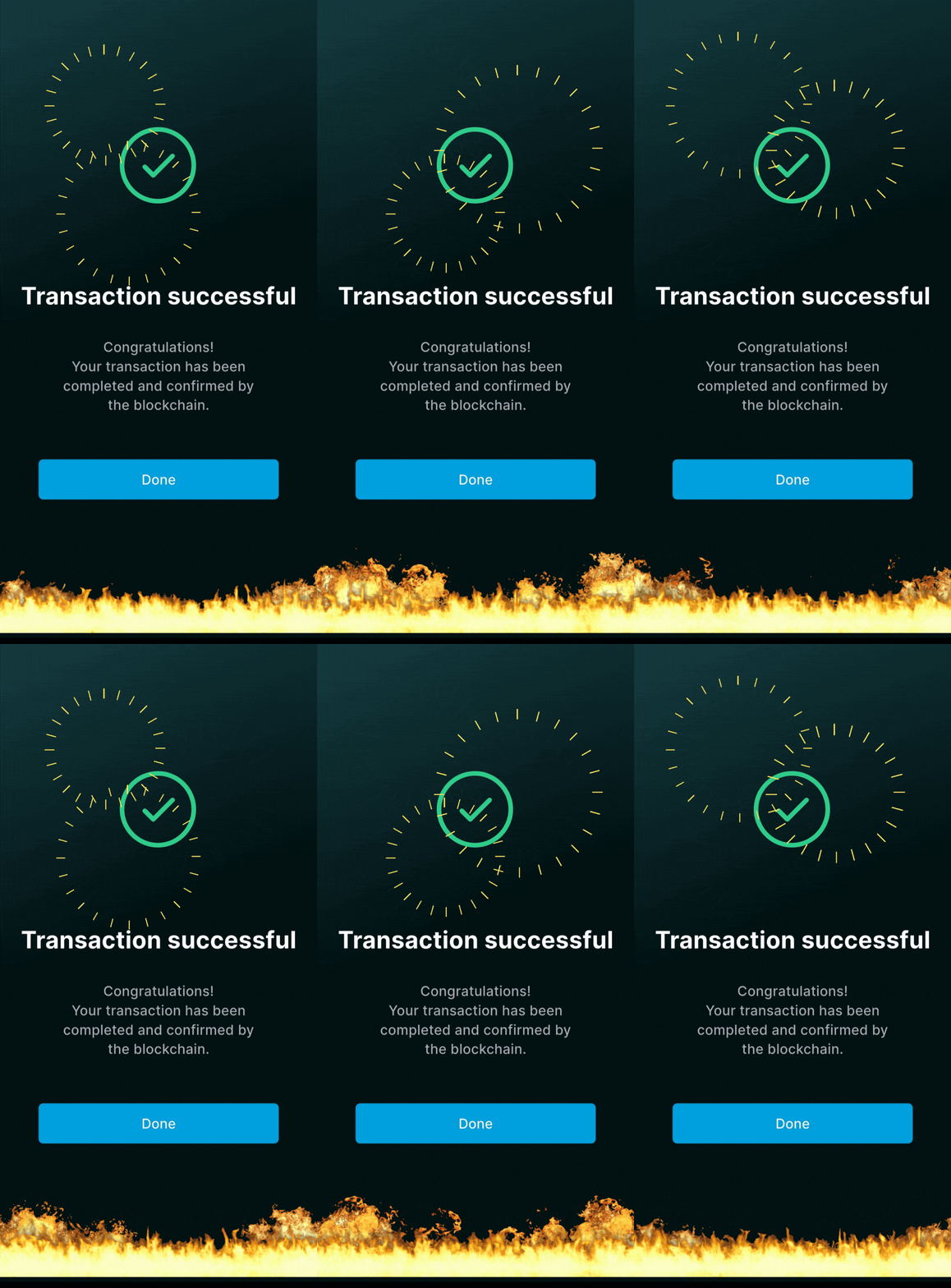
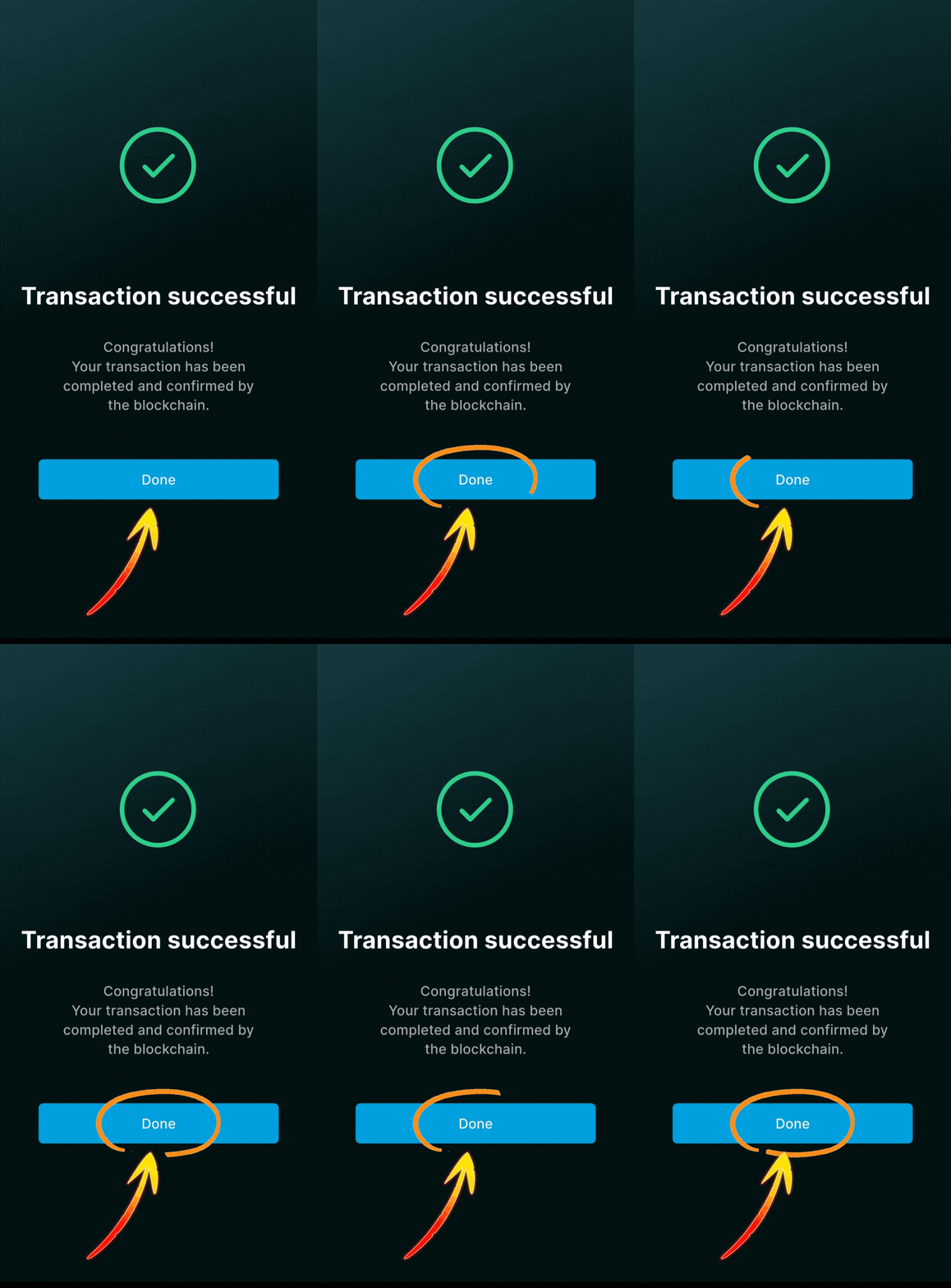
Tap “Done” to view your home screen
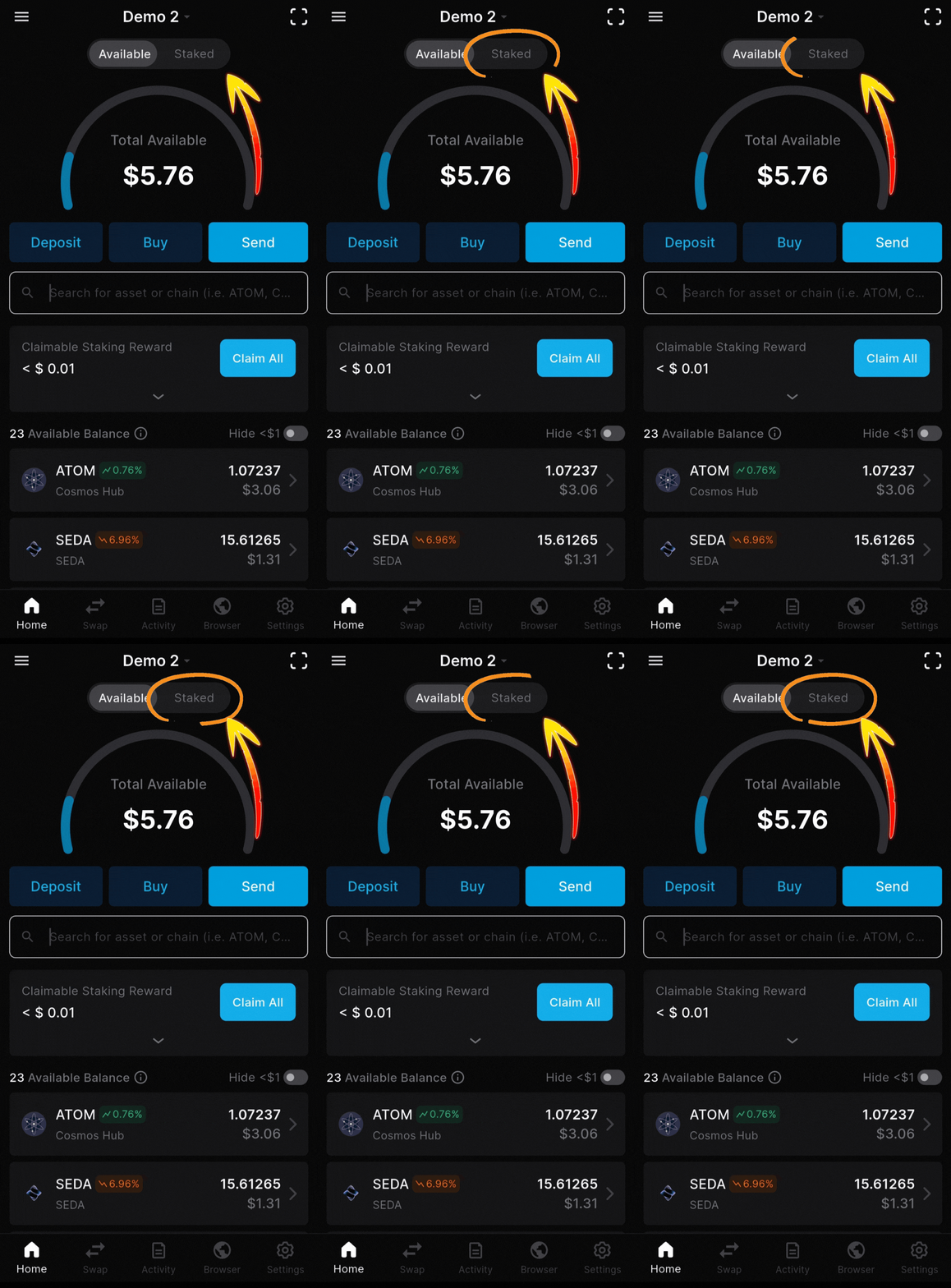
Tap “Staked” to view your position
Tap “FET” to view your stake
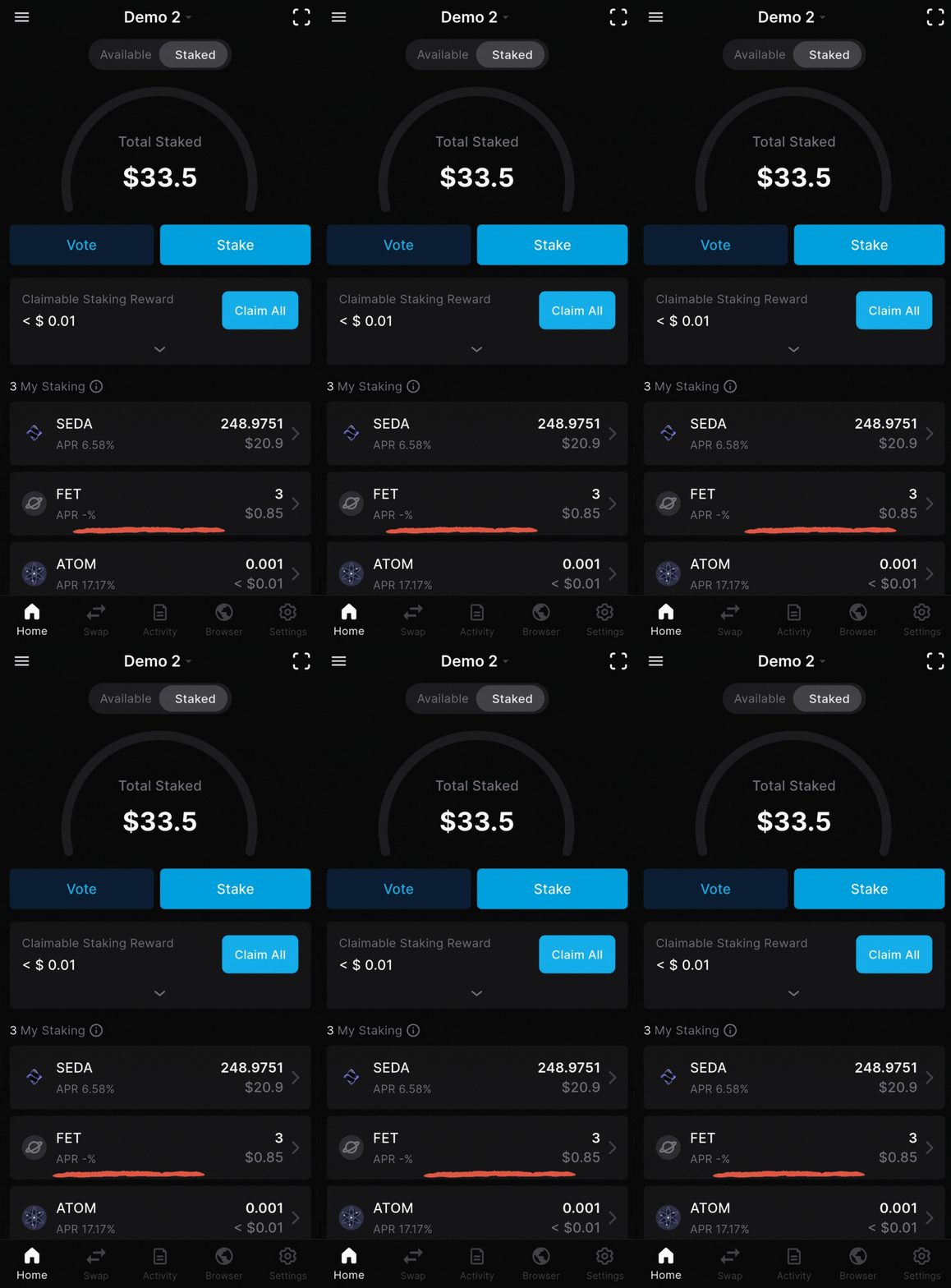
Your FET is reliably earning rewards!
restaking and auto-compounding
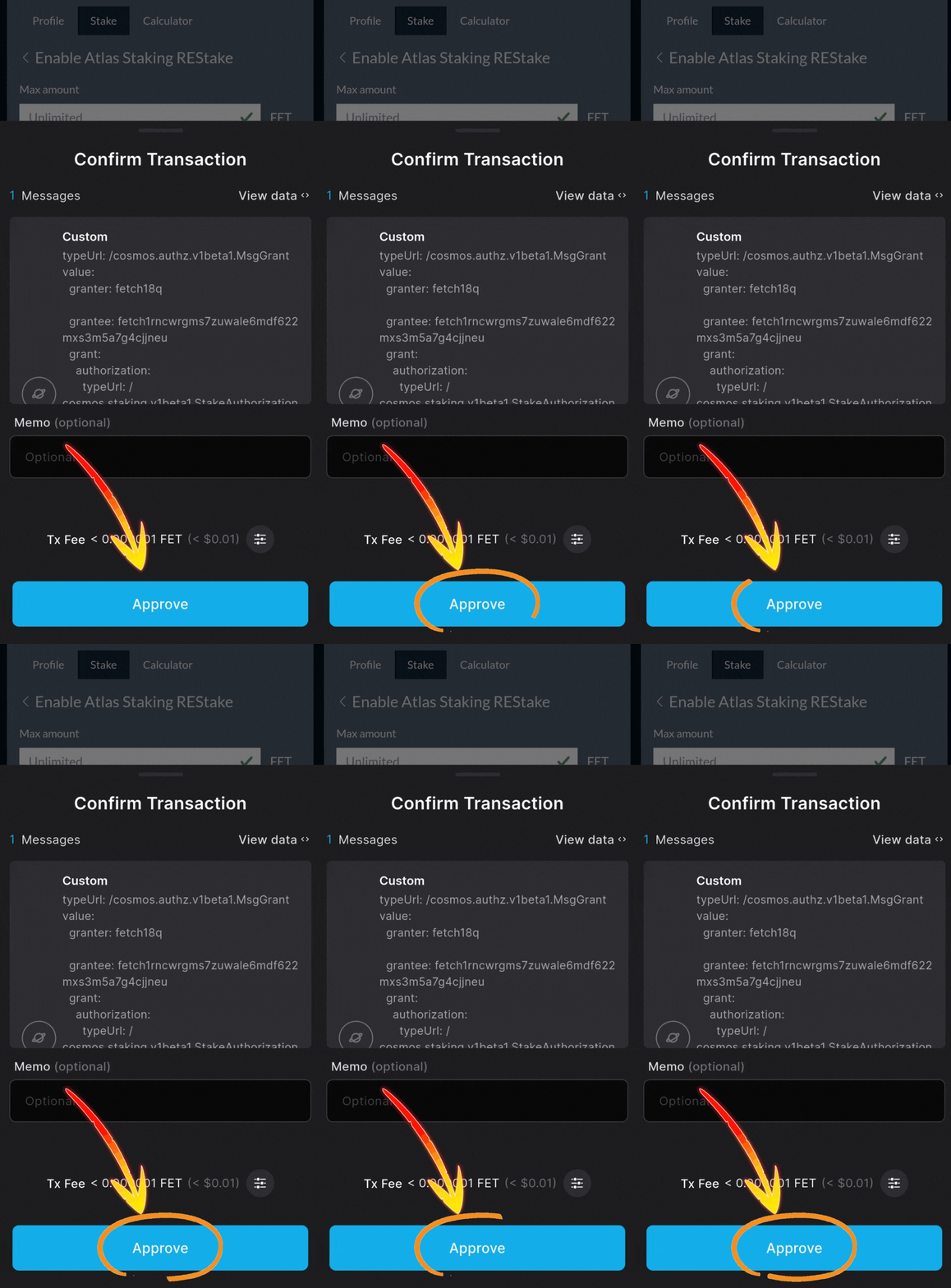
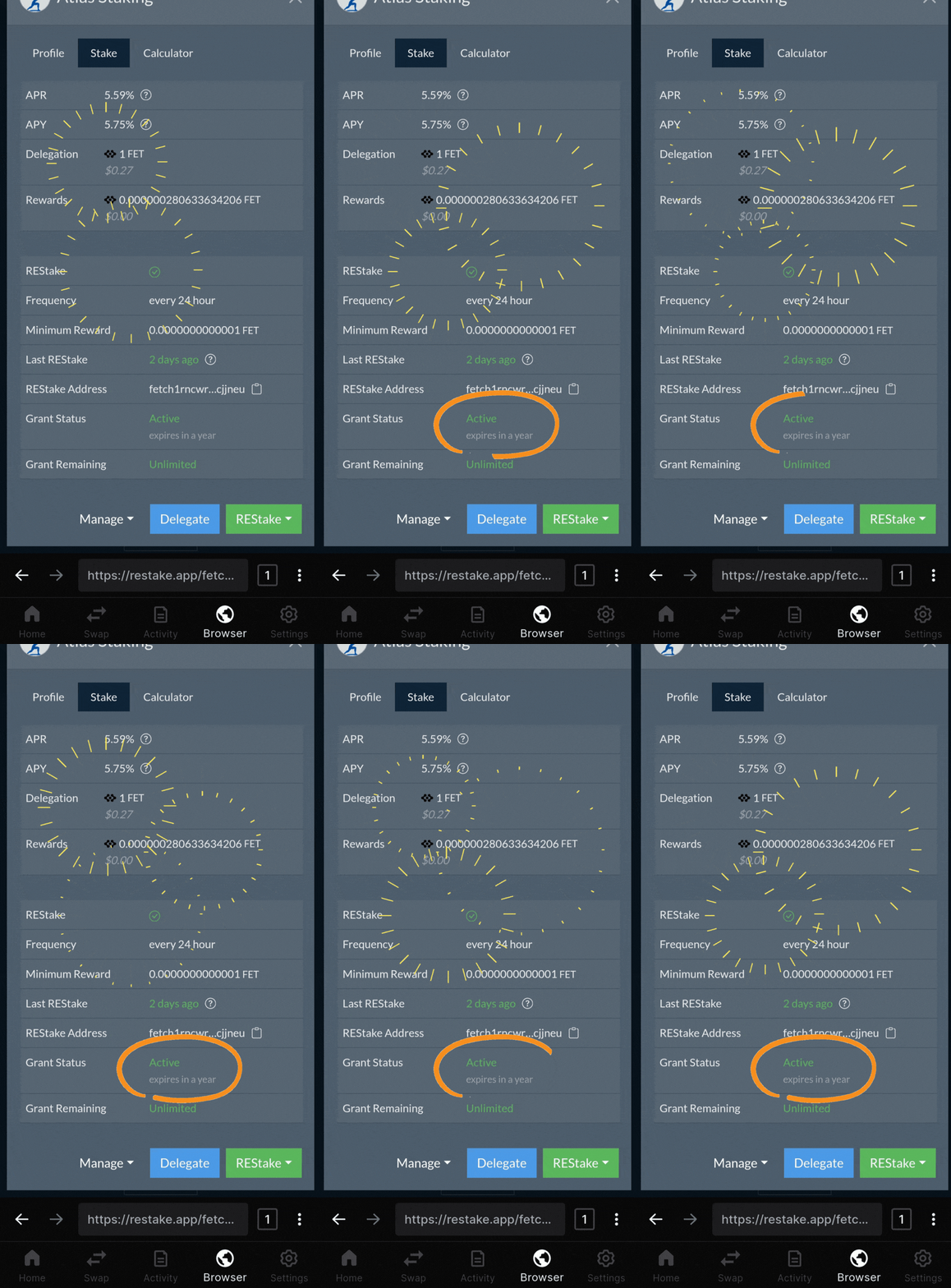
Manual claiming and restaking is effective, but it’s time consuming. REStake solves this by allowing you to grant your validator limited permission to periodically claim and restake your rewards for you.
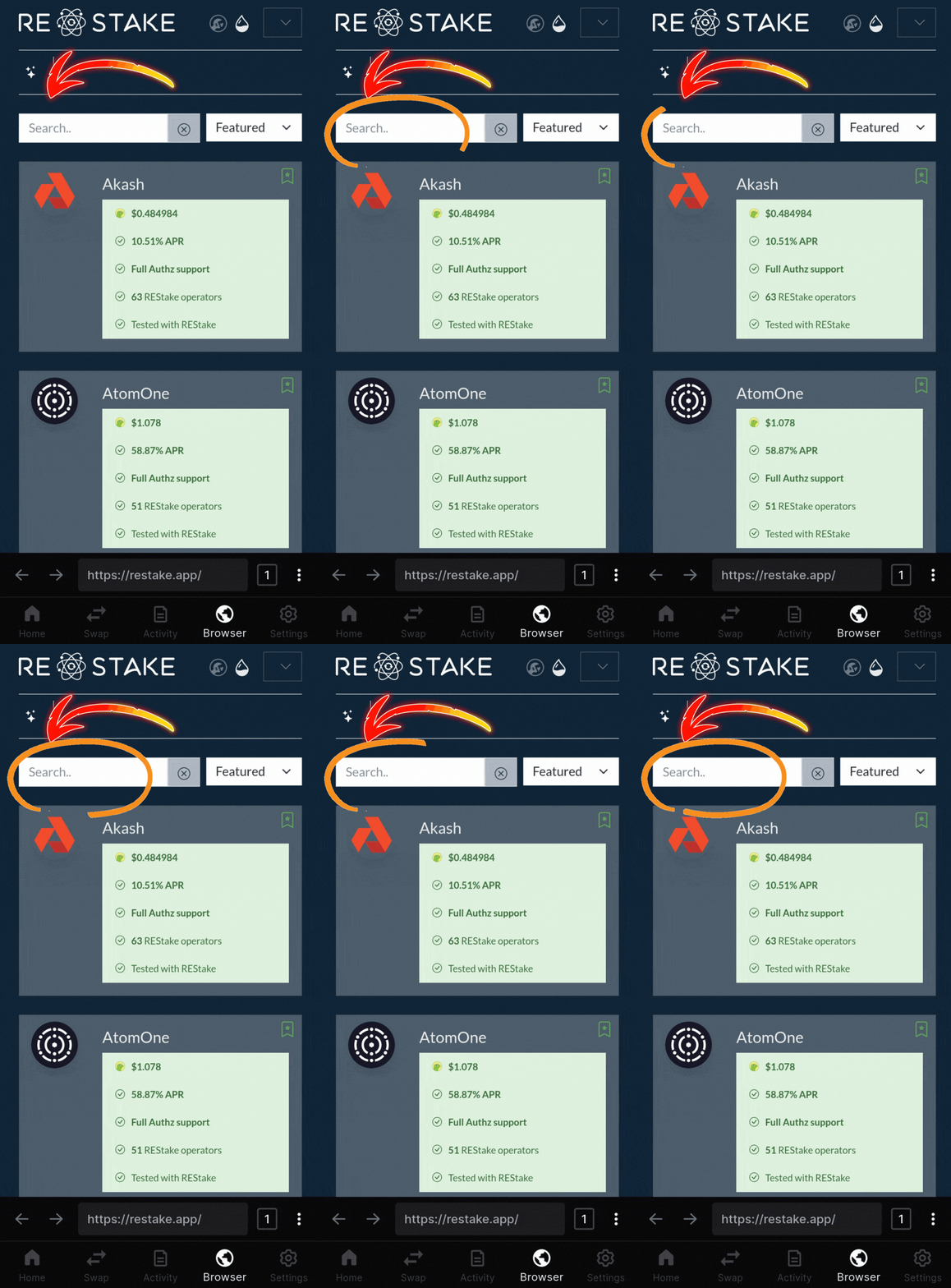
Follow the step-by-step FET restaking guide below to see how simple it is to get the highest yield.
Key Takeaways:
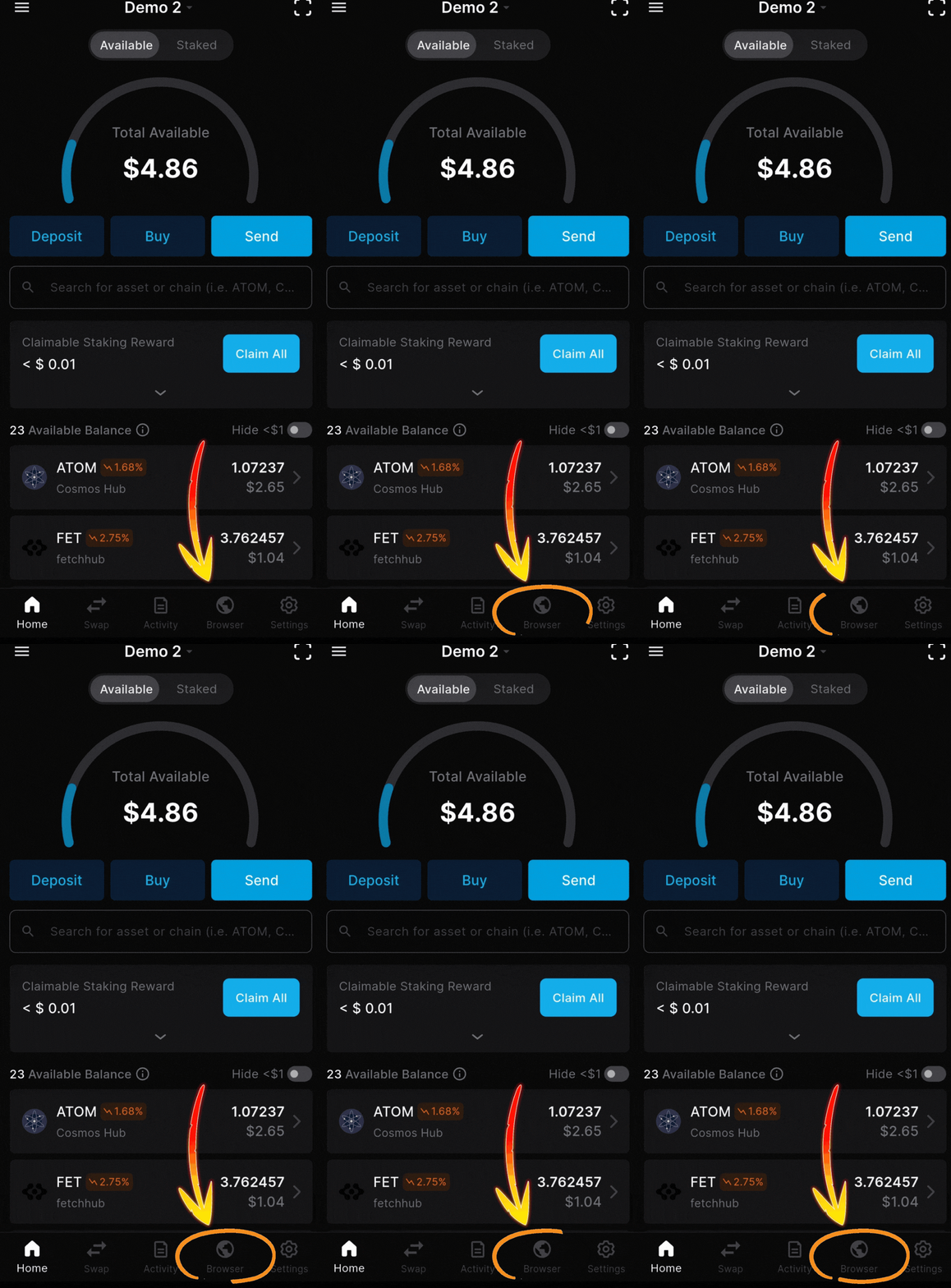
1. Tap the browser icon on your home screen
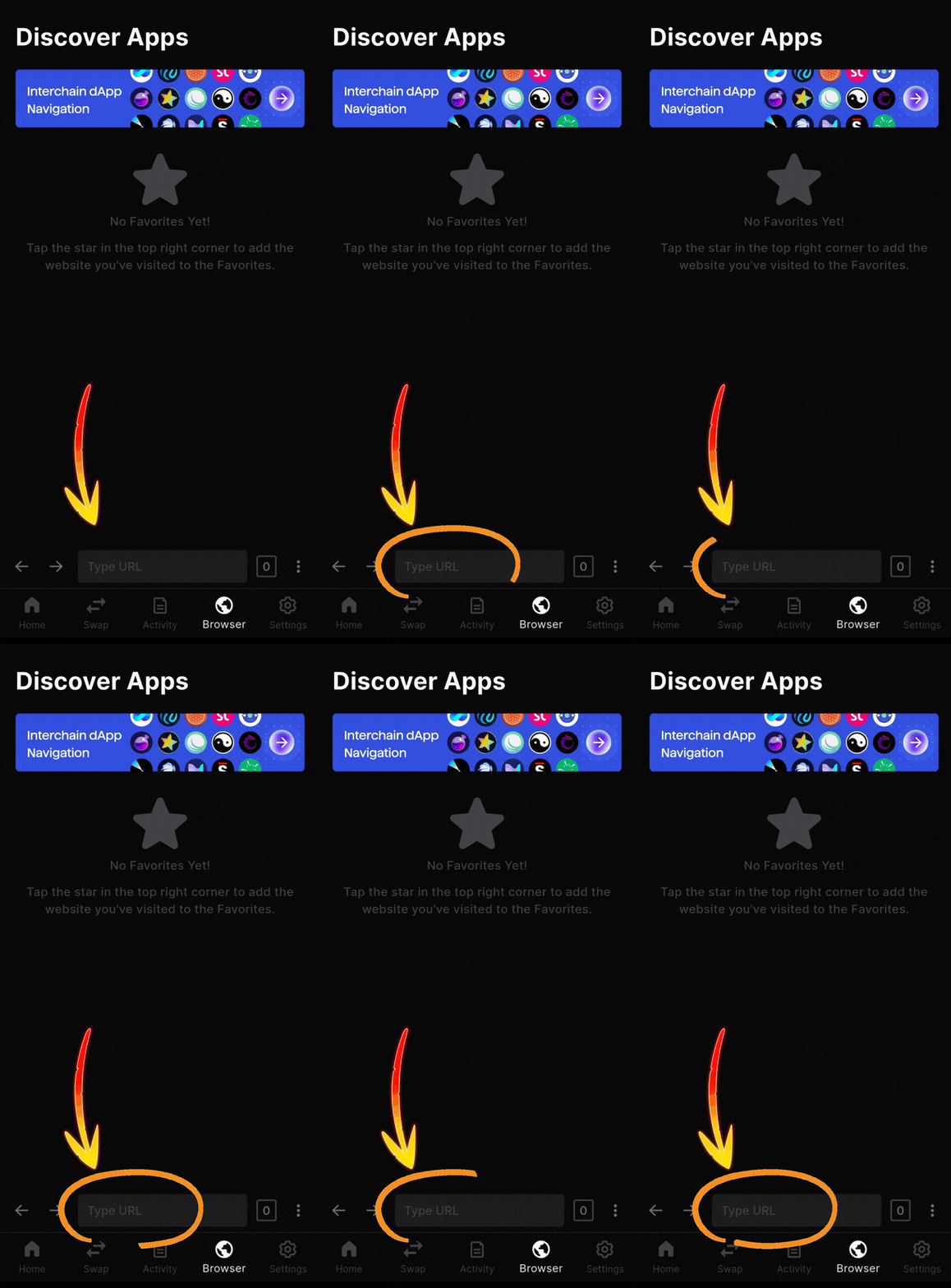
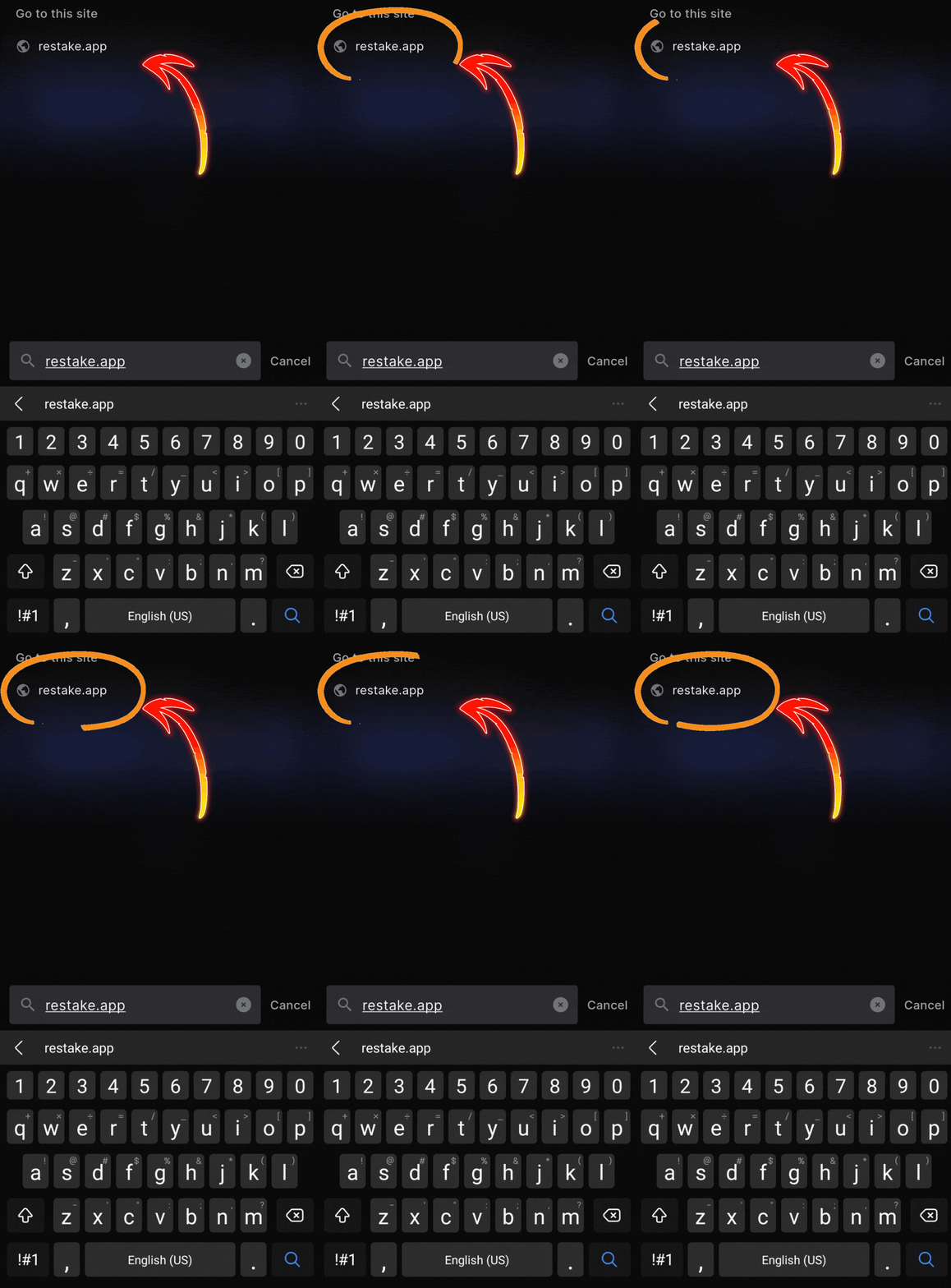
2. Typed “restake.app” in the search box
3. Tap “REStake”
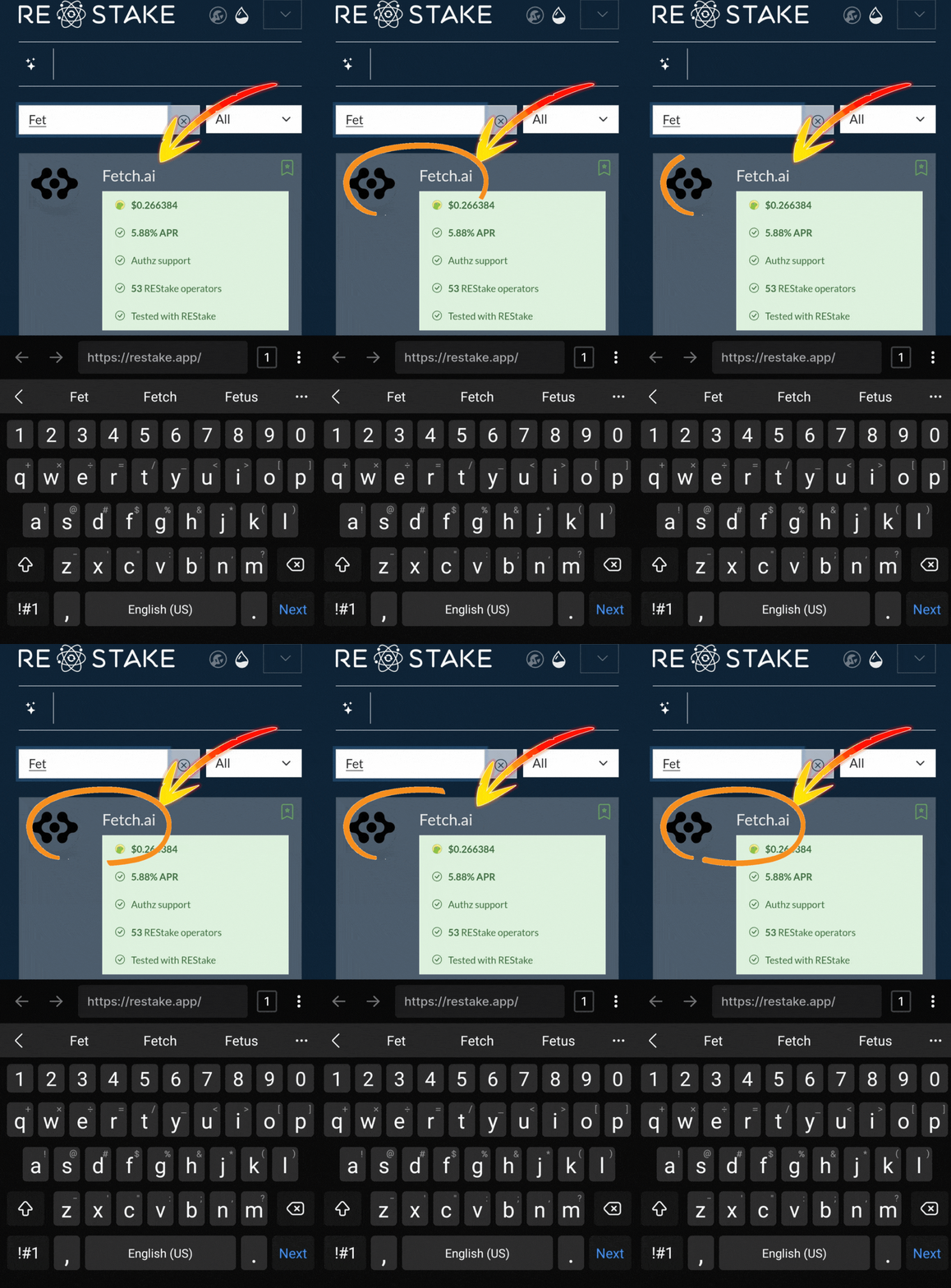
4. Type “Fetch” in the search box
5. Tap “Fetch.ai”
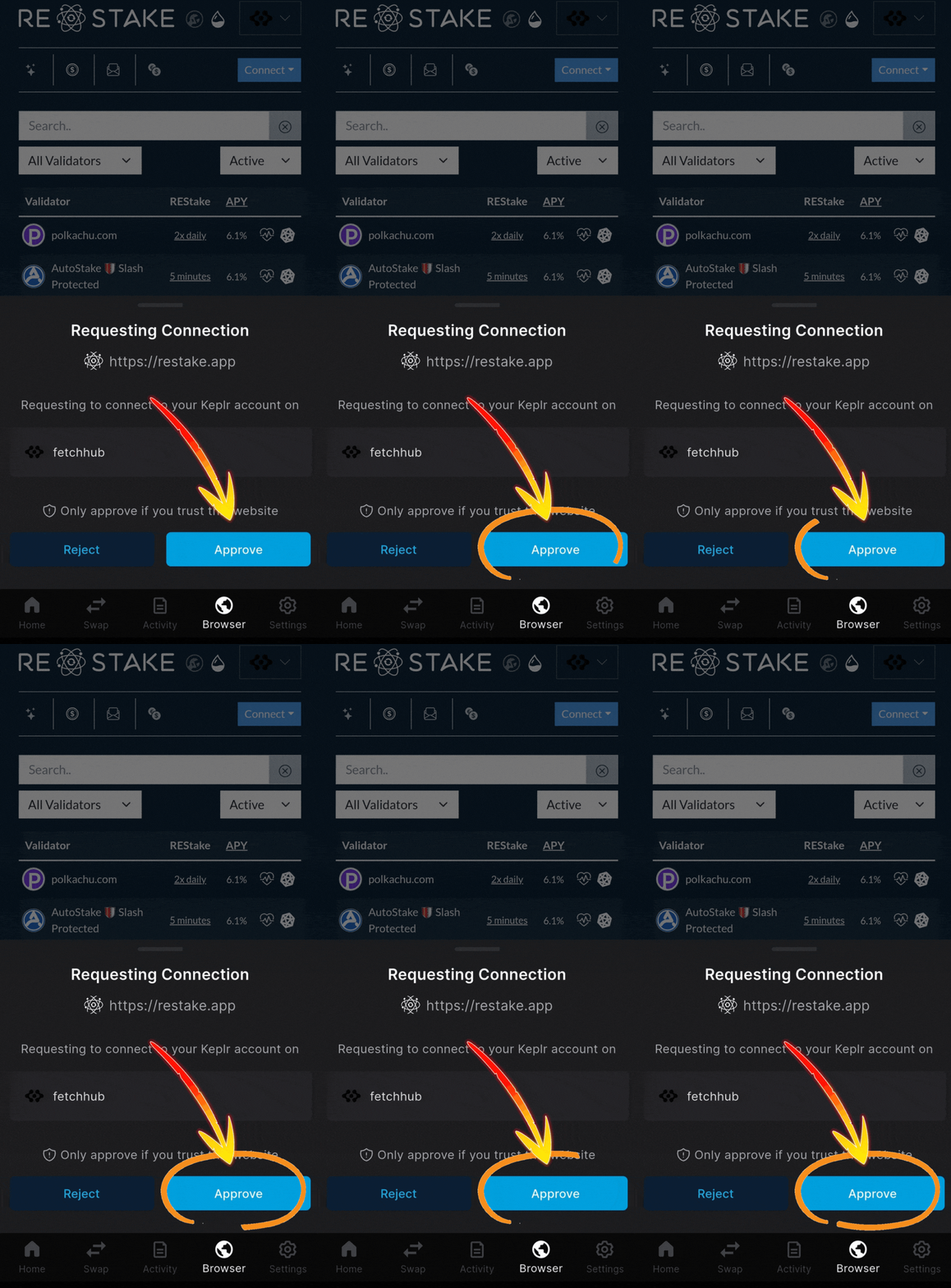
6. Tap “Approve” to connect your wallet
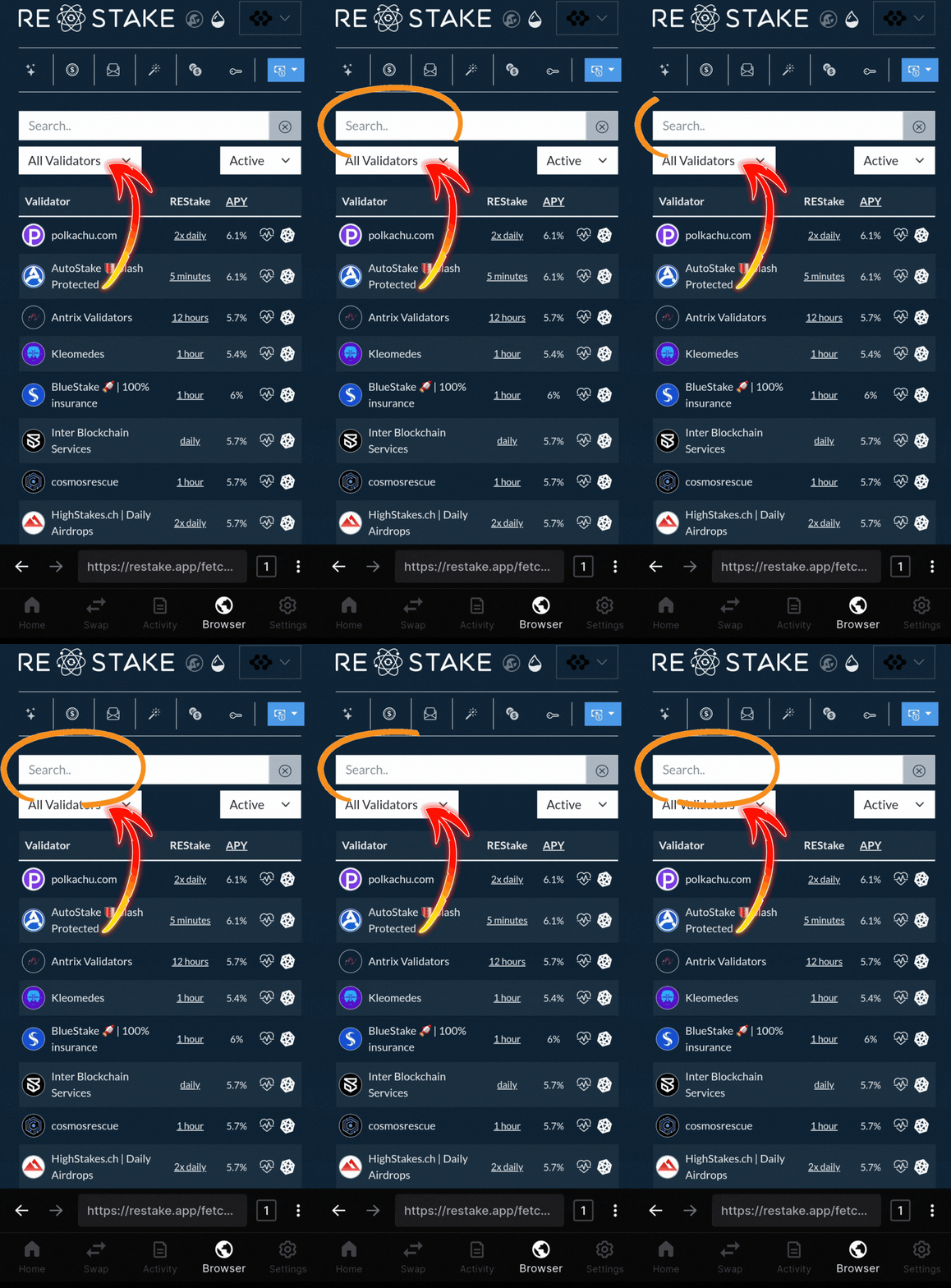
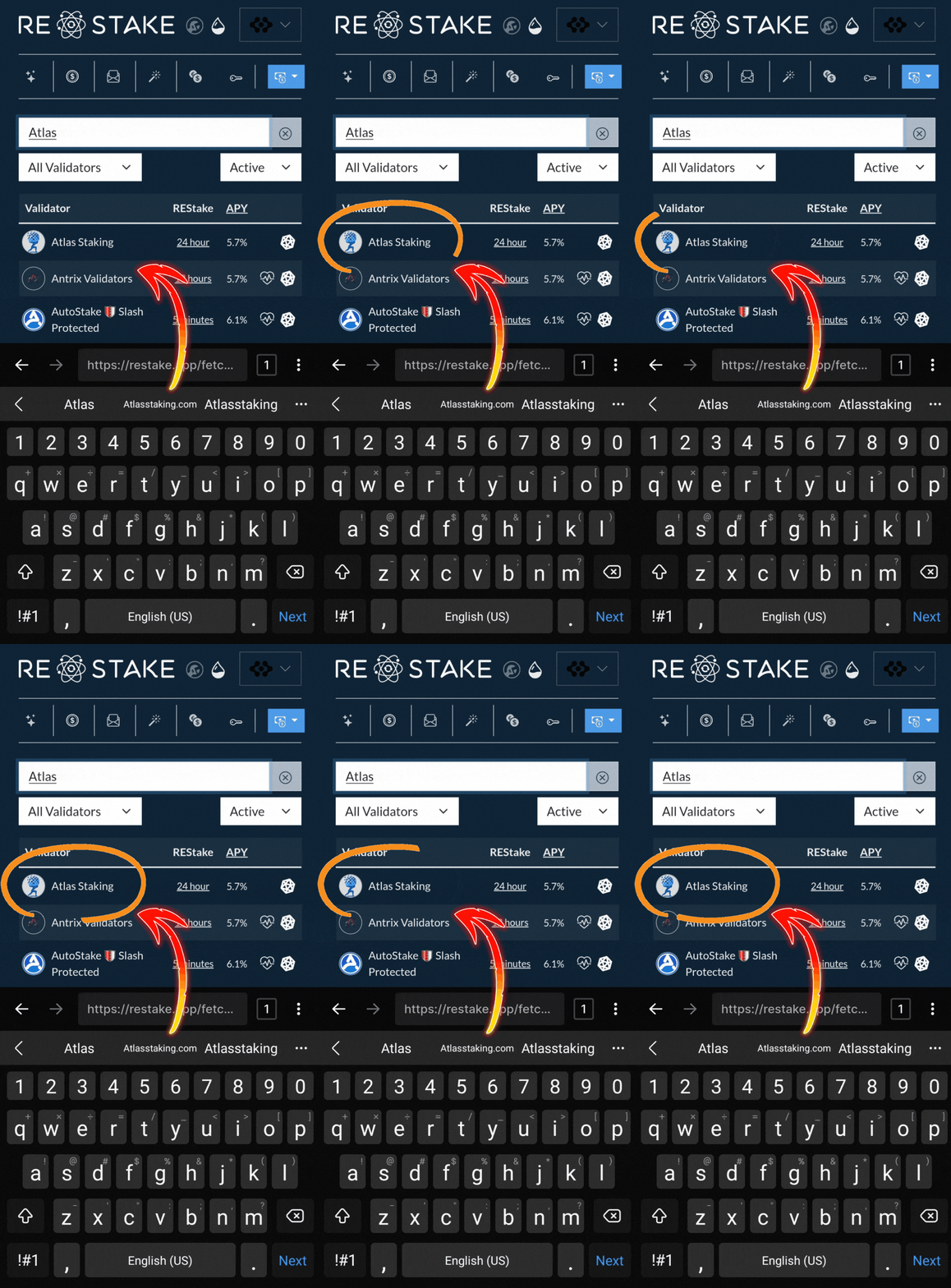
7. Type “Atlas Staking” in the search box
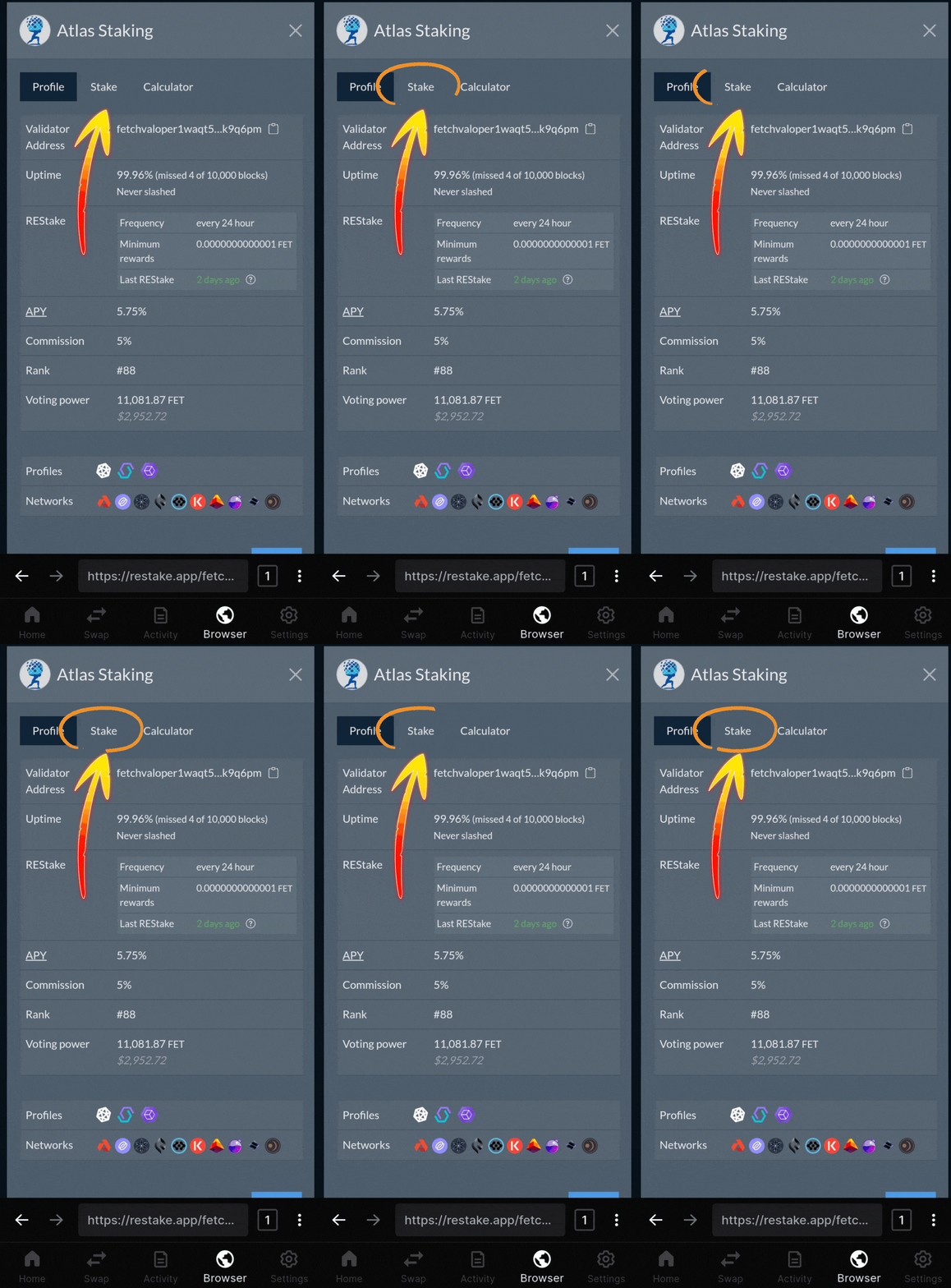
8. Tap “Atlas Staking”
9. Tap “Stake”
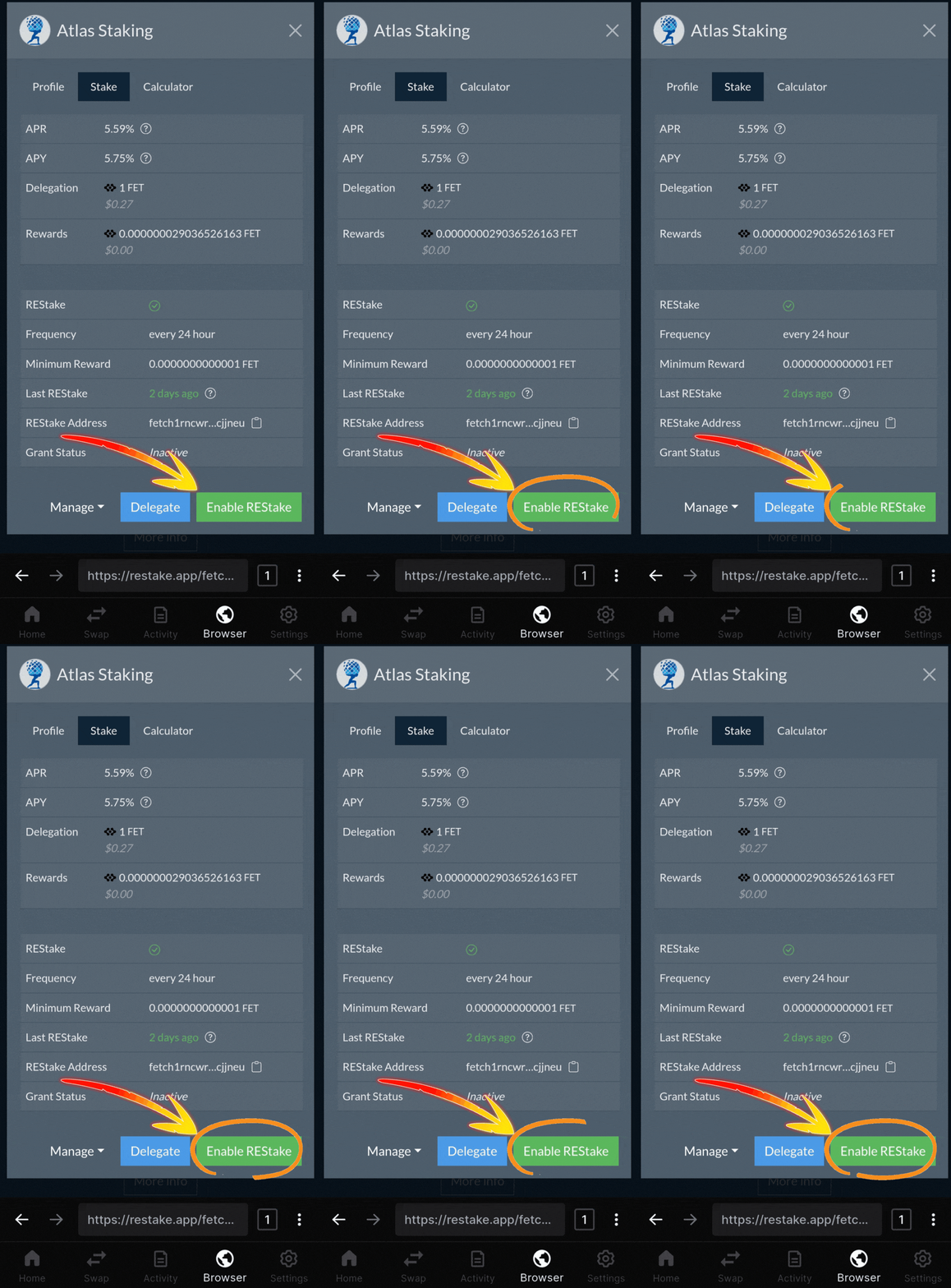
10. Tap “Enable REStake”
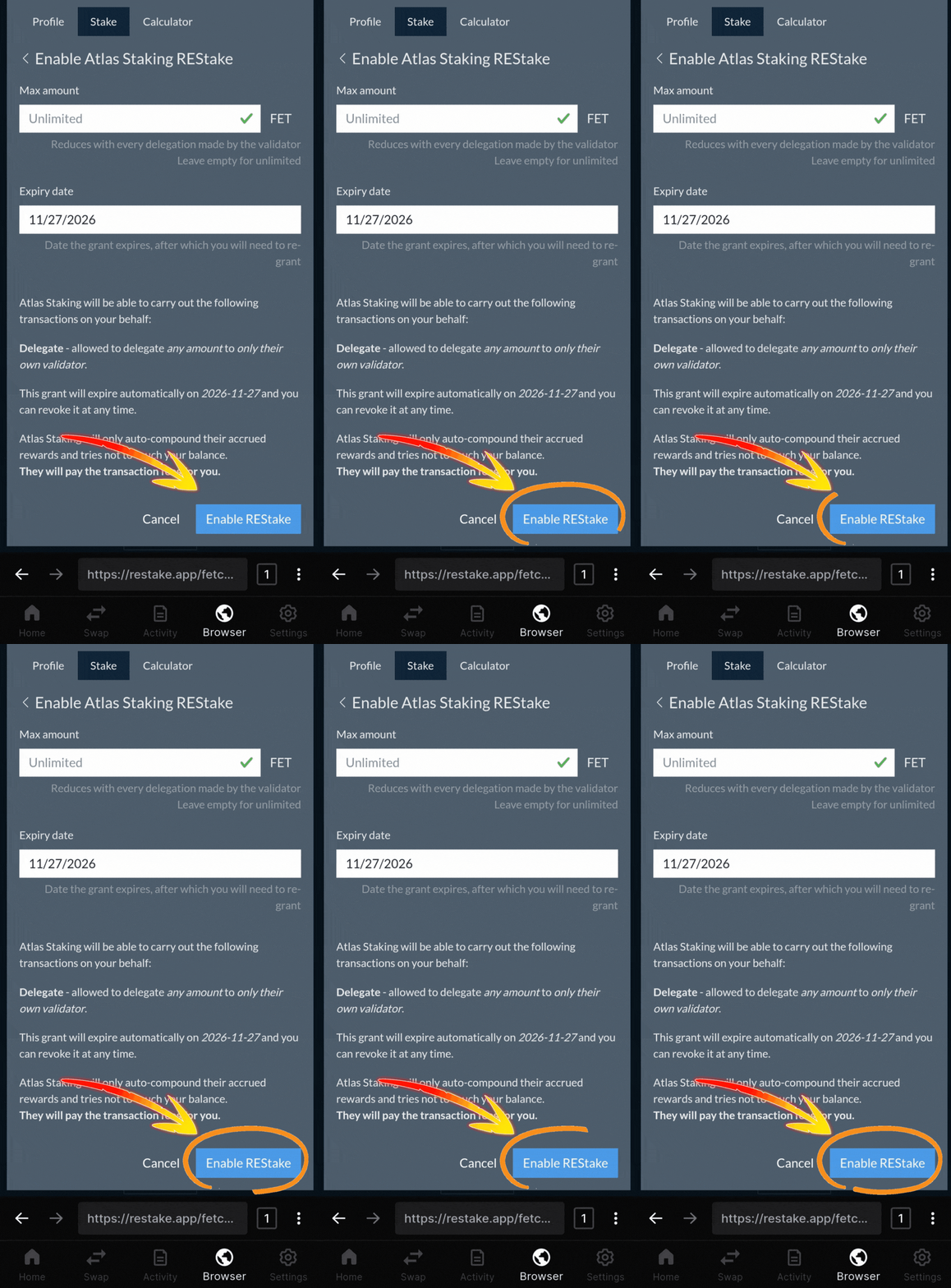
11. Tap “Enable REStake” again
12. Tap “Approve” to send it on-chain
crypto portfolio management and taxes
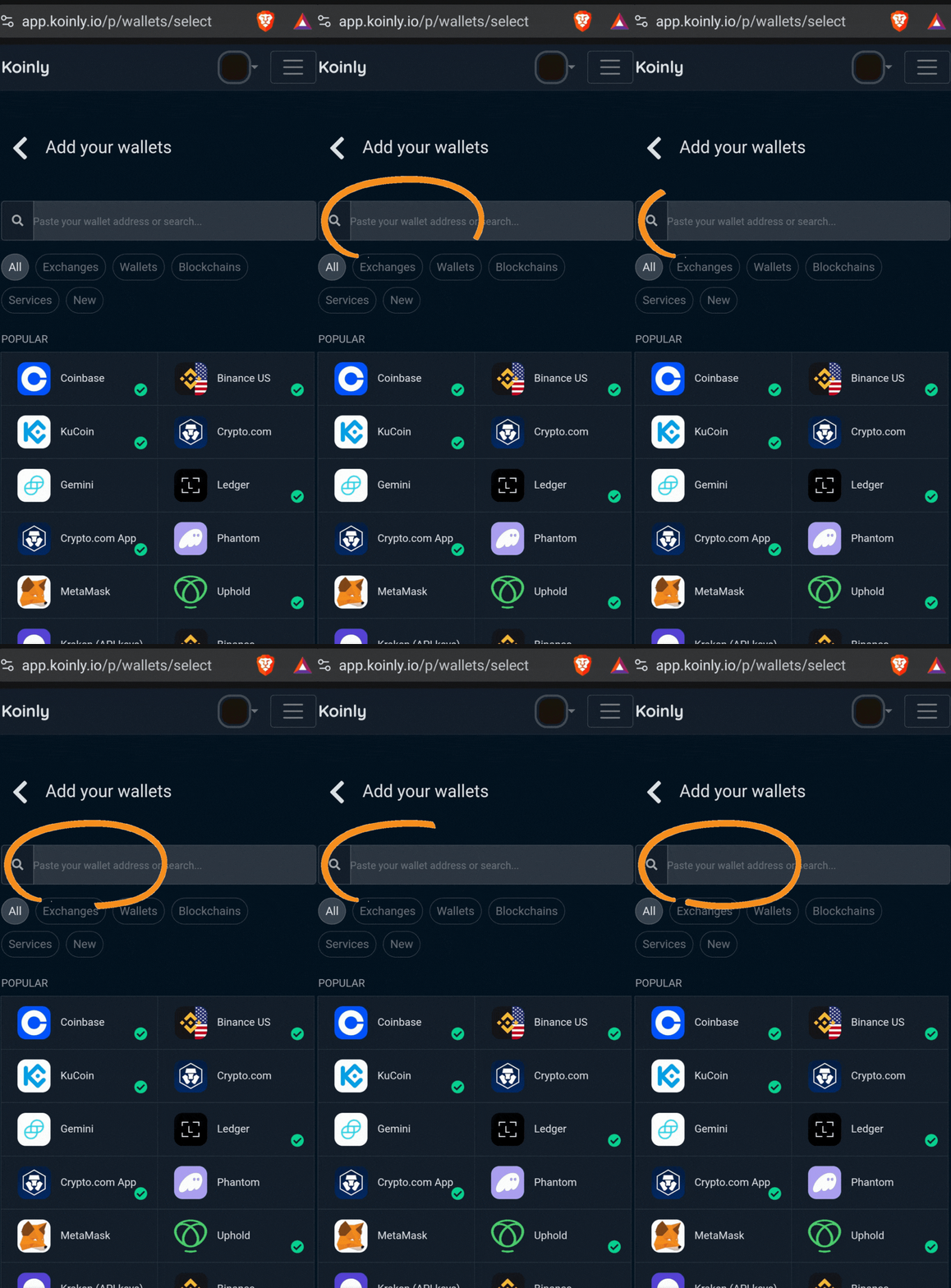
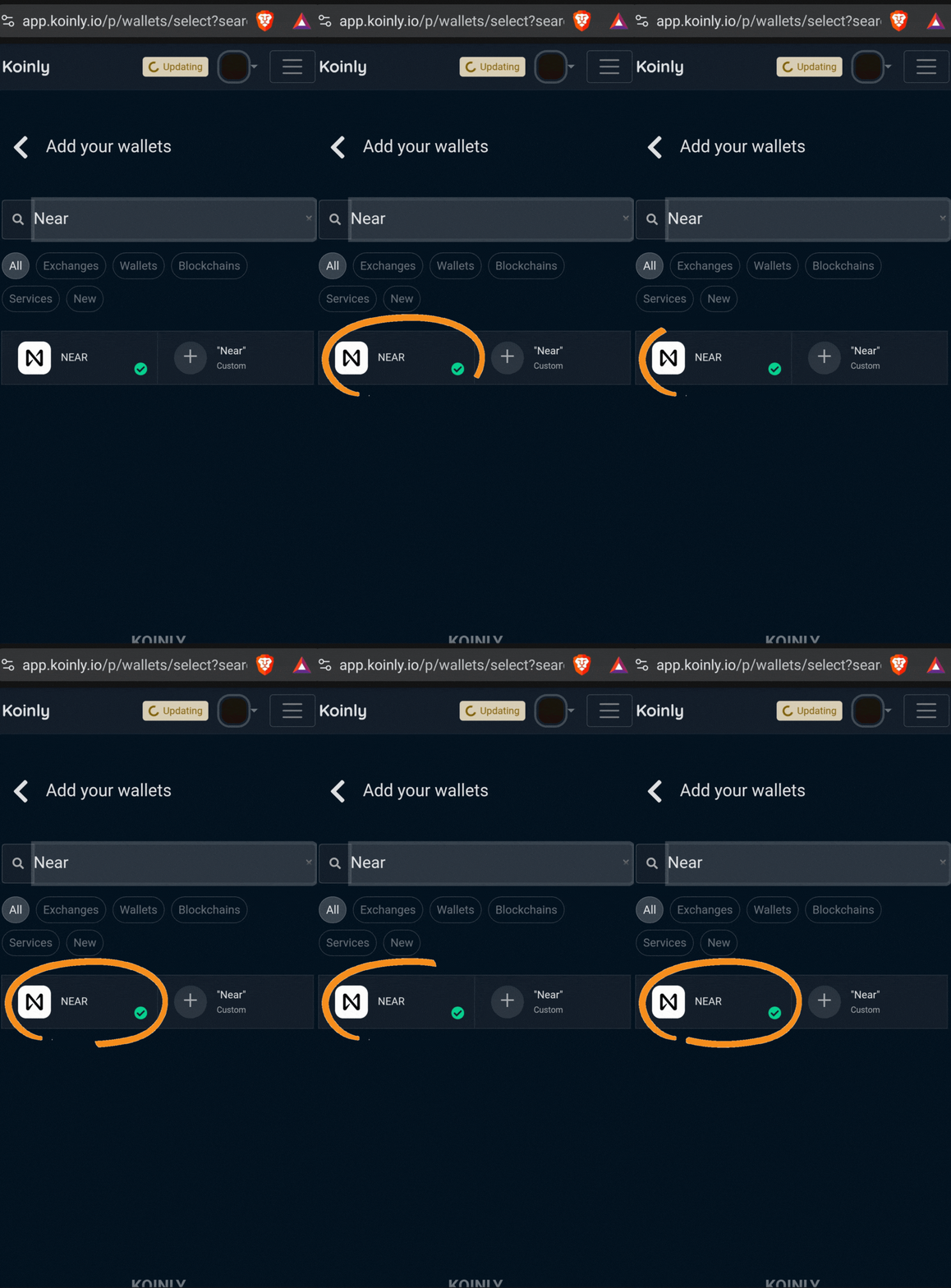
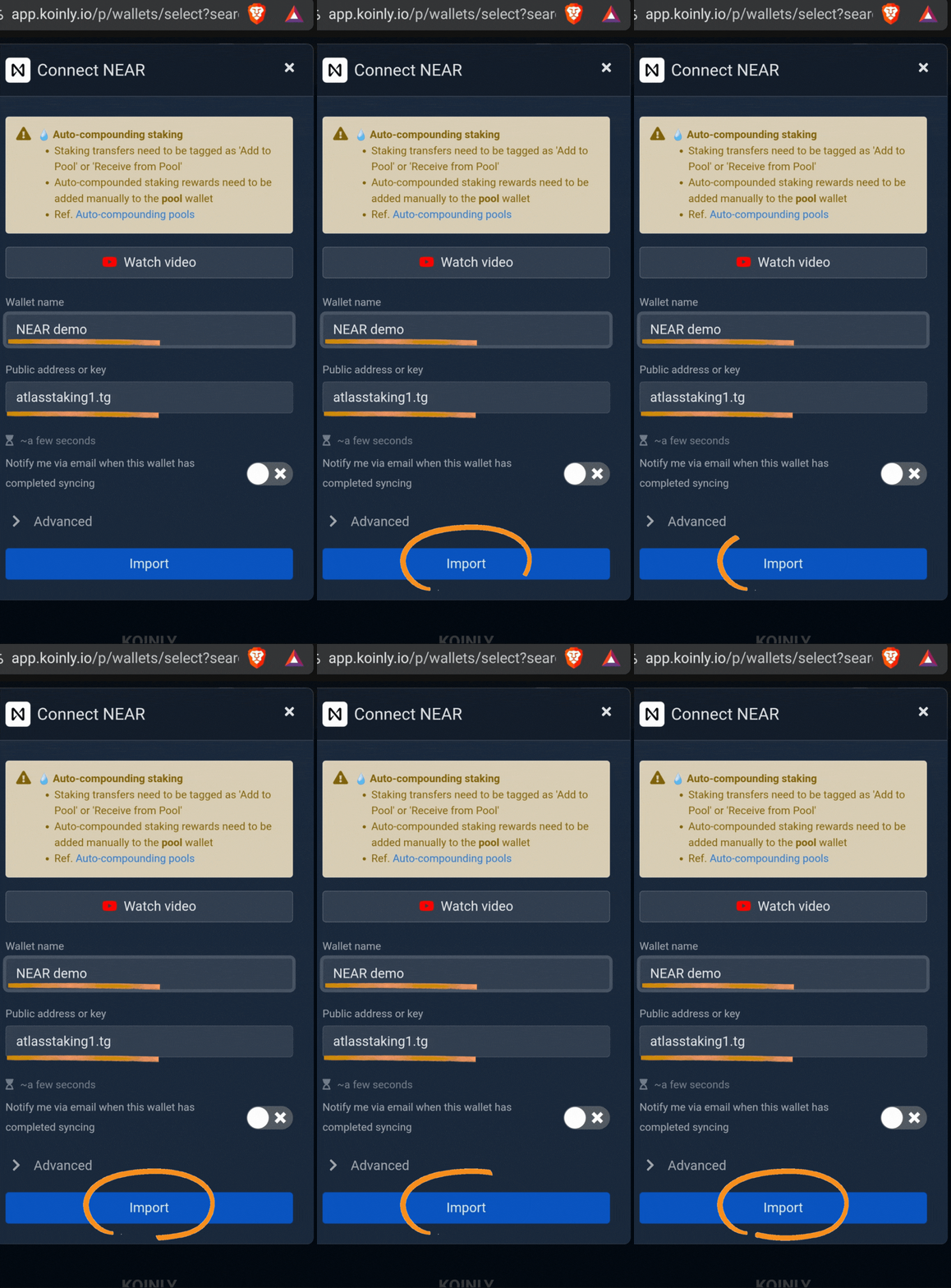
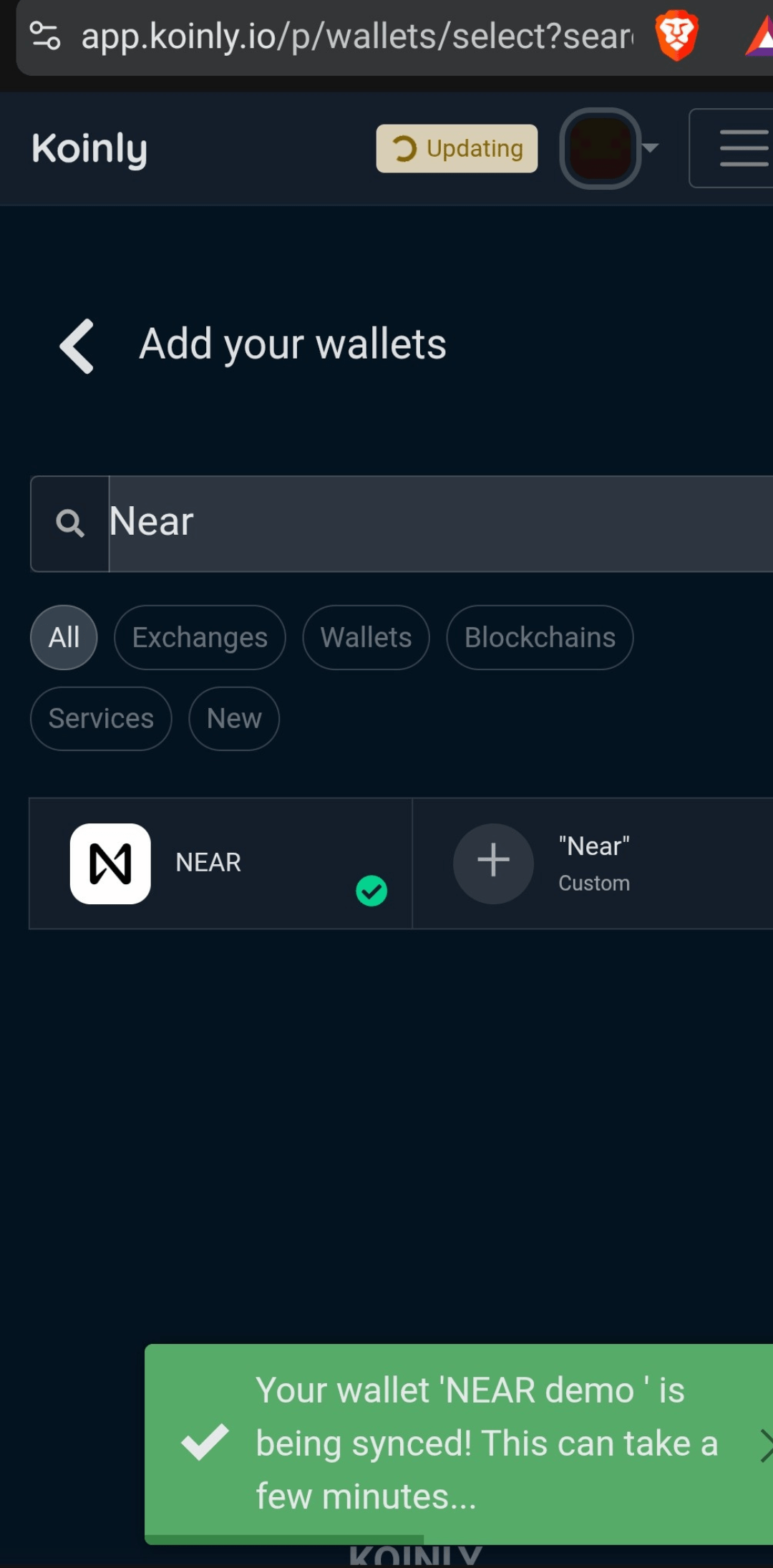
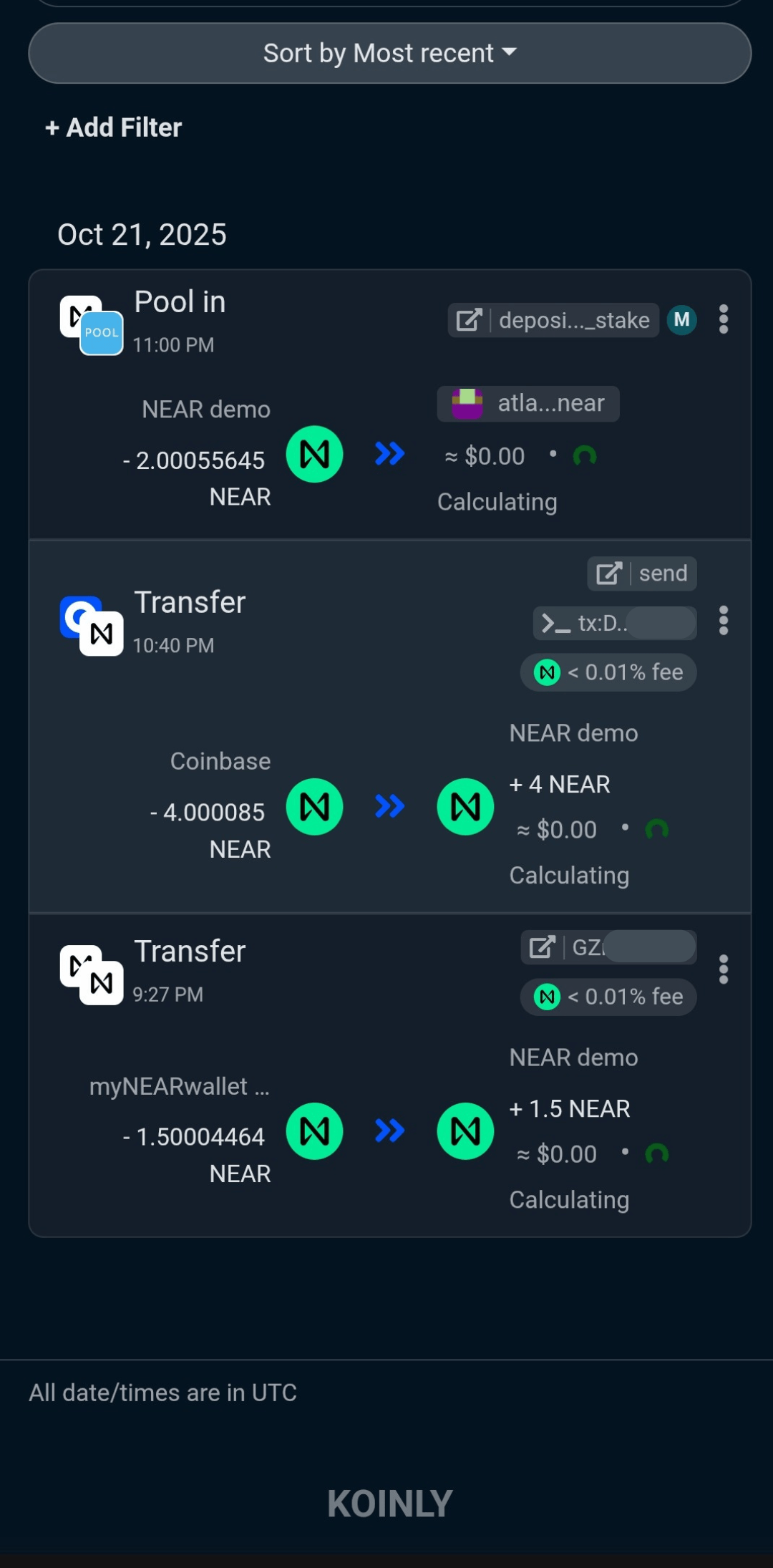
A good portfolio management tool is essential when crypto is held in self-custody. When transactions are automatically imported, it’s much easier to protect your assets.
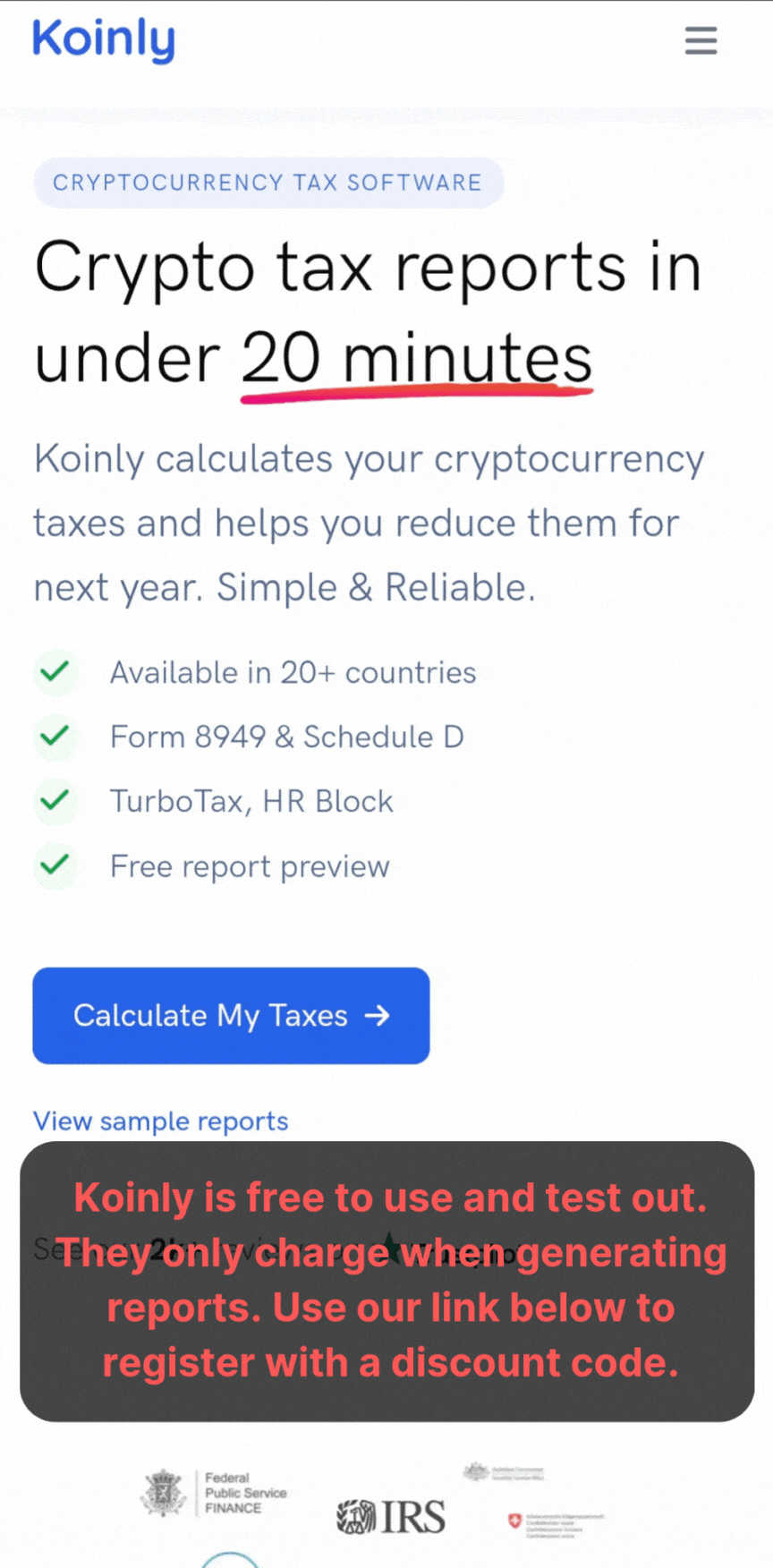
And, you may live in a country that requires you to keep track of transactions for tax purposes. We tested several platforms and Koinly is by far our favorite.
Plus, Koinly is free to test out and use. The platform only charges a fee if/when you decide to generate a report.
Use our referral link below to lock in future discounts.

FAQs
What is ASI / Fetch.ai FET staking on Keplr mobile?
Fetch.ai staking is the process of delegating your FET tokens from the Keplr smartphone app to a validator (like Atlas Staking) to help secure the network and earn on‑chain rewards over time. When you stake through Keplr, you keep full custody of your wallet while your delegated FET generates yield in the form of additional tokens.
How do I buy FET tokens using the Keplr mobile swap feature?
To buy FET in Keplr mobile, you start with another supported Cosmos asset in your wallet, open that asset in the app, and tap the swap option. You then select FET as the token you want to receive, enter the amount, approve the transaction and your FET is ready for staking.
Why should I stake FET with Atlas Staking using Keplr mobile?
We at Atlas Staking focus on reliability, community education, customer service, and long‑term alignment with our delegators. If you stake FET or any tokens with us, you are our staking partner.
What is REStake and how does it auto‑compound my FET staking rewards?
REStake is a tool that can automatically claim and restake your FET staking rewards so your position compounds without manual intervention. You grant us limited authorization to roll your earned rewards back into your delegation, increasing your staked balance and boosting your long‑term effective yield.
Is it safe to enable REStake auto‑compounding for my FET in Keplr?
Using Atlas and the REStake app gives us permission to claim and restake your rewards automatically, without giving us control to transfer or spend your staked FET. This saves you time and maximizes your staking APY. You can view and revoke this authorization at any time in your wallet. Check the carousel above or click here.
How long does it take to unstake FET from Keplr mobile?
When you unstake FET, your tokens enter a 21-day unbonding period defined by the Fetch.ai network, during which they cannot be transferred or restaked. You do not earn rewards during this period. This waiting window is designed to protect the network and should be considered when planning your liquidity needs.
Can I change my FET staking validator in Keplr without unbonding?
You bet. Keplr makes switching validators and redelegating easy. You don’t need to go through the full unbonding period to change validators. Simply tap the “Redelegate” option.
What are the best practices for staking FET on Keplr mobile as a long‑term investor?
First, be certain to check out our wallet security checklist. It’s essential. Always back up your seed phrase offline, leave a small amount of FET unstaked for future transaction fees, and periodically review your address for transactions you don’t recognize. This is one reason we highly recommend using portfolio management software, like Koinly.
Nothing we say is financial advice or a recommendation to buy or sell anything. Cryptocurrency is a highly speculative asset class. Staking crypto tokens carries additional risks, including but not limited to smart-contract exploitation, poor validator performance or slashing, token price volatility, loss or theft, lockup periods, and illiquidity. Past performance is not indicative of future results. Never invest more than you can afford to lose. Additionally, the information contained in our articles, social media posts, emails, and on our website is not intended as, and shall not be understood or construed as financial advice. We are not attorneys, accountants, or financial advisors, nor are we holding ourselves out to be. The information contained in our articles, social media posts, emails, and on our website is not a substitute for financial advice from a professional who is aware of the facts and circumstances of your individual situation. We have done our best to ensure that the information provided in our articles, social media posts, emails, and the resources on our website are accurate and provide valuable information. Regardless of anything to the contrary, nothing available in our articles, social media posts, website, or emails should be understood as a recommendation to buy or sell anything and make any investment or financial decisions without consulting with a financial professional to address your particular situation. Atlas Staking expressly recommends that you seek advice from a professional. Neither Atlas Staking nor any of its employees or owners shall be held liable or responsible for any errors or omissions in our articles, in our social media posts, in our emails, or on our website, or for any damage or financial losses you may suffer. The decisions you make belong to you and you only, so always Do Your Own Research.