BRIDGE XRP TO XRPL EVM SIDECHAIN
If you’ve ever tried to get XRP onto the XRPL EVM sidechain (especially to a validator wallet), you’ve probably hit the same wall we did.
The combination of different address formats, multiple wallets, and a bridge that only wants to talk to certain setups was super frustrating.
So you don’t also have to yell, “What the F***!” at the computer, I put together a guide that’ll walk you through it. No command line, nothing fancy, just clear steps you can follow in 15–20 minutes.
COSMOS AIRDROPS
New projects and protocols give away tokens to attract users. Crypto rewards those who participate, so register today and collect your free crypto.
You’ll receive PROJECT DETAILS, TOKEN SYMBOL, SNAPSHOT DATES, ELIGIBILITY REQUIREMENTS, LINKS TO CLAIM AND LINKS TO STAKE.
Be sure to add info@atlasstaking.com to your contacts, so our email doesn’t go into your spam folder. You don’t want to miss out!
We will NEVER share or abuse your information
WHY BRIDGING XRP TO XRPL EVM IS CONFUSING
As crypto gains adoption and the tech improves, this complicated process will be eliminated. For now though, this is how to move XRP from the mainnet over to the EVM Sidechain.
From the start, you’re juggling different address types:
An XRPL mainnet address that starts with “r”
An EVM address that starts with “0x”
A validator address that starts with “eth”
The hoop validators need to jump through:
You cannot bridge directly to your validator address that starts with “eth.”
Additionally, you cannot send XRP straight from an 0x EVM address to that validator “eth” address.
The trick: your validator wallet has an EVM counterpart that starts with “0x” and that’s the one you actually fund.
This guide walks you through both flows:
Part 1: Bridge XRP from XRPL mainnet → XRPL EVM (for anyone: delegators or validators).
Part 2: Move the bridged XRP that’s on the EVM to → your validator’s wallet (for operators).
TLDR: XRPL EVM BRIDGE IMAGE CAROUSEL
Scroll through the image carousel below to see screenshots of the entire process.
Key Takeaways:
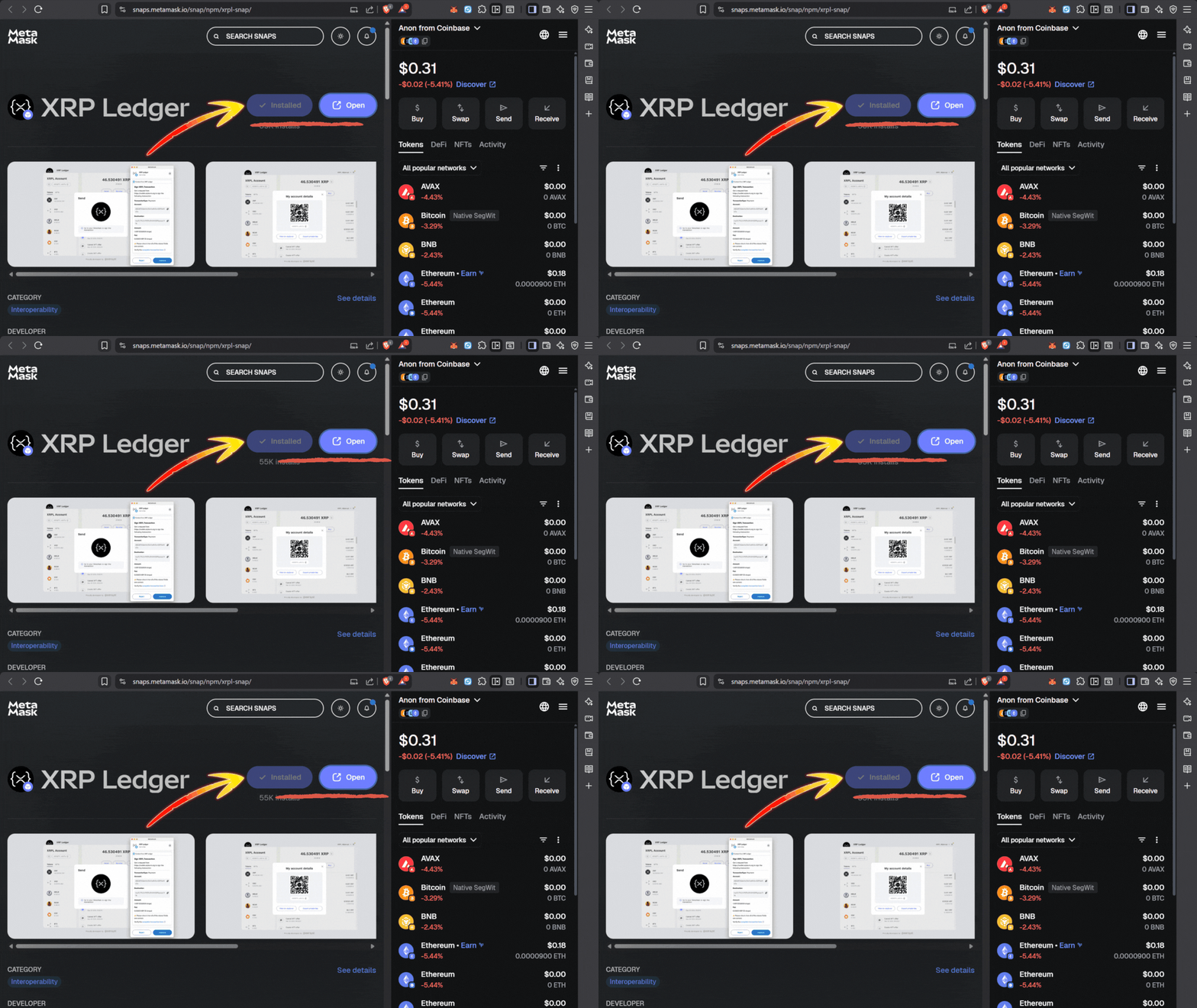
1. After installing the XRPL snap click “open.”
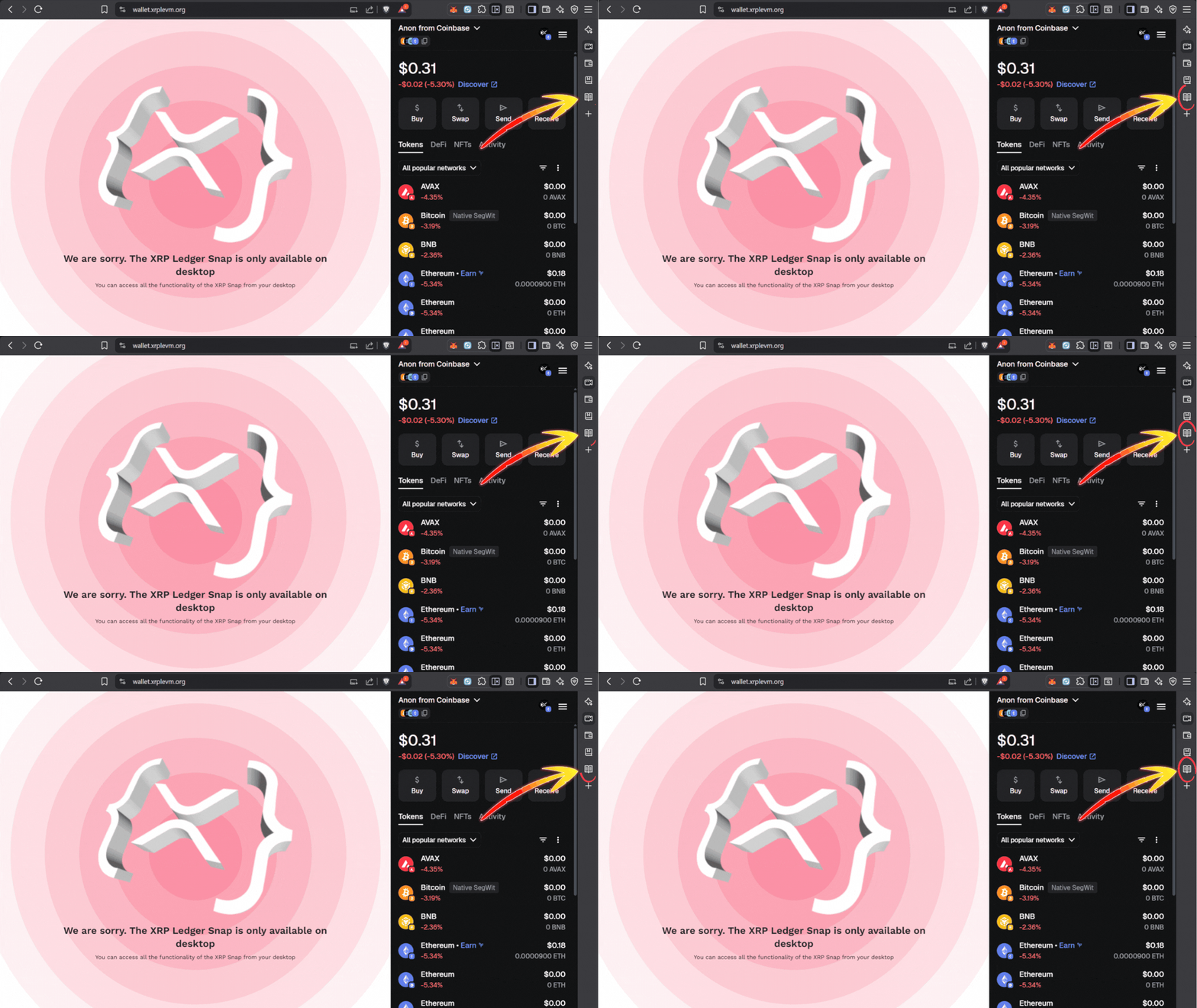
2. If the page isn’t functioning close the wallet sidebar. This glitch took forever to figure out.
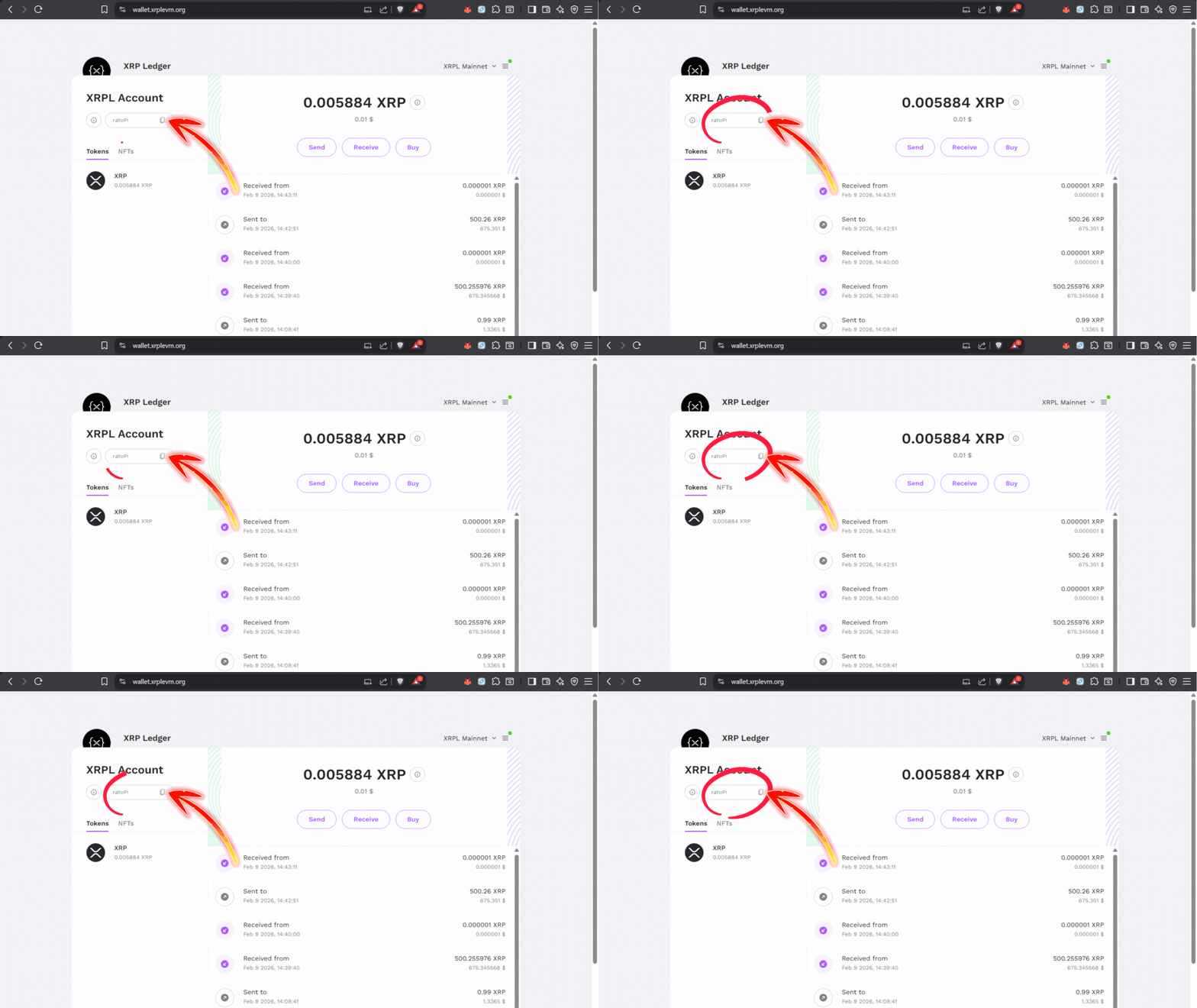
3. Copy your XRPL mainnet receiving address and fund with XRP.
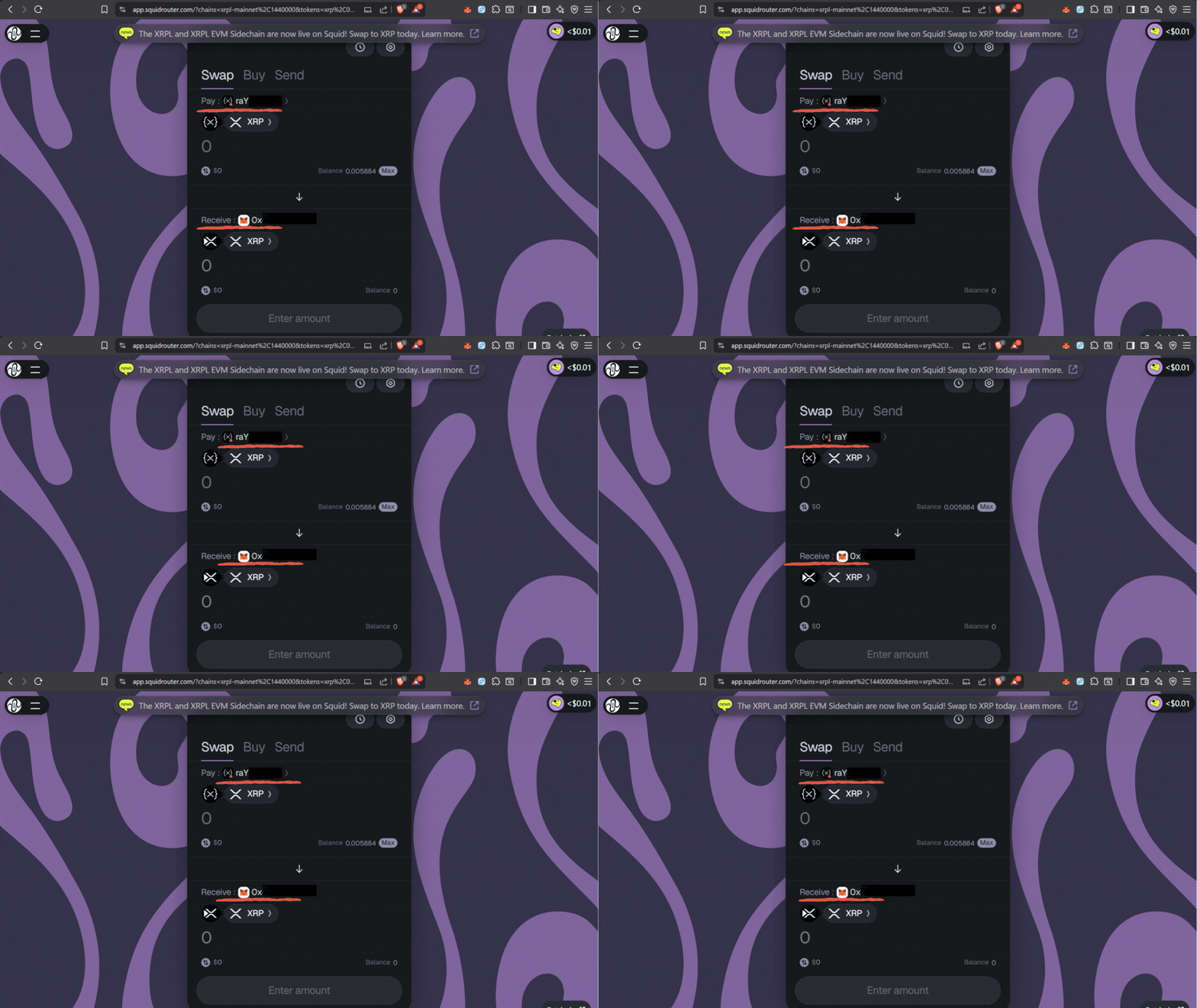
4. With XRP available connect to Squid Router. Select from: XRPL mainnet (“r” address) and to: XRPL EVM (“0x” address). Then complete the bridge transfer. Boom! Retail users are done here.
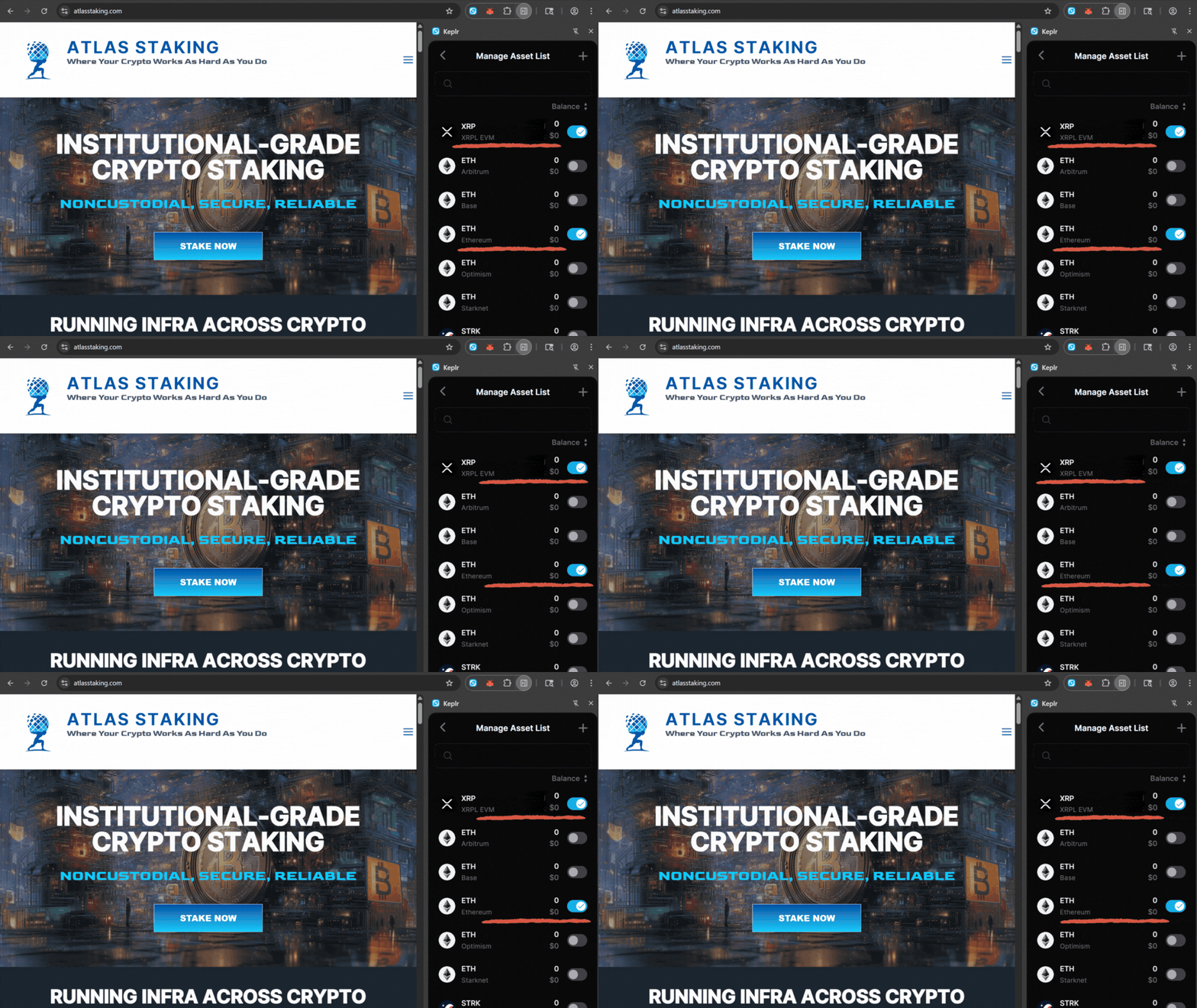
5. Import validator wallet mnemonic into Keplr and enable Ethereum and XRPL EVM networks.
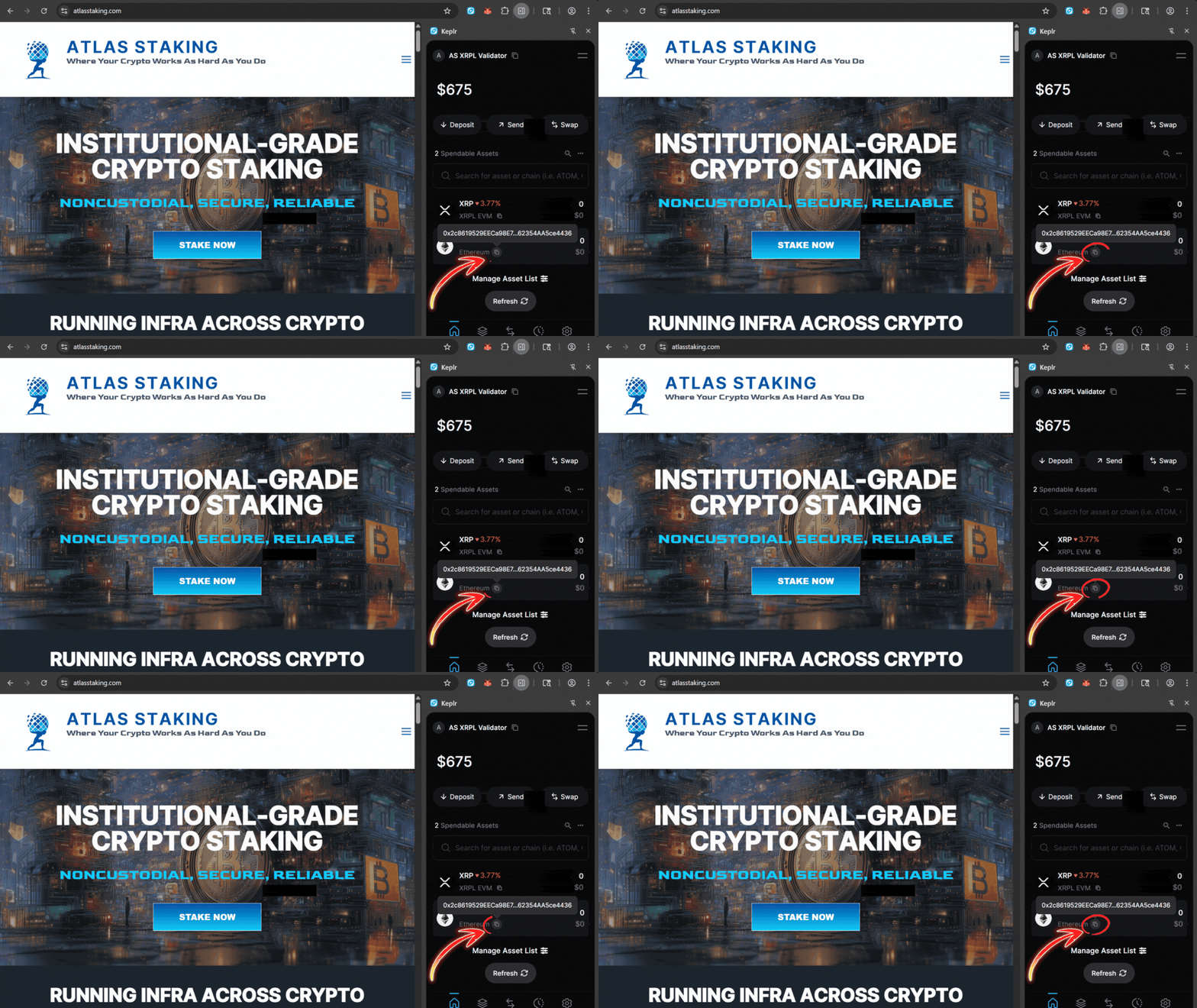
6. Copy your validator’s Ethereum address to receive XRP once it’s bridged over to the EVM Sidechain.
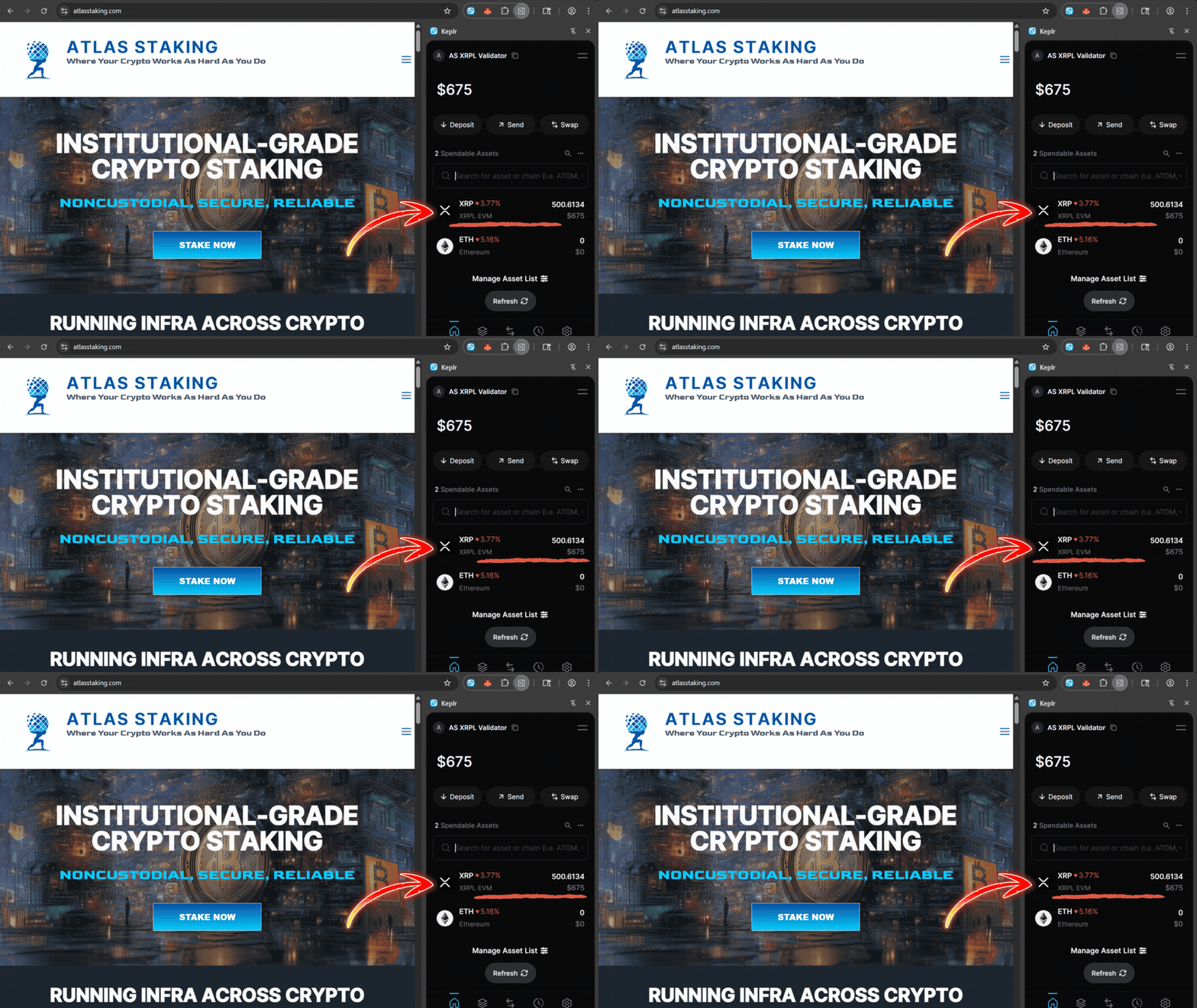
7. After receiving XRP at your validator’s “0x” address it appears at your validator’s “eth” address.
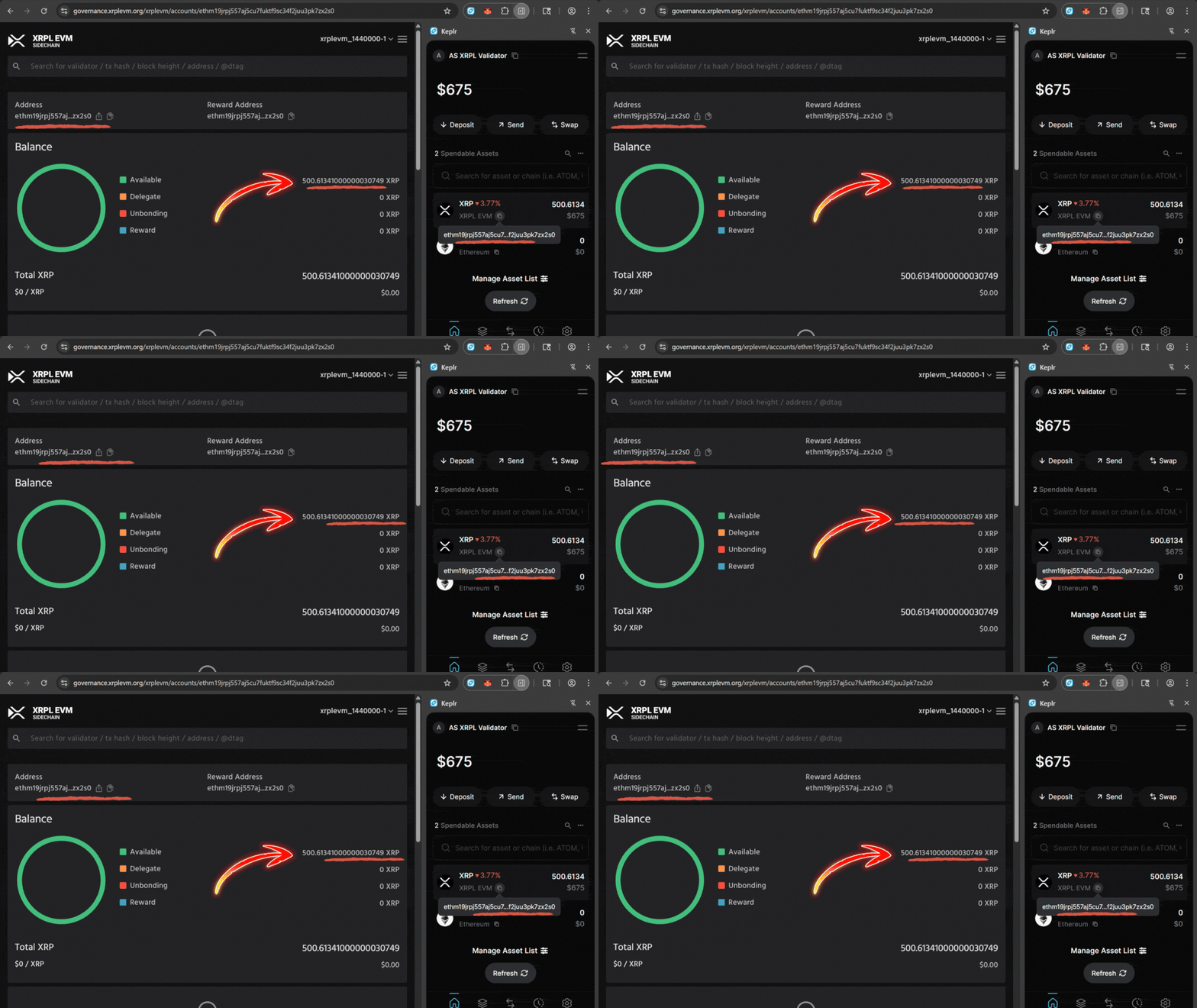
8. View your validator’s “eth” address on the Sidechain governance explorer.
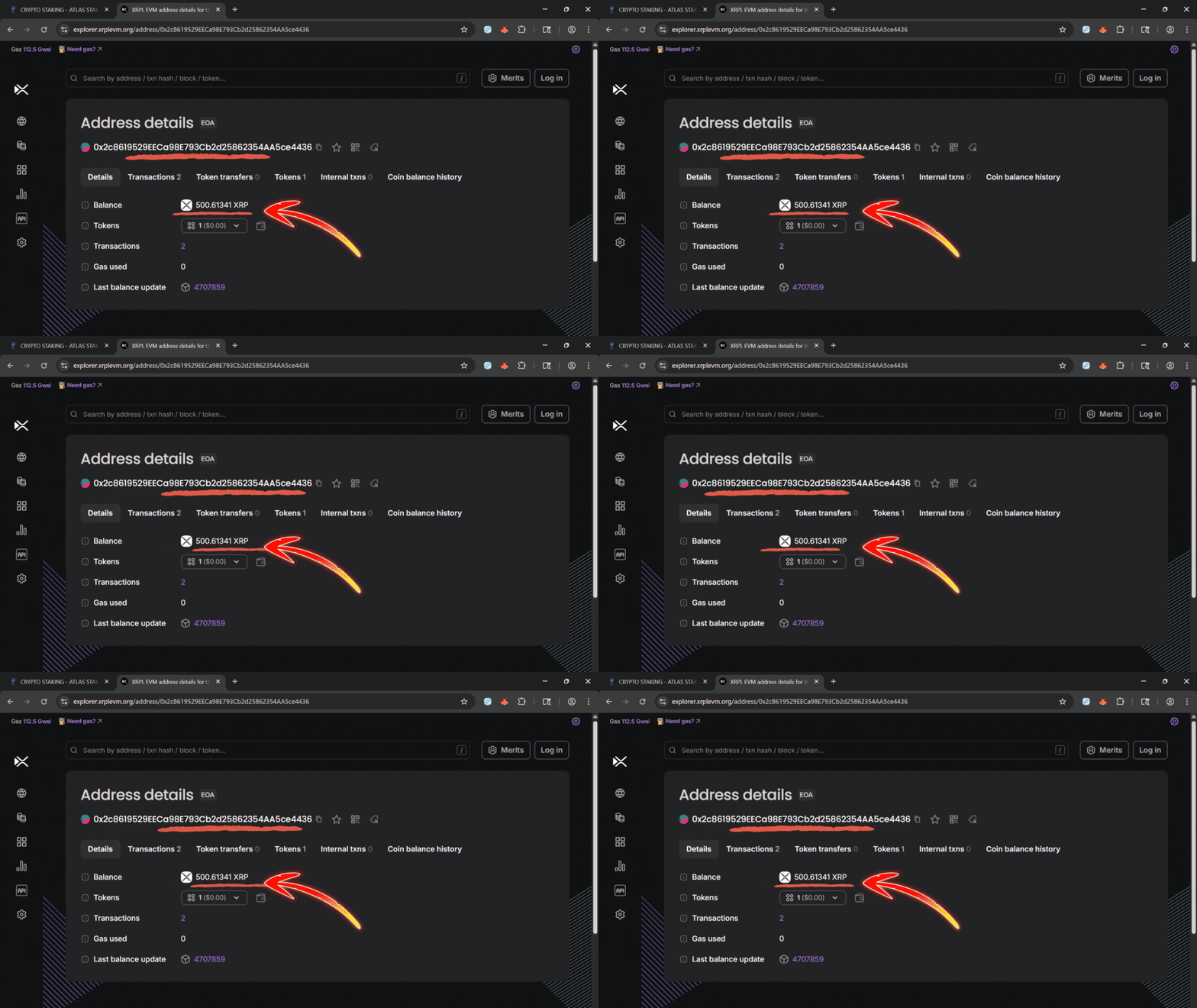
9. View your validator’s “0x” address on the Sidechain EVM Explorer.
1. After installing the XRPL snap click “open.”
2. If the page isn’t functioning close the wallet sidebar
3. Send XRP to your XRPL mainnet receiving address.
4. With XRP available connect to Squid Router and select chains
5. Enable Ethereum and XRPL EVM networks in Keplr.
6. Copy your validator’s Ethereum address to receive XRP
7. XRP received at the “0x” address appears on your “eth” address
8. View your validator “eth” address on the governance explorer.
9. View your validator’s “0x” address on the EVM Explorer.
QUICK LINKS (XRPL EVM BRIDGE STACK)
Keep these open in tabs as you go:
XRPL → XRPL EVM bridge (Squid Router): https://app.squidrouter.com/xrpl-xrpl-evm
MetaMask XRPL Snap: https://snaps.metamask.io/snap/npm/xrpl-snap/
XRPL mainnet web wallet: https://wallet.xrplevm.org/
XRPL mainnet explorer: https://livenet.xrpl.org/
XRPL EVM explorer: https://explorer.xrplevm.org/
XRPL EVM governance explorer: https://governance.xrplevm.org/xrplevm
You’ll also want:
Some XRP either at your XRPL mainnet wallet address, or on an exchange (Coinbase or whatever you use).
MetaMask installed.
Keplr installed (if you’re a validator or plan to fund a validator wallet).

PART 1: HOW TO BRIDGE XRP TO THE XRPL EVM
Skip to step 4 if you already have XRP at your XRPL mainnet address.
1) CREATE A “BRIDGE WALLET”
Think of this as your staging wallet for the XRPL EVM bridge. You fund this address with XRP to bridge over to the EVM Sidechain.
- Open MetaMask and create a new wallet (or choose a clean existing one).
- This wallet will temporarily hold your XRP on both XRPL mainnet and XRPL EVM.
2) ADD XRPL MAINNET TO METAMASK
Metamask can connect to quite a few different blockchains, including the XRPL mainnet. That means you don’t have to complicate things by setting up a XRPL-native wallet.
- Install the XRPL Snap: https://snaps.metamask.io/snap/npm/xrpl-snap/
- Go to https://wallet.xrplevm.org/ and connect MetaMask.
- Follow the prompts to add XRPL mainnet to your XRPL Snap.
After this, you’ll see an XRPL mainnet address that starts with “r” connected to your MetaMask wallet. That “r” address is where you’ll send XRP from your exchange.
3) SEND XRP FROM THE EXCHANGE TO YOUR XRPL “r” ADDRESS
- Copy your XRPL mainnet “r” address shown after you connected MetaMask to https://wallet.xrplevm.org/.
- Paste your XRPL mainnet “r” address into “Send To” address box and confirm the transaction.
Important: XRPL requires 1 XRP to activate a new address. If you send 2 XRP to a fresh “r” address, you’ll only have 1 XRP free to use.
Wait a moment, then confirm your XRP balance on the XRPL mainnet explorer or inside the XRPL wallet UI.
4) USE SQUID ROUTER TO BRIDGE XRP → XRPL EVM
Now you’re ready for the actual XRPL EVM bridge.
- Go to https://app.squidrouter.com/xrpl-xrpl-evm
- Connect MetaMask.
- The bridge should automatically fill in the details, but if not, choose your XRPL mainnet “r” address to send from.
- Choose XRPL EVM and your “0x” address from the same MetaMask wallet as the receiving “to” address.
- Enter how much XRP you want to bridge and confirm.
After a few minutes, you should see your XRP appear at your XRPL EVM “0x” MetaMask address.
If you’re just a delegator or DeFi user, you’re done! You now have XRP on the XRPL EVM Sidechain ready to use.
PART 2: HOW TO FUND YOUR XRPL EVM VALIDATOR WALLET
This is the part that can easily trip up even the most experienced operators. I even yelled out, “What the F***!” during this part.
Your validator wallet address starts with “eth” but you can’t send or bridge directly to it. However, your validator wallet has a matching EVM address that starts with “0x”. That’s the one you fund.
1) IMPORT YOUR VALIDATOR WALLET INTO KEPLR
You’ll use Keplr to expose the validator’s “0x” EVM address.
- Open Keplr and choose “Import existing wallet.”
- Paste in your validator wallet mnemonic (the same one tied to your “eth” validator address).
- For safety, clear your clipboard right after.
- During import, enable at least the XRPL EVM and Ethereum networks.
2) COPY YOUR VALIDATOR’S EVM “0x” ADDRESS
The wallet won’t allow you to send funds to the “eth” address. You’ll receive your bridged XRP at this “0x” address.
- In Keplr, switch to the Ethereum network for that imported validator wallet.
- Click on ETH and copy the receiving address that starts with
0x. - This “0x” address is the EVM counterpart to your validator’s “eth” address and where you actually send funds.
3) SEND XRP FROM YOUR METAMASK “0x” ADDRESS TO YOUR KEPLR VALIDATOR “0x” ADDRESS
Your bridged XRP tokens should be at your XRPL EVM MetaMask “0x” address from Part 1. Now it’s time to use your validator’s “0x” address that you copied from Keplr in step 2. (send a small test transaction first)
- Click “Send” and paste the validator’s
0xEthereum address you copied from Keplr. - Confirm the transaction.
Once it lands, you now have XRP at the validator’s EVM wallet that corresponds to your validator address. That’s the exact flow we use to get XRP where it actually needs to be.
AVOIDING COMMON PITFALLS
Just to recap a few gotchas you can dodge immediately:
1. BRIDGING TO THE WRONG ADDRESS FORMAT
-The bridge probably won’t let you, but don’t bridge to the validator “eth” address. Use a normal “0x” EVM address, then forward to the validator’s “0x” address.
2. NOT SENDING ENOUGH XRP TO THE FRESH XRPL ADDRESS
-XRPL needs 1 XRP to activate the address on-chain, so don’t be surprised when a 2 XRP deposit turns into 1 usable XRP.
3. WALLET MISMATCH
-Make sure the XRPL Snap “r” address and the EVM “0x” address you bridge to both belong to the same MetaMask wallet.
4. KEPLR CONFUSION
-In Keplr, always copy the 0x address from the Ethereum network tab when you want to fund the validator wallet.
FREQUENTLY
ASKED QUESTIONS
What is the easiest way to bridge XRP to XRPL EVM?
The easiest way to bridge XRP to XRPL EVM is to use your existing MetaMask wallet. Install the XRPL snap and then send XRP from your exchange to your XRPL mainnet address (starting with “r”) managed by the MetaMask. Then use a bridge like Squid Router to move that XRP from XRPL mainnet to your XRPL EVM “0x” address. This keeps everything in a familiar wallet flow and avoids dealing with Linux.
Can I bridge XRP directly to my XRPL EVM validator address?
No, you can’t bridge XRP directly to an “eth” validator address on the XRPL EVM Sidechain. We first bridged XRP into an “0x” EVM wallet address (for example in MetaMask), then send those funds to the “0x” Sidechain address in Keplr that corresponds to your validator wallet.
Why does my XRPL address start with “r” and my XRPL EVM address start with “0x”?
Your XRPL mainnet account uses classic XRPL account formatting, so it starts with “r”, while your XRPL EVM account follows Ethereum‑style formatting so it starts with “0x.”
Do I need MetaMask and Keplr to bridge XRP to XRPL EVM?
No, you don’t, but using MetaMask and Keplr makes life a lot easier. Retail users don’t need to use both MetaMask and Keplr. We had to import our validator seed phrase so we used a separate wallet.
How long does it take for XRP to arrive on XRPL EVM after bridging?
Most XRP → XRPL EVM bridge transfers complete within 10 or 15 minutes.
Nothing we say is financial advice or a recommendation to buy or sell anything. Cryptocurrency is a highly speculative asset class. Staking crypto tokens carries additional risks, including but not limited to smart-contract exploitation, poor validator performance or slashing, token price volatility, loss or theft, lockup periods, and illiquidity. Past performance is not indicative of future results. Never invest more than you can afford to lose. Additionally, the information contained in our articles, social media posts, emails, and on our website is not intended as, and shall not be understood or construed as financial advice. We are not attorneys, accountants, or financial advisors, nor are we holding ourselves out to be. The information contained in our articles, social media posts, emails, and on our website is not a substitute for financial advice from a professional who is aware of the facts and circumstances of your individual situation. We have done our best to ensure that the information provided in our articles, social media posts, emails, and the resources on our website are accurate and provide valuable information. Regardless of anything to the contrary, nothing available in our articles, social media posts, website, or emails should be understood as a recommendation to buy or sell anything and make any investment or financial decisions without consulting with a financial professional to address your particular situation. Atlas Staking expressly recommends that you seek advice from a professional. Neither Atlas Staking nor any of its employees or owners shall be held liable or responsible for any errors or omissions in our articles, in our social media posts, in our emails, or on our website, or for any damage or financial losses you may suffer. The decisions you make belong to you and you only, so always Do Your Own Research.