ADDING BITCOIN TO YOUR COSMOS WALLET

Adding Bitcoin support to your Cosmos wallet is the first step toward staking BTC—and putting your money to work instead of letting it sit idle. In this guide, we will walk you through adding the Bitcoin network to Keplr. Then we’ll show you how to move BTC to your wallet’s receiving address so you are ready to stake with Atlas Staking on Babylon.
For your convenience we’ve made the other Babylon staking guides quick to access. Just click any of the buttons below.
BABYLON DASHBOARD BABY STAKING
Why add Bitcoin to Cosmos wallets?
Babylon connects Bitcoin to the Cosmos ecosystem to secure “Bitcoin‑supercharged” networks. Keplr supports the Babylon network, so once you see both BABY and BTC inside the wallet, you are only a few clicks away from staking, hopefully with us at Atlas Staking.
We run both a Babylon validator for BABY and a Babylon Finality Provider for BTC, so you can delegate either asset to the same trusted team and keep full self‑custody in your own wallet.
Adding Bitcoin To Keplr
Both BABY and BTC can be staked from Keplr and as a matter of fact, Keplr is the best Cosmos wallet for BTC staking. They make it super simple.
Key Takeaways:
1. Type “Bitcoin” in the asset/chain search box
2. Tap “Enable” next to the Bitcoin logo
3. Tap “Save” on the next screen
4. Enter “BTC” in the search box
5. Tap into your BTC position page
6. Tap “Receive” to view your Keplr BTC address
7. Use the QR code or copy the address to deposit BTC
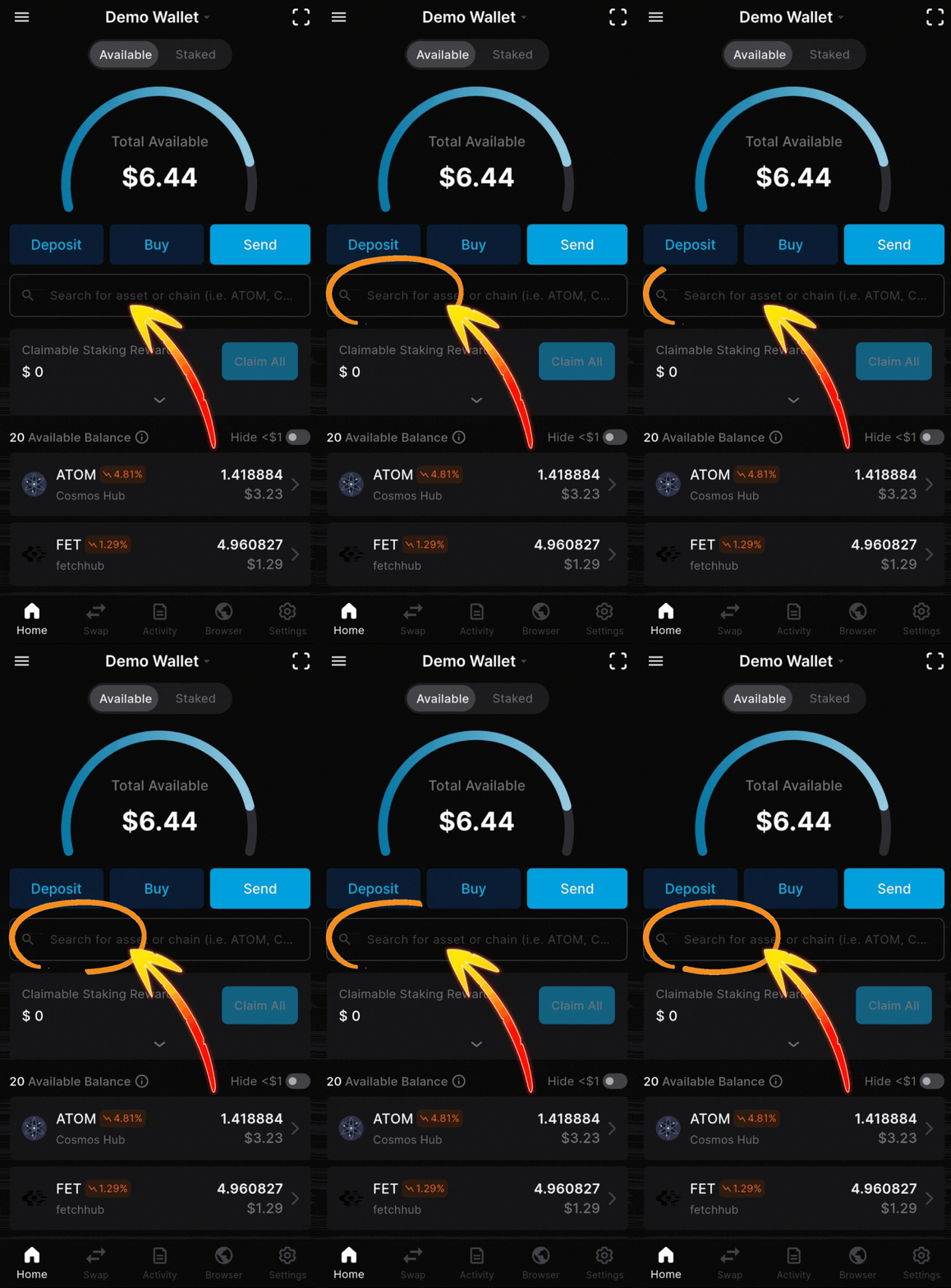
1. Type “Bitcoin” in the asset/chain search box
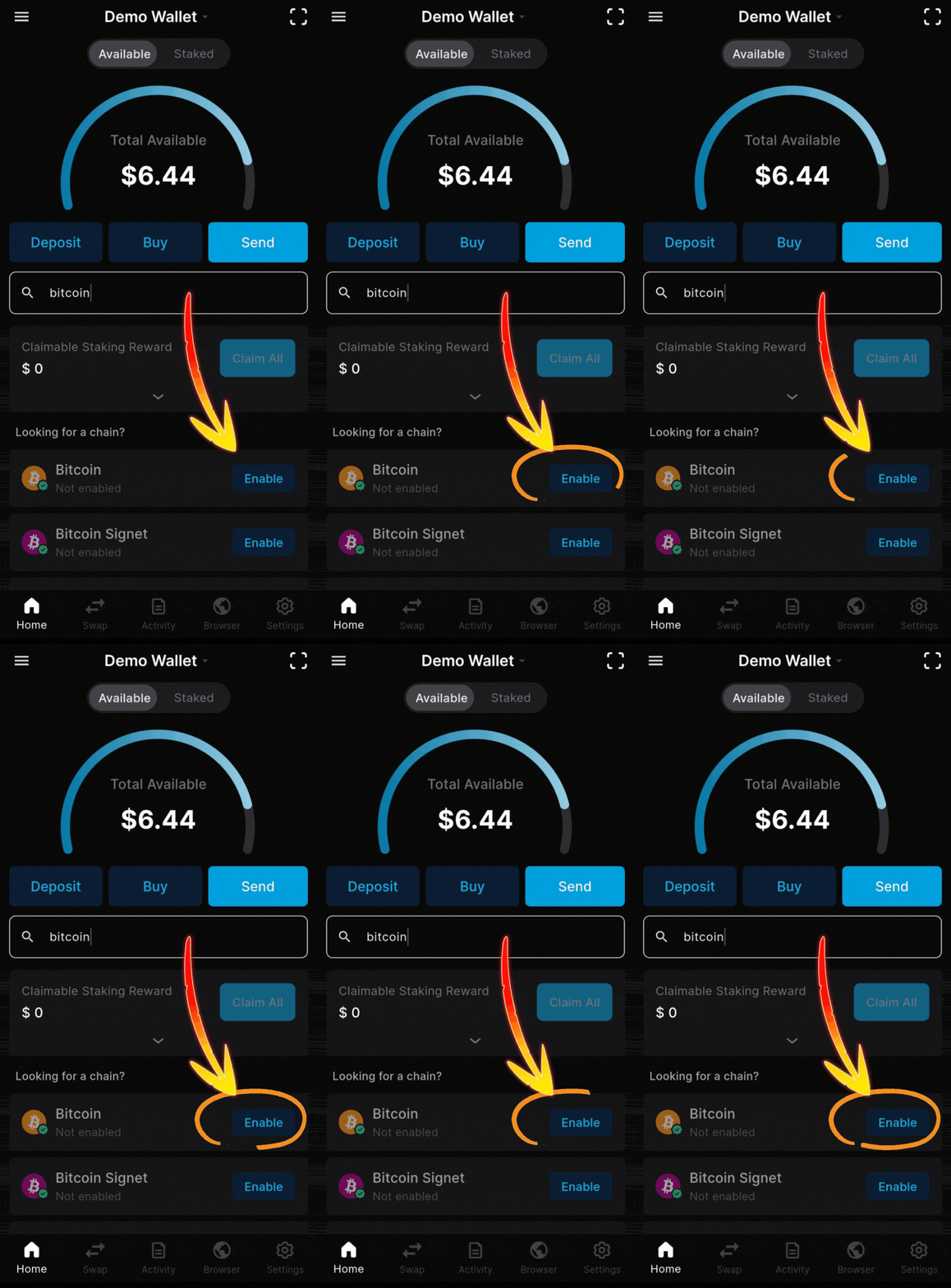
2. Tap “Enable” next to the Bitcoin logo
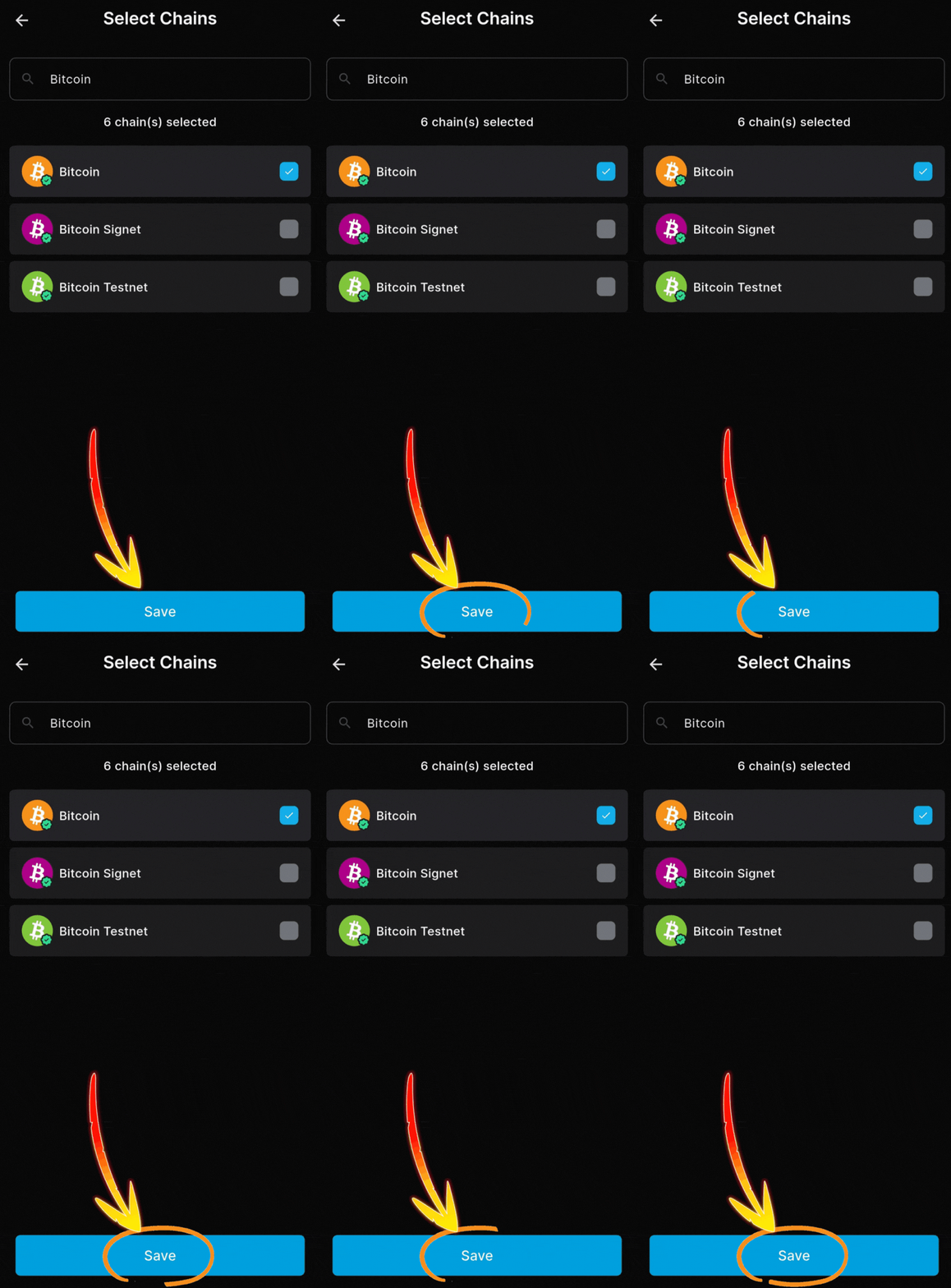
3. Tap “Save” on the next screen
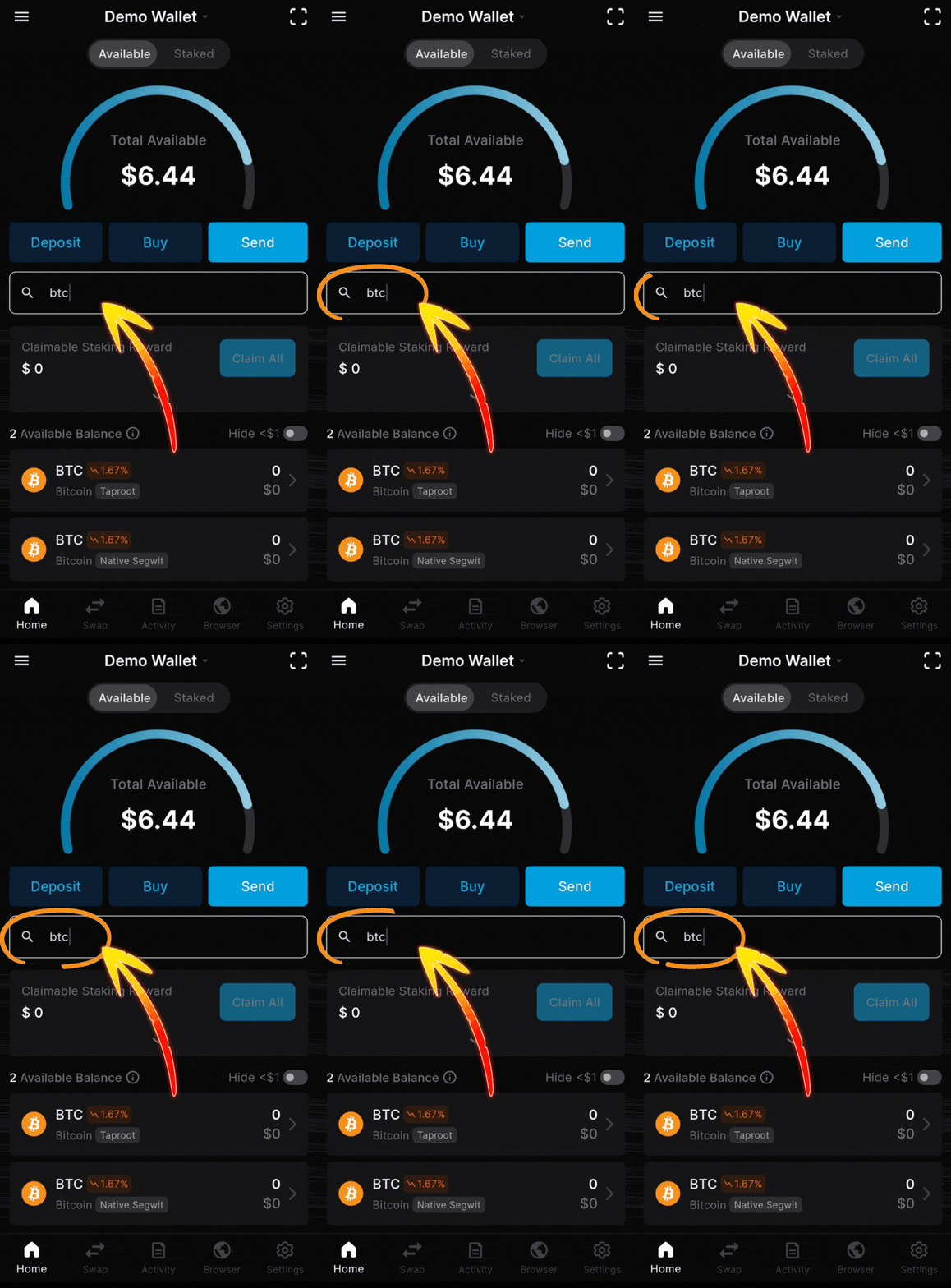
4. Enter “BTC” in the search box
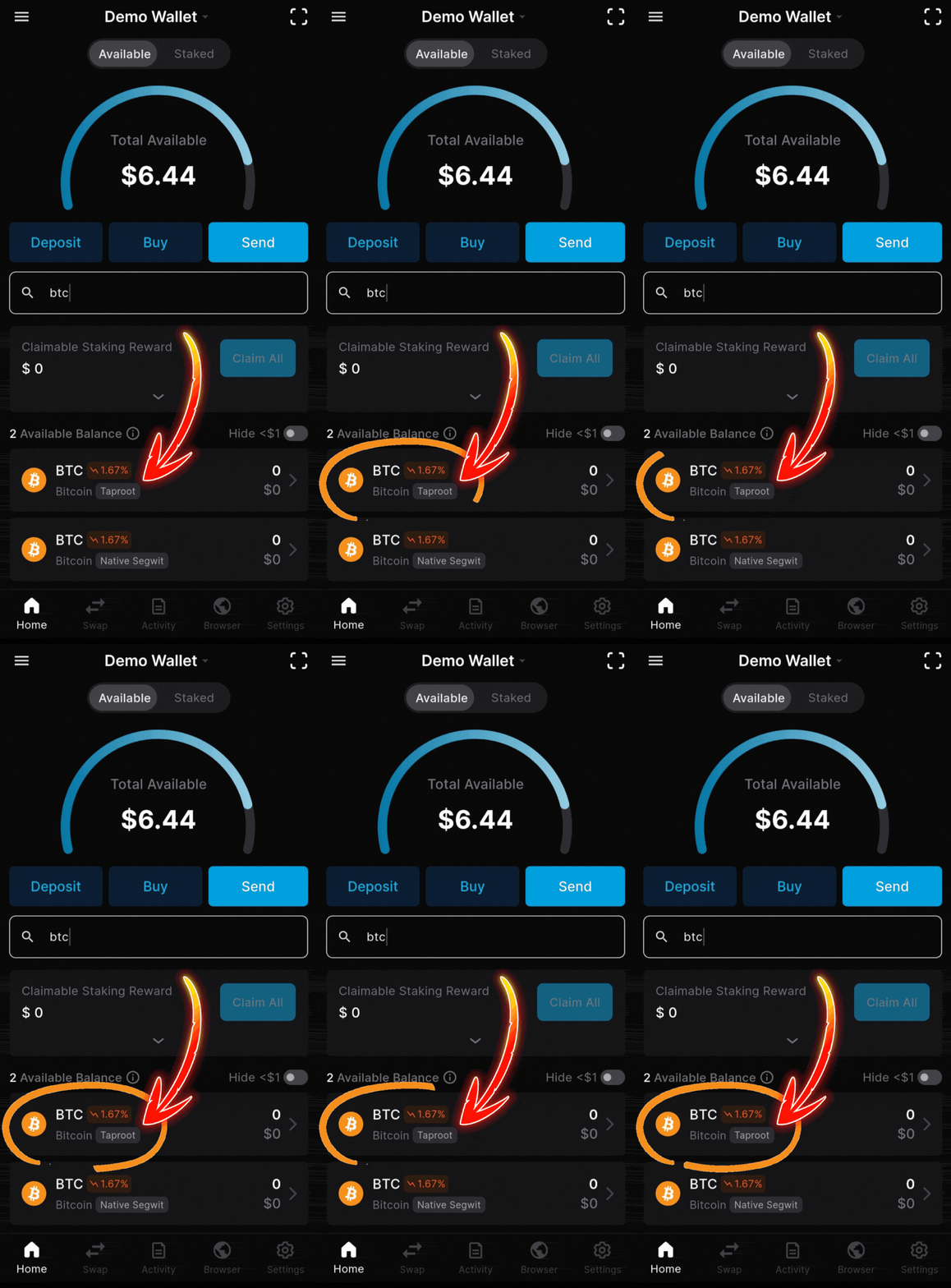
5. Tap into your BTC position page
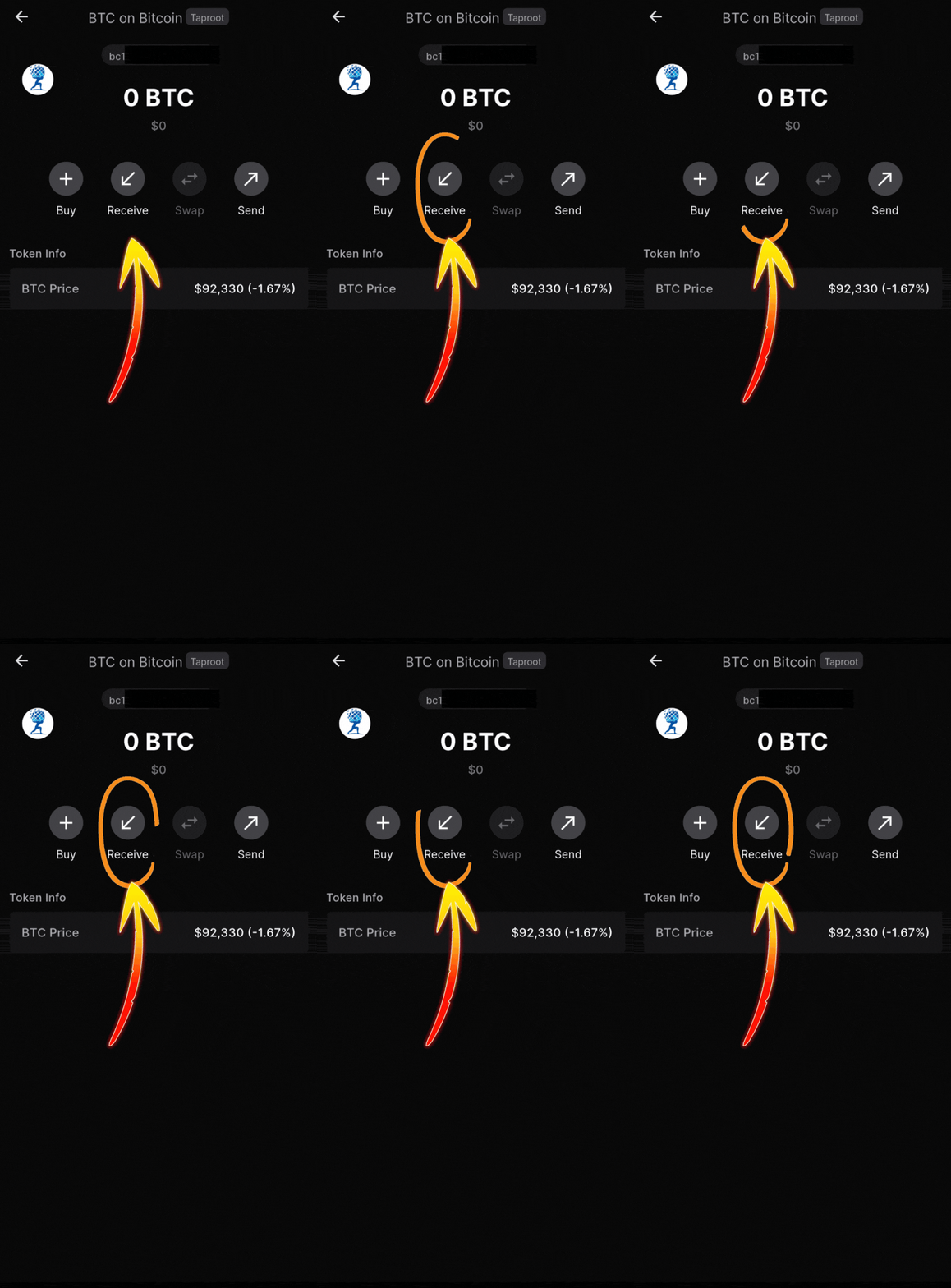
6. Tap “Receive” to view your Keplr BTC address
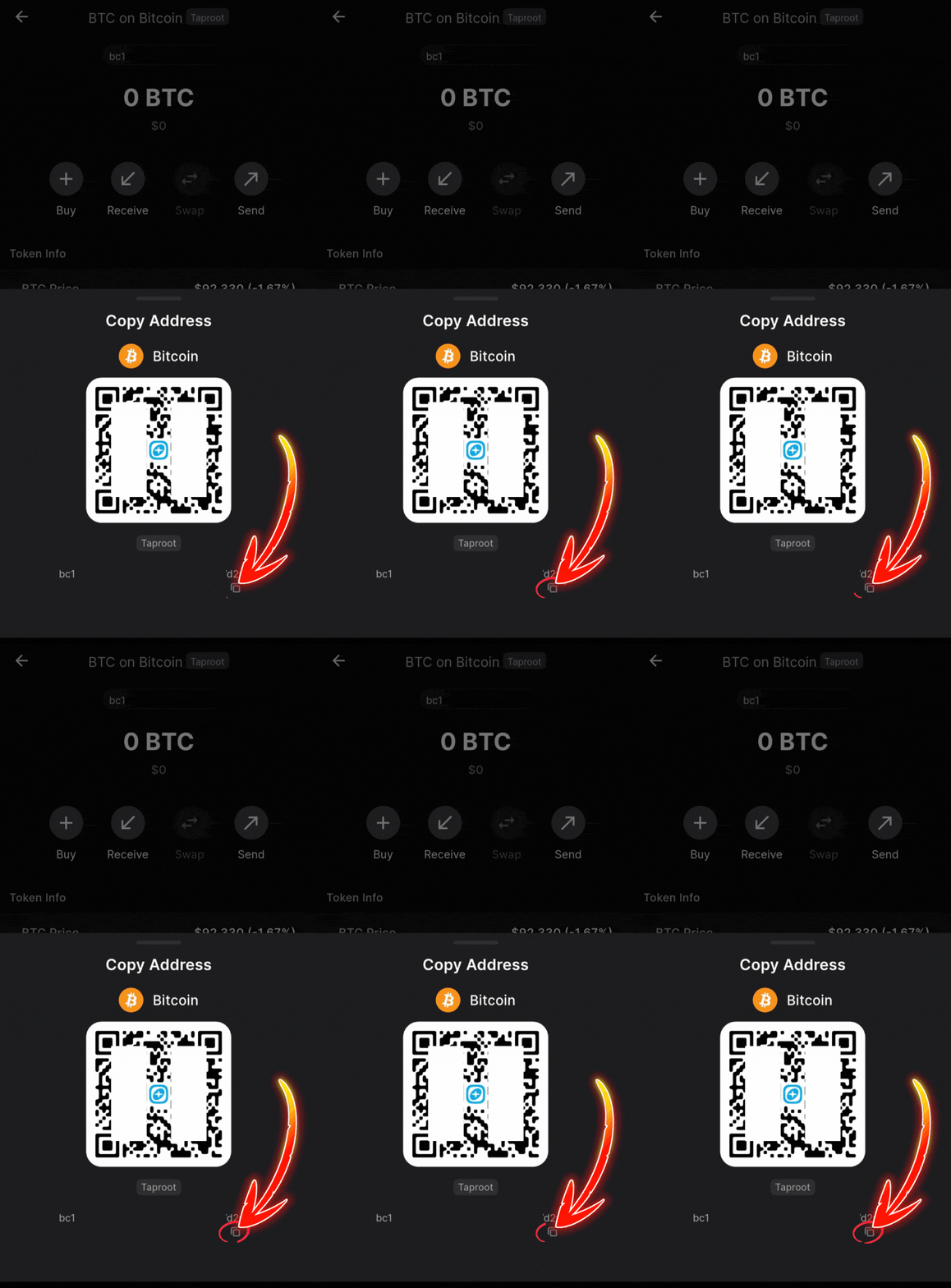
7. Use the QR code or copy the address to deposit BTC
Swipe or use the arrows to see every screenshot.
Moving BTC from an exchange to your wallet
Your BTC never becomes a wrapped token—it stays native on the Bitcoin network while the staking logic connects it to Babylon. The process:
Withdraw or send BTC from your exchange or existing BTC wallet to the new Keplr BTC address. Check the carousel below to review.
Connect Keplr to the Babylon BTC staking dashboard, choose Atlas Staking as your Finality Provider, and follow the on‑screen steps.
Once that is done, you will see your staked BTC position and can track rewards credited in BABY without ever giving up self‑custody.
Keplr: Tap BTC from your wallet home screen
Tap “Receive” to view your Keplr BTC receiving address
Deposit BTC by scanning the QR code or copy/pasting the address
Swipe or use the arrows to see every screenshot.
Staking BTC and BABY with Atlas Staking
With Babylon visible in your wallet and your addresses ready, the next step is turning idle assets into working capital for the network.
For BABY: go to the staking section in your wallet, search for “Atlas Staking,” and delegate your BABY to Atlas to help secure the network and earn staking rewards.
For BTC: from the Babylon BTC staking dashboard, select Atlas Staking as your Finality Provider, then walk through the guided process.
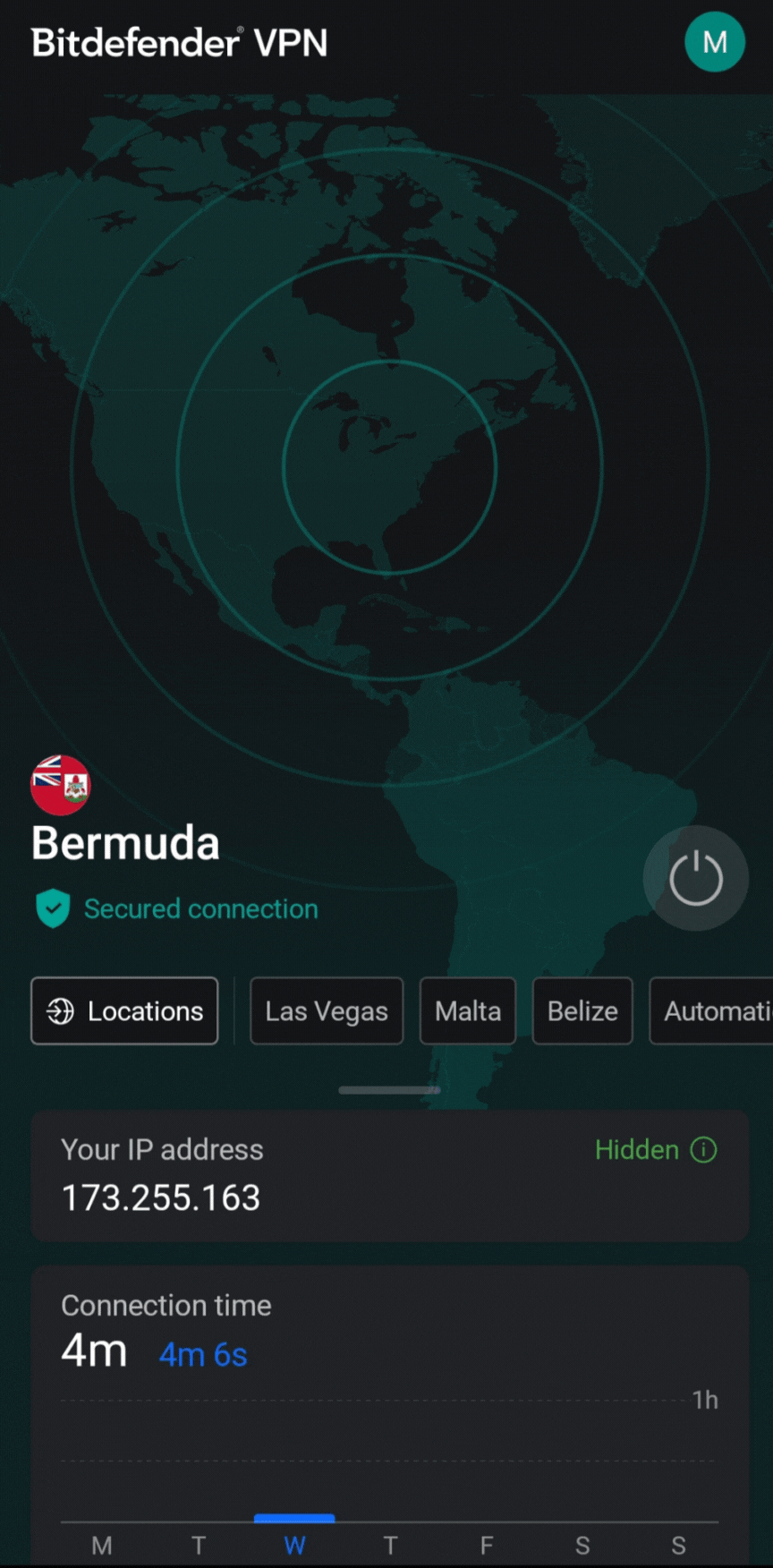
If you live in a country that hasn’t yet clarified their crypto policies, you may be geofenced and blocked from the Babylon BTC staking dashboard. Many people use a VPN connected to an approved country to gain access.
FREQUENTLY ASKED QUESTIONS
Why would I add Bitcoin to a Cosmos wallet in the first place?
Adding Bitcoin support to a Cosmos wallet like Keplr lets you plug your BTC into Babylon’s staking ecosystem while you keep self‑custody of your coins. It turns your wallet into a control panel for both BABY and BTC staking instead of just a place to “park” assets.
Does my BTC become a wrapped token when I stake through Babylon?
No, your BTC remains native on the Bitcoin network and is not turned into a wrapped asset. Babylon’s protocol uses Bitcoin transactions and cryptography to link your BTC to security on Babylon, so you earn yield without sending coins to a centralized custodian.
Is it safe to copy and share my receiving address?
Yes, your receiving address is meant to be shared—it is like a deposit account number, not a password. The critical rule is never to share your seed phrase or private keys; those stay offline and private at all times.
How do I move BTC from an exchange to my wallet before staking?
Follow the carousel above. First, generate or confirm your BTC receiving address in your preferred wallet, then copy it carefully. On your exchange, choose “Withdraw,” paste that BTC address, confirm the network is Bitcoin, and send a test amount before moving a larger balance.
What is the difference between staking BABY and staking BTC with Atlas Staking?
Staking BABY means delegating BABY tokens to the Atlas Staking validator to help secure the Babylon chain and earn protocol rewards. Staking BTC means allocating Bitcoin to Atlas Staking’s Finality Provider so your BTC helps secure Babylon‑connected activity while you earn yield tied to that service.
Can I unstake or move my BTC if I change my mind?
Yes, but there is a 2-day unbonding period and a small withdrawal fee. Once that period is over and your position is released, you can move your BTC like any other Bitcoin transaction.
Why stake with Atlas Staking instead of a random validator?
Atlas Staking operates both a BABY validator and a BTC Finality Provider, and focuses on clear education and long‑term alignment with delegators. That combination of technical focus and transparent communication makes us an excellent staking partner.


Cosmos airdrops move fast
Nothing we say is financial advice or a recommendation to buy or sell anything. Cryptocurrency is a highly speculative asset class. Staking crypto tokens carries additional risks, including but not limited to smart-contract exploitation, poor validator performance or slashing, token price volatility, loss or theft, lockup periods, and illiquidity. Past performance is not indicative of future results. Never invest more than you can afford to lose. Additionally, the information contained in our articles, social media posts, emails, and on our website is not intended as, and shall not be understood or construed as financial advice. We are not attorneys, accountants, or financial advisors, nor are we holding ourselves out to be. The information contained in our articles, social media posts, emails, and on our website is not a substitute for financial advice from a professional who is aware of the facts and circumstances of your individual situation. We have done our best to ensure that the information provided in our articles, social media posts, emails, and the resources on our website are accurate and provide valuable information. Regardless of anything to the contrary, nothing available in our articles, social media posts, website, or emails should be understood as a recommendation to buy or sell anything and make any investment or financial decisions without consulting with a financial professional to address your particular situation. Atlas Staking expressly recommends that you seek advice from a professional. Neither Atlas Staking nor any of its employees or owners shall be held liable or responsible for any errors or omissions in our articles, in our social media posts, in our emails, or on our website, or for any damage or financial losses you may suffer. The decisions you make belong to you and you only, so always Do Your Own Research.