STAKE ATOM USING KEPLR
We love the Interchain and Cosmos ecosystem. We show our support by running validators for multiple chains including Babylon, Band, Cosmos Hub, Kava, Osmosis and Seda.
Rising into the active set of ATOM validators has been a longtime aspiration and we did it with you help! Thank you.
Our earlier 5% ATOM commission rebate promotion ended in Q2 2026. A few 2028 rebate NFTs may still be available for delegations of at least 1,000 ATOM. Ask us about availability before you stake.
We seek your assistance, and in this ATOM staking guide, we will demonstrate how to stake using Keplr and how to switch validators and redelegate to our ATOM validator.
To ask about a remaining 2028 rebate NFT before you stake, use our contact form.
Stake Cosmos ATOM Using Keplr
ATOM staking offers one of the most attractive yields in crypto and the Cosmos Hub is coming to life with new projects. If you’re staking ATOM for the first time, scroll down to the second half of this article.
If you are looking to switch validators and redelegate ATOM to us, right on! This step-by-step ATOM staking tutorial will lead you through the process from beginning to end.
FIRST we will show you how to move staked ATOM tokens from your current validator over to us at Atlas Staking. That process is called, “Redelegating” and only takes a few seconds.
SECOND we will show those who are not currently staking ATOM how to stake.
Switch Validators And Redelegate ATOM
KEY TAKEAWAYS
1. Open your Keplr wallet.
2. Click the three bars.
3. Click “Manage Portfolio In Keplr Dashboard” to open the wallet in a browser tab. Or, click “Side Panel” to open and pin the wallet to your browser sidepanel.
4. Click the “Staked” tab.
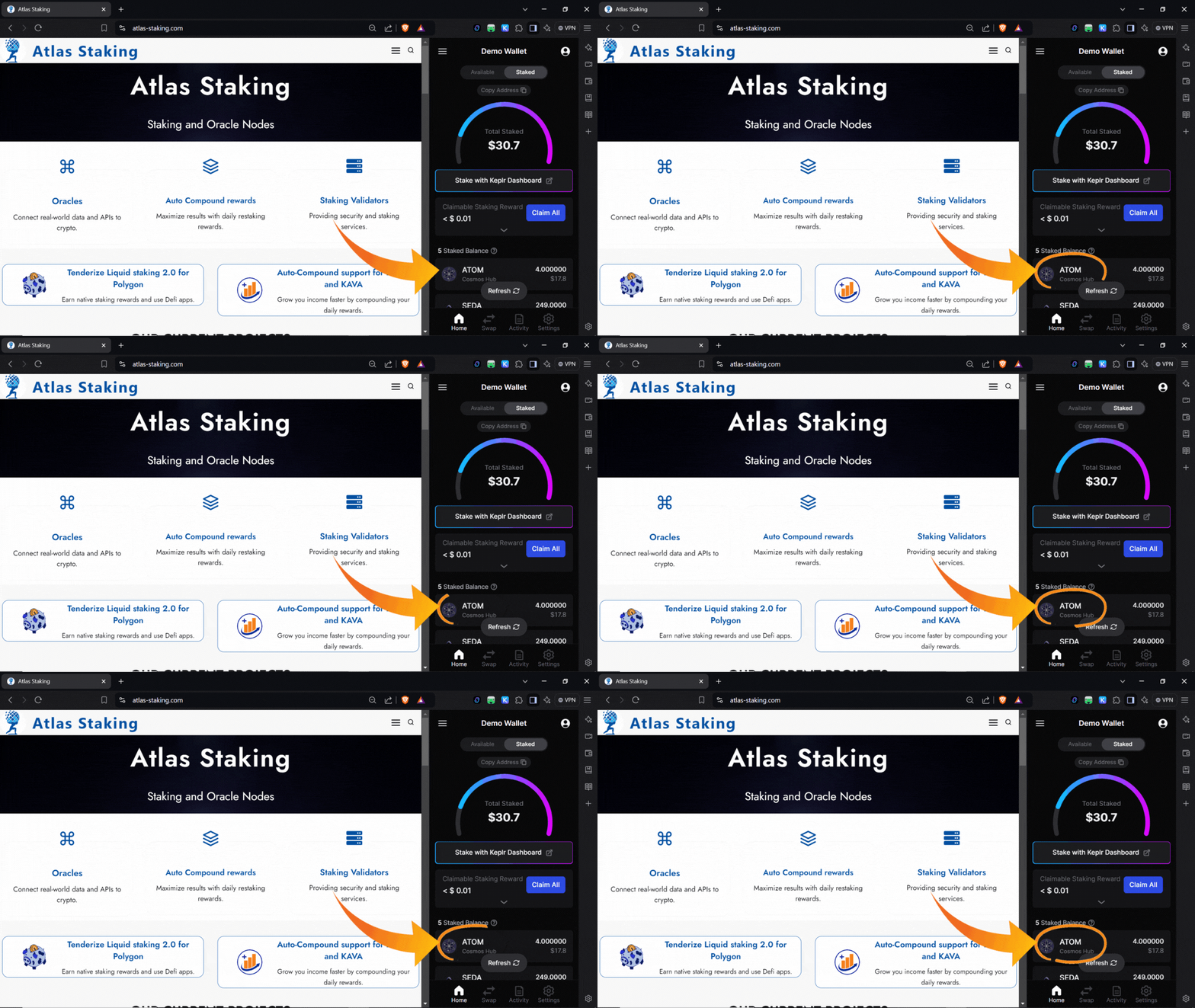
5. Click ATOM to manage your ATOM token position.
6. Click your current validator’s name.
7. Click “Switch Validator” on the popup window.
8. Type “Atlas Staking” in the search box or scroll down the list to find us.
9. Click “Atlas Staking” and then click “Next.”
10. Click “Continue to Stake.”
11. Enter the number of tokens you would like to move from your current validator over to us at Atlas Staking.
12. Click “Redelegate.”
13. Click “Approve.”
1. Click the Keplr icon in your browser toolbar to open the wallet. (Screenshot below)
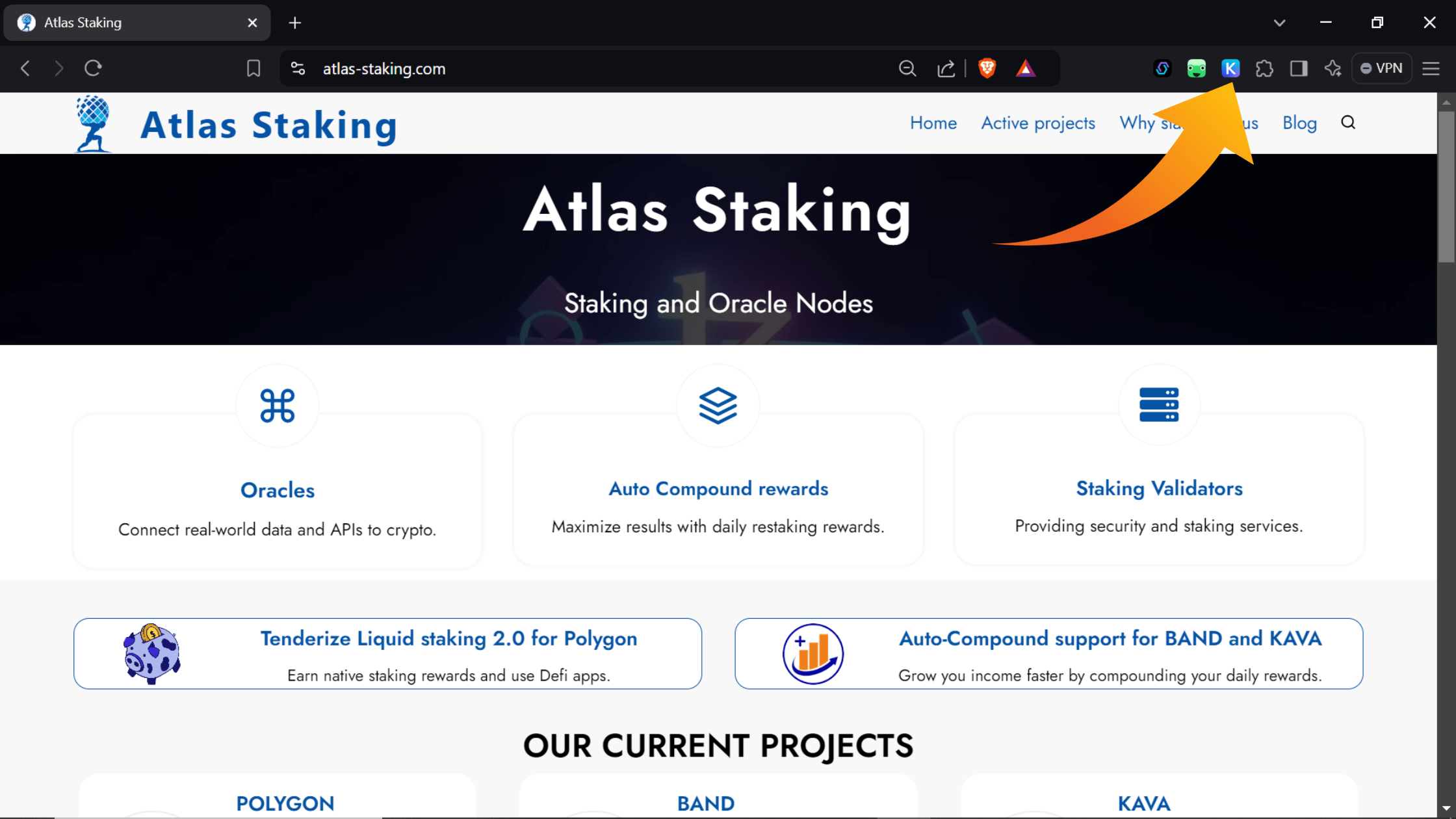
2. Click the three bars in the top left corner of the wallet.
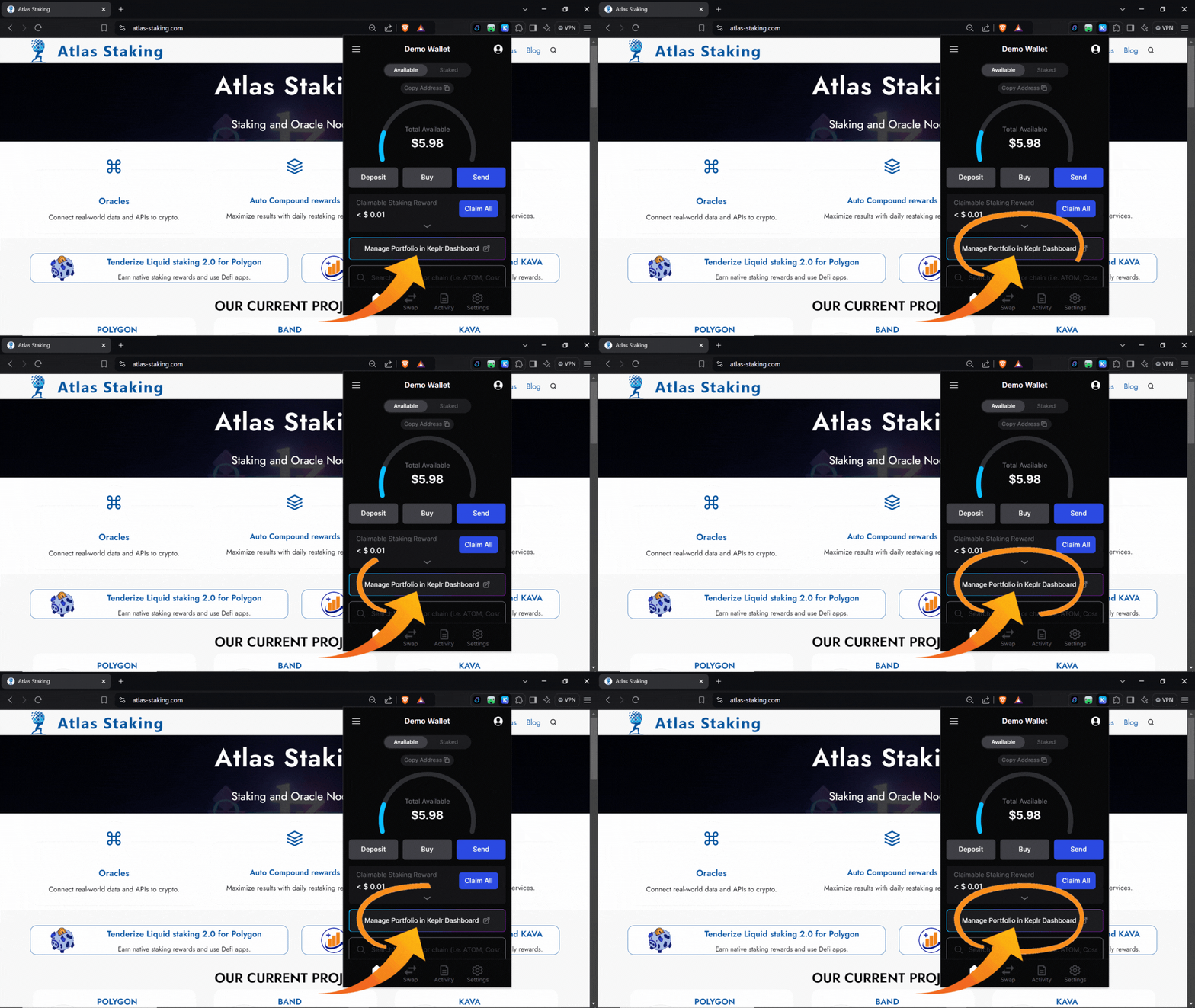
3. Click “Manage Portfolio In Keplr Dashboard” to open the wallet in a browser tab. Or, click “Side Panel” to open and pin the wallet to your browser sidepanel. (screenshots below)


4. Click the “Staked” tab to begin staking ATOM and/or view your staked positions. (screenshot below)
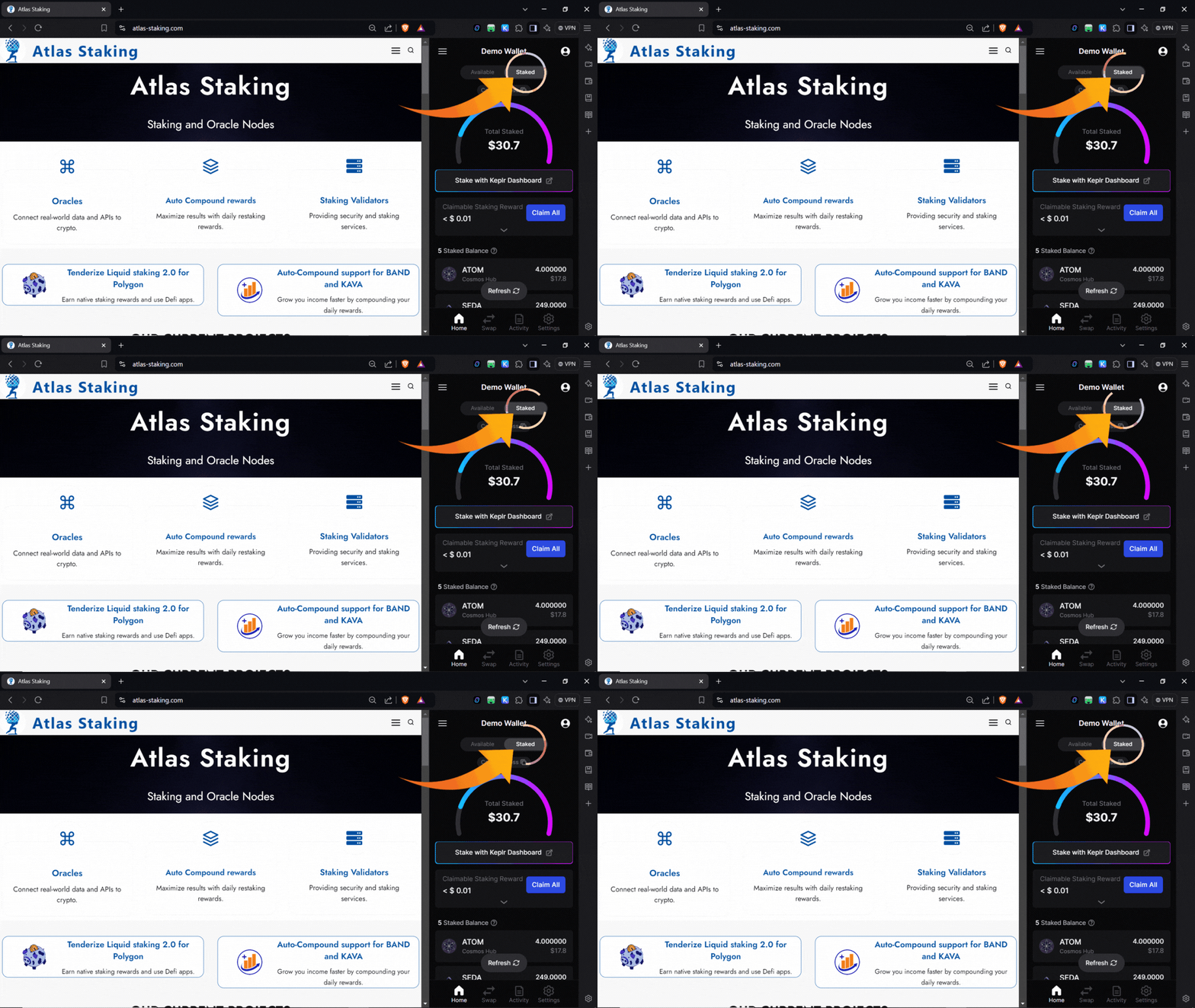
5. Click ATOM to manage your ATOM token position. (screenshot below)
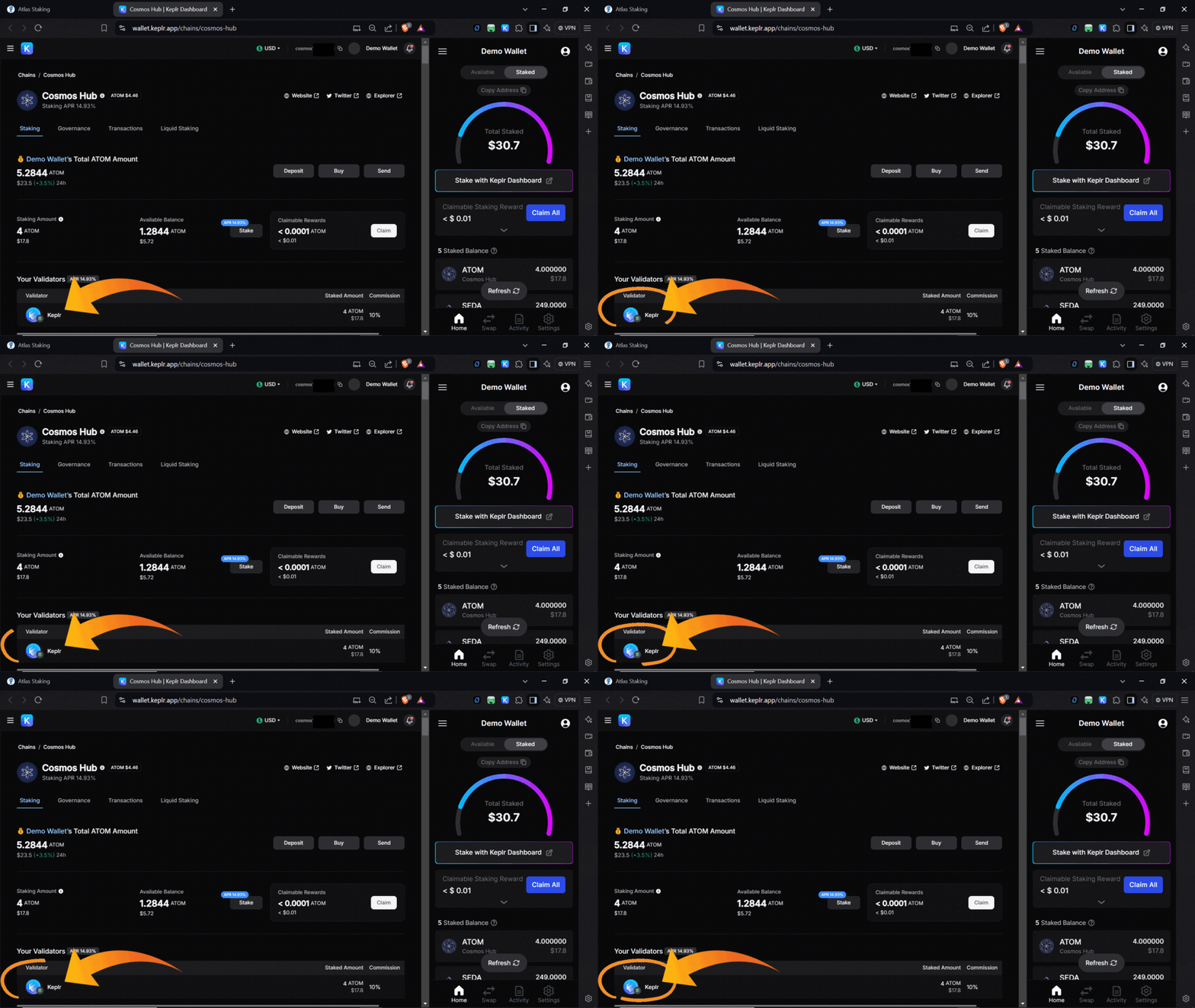
6. Click your current validator’s name, located under “Your Validators.” (screenshot below)
7. Click “Switch Validator” on the popup window. (screenshot below)

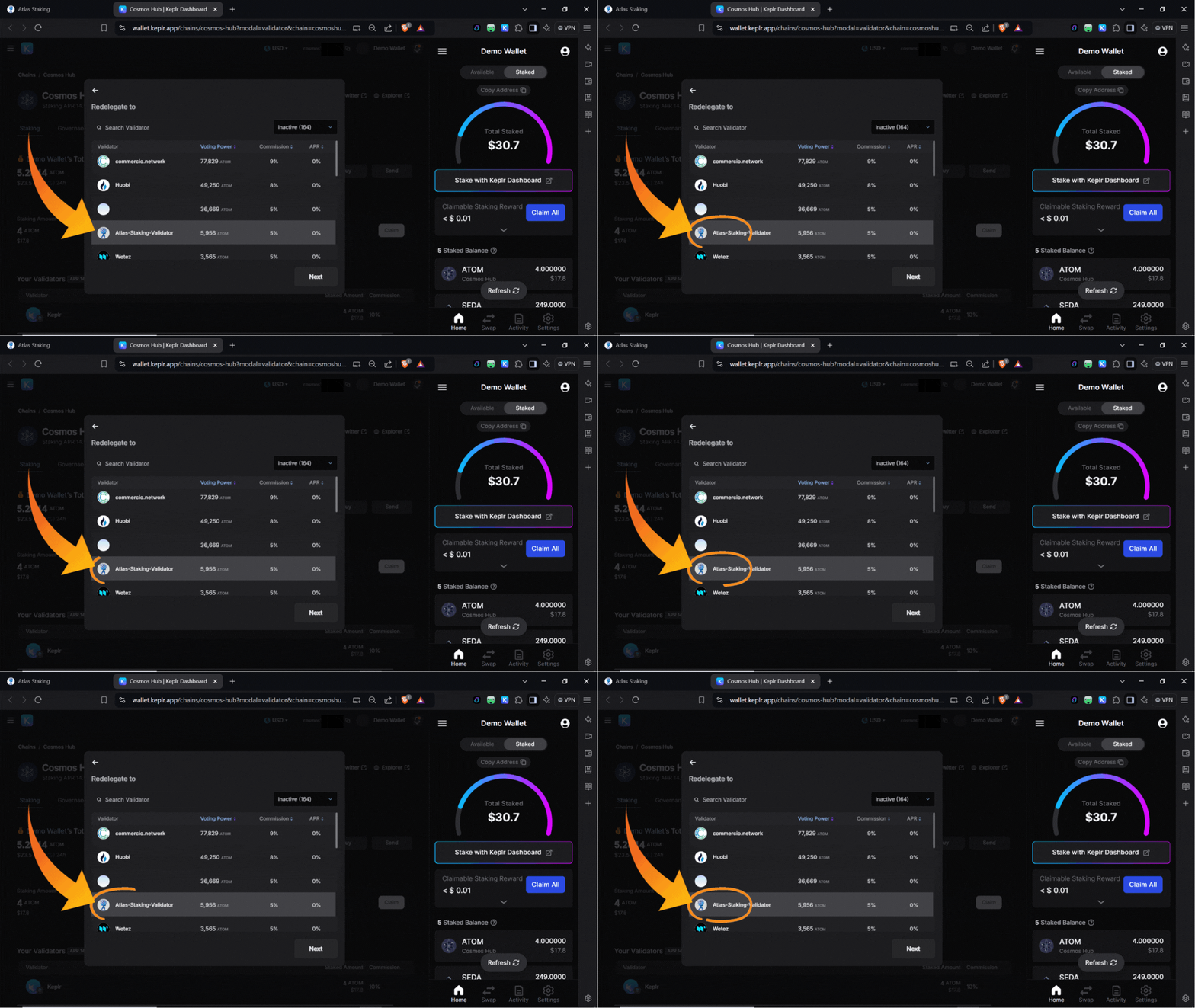
8. Type “Atlas Staking” in the search box located under the “Redelegate to” heading, or scroll down the list to find us. (screenshots below)


9. Click “Atlas Staking” and then click “Next.” (screenshots below)

10. Click “Continue to Stake.” If you receive a popup that says we are a “top 10 validator” that is incorrect and a software bug so you can ignore that warning. (screenshots below)
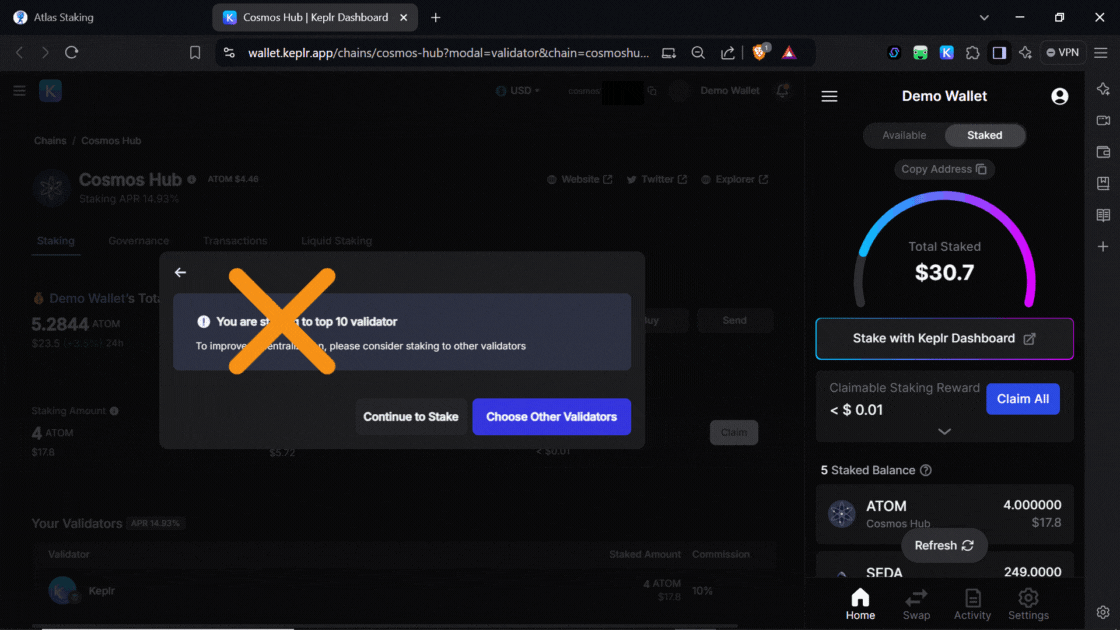

11. Enter the number of tokens you would like to move from your current validator over to us at Atlas Staking. (screenshots below)
The 2025 commission rebate has ended. Ask Atlas whether a 2028 rebate NFT is still available before you stake at least 1,000 ATOM.


12. Click “Redelegate.” You may have to scroll down a bit in the wallet window popup. (screenshot below)
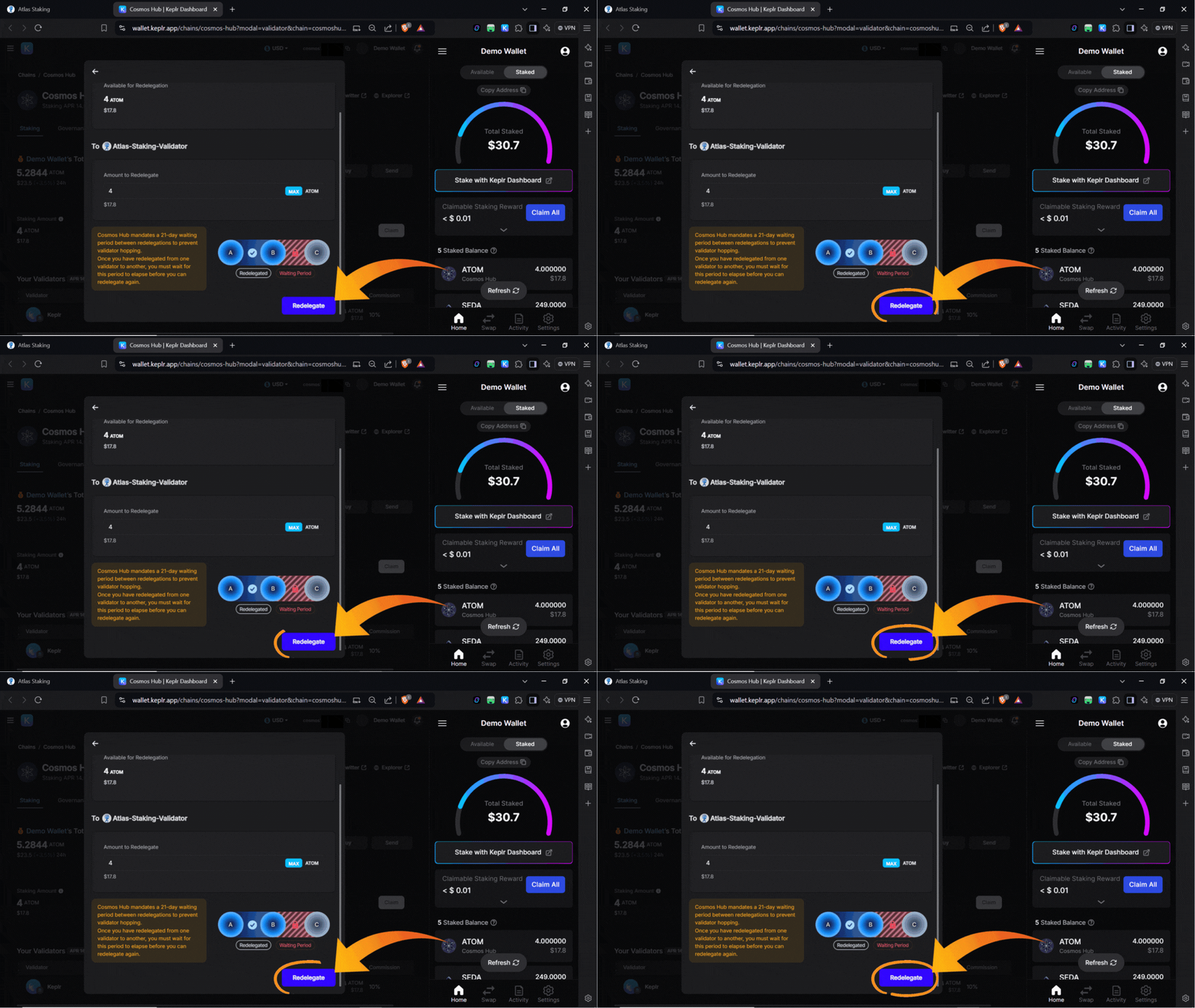
13. Click “Approve” in the wallet popup and within a couple seconds you will receive a “Transaction successful” confirmation. You did it! (screenshots below)


When you click back into your ATOM position you will see Atlas Staking listed under the “Your Validators” label. Thanks for staking with us!
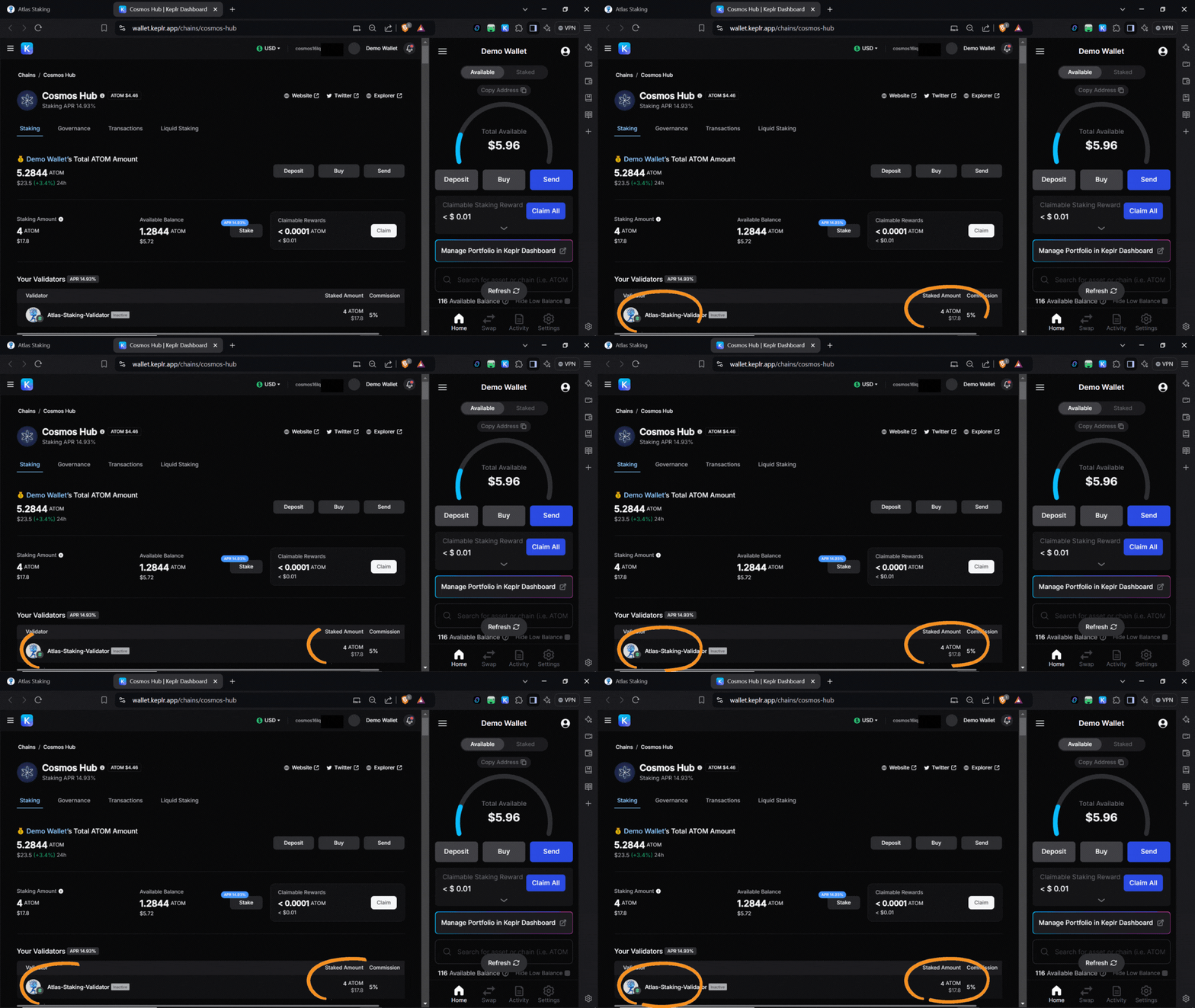
We hope this step-by-step guide to staking ATOM has shown you how quickly you can stake and redelegate using Keplr wallet. Thank you for staking and partnering with us!
How To Stake ATOM Using Keplr and Mintscan
KEY TAKEAWAYS
1. Navigate to the Mintscan ATOM validators page, or directly to Atlas Staking’s page.
2. Type “Atlas Staking” in the search box.
3. Click on “Atlas Staking.”
4. Click the Keplr icon in your browser to open your wallet.
5. Click “Connect Wallet.”
6. Click “KEPLR” in the popup.
7. Click “STAKE.”
8. Enter the number of tokens you would like to stake.
9. Click “Stake.”
10. Click “Approve” in the popup.
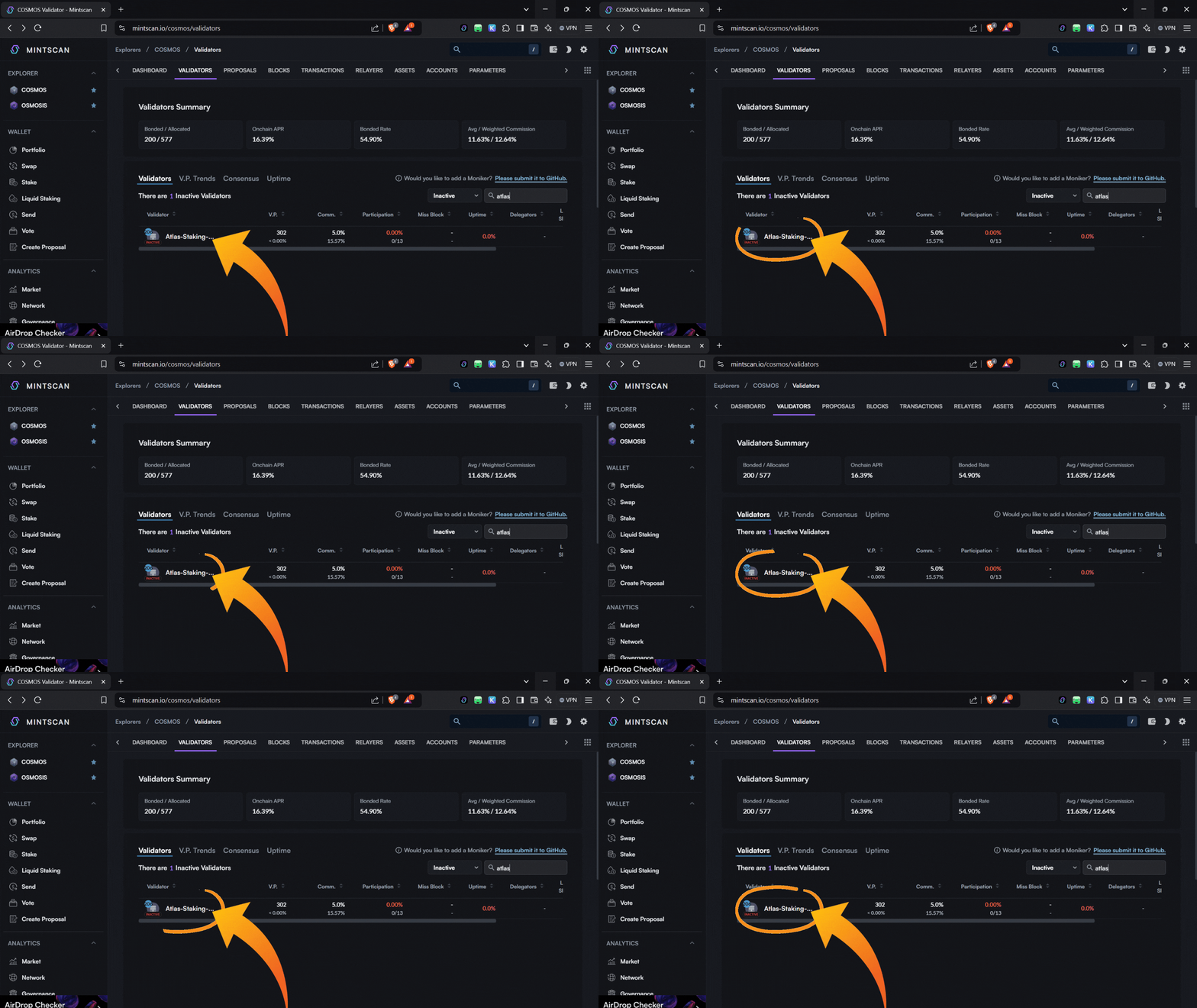
1. Navigate to the Mintscan ATOM validators page or directly to Atlas Staking’s ATOM Mintscan page to eliminate a couple steps. (screenshot below)

2. Type “Atlas Staking” in the search box. (screenshot below)

3. Click on “Atlas Staking.” (screenshot below)
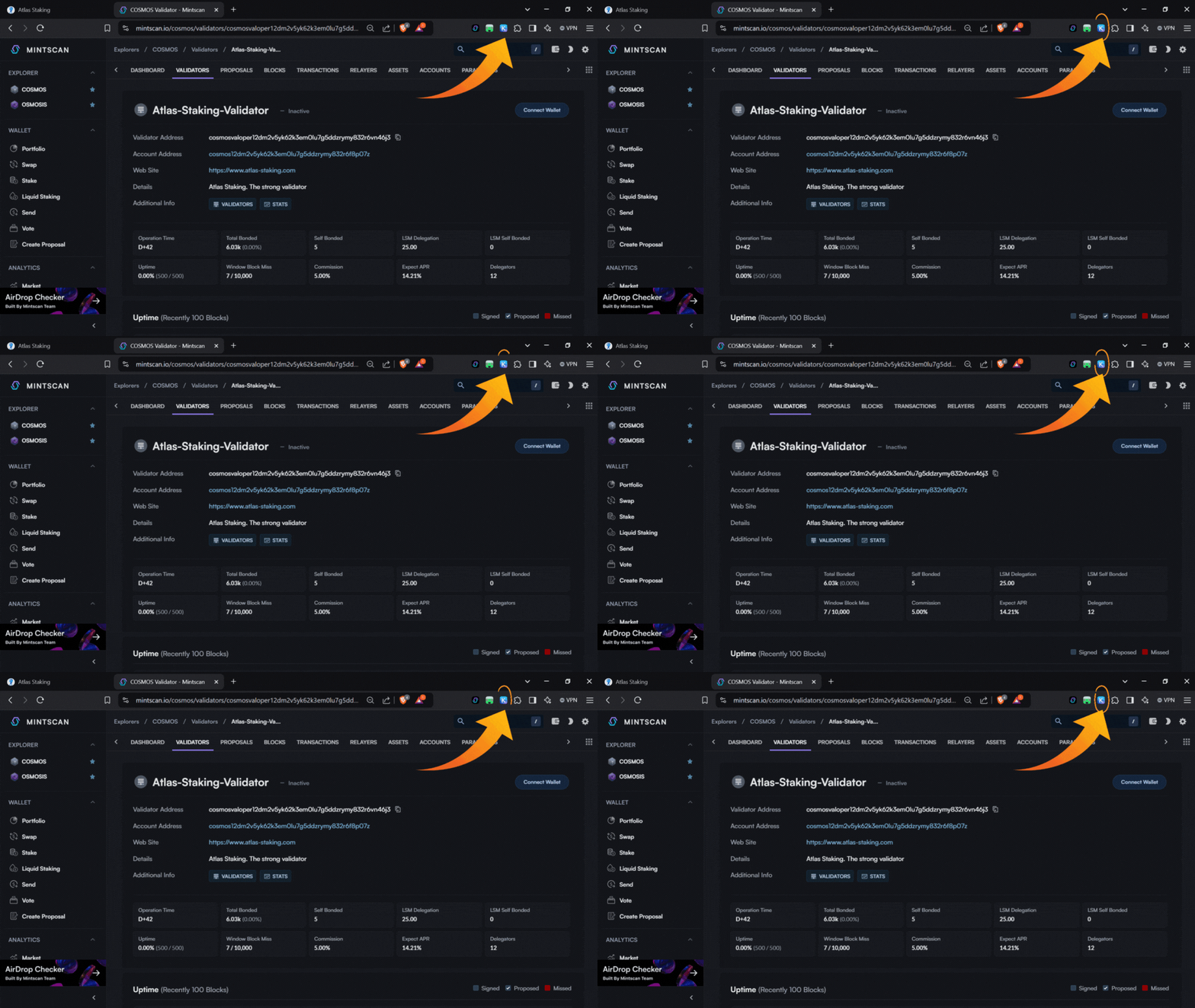
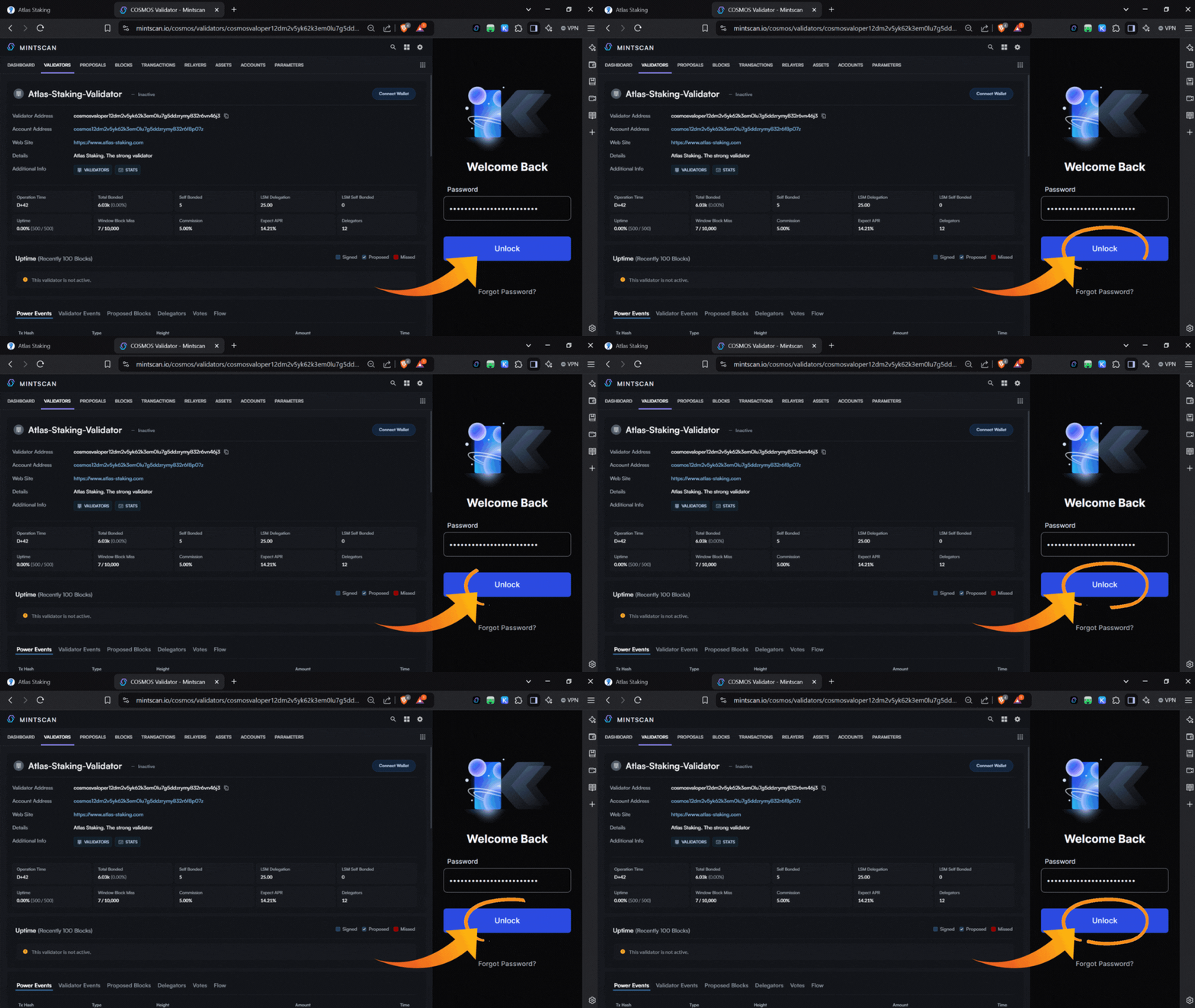
4. Click the Keplr icon in your browser to open your wallet. Enter your password and click “Unlock.” (screenshots below)
5. Click “Connect Wallet.” (screenshot below)

6. Click “KEPLR” in the popup. (screenshot below)

7. Click “STAKE.” (screenshot below)

8. Enter the number of tokens you would like to stake. (screenshots below)
The 2025 commission rebate has ended. Ask Atlas whether a 2028 rebate NFT is still available before you stake at least 1,000 ATOM.

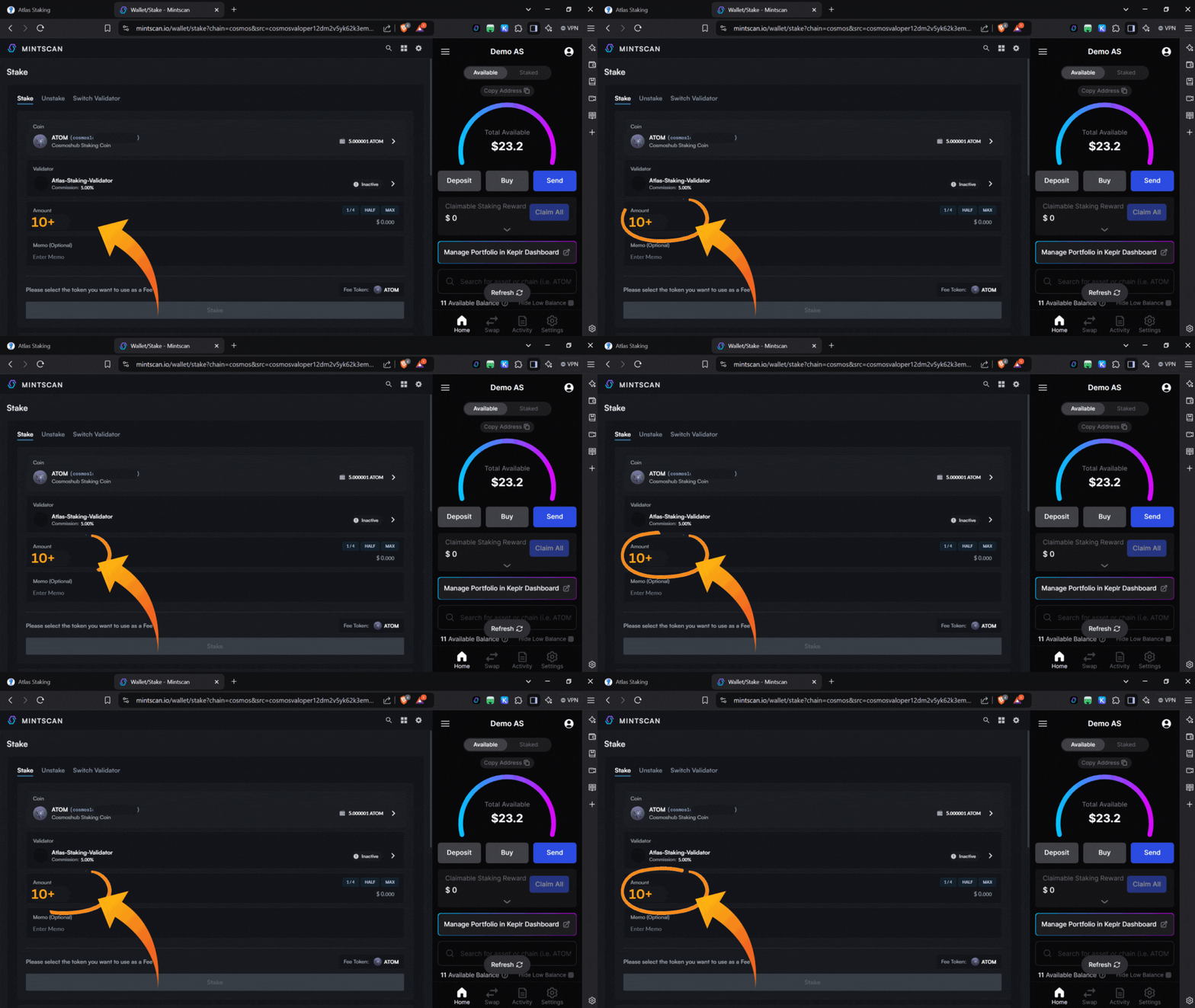


9. After you have entered the number of tokens you would like to stake click “Stake.” (screenshot below)

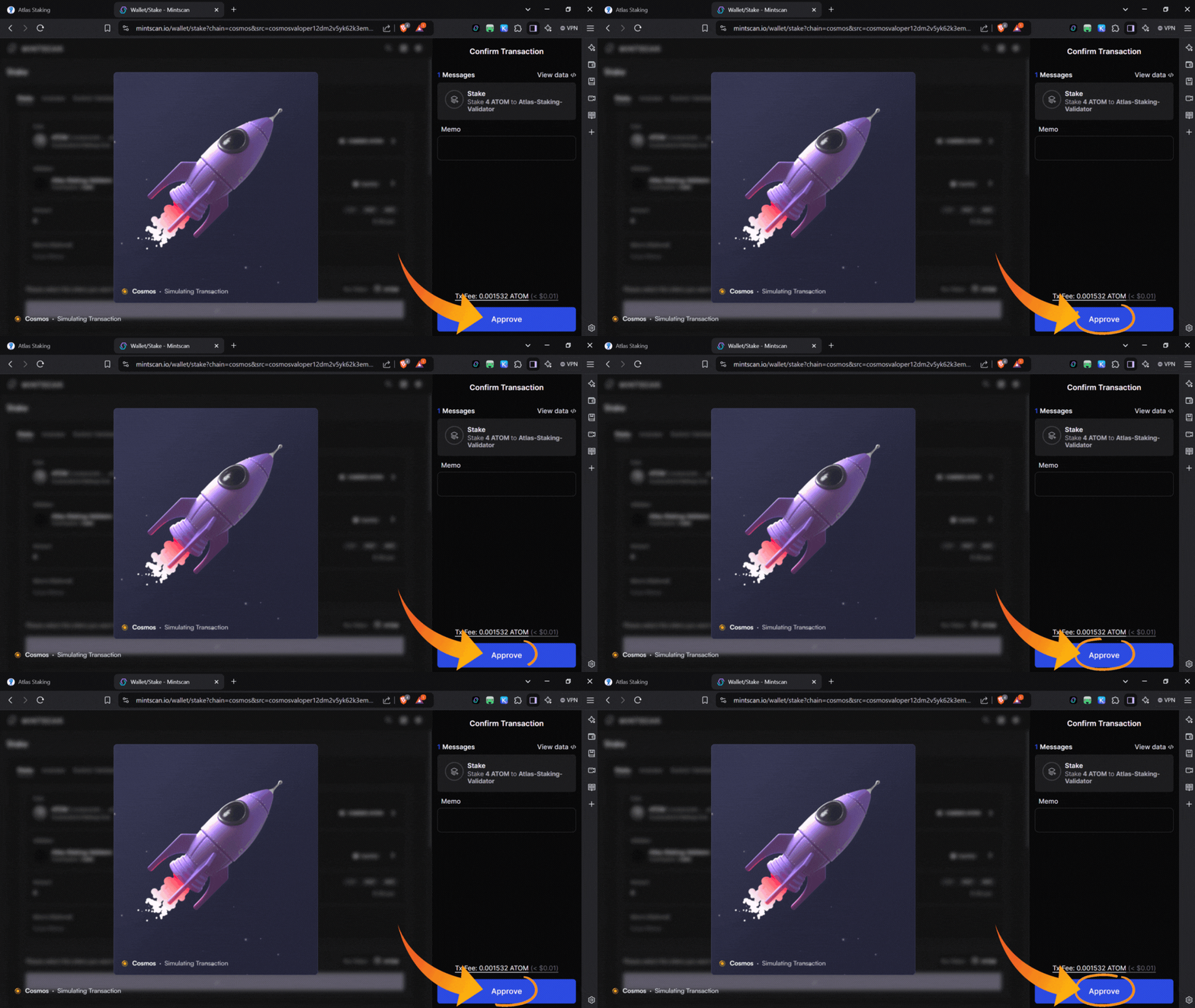
10. Click “Approve” in the popup. (screenshot below)

11. A “Transaction Sent” popup appears with a green checkmark, which indicates the transaction went through and you did it! (screenshot below)
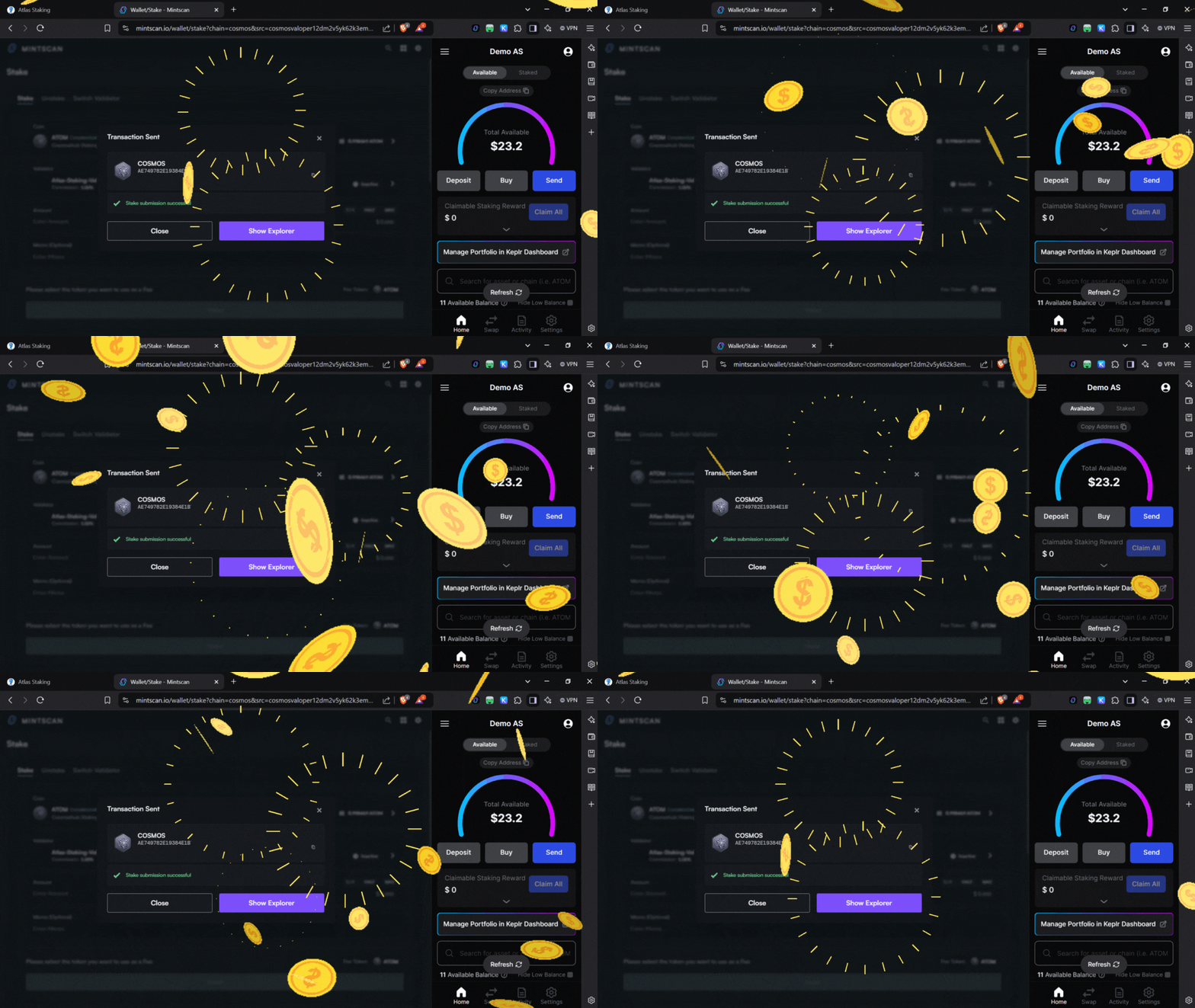
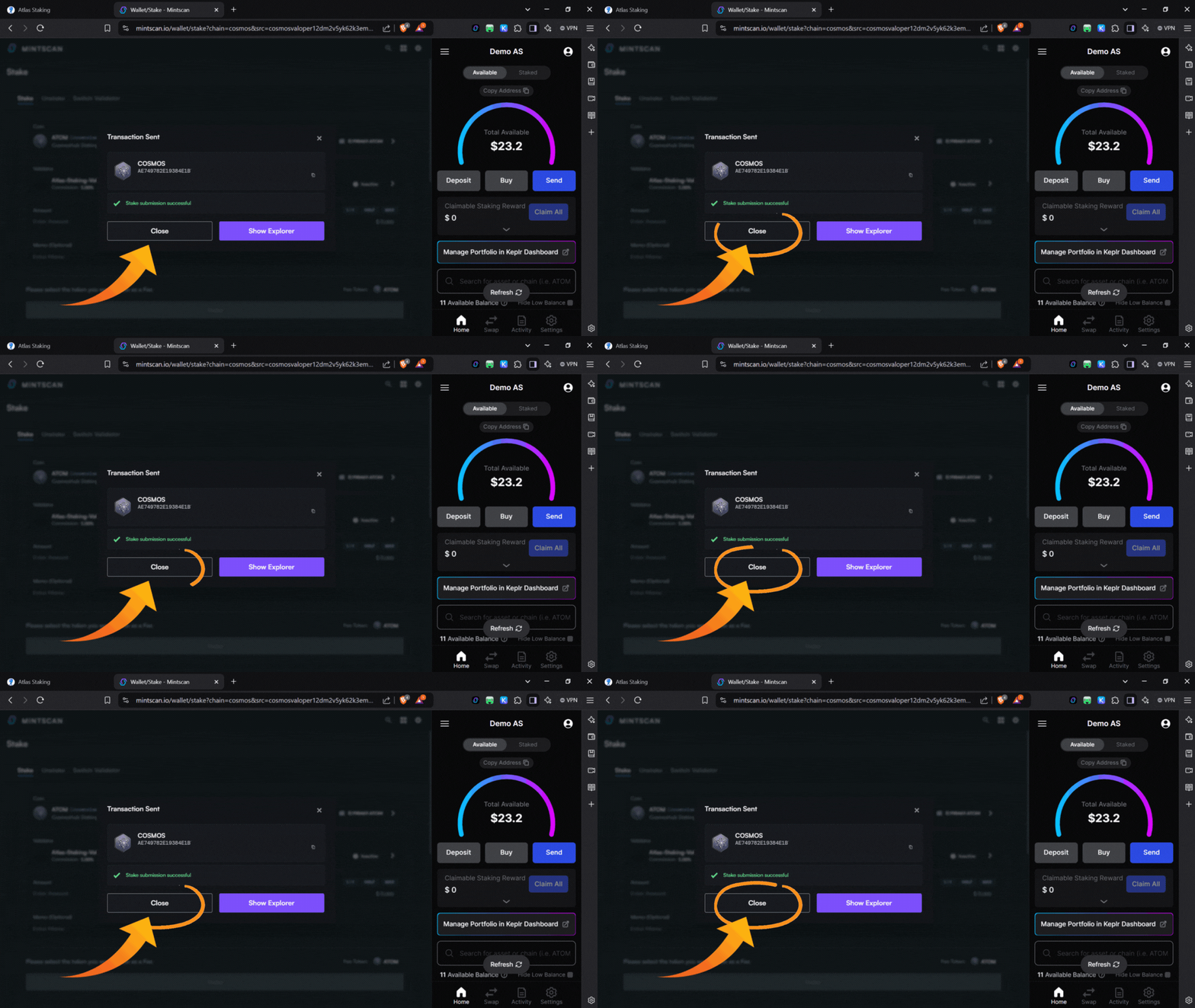
12. Click “Show Explorer” to view your transaction on Mintscan, or click “Close” to be taken back to your ATOM position page. (screenshot below)
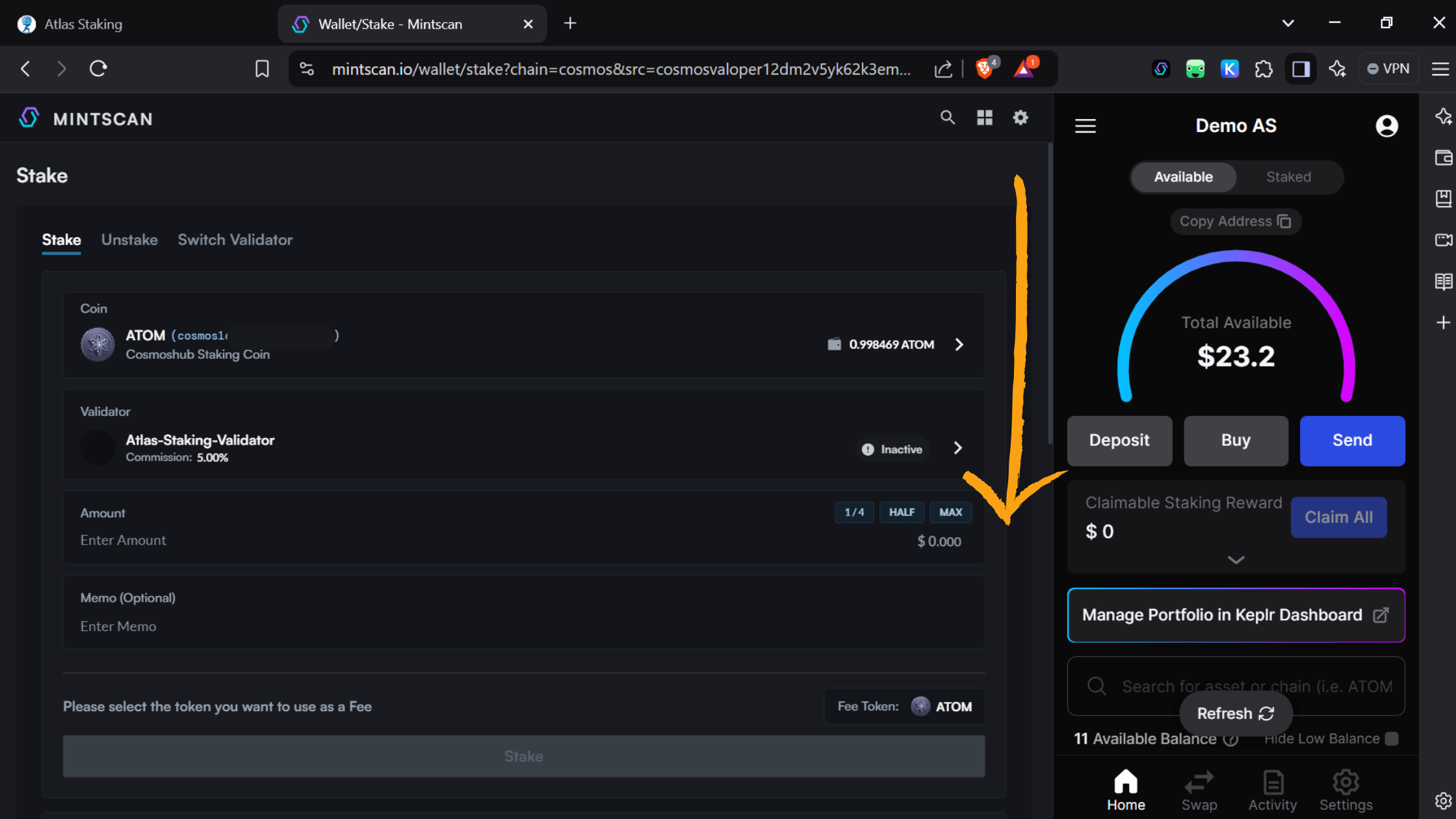
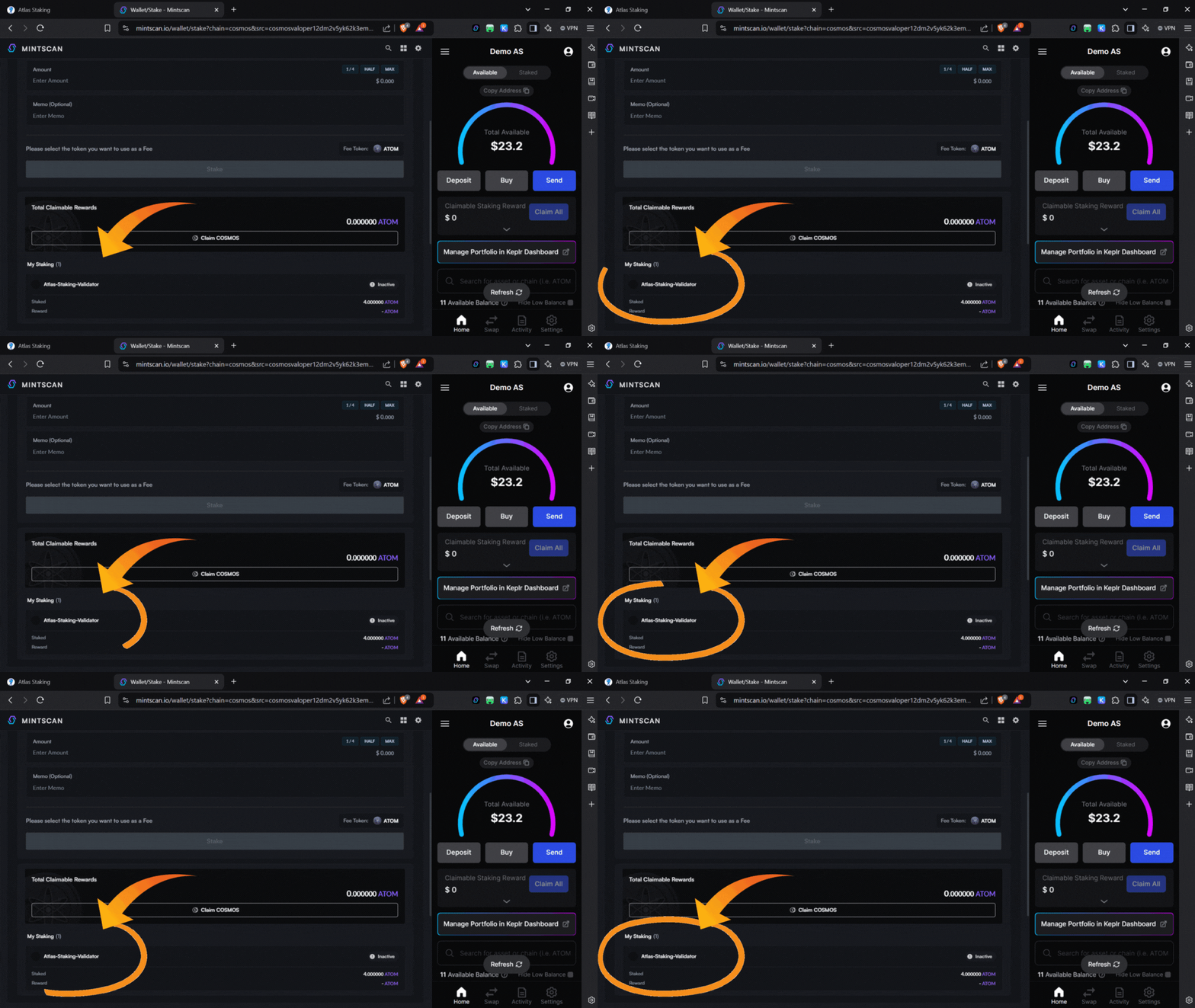
You may have to scroll down a little bit on your ATOM position page, but you’ll see Atlas Staking under the “My Staking” heading. Thanks for staking with us! (screenshots below)
To verify that all is well you can click “Manage Portfolio in Keplr Dashboard” to open Keplr up in a new browser tab. (screenshot below)

Select the “Cosmos Hub” chain from the Keplr dashboard and you’ll see Atlas Staking under “Your Validators.” (screenshots below)
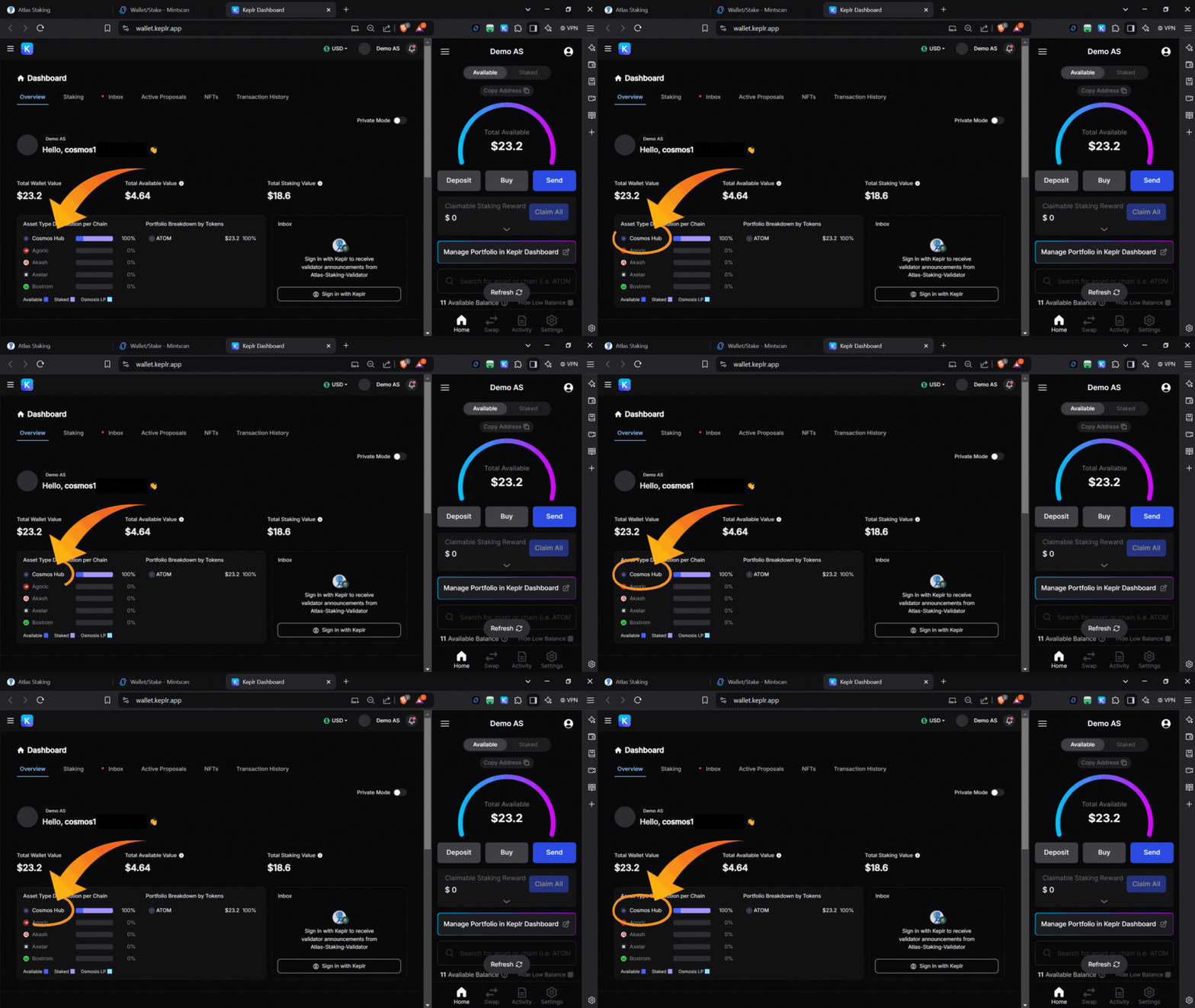
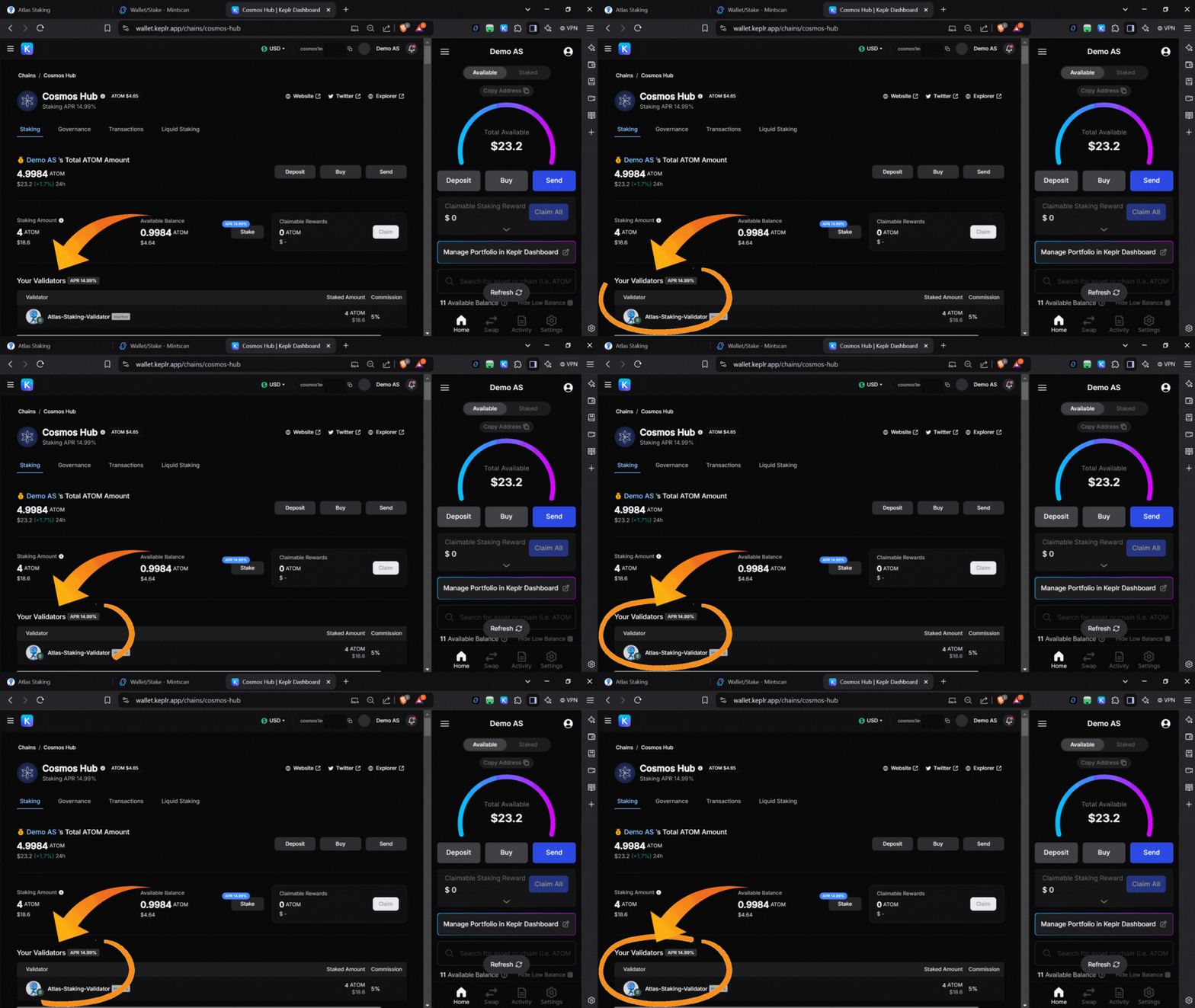
That’s it! You can now manage your ATOM delegation from within the Keplr user interface. There is no longer any need to connect to Mintscan, unless you prefer it.
It’s a shame that Melea validator has been dishonest and deceived delegators. We sincerely appreciate your help in getting us into the active set of Cosmos Hub validators. Crypto is full of scammers and the Cosmos Hub should have a zero-tolerance policy to protect its users.
The earlier ATOM promotion has ended. If you plan to stake at least 1,000 ATOM, ask us whether a 2028 rebate NFT is still available.
Other Tutorials And Articles To Check Out
Switch ATOM validators and stake ATOM with Ledger Live
Frequently Asked Questions
Does staking ATOM pay?
ATOM staking offers one of the highest yields for a large cap token, but constantly fluctuates so check mintscan for the current ATOM staking APY.
Is Cosmos ATOM staking safe?
Cosmos ecosystem staking is among the safest because it uses a staking module instead of smart contracts. However, if your validator goes offline for too long you can lose 0.01% of your staked tokens, which is usually pennis. It’s meant to embarrass the validator more than anything else.
If your validator mismanages their keys or tries to steal by double signing a block, the penalty is much stiffer. You would lose 5% of your staked tokens and the validator is permanently removed from the set. That’s called being, “Tombstoned.”
Where to stake ATOM tokens?
ATOM can be staked at centralized exchanges, like Coinbase, Kraken and Binance but we urge you not to stake there. CEXs constantly change their commission to bait and switch investors. Coinbase can charge anywhere between 20% and 50% commission!
The highest ATOM staking yield will come by staking from a non-custodial wallet, like Keplr or Ledger Live. Plus, staking from a noncustodial wallet will enable you to claim free crypto in the form of airdrops.
What is staking redelegation?
Redelegating is the act of switching validators without unstaking your tokens. This tutorial should have shown you exactly how to redelegate using Keplr.



Cosmos airdrops move fast
Nothing we say is financial advice or a recommendation to buy or sell anything. Cryptocurrency is a highly speculative asset class. Staking crypto tokens carries additional risks, including but not limited to smart-contract exploitation, poor validator performance or slashing, token price volatility, loss or theft, lockup periods, and illiquidity. Past performance is not indicative of future results. Never invest more than you can afford to lose. Additionally, the information contained in our articles, social media posts, emails, and on our website is not intended as, and shall not be understood or construed as financial advice. We are not attorneys, accountants, or financial advisors, nor are we holding ourselves out to be. The information contained in our articles, social media posts, emails, and on our website is not a substitute for financial advice from a professional who is aware of the facts and circumstances of your individual situation. We have done our best to ensure that the information provided in our articles, social media posts, emails, and the resources on our website are accurate and provide valuable information. Regardless of anything to the contrary, nothing available in our articles, social media posts, website, or emails should be understood as a recommendation to buy or sell anything and make any investment or financial decisions without consulting with a financial professional to address your particular situation. Atlas Staking expressly recommends that you seek advice from a professional. Neither Atlas Staking nor any of its employees or owners shall be held liable or responsible for any errors or omissions in our articles, in our social media posts, in our emails, or on our website, or for any damage or financial losses you may suffer. The decisions you make belong to you and you only, so always Do Your Own Research.